00196625-03_AI_SX12_PCB_Barcode_de_en.pdf - 第143页
Setting up and Commissioning Running the Cables Installing the PCB Barcode Scanner PCB Barcode LP-Barcode 143 Holder on Conveyor Lane 2 Bottom - Running Cables ► Run the cable to t he recep tacle for the holder as shown …
Setting up and Commissioning
Installing the PCB Barcode Scanner Running the Cables
142 PCB Barcode LP-Barcode
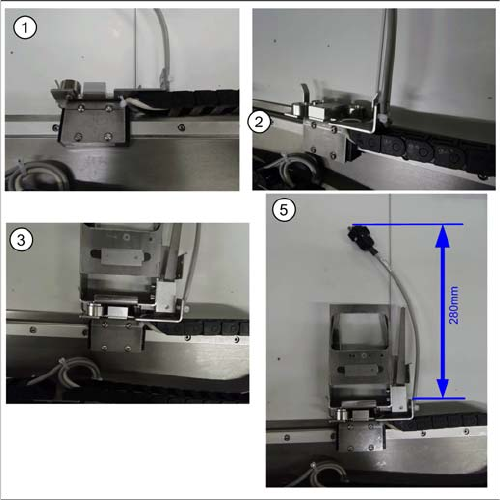
Holder on Conveyor Lane 2 Top - Running Cables
► Run the cable to the receptacle for the holder as
shown in diagrams (1 to 5).
► Run the cable between the receptacle for the holder
and the guide rails and fix it into place.
► Fix the cable into place with the two cable ties and the
receptacle for the holder, so that the holder is posi-
tioned level on the magnets, when inserted.
► Cut any excess cable tie. The cables or cable ties
must never protrude beyond the receptacle, other-
wise the mounting frame will not fit when pushed into
the machine installation point (backpack).
Setting up and Commissioning
Running the Cables Installing the PCB Barcode Scanner
PCB Barcode LP-Barcode 143
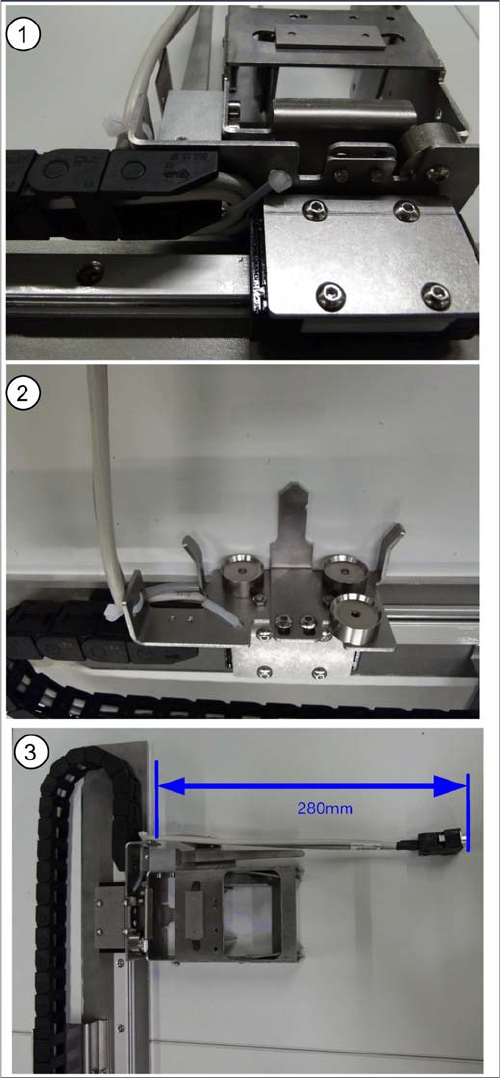
Holder on Conveyor Lane 2 Bottom - Running Cables
► Run the cable to the receptacle for the holder as
shown in diagrams (1 to 3).
► Run the cable between the receptacle for the holder
and the guide rails and fix it into place.
► Fix the cable into place with the two cable ties and the
receptacle for the holder, so that the holder is posi-
tioned level on the magnets, when inserted.
► Cut any excess cable tie. The cables or cable ties
must never protrude beyond the receptacle, other-
wise the mounting frame will not fit when pushed into
the machine installation point (backpack).
Setting up and Commissioning
Installing the PCB Barcode Scanner Running the Cables
144 PCB Barcode LP-Barcode
Inserting the Holder into the Mounting Frame
► Check whether the holder and the scanner can be inserted together into the receptacle on the
mounting frame and whether the connectors can be plugged together. Place the scanner and holder
in the required position in the mounting frame.
The holder is fixed via magnets to the mounting frame.
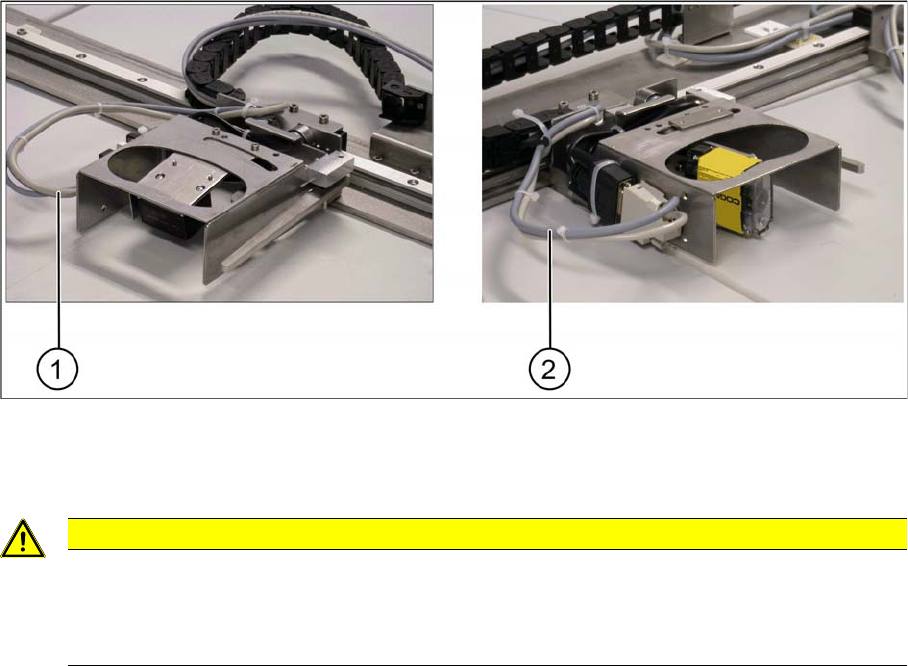
Cable loop - example of 1D barcode scanner at cross angles and 2D barcode scanner
► Connect the SUB-D connector for the relevant cable set to the SUB-D connector of the barcode
scanner.
CAUTION
Do not get the sets of cables confused with one another.
Make sure that you use the correct set of cables. Take care never to confuse the cable sets for
1D and 2D barcode scanner (e.g. during conversion work). When using a 1D barcode scanner,
you must fit the intermediate adapter (gender changer).