00196625-03_AI_SX12_PCB_Barcode_de_en.pdf - 第181页
Setting up and Commissioning 2D PCB Barcode Scanner Configuring the PCB Barcode Scanner PCB Barcode LP-Barcode 181 "Connect to Reader" view - ch anging mode ► Click on the Toggle View (1) button, to switch over…
Setting up and Commissioning
Configuring the PCB Barcode Scanner 2D PCB Barcode Scanner
180 PCB Barcode LP-Barcode
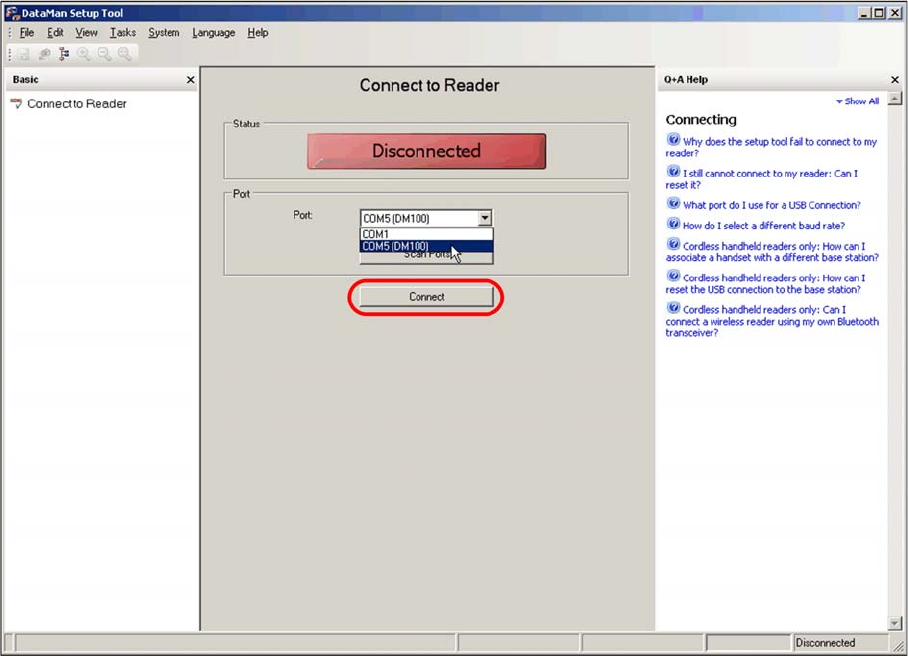
"Connect to Reader" view - connecting to the barcode scanner
► Select a COM port with DM100 from the pull down menu.
► Click on Connect.
The software will connect to the barcode scanner at the selected port.
Setting up and Commissioning
2D PCB Barcode Scanner Configuring the PCB Barcode Scanner
PCB Barcode LP-Barcode 181
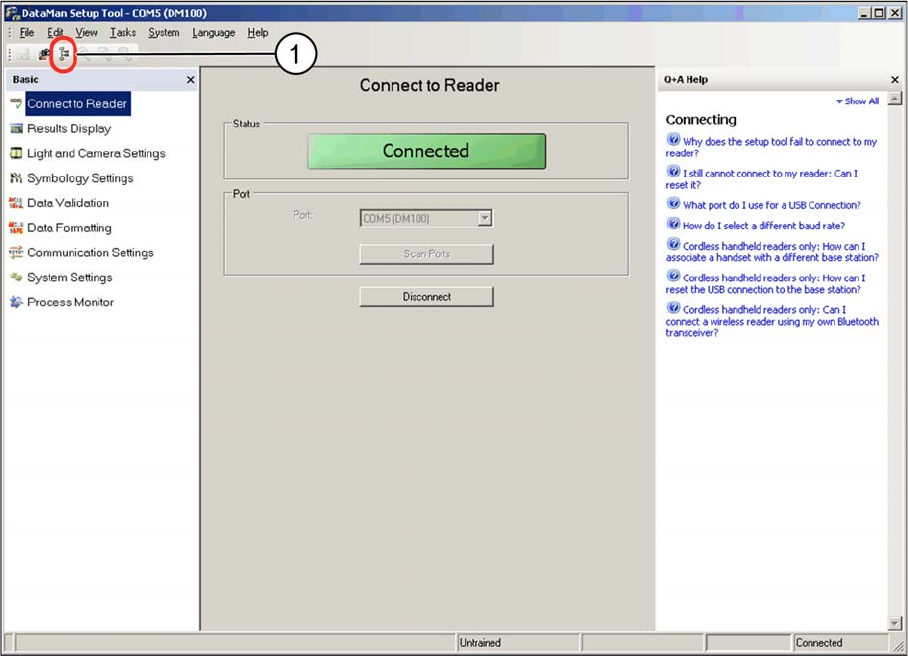
"Connect to Reader" view - changing mode
► Click on the Toggle View (1) button, to switch over to Advanced mode.
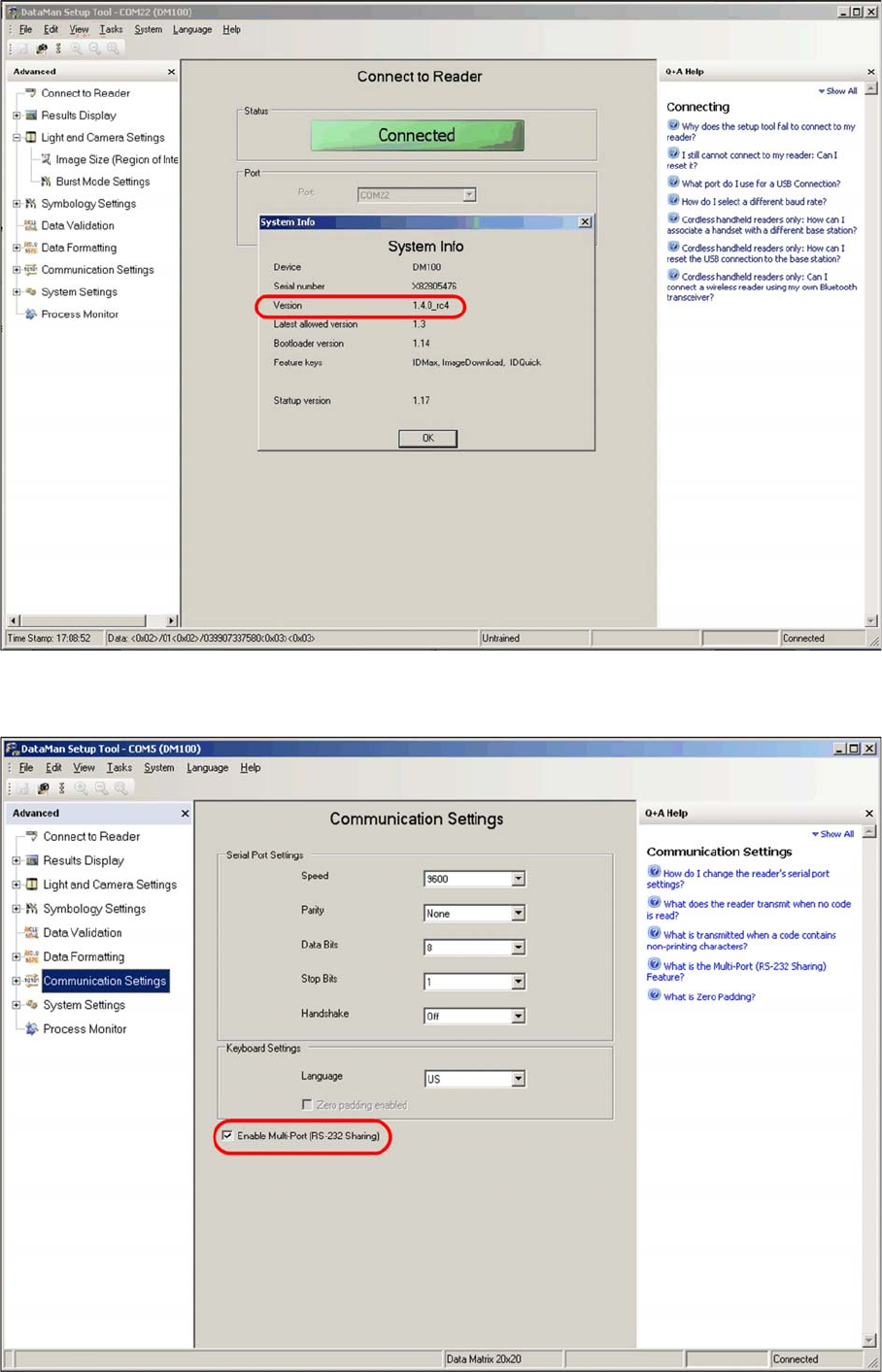
► Open the menu View – System Info – Version, to view the current firmware version for the barcode
scanner. You need at least version 1.4.0.
Setting up and Commissioning
Configuring the PCB Barcode Scanner 2D PCB Barcode Scanner
182 PCB Barcode LP-Barcode
Displaying "System Info"
► Switch over to the Communication Settings view.
Communication Settings view