00196625-03_AI_SX12_PCB_Barcode_de_en.pdf - 第172页
Setting up and Commissioning Configuring the PCB Barcode Scanner 1D PCB Bar code Scanner 172 PCB Barcode LP-Barcode "Edit Configuration" dialog – "Data Format" tab "Edit Configuration" dialo…
Setting up and Commissioning
1D PCB Barcode Scanner Configuring the PCB Barcode Scanner
PCB Barcode LP-Barcode 171
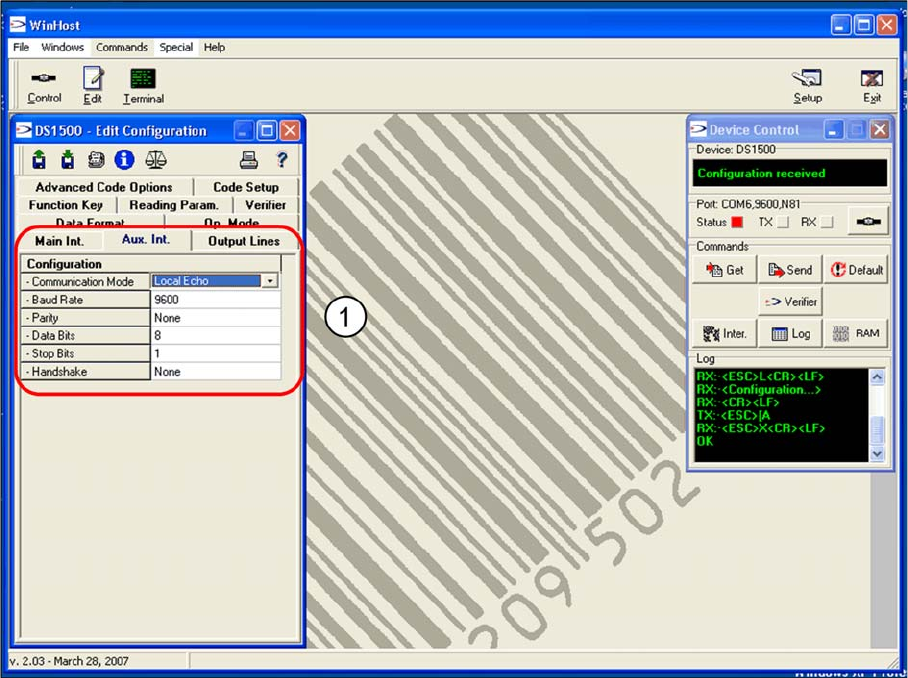
"Edit Configuration" dialog – "Aux Int." tab
"Edit Configuration" dialog – "Aux Int." tab
The parameters for the AUX interface (RS232), which connects the WinHost with the barcode scanner,
are set in the Aux. Int tab, for barcode scanner setup purposes.
► Accept the values shown in the screenshot (1).
Setting up and Commissioning
Configuring the PCB Barcode Scanner 1D PCB Barcode Scanner
172 PCB Barcode LP-Barcode
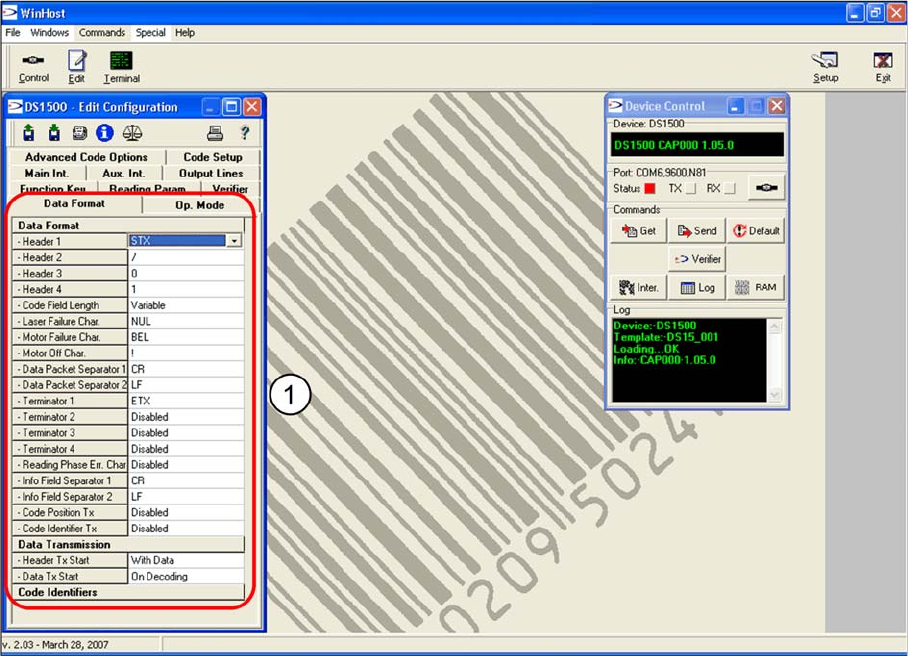
"Edit Configuration" dialog – "Data Format" tab
"Edit Configuration" dialog – "Data Format" tab
The data string structure is shown in the Data Format tab.
► Accept the values shown in the screenshot (1).
Setting up and Commissioning
1D PCB Barcode Scanner Configuring the PCB Barcode Scanner
PCB Barcode LP-Barcode 173
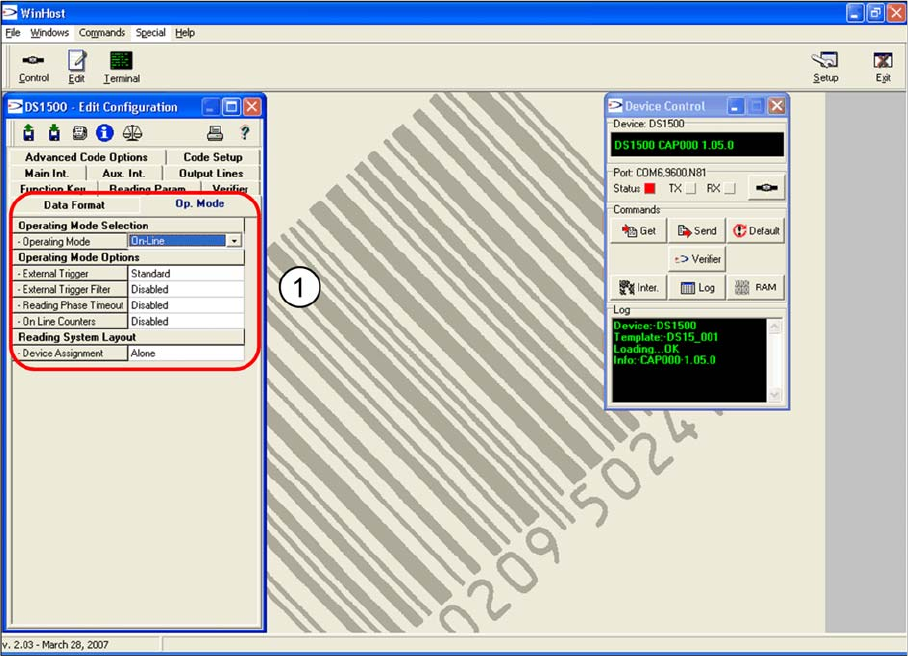
"Edit Configuration" dialog – "Op-Mode" tab
"Edit Configuration" dialog – "Op-Mode" tab
In the Op-Mode tab you can
► Accept the values shown in the screenshot (1).