YSD_Users_E.pdf - 第100页
2-40 2 Basic operation n Monitor: Dispense T he total dispense expenditure and alignment dispense information for automatic operation are displayed in a table format. Monitor Dispense 64220-N7-00 • Base Area Shows the st…
2-39
2
Basic operation
n
Monitor: Vision
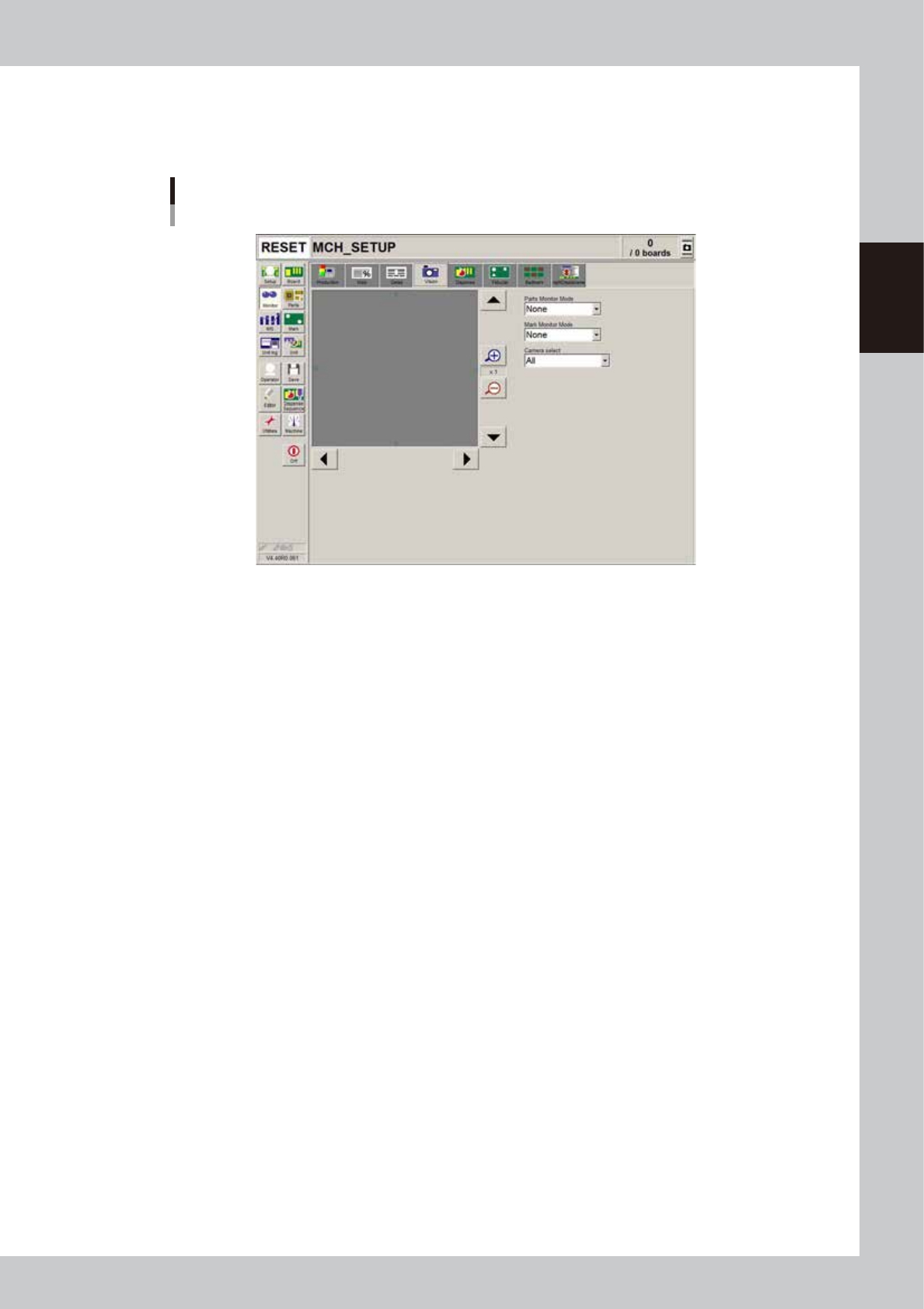
When the fiducial mark, badmark or dispensed dot is recognized during automatic operation, the recognized image is
displayed.
Monitor
Vision
64219-N7-00
• Enlarge/reduce buttons
The recognition results image can be enlarged from 1 to 16 times by pressing the enlarge (+) button. The image can be
reduced to 1/16 by pressing the reduce (-) button. Note that when the image is enlarged, the smooth part edges may
appear jagged, and when reduced, gray sections may appear around the edges. But this is not a fault.
• Up/down/left/right buttons
The arrow buttons at the right top and bottom of the screen are used to move the image vertically. The buttons at the
bottom left and right of the screen are used to move the image horizontally. Use these arrow buttons to view a section of
the image that is not displayed on the screen.
• Parts Monitor Mode
This function is not used with this machine.
• Mark monitor mode
This specifies the monitor display mode during mark recognition. The recognition results and binary image will appear
on the image according to the selected item. This monitor mode can be changed during operation.
"None" Displays the image taken by the camera. The recognition result values are not displayed.
"Result" Displays the center position coordinates (pixels) of the detected mark.
"Binary Image" Displays the image taken by the camera as a binary image.
"Grey Image" Displays the grey image after processing the image taken by the camera.
"Search Result" Draws a line to make an approximate circle around the mark.
"Datum Circle" Draws a mark of the specified diameter from the center of the detected mark. (Possible only in
specific recognition modes.)
"Tangent Circle" Draws an inscribed circle and circumscribed circle from the center of the detected mark. (Possible
only in specific recognition modes.)
"Error Image" Displays the error image. (Possible only in specific recognition modes.)
"Individual data" Displays the individual data when multiple objects are detected. (Possible only in specific recognition
modes.)
2-40
2
Basic operation
n
Monitor: Dispense
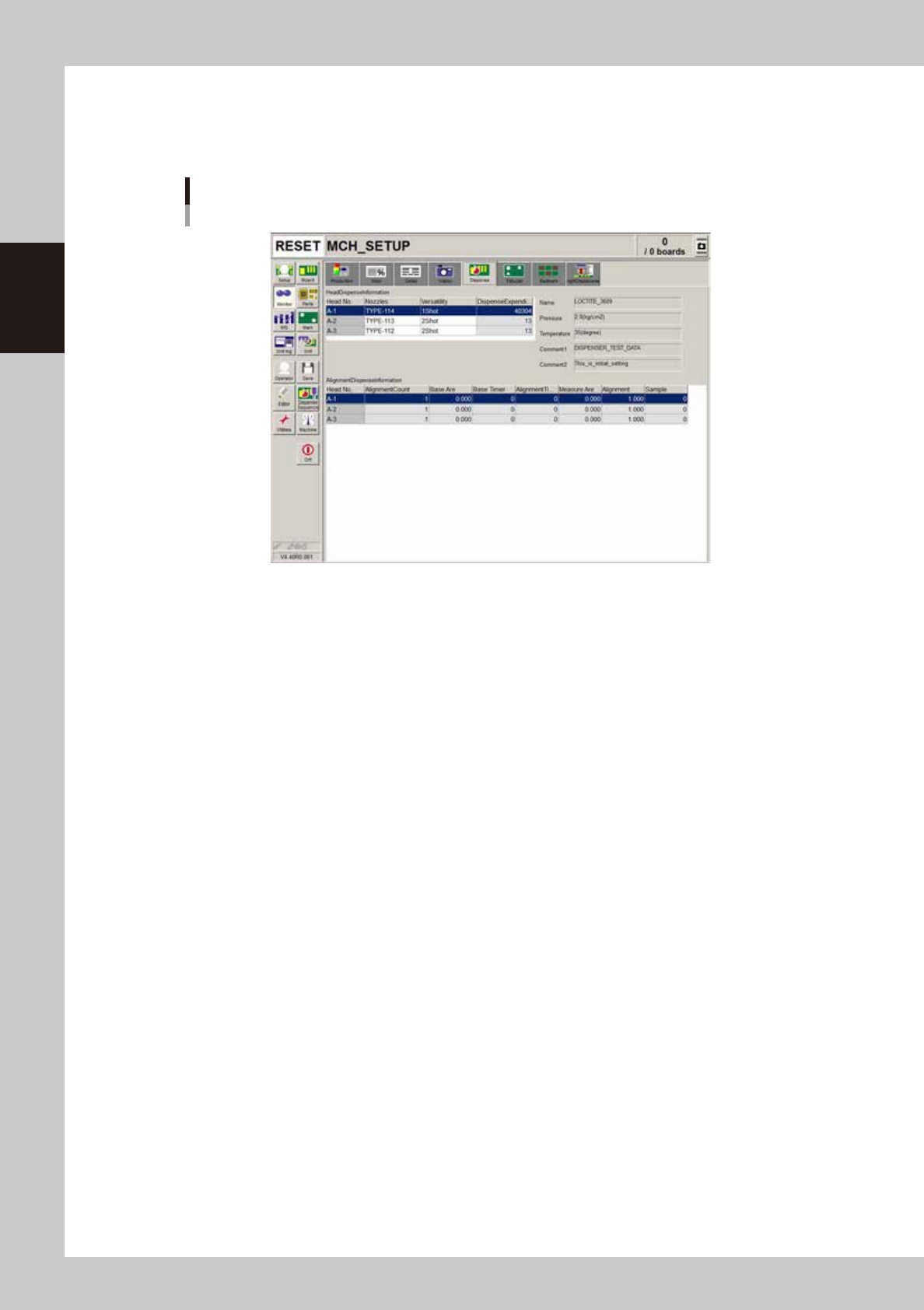
The total dispense expenditure and alignment dispense information for automatic operation are displayed in a table
format.
Monitor
Dispense
64220-N7-00
• Base Area
Shows the standard area specified in the mark information.
• Base Timer
Shows the amount of predispensing liquid used for correction. (Normally, the standard amount of liquid is set to 20.)
• Measure Area
Shows the average area of all the dots when alignment is performed.
• Alignment
Proportion type: Shows the magnification used for correction.
Addition type: Shows the difference between the standard area and the correction area.
• Sample
Shows the number of measured samples.
2-41
2
Basic operation
n
Monitor: Fiducial
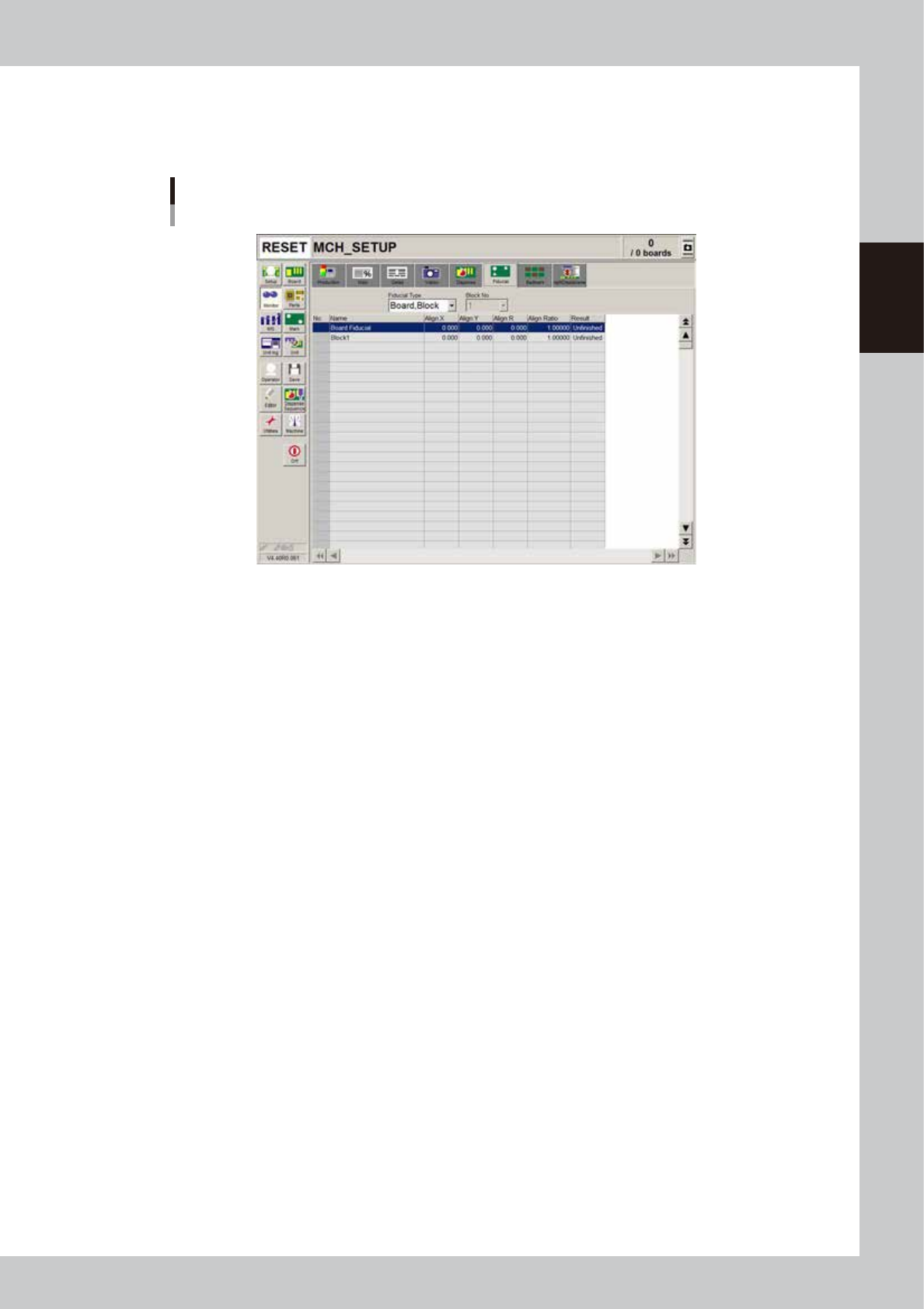
The [Fiducial] tab screen shows the results after fiducial marks such as "Board, block", "Local" and "Point" fiducial marks
were recognized.
Monitor
Fiducial
64221-N7-00
• Align X, Y, R
Shows the difference between the recognition results and the board data input values, by plus or minus values.
• Align Ratio
Shows the rate of expansion of the board, calculated by using the X, Y, R offset values.
• Result
Shows the recognition results as a "Pass" or "Unfinished ". The "Unfinished" message changes to "Pass" after the mark is
recognized successfully.