YSD_Users_E.pdf - 第104页
2-44 2 Basic operation 3.10 Finishing board production T o finish board production, follow these steps. 1 Stop machine oper ation. There are three methods for stopping the machine. 1. Emergency stop button: Press this bu…
2-43
2
Basic operation
n
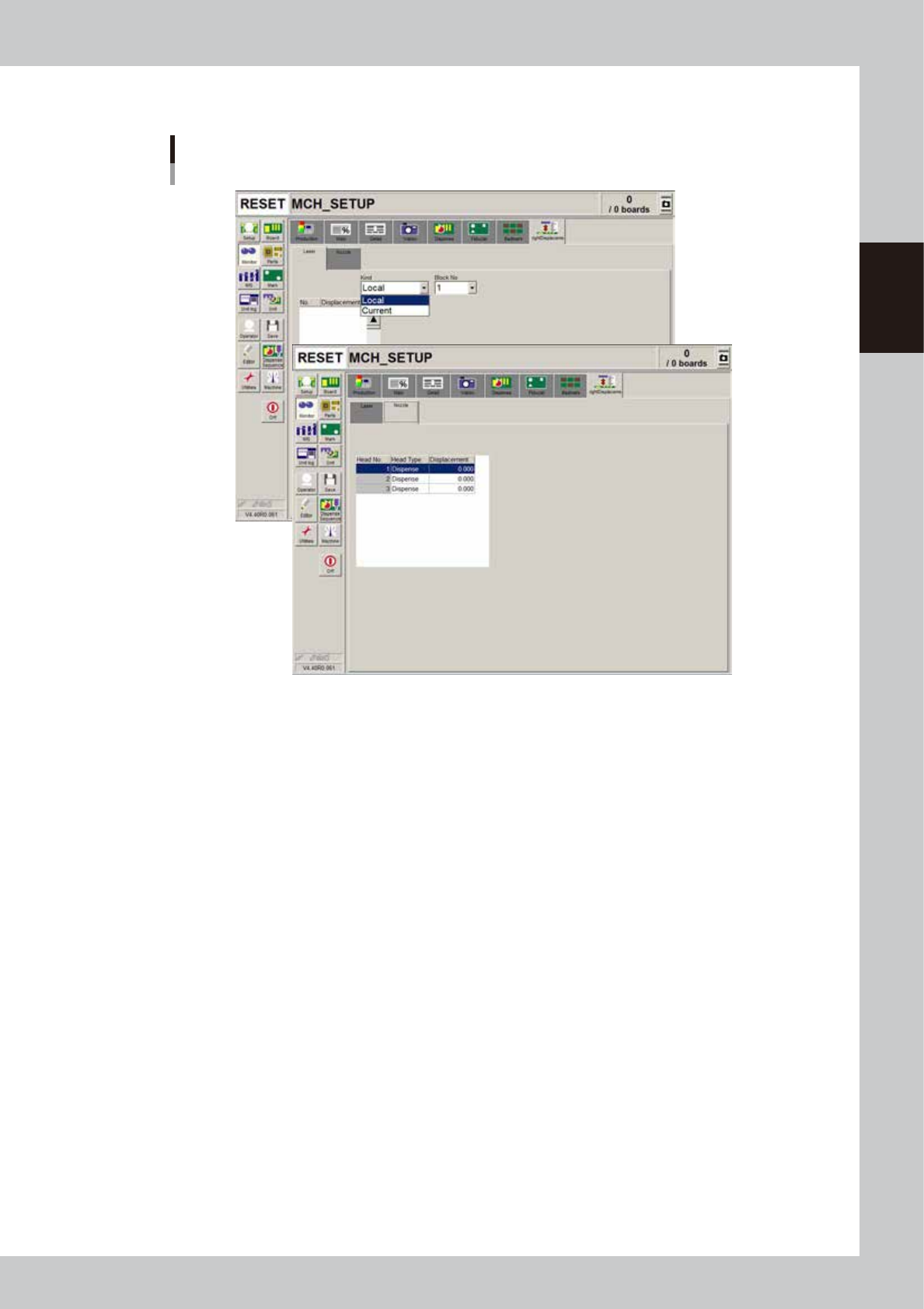
Monitor: Height Displacement
Monitor
Height Displacement
64225-N7-00
n
Laser
• Current
Shows the current height measured with the laser displacement meter. The sampling count depends on the machine data
setting. The displayed value is the offset from the zero reset point of the laser. When the zero reset point is equal to the
board surface height, the offset relative to the board surface height is displayed. The plus/minus directions are the same
as those for the Z-axis of the head.
• Local
Shows the average value calculated by dividing the measurement results by the sampling count. The "No." indicates the
"No." shown in the "Height" column on the [Board]-[Dot Dispense] tab. The displayed value is the offset from the zero
reset point of the laser.
When the zero reset point is equal to the board surface height, the offset relative to the board surface height is displayed.
The plus/minus directions are the same as those for the Z-axis of the head.
n
Nozzle
• Height
Shows the dispense nozzle height offset measured with the [Nozzle Length] button in the "Utility" group box of the Setup
screen.
The displayed values are the offset relative to the reference height set as machine data.

2-44
2
Basic operation
3.10 Finishing board production
To finish board production, follow these steps.
1
Stop machine operation.
There are three methods for stopping the machine.
1. Emergency stop button:
Press this button to trigger emergency stop. Do not use this button in normal operation.
e
2. [STOP] button (operation panel):
Pressing the [STOP] button stops the machine immediately. To resume operation, press the [START]
button on the operation panel.
3. [Cycle Stop] button:
Pressing this button stops the machine when dispense operation for the current board is completed.
4. [ConveyOut Stop] button:
Use this button when you want to finish production after adhesive is dispensed on the boards
currently on the conveyor. All boards on the conveyor are transferred to the downstream side after
adhesive dispensing, but new boards are not transferred from the upstream side.
c
CAUTION
Do not press the emergency stop button during operation except in case of emergency.
2
Reset the operation.
Press the [RESET] button on the operation panel. The machine stops operation immediately and returns
to the board production standby status.
e
3
Remove the back-up pins.
After pressing the emergency stop button, open the safety cover and remove the back-up pins.
4
Cancel emergency stop.
Close the safety cover, release the emergency stop button, and press the [READY] button.
2-45
2
Basic operation
5
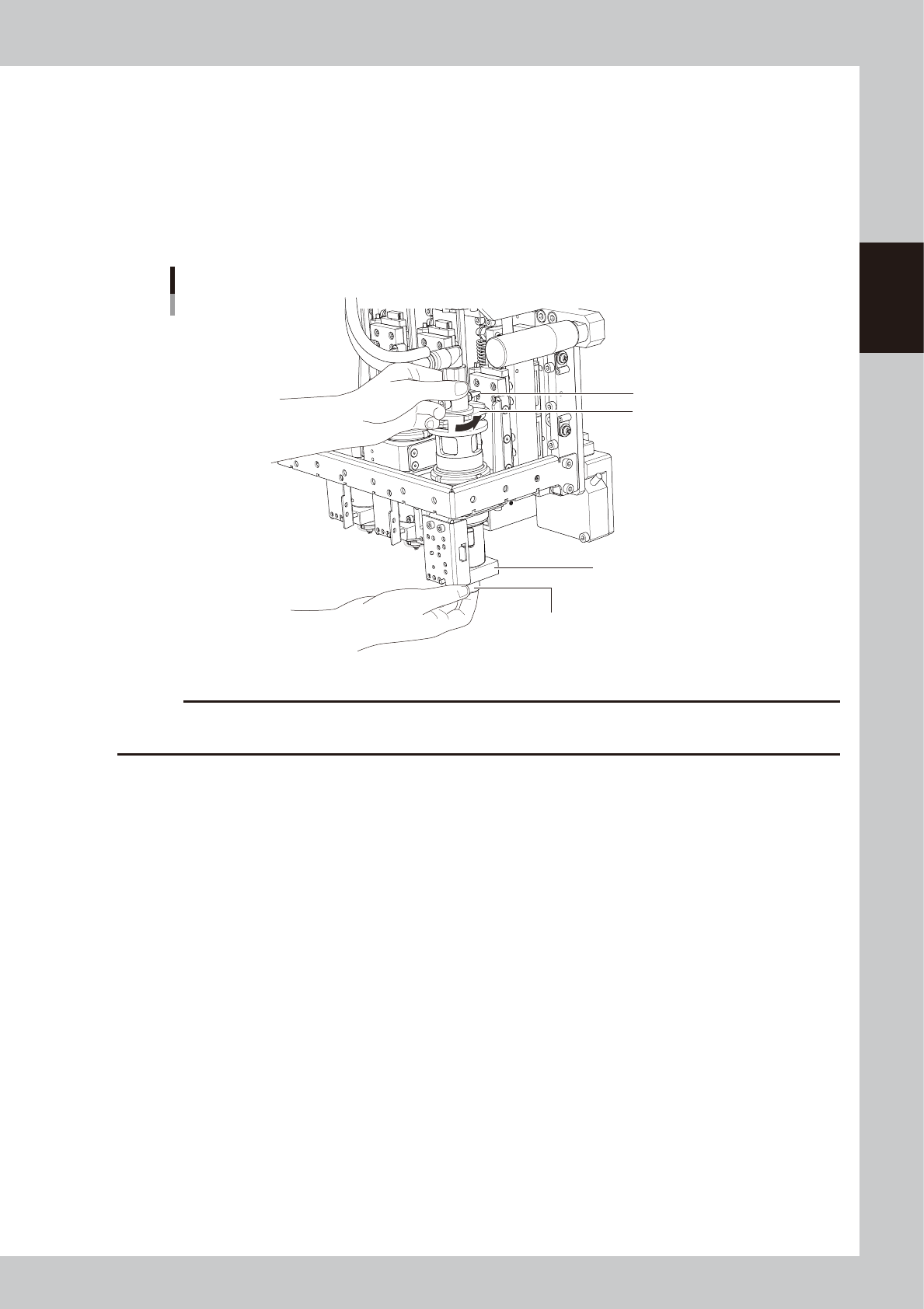
Remove the syringe.
1. Press the [Cylinder exchange] button.
2. Press the [Move default] button to move the head to the syringe replacement position.
e
3. Press the emergency stop button and open the safety cover.
4. Disconnect the air hose from the air fitting.
5. While holding the lock nut by hand, turn the adapter holder in the direction of arrow to loosen and
remove the syringe.
Removing the syringe
Lock nut
Heater
Adapter holder
Muffler
63210-N7-00
c
CAUTION
• The heater in the head is hot, so use caution.
• The muffler is likely to break, so do not touch it.
6
Clean the nozzle.
Loosen the lock nut and remove the nozzle. For instructions on how to clean the nozzles, refer to “1.1
Cleaning the nozzles” in Chapter 2 of the YSD maintenance manual.
7
Cancel emergency stop.
Close the safety cover, release the emergency stop button, and press the [READY] button.