YSD_Users_E.pdf - 第95页
2-35 2 Basic operation 3.9 Displaying the production monitors Press the [Monitor] button to confirm the operation status during production. Production information can be confirmed by selecting the [Production], [Main], […
2-34
2
Basic operation
3.8 Starting board production
Start operation.
1. Check safety and press the [START] button on the operation panel.
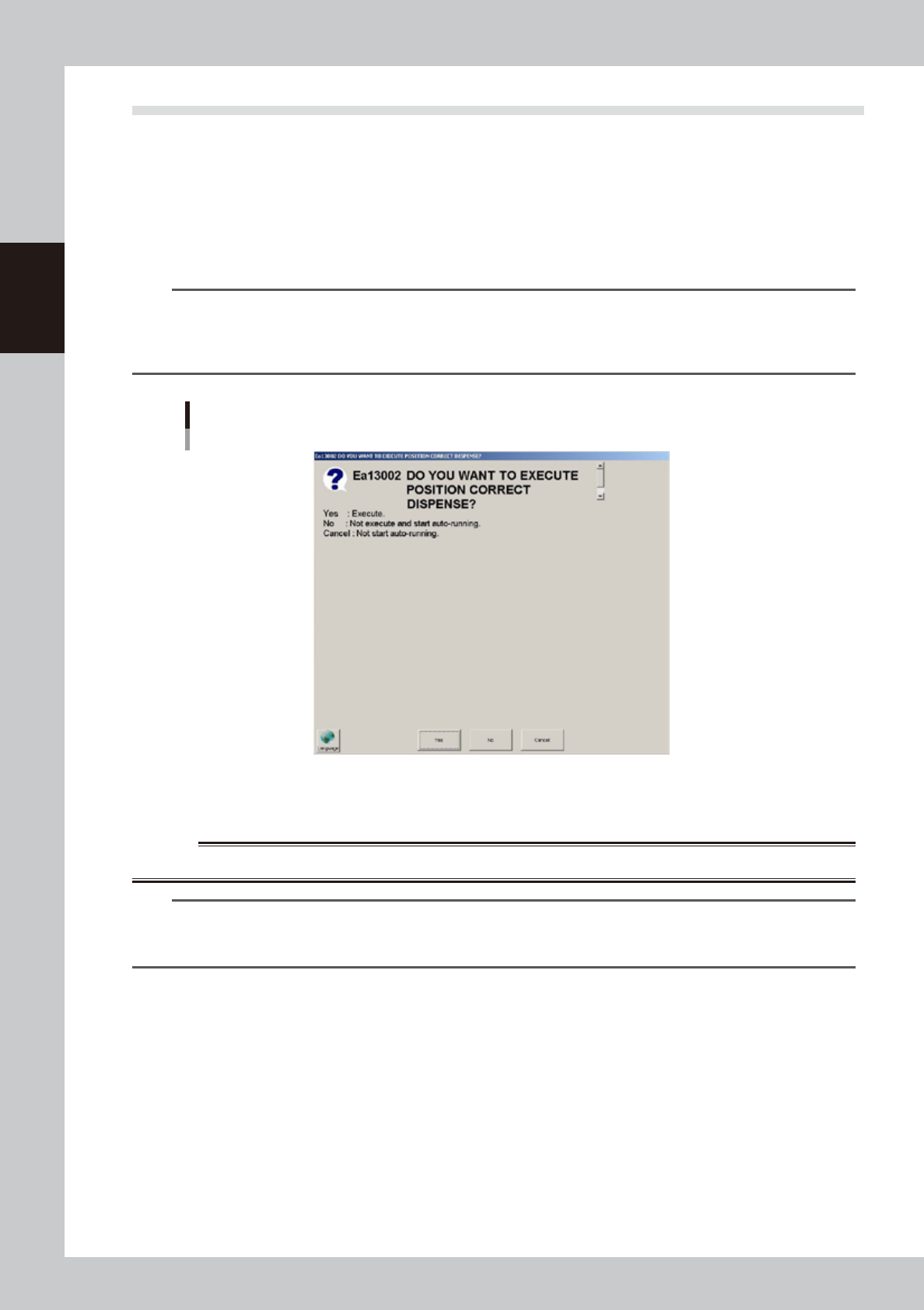
When the position correction dispense function is used, after pressing the [Dispense] button in the
“Cylinder exchange” window or the [Blow] button on the [Unit]-[Head] tab, pressing the [START]
button displays a dialog box for correcting the dispensing positions.
If a nozzle has been detached and reattached, press the [Yes] button. If not, press the [No] button.
For detailed information, see “4. Position correction dispense function” in Chapter 4.
TIP
Dispensing for position correction is automatically performed when starting production immediately after power is
turned on. So in this case, the dialog box for correcting the dispensing positions does not appear even when the
[START] button is pressed. The dialog box may appear after the board data is changed or the safety cover is opened/
closed, although depending on the setting.
Dialog for position correction dispense
64239-N7-00
2. When the entrance sensor detects the board, the conveyor belt will start rotation. The board will be
transferred to the work position, and dispensing operation will start.
w
WARNING
NEVER ENTER THE MOVABLE AREA OF THE HEAD WHILE THE GREEN LAMP IS LIT (MACHINE IS IN AUTOMATIC OPERATION).
TIP
Operation will not start until the target syringe temperature is reached.
Whether the target syringe temperature is reached can be checked on the [Unit]-[Head] tab. After the temperature
rises to the target temperature, press the [START] button on the operation panel to start production.
2-35
2
Basic operation
3.9 Displaying the production monitors
Press the [Monitor] button to confirm the operation status during production.
Production information can be confirmed by selecting the [Production], [Main], [Detail], [Vision], [Dispense],
[Fiducial] and [Badmark] tabs.
n
Monitor: Production
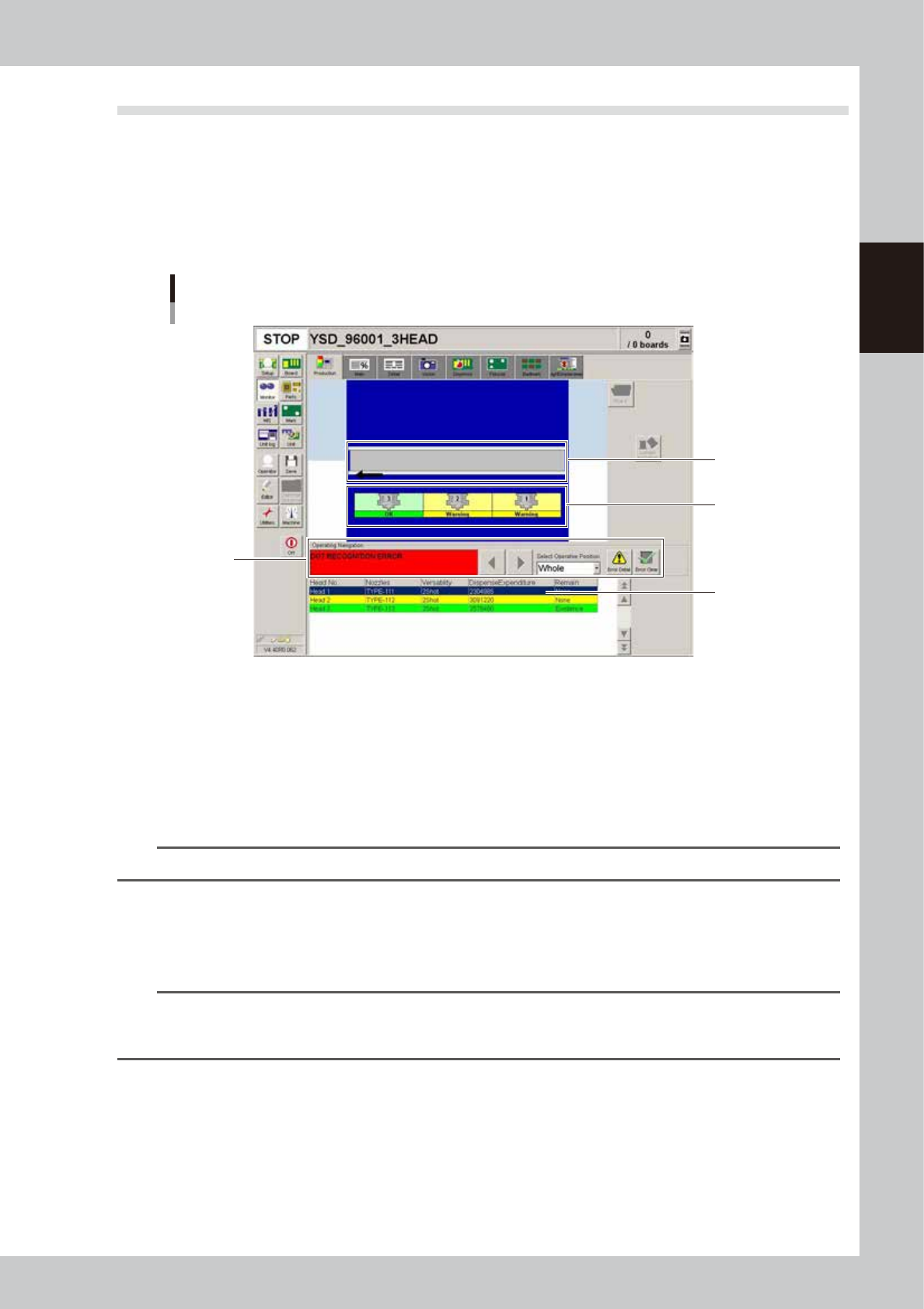
The [Monitor]-[Production] tab screen graphically shows the real-time machine status during production. When an error
occurs in the machine, opening this screen allows you to check the error and corrective action and also the warning status.
Monitor
Production
1
2
3
4
64216-N5-00
1. Conveyor status display area
If an error, operating instructions or warning regarding the conveyor occur, they will be displayed here.
If a safety sensor is responding, the board where an error has occurred is shown in semi-transparent red.
If the board clamp position sensor or board standby position sensor is responding, the board in the clamp position or
standby position is shown in semi-transparent green.
2. Head status display area
Displays the current status of the heads. The number where an error has occurred is shown in a different color.
TIP
If an error occurs in the entire machine, the background in the entire area is shown in blue.
3. Operating Navigation display area
• Select Operative Position
If an error, instructions or warning occur, this dropdown list allows you to select the position where the error is not
cleared. Only the positions where corrective action is needed are displayed here.
TIP
On the graphic layout, clicking the area where an error has occurred allows you to select the position to take
corrective action. However, the positions where no error, instructions or warning have occurred cannot be selected
by clicking on them.
• Operating instructions
Shows the corrective action for the error that is not cleared, instructions or warning regarding the positions that are listed
in the “Select Operative Position” dropdown list. If two or more errors have occurred, the corrective actions are shown in
order of priority from the one with the highest priority.
Use the left/right arrow buttons to switch to other instructions.
[Error Detail] button
Pressing this button displays an error message dialog that shows detailed information and corrective action for the error,
operating instructions or warning listed in the “Select Operative Position” dropdown list.
2-36
2
Basic operation
[Error Clear] button
After correcting the error or completing the instructions or warning that are listed in the “Select Operative Position”
dropdown list, press this button to clear the error and resume automatic operation. However, if an error (other than
warning) remains uncorrected, automatic operation cannot resume.
4. Information display area
Displays information on each head.
n
Monitor: Main
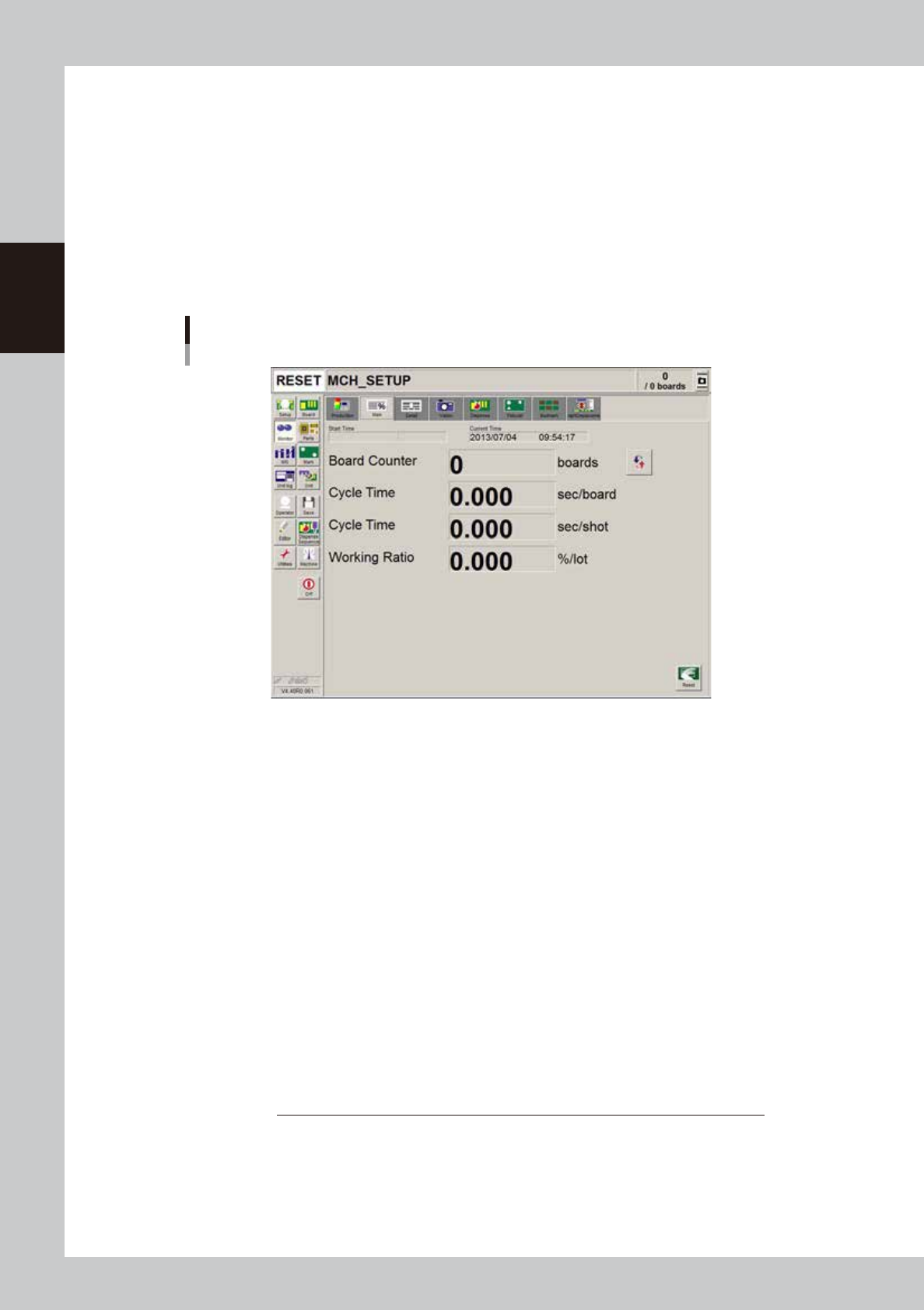
The [Monitor]-[Main] tab screen shows you the real-time production status such as the board count and cycle time.
Displaying this screen during production is handy. All information will be cleared when the board type is changed.
Monitor
Main
64217-N7-00
• Start Time
Displays the date and time that the board data currently being produced was changed.
• Current Time
Shows the current date and time (system clock time in the machine).
• Board Counter
Displays the number of boards produced after changing to the current board data. The board data reset midway is not
counted unless mounted midway.
• Cycle time (sec/board)
Shows the average (second/board) of the dispensing time per board. The data is updated when adhesive dispensing is
complete. The cycle time includes the mark (including fiducial and bad marks) recognition time and adhesive dispensing
time. The board transfer time and stop time (time stopped with error or [STOP] button) is not included.
• Cycle Time (sec/shot)
Shows the time (second) required to dispense one dot of adhesive.
• Working Ratio
This is the machine unit's working ratio. This ratio is not affected by the status of the upstream and downstream
machines, and is calculated with the following expression. Generally, the mounter working ratio is 40 to 70%.
Working ratio (%) =
Cumulative mounting time + cumulative transfer time
× 100
[(Production completion time - setup completion time) - cumulative standby time]
Cumulative mounting time :Total time that head is operating
Cumulative board transfer time :Total board transfer time (loading/unloading)
Cumulative standby time :Total time upstream or down stream machine stands by
Production completion time :Time changed to next production board
Setup completion time :Time [START] button was pressed and operation started