YSD_Users_E.pdf - 第44页
1-4 1 Part names and functions 2.1 Operation panel buttons T he operation panel buttons are provided on the front and rear of the machine to run major commands frequently used to operate the mac hine. Each button is lit …
1-3
1
Part names and functions
2. Operation panel and data input unit
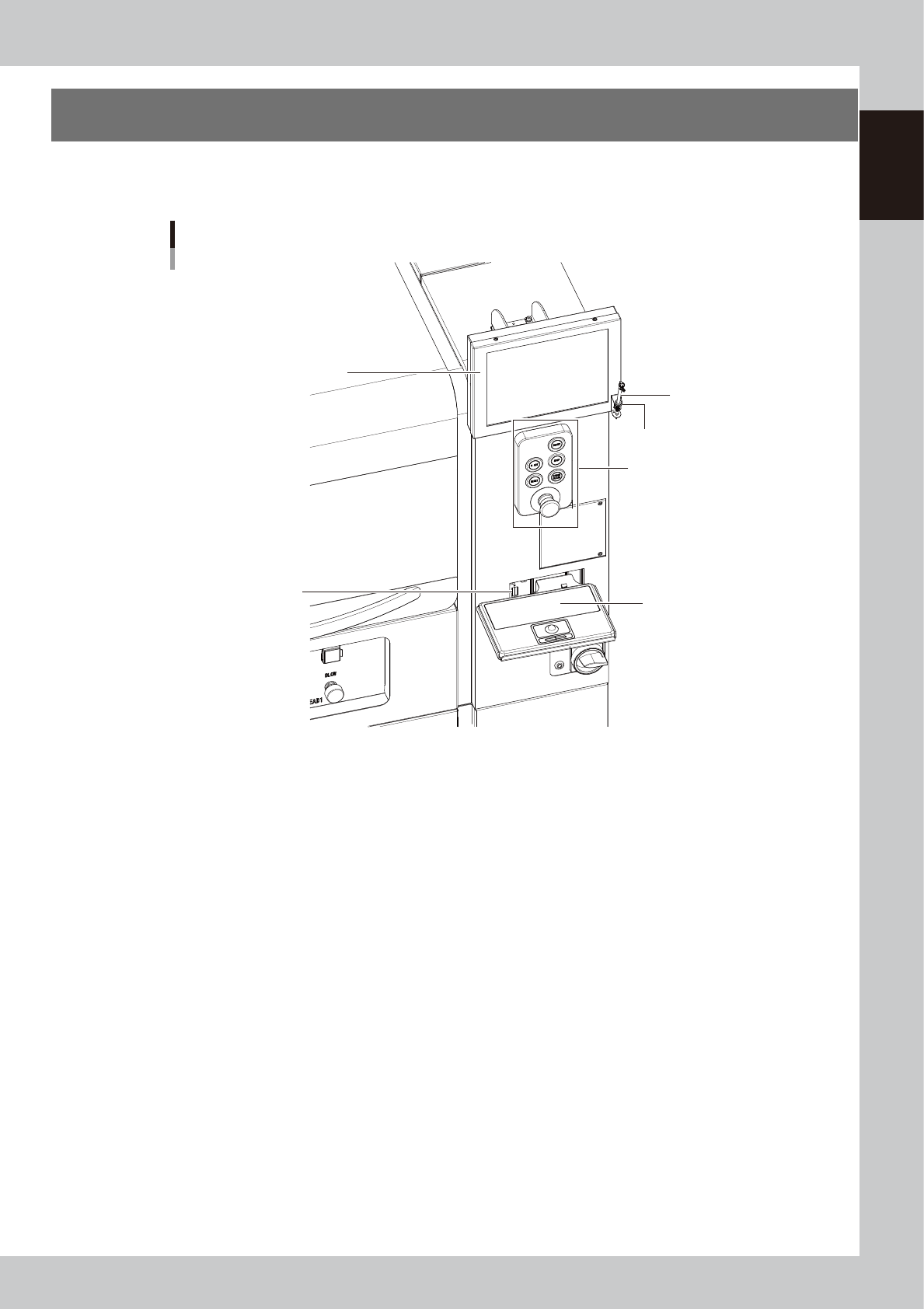
Operation panels and operation display screens for data inputs are provided at both the front and rear of
the machine. The functions of these units are explained below.
Operation panel and data input unit
Operation panel buttons
Touch pen
Touch pen holder
Keyboard (option)
Keyboard connector
Operation display
63101-N7-10
1-4
1
Part names and functions
2.1 Operation panel buttons
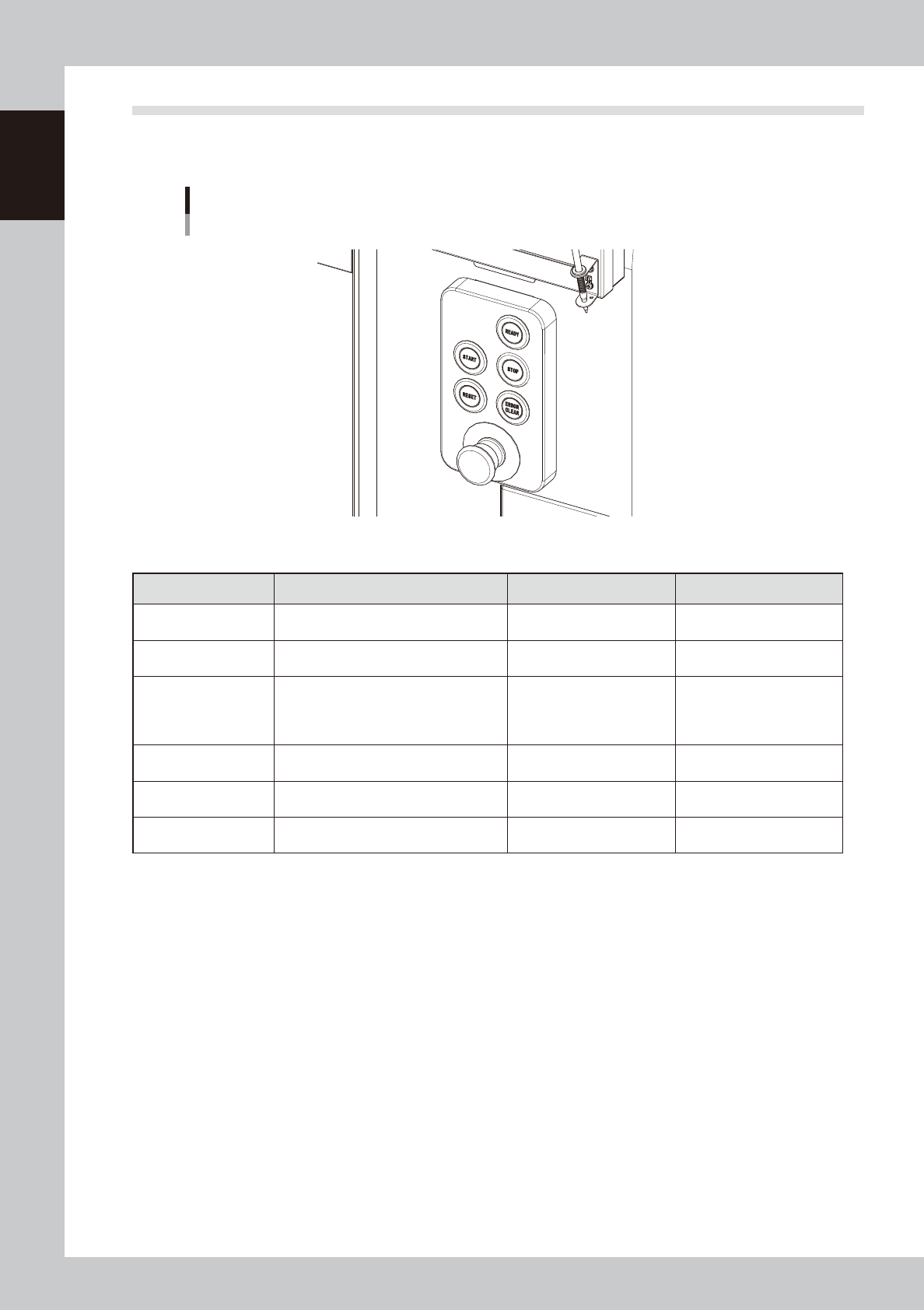
The operation panel buttons are provided on the front and rear of the machine to run major commands
frequently used to operate the machine. Each button is lit while turned on.
Operation panel buttons
63102-N7-00
n
Operation panel button functions
Button name Use the button to: OFF ON
READY
Release emergency stop and turn the
servo on.
• SERVO OFF
(Motor power OFF)
• SERVO ON
(Motor power ON)
RESET
Stop automatic operation and return to
standby for board production.
• Machine is in normal
operation or stopped.
• Machine has been reset.
START (green)
Start automatic operation according to
board data.
• Machine is stopped.
• Machine is in normal
operation.
[Flash]
Pause or step operation
STOP (Red/White)
Interrupt automatic operation. (Press the
[START] button to resume operation.)
• Machine is in normal
operation.
• Error occurred.
ERROR CLEAR
(Yellow/Blue)
Stop buzzer sound and clear error
screen.
• Machine is in normal
operation.
• Error occurred.
EMERGENCY STOP
Trigger an emergency stop. Turn to the
right to release it.
1-5
1
Part names and functions
2.2 Keyboard (option)
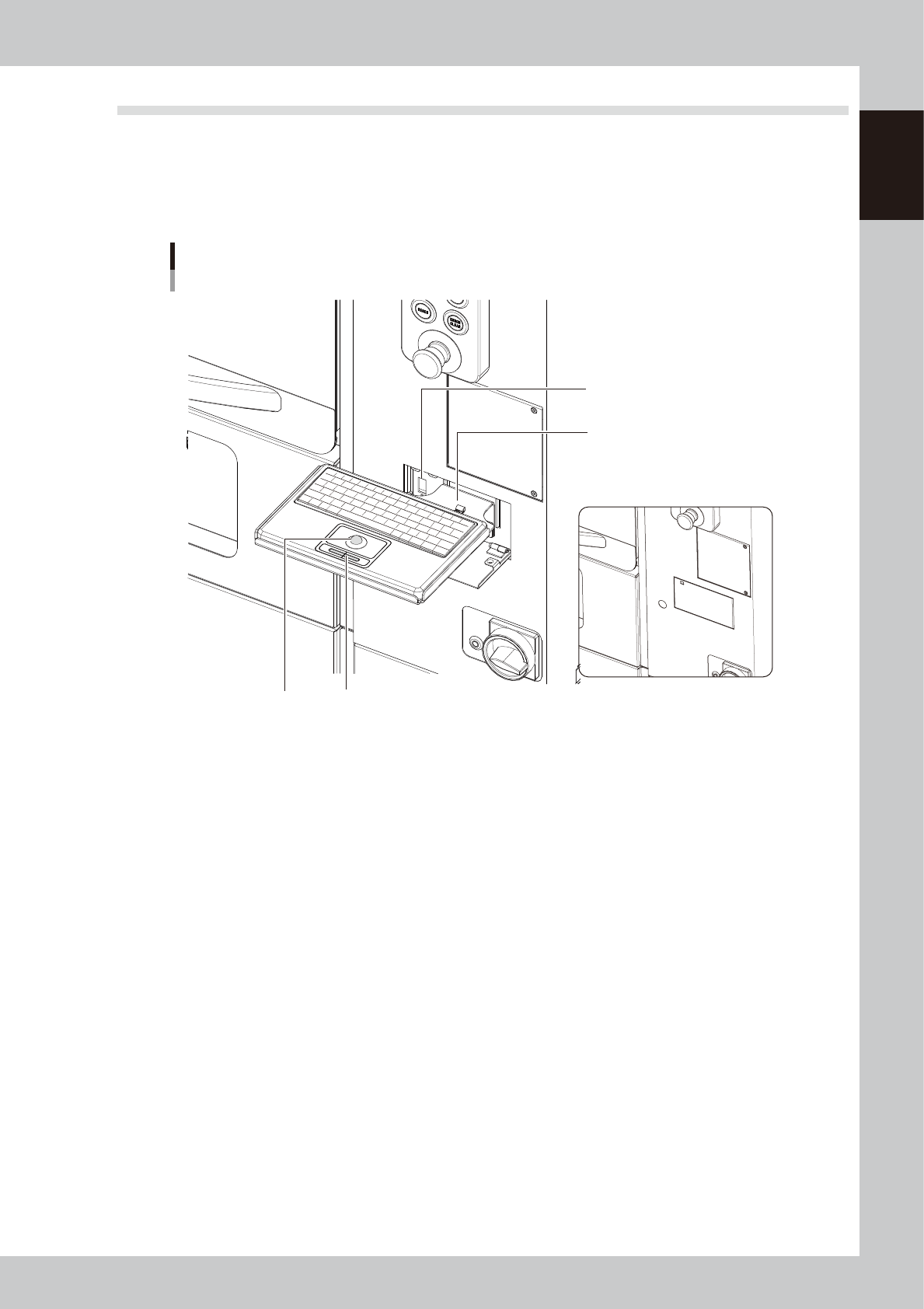
This machine is equipped with an optional keyboard to operate the machine or edit data. To select a menu
button or parameter item on the operation screen, use the trackpad and its left button (the right button is
disabled).
When using the keyboard, install the keyboard bracket to the machine and connect the keyboard to the USB
port for keyboard.
Keyboard
Keyboard bracket
When not using keyboard
USB port for keyboard
Left/right button
Trackball
63103-N7-10