YSD_Users_E.pdf - 第195页
5-6 5 Creating the board data 2 Enter a board name in the "F ile name" box on the C reate tab screen. Enter a board name within 20 alphanumeric characters from the key board. n NOTE A space cannot be included i…
5-5
5
Creating the board data
2. Registering and selecting board name
2.1 Registering board names
To create new board data for production, you must first register the board name. There are some methods for
registering a board name.
2.1.1 Registering a new board name
If no basic data is found in the previously registered board data. You should register a new board name with empty data
and then enter necessary data.
2.1.2 Utilizing board data already registered
Make a copy of board data which is already registered in the machine.
2.1.1 Registering a new board name
1
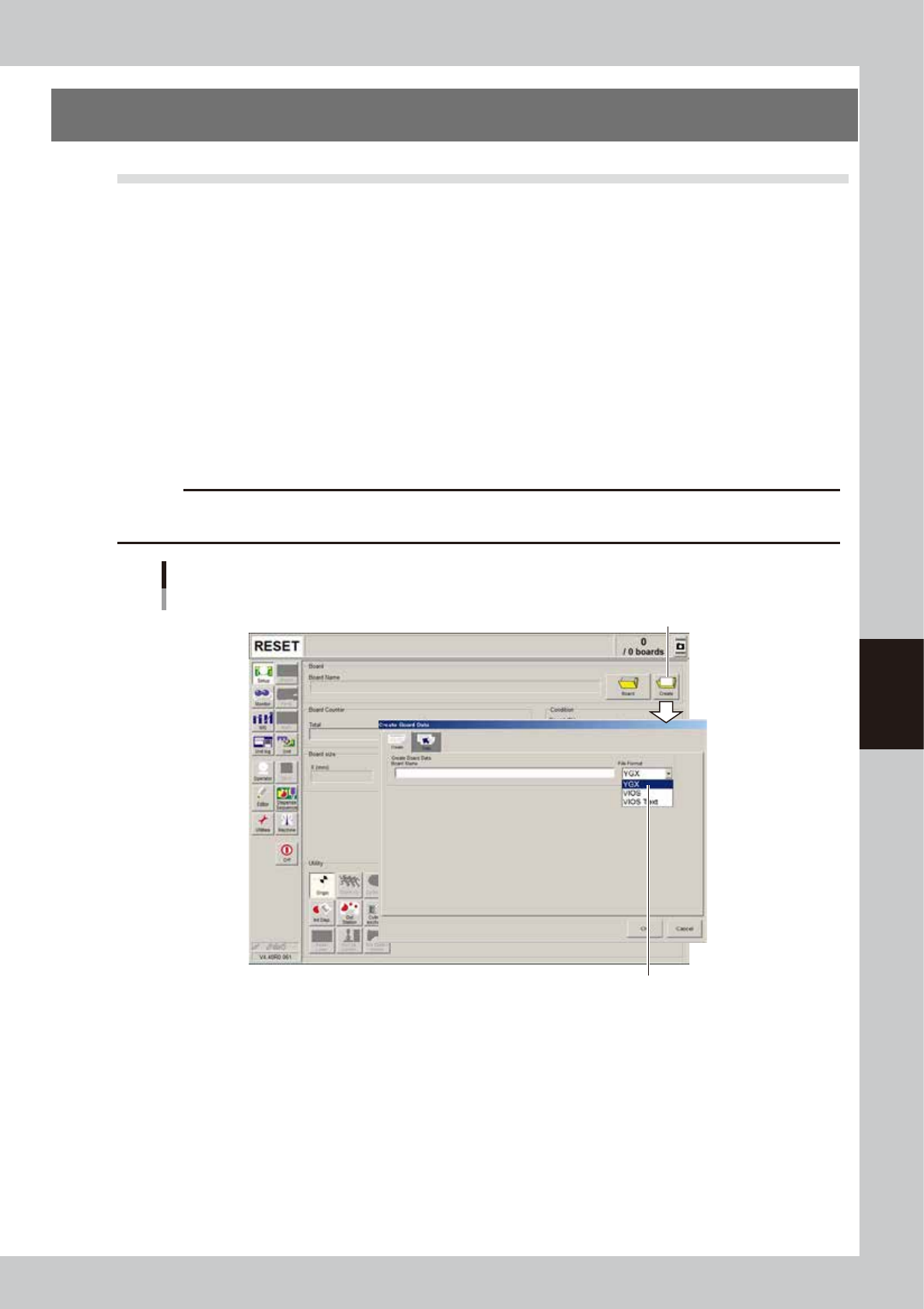
Press the [Create] button on the Setup screen.
The “Create Board Data” dialog box appears. Select the “YGX” file format.
c
CAUTION
If a file format other than “YGX” is selected, part of information may not be saved, making the relevant functions
unusable.
[Create] button
Select the “YGX” file format.
[Create] button
64500-N7-00
5-6
5
Creating the board data
2
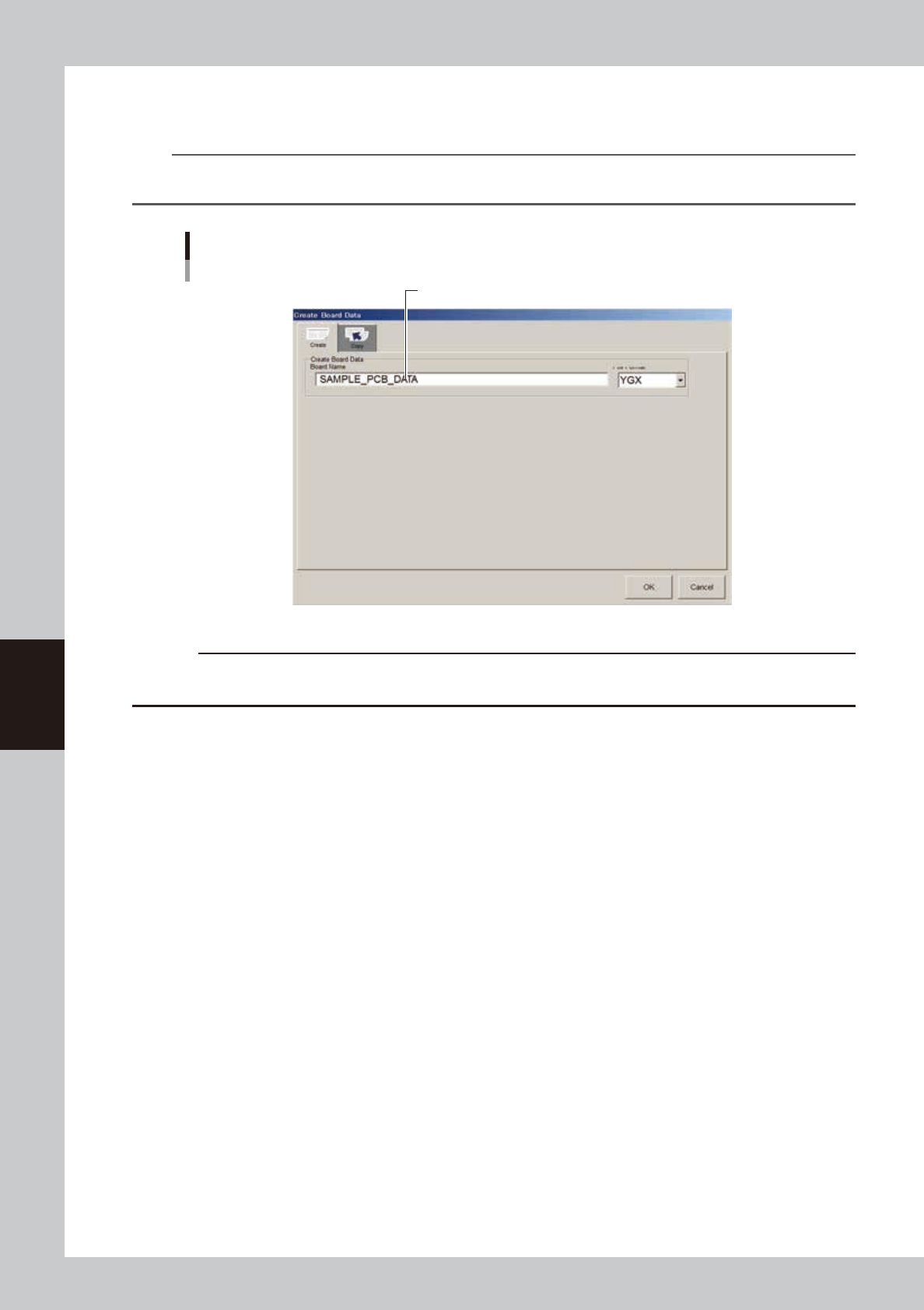
Enter a board name in the "File name" box on the Create tab screen.
Enter a board name within 20 alphanumeric characters from the keyboard.
n
NOTE
A space cannot be included in a board name. Use underbars instead. Example: “SAMPLE PCB DATA” should be
“SAMPLE_PCB_DATA”.
Entering a board name
Enter the board name and press [OK].
64301-N7-00
c
CAUTION
An alert dialog appears if a board data with the same name has already been registered. Register it with another
board name in this case. Pressing the [OK] button on the alert dialog box will overwrite the existing board data.
3
Press the [OK] button.
The display returns to the Setup screen.
5-7
5
Creating the board data
4
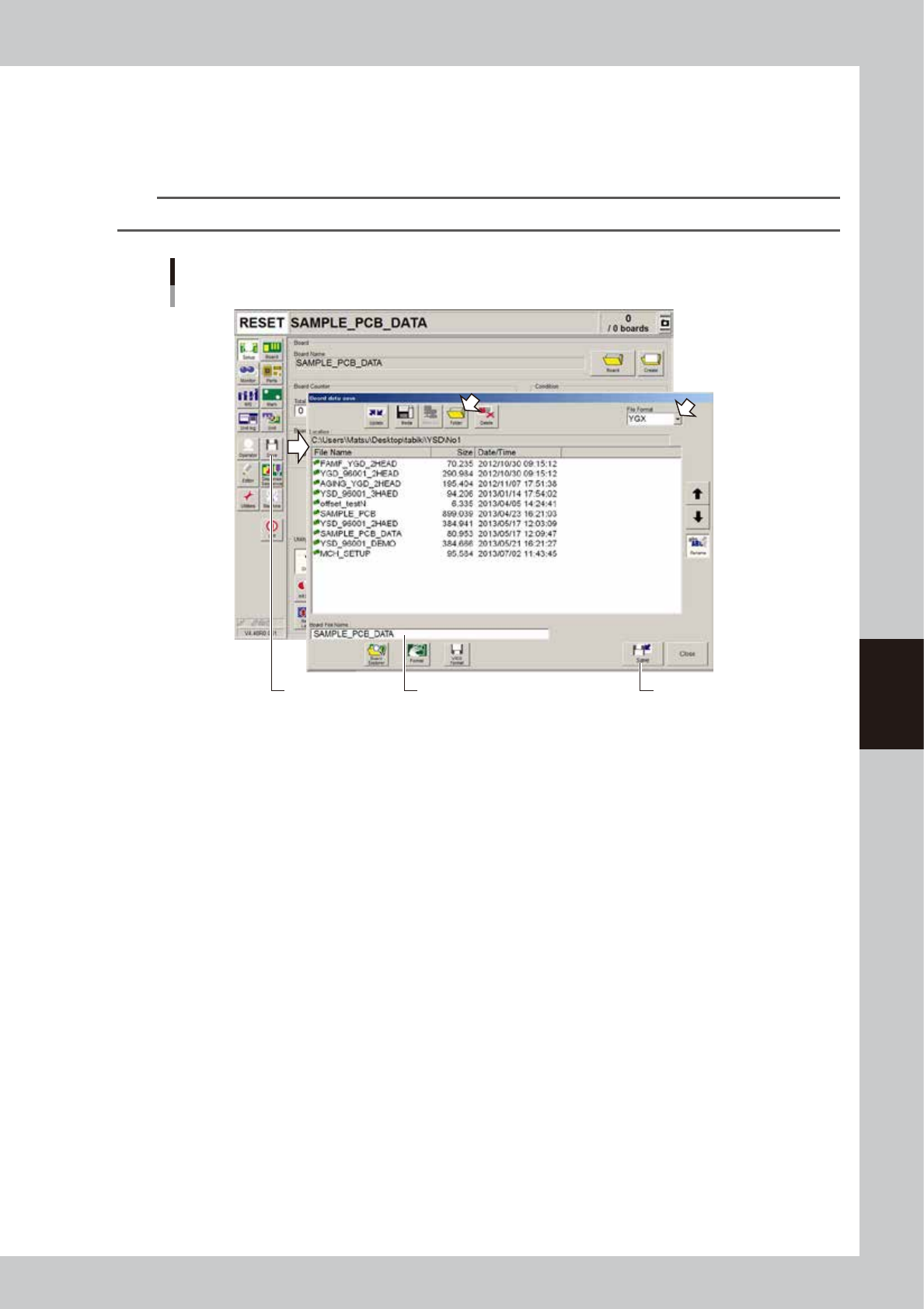
Save the new board data.
1. Press the [Save] button in the main menu button area.
The Save dialog box appears showing the board data list.
2. Check the drive, folder and file format to save the board data and press [Save] button.
n
NOTE
VIOS format data should be saved in the "No 1" folder.
Saving new board data
[Save] button [Save] buttonCheck that the board name
to be saved is displayed.
64502-N7-00