YSD_Users_E.pdf - 第327页
8-7 8 Managing the data 1.2 Copying and moving the board data T his section describes how to copy the board data in a USB flash driv e or network drive (including offline) into the dispenser machine. 1 Insert a USB flash…
8-6
8
Managing the data
0
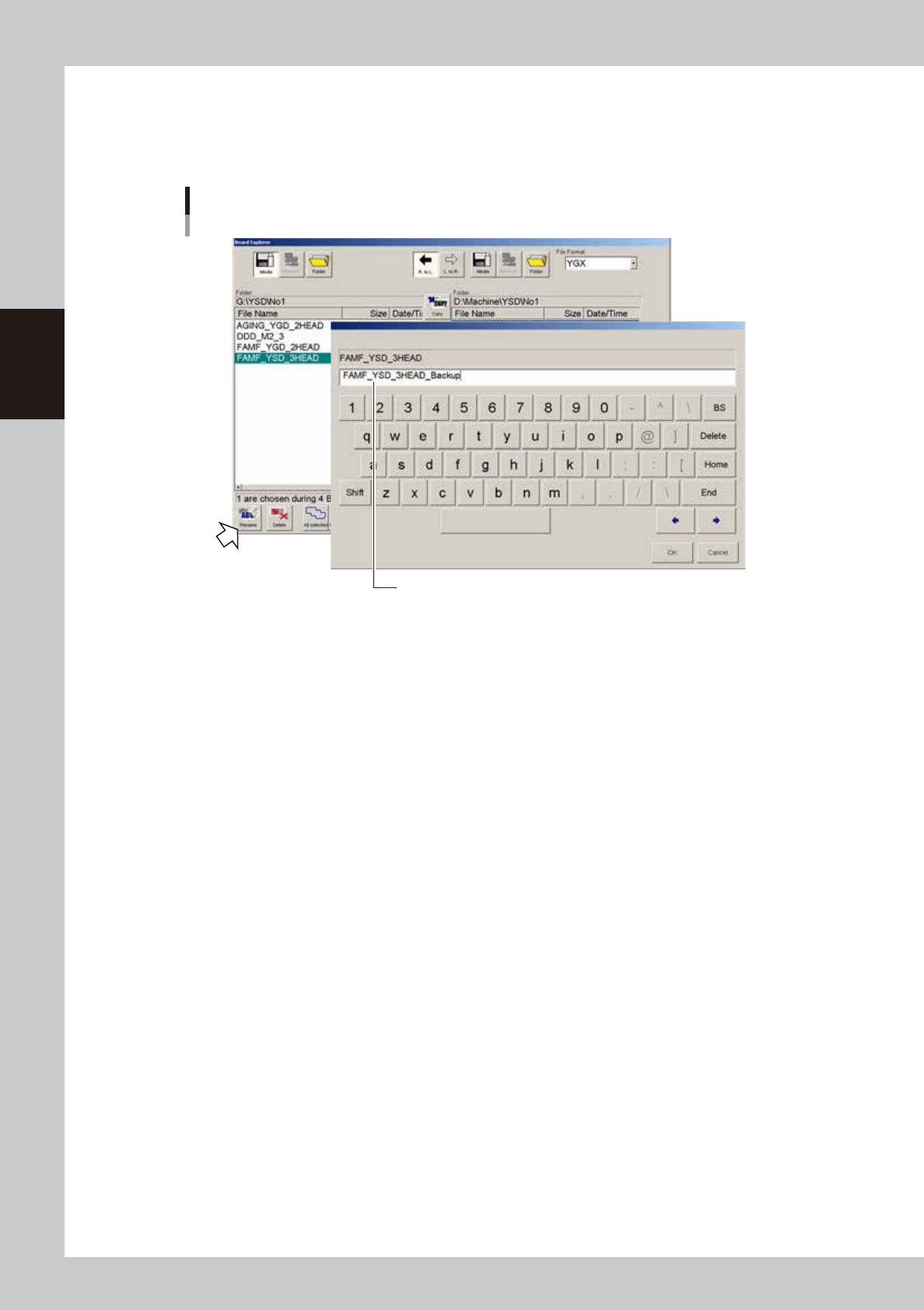
Rename the board data as needed.
When you want to change the board name so that you can easily identify it as backup data, press the
[Rename] button. When the keyboard dialog box appears, enter a new name and press the [OK]
button.
Enter a new name for backup data.
Rename
64806-N7-00
8-7
8
Managing the data
1.2 Copying and moving the board data
This section describes how to copy the board data in a USB flash drive or network drive (including offline) into
the dispenser machine.
1
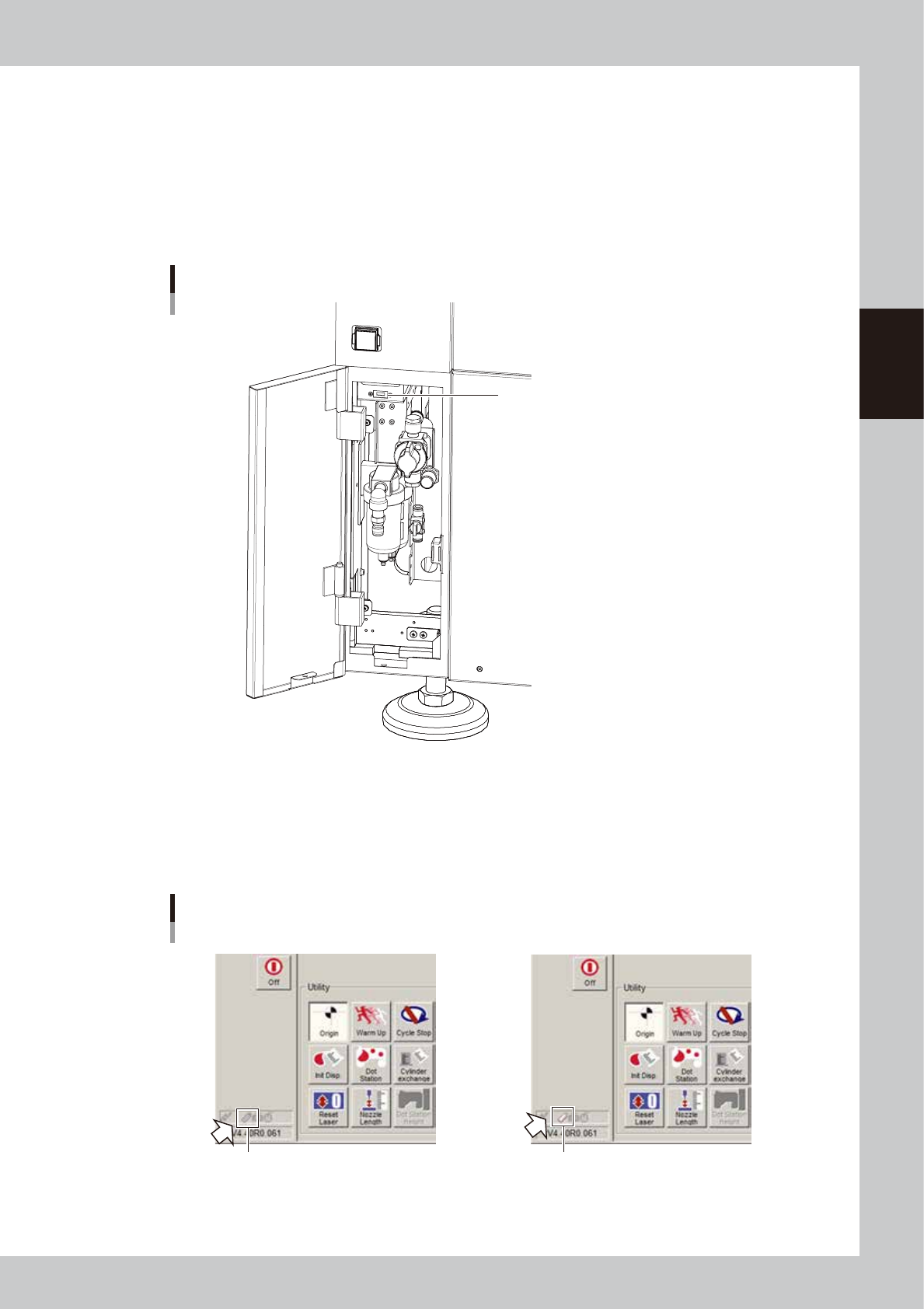
Insert a USB flash drive into the USB port.
When copying the data from a USB flash drive, insert the USB flash drive (specified by YAMAHA) that
contains the board data into the USB port of the machine. When copying from the network drive,
proceed to step 3.
USB port
Insert a USB memory device into this USB port.
63801-N7-00
2
Check the USB flash drive connection.
Check the indicator on the lower left of the operation screen.
The connection is complete when the USB flash drive icon appears red.
The connection is incomplete if the USB flash drive icon is grayed out. Try reconnecting the USB flash
drive.
Checking the USB memory device connection
Not connected Connected
Icon appears "red".
Icon is grayed out.
64836-N7-00
8-8
8
Managing the data
3
Open the Board Explorer.
Press the [Board Explorer] button on the Setup screen.
4
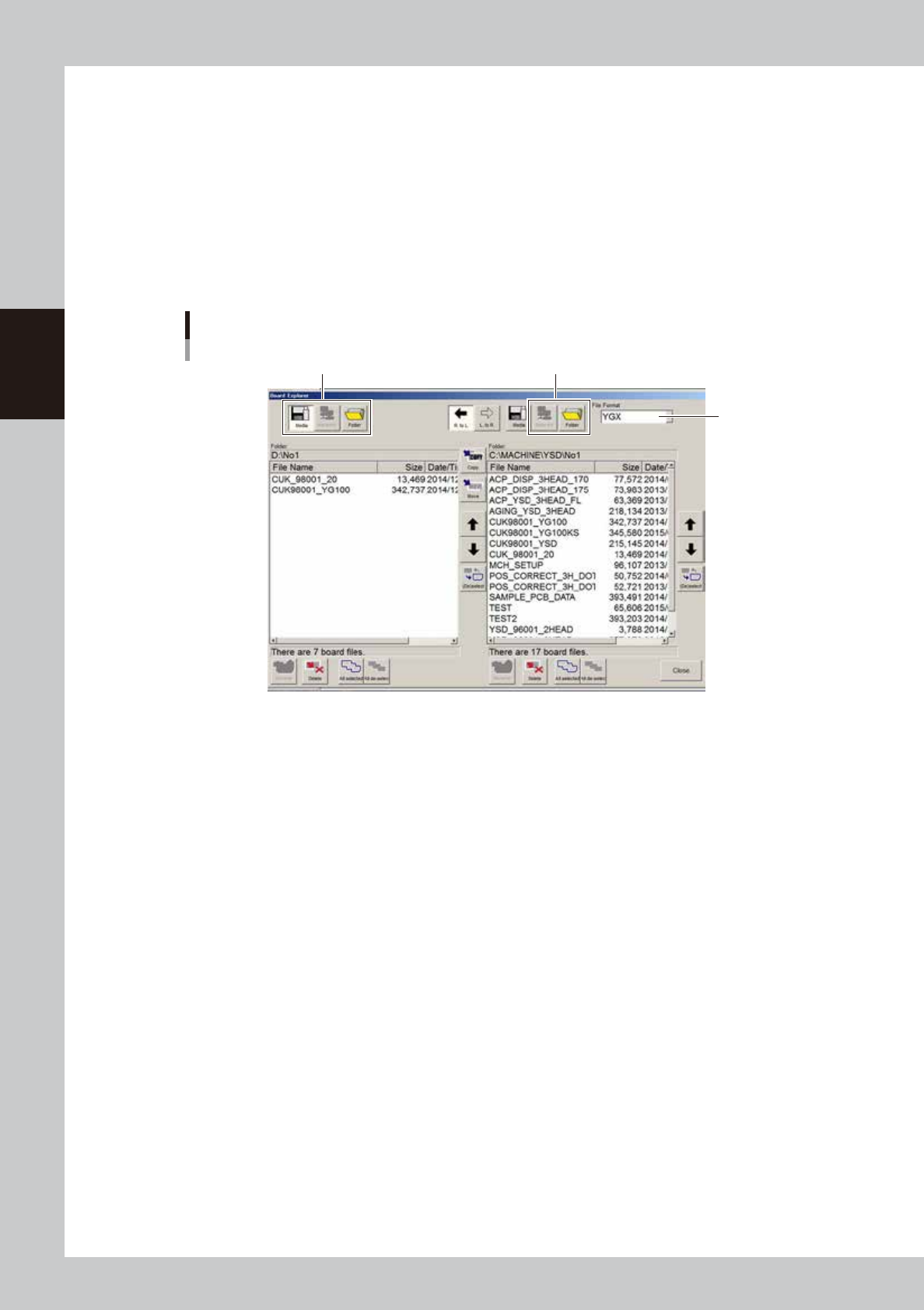
Select the file format.
Select the file format from the "File Format" drop-down list box.
5
Specify the copy source.
Use the buttons on the left side of the screen and specify the copy source.
To copy from the USB flash drive, press the [Media] button and specify the copy source.
To copy from the network, press the [Network] button and specify the copy source.
To directly specify a folder, press the [Folder] button and specify the folder.
Step5
Specifying the copy source
Step6
Step4
64837-N7-00
6
Specify the location to save the board data.
Press the [Folder] button on the right side of the screen and specify the location to save the board data.
To save the board data on the network, press the [Network] button on the right side of the screen and
specify it.