YSD_Users_E.pdf - 第338页
8-18 8 Managing the data 2 Restore the s ystem backup data. 1. Insert the USB flash drive that contains the system backup data, into the USB port on the machine, and then press the [Restore] button on the "System ba…
8-17
8
Managing the data
1.4 Restoring the system data
System data can be restored by using either the system backup data or system full backup data.
1.4.1 Restoring a system backup
The system backup data can be restored on the machine.
The following steps describe how to restore the machine setting information using the system backup data
stored in a USB flash drive.
1
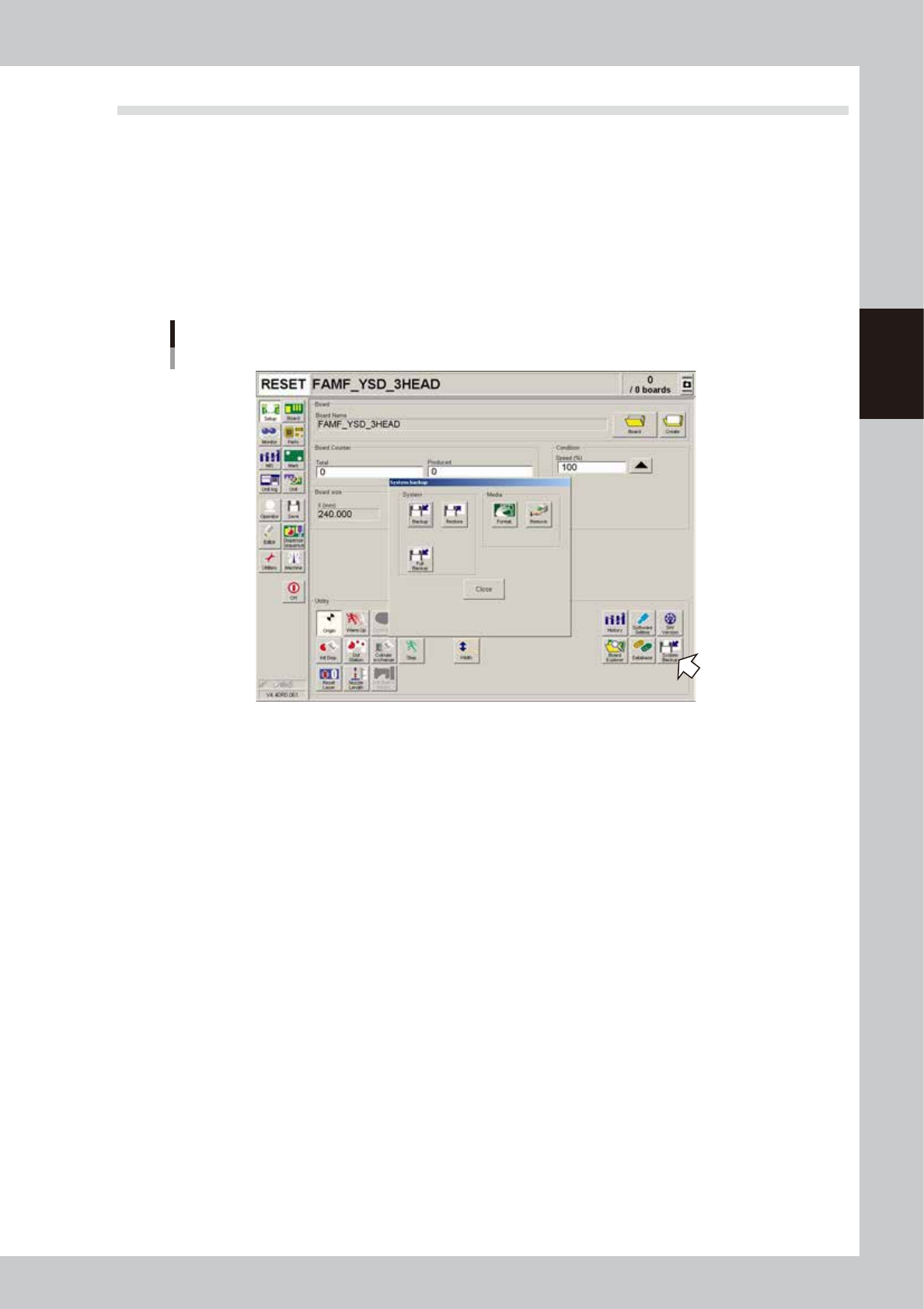
Press the [System Backup] button on the Setup screen.
The "System backup" screen appears.
Starting the “System backup” screen
64812-N7-00
8-18
8
Managing the data
2
Restore the system backup data.
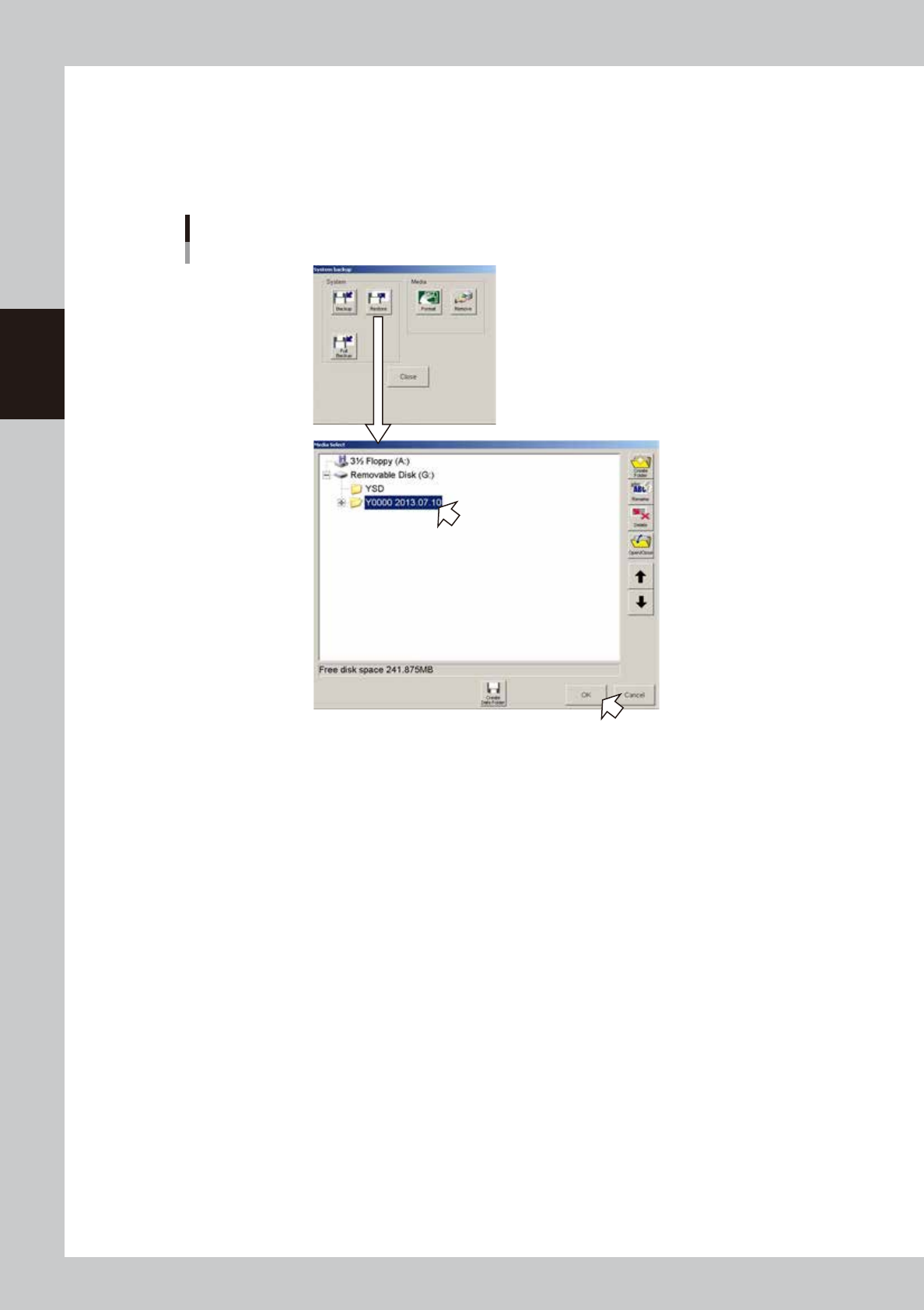
1. Insert the USB flash drive that contains the system backup data, into the USB port on the machine,
and then press the [Restore] button on the "System backup" screen.
2. The "Media Select" screen appears. Select the system backup data you want to restore and press
the [OK] button.
Selecting the system backup data
64813-N7-00
8-19
8
Managing the data
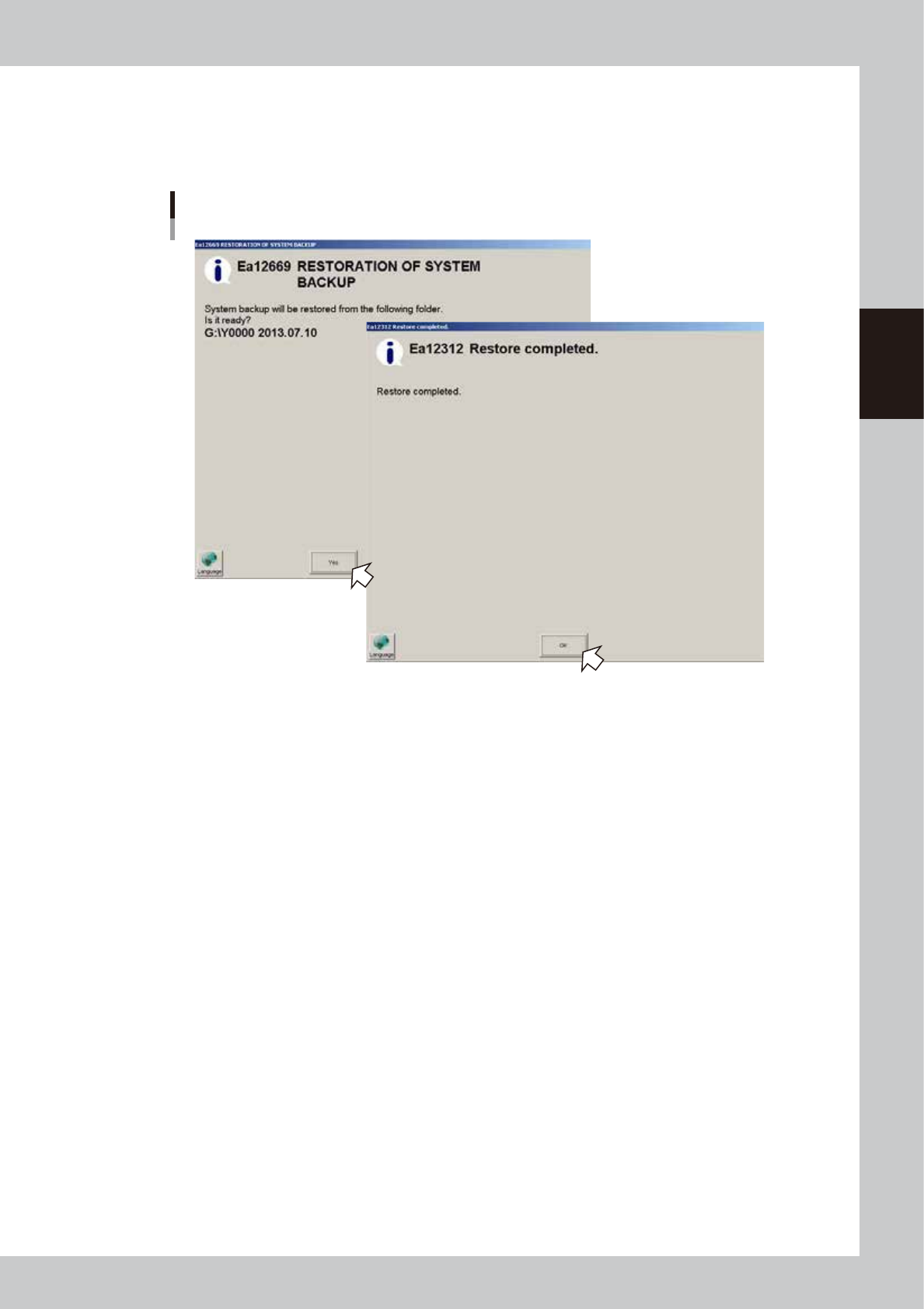
3. A confirmation dialog box appears asking if you want to restore the backup data. Press the [Yes]
button to start restoring the system data.
4. When the system data has been restored, a "Restore Completed" dialog box appears. Press the [OK]
button to close the dialog box.
Restoring the system data
64814-N7-00
5. When returned to the "System backup" screen, press the [Close] button to exit it.
Restoring the system backup data is now complete.