YSD_Users_E.pdf - 第174页
4-46 4 Making the dispensing stable n Error message If the correction amount exceeds the maximum or minimum limit of the correction range, the followin g error message appears. When you clear this error message, another …
4-45
4
Making the dispensing stable
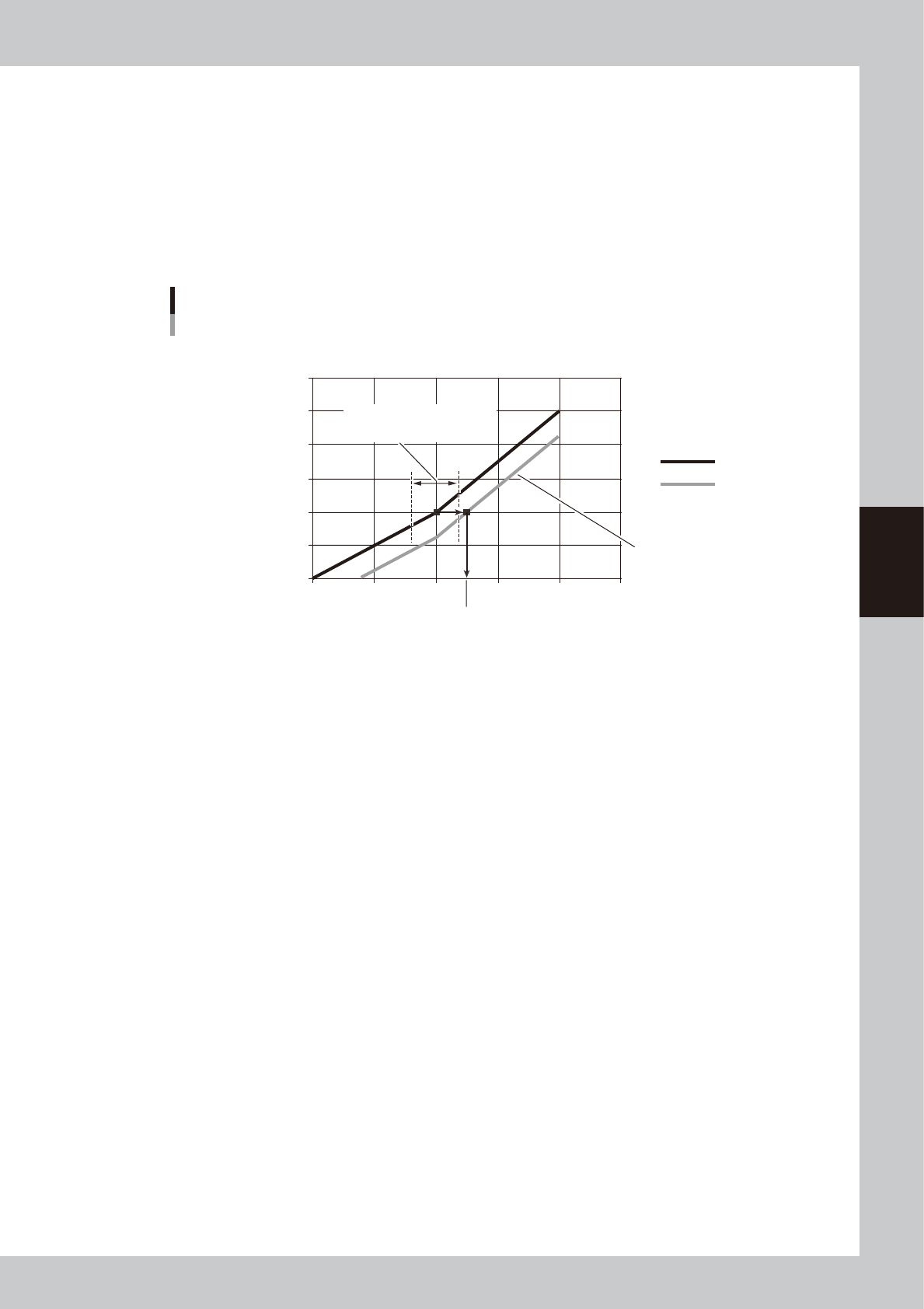
• Constant type
The correction amount (standard area - correction area) is the difference between the area to be dispensed with the
predispensed liquid amount (timer) and the actually dispensed area (with the area corrected).
(Example)
When the liquid amount (timer) is 20, and if the standard area is 0.20, minimum correction is 0.8, and maximum
correction is 1.2, then the correction range is as follows:
Minimum correction: 20 × 0.8 = 16
Maximum correction: 20 × 1.2 = 24
If the actually dispensed area is outside this range (16 to 24), an error message will appear.
0
0.1
0.2
0.3
0.4
0.5
0.6
0 10 20 30 40 50
Constant type
Example
Dispensing liquid amount [msec]
Dispensed area [mm
2
]
Standard area
Correction area
Corrected liquid amount (timer)
Standard area / correction amount
Correction amount limit range
(setting range: 0.8 to 1.2)
63419-N7-00
4-46
4
Making the dispensing stable
n
Error message
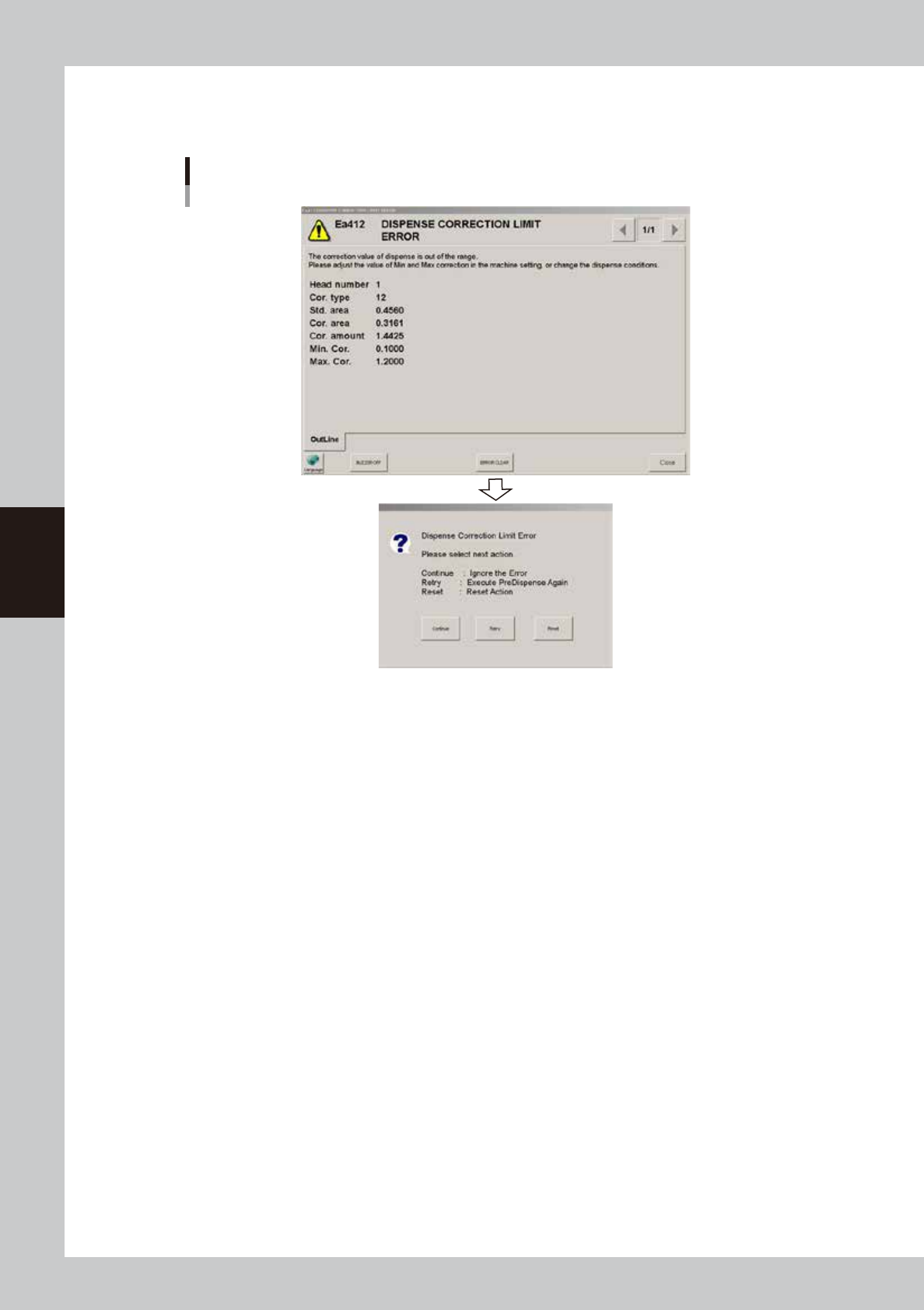
If the correction amount exceeds the maximum or minimum limit of the correction range, the following error message appears.
When you clear this error message, another dialog appears allowing you to select whether to continue or retry or reset.
Dispense correction limit error
64423-N7-00
[Continue]
Continues automatic operation as it is. (The machine will correct the dispense amount based on the previous correction
amount.)
[Retry]
Retries predispense. (If a dispense correction limit error is detected again, the above error message and dialog will
appear again.)
[Reset]
Resets automatic operation.
4-47
4
Making the dispensing stable
5.3.2 Setting method
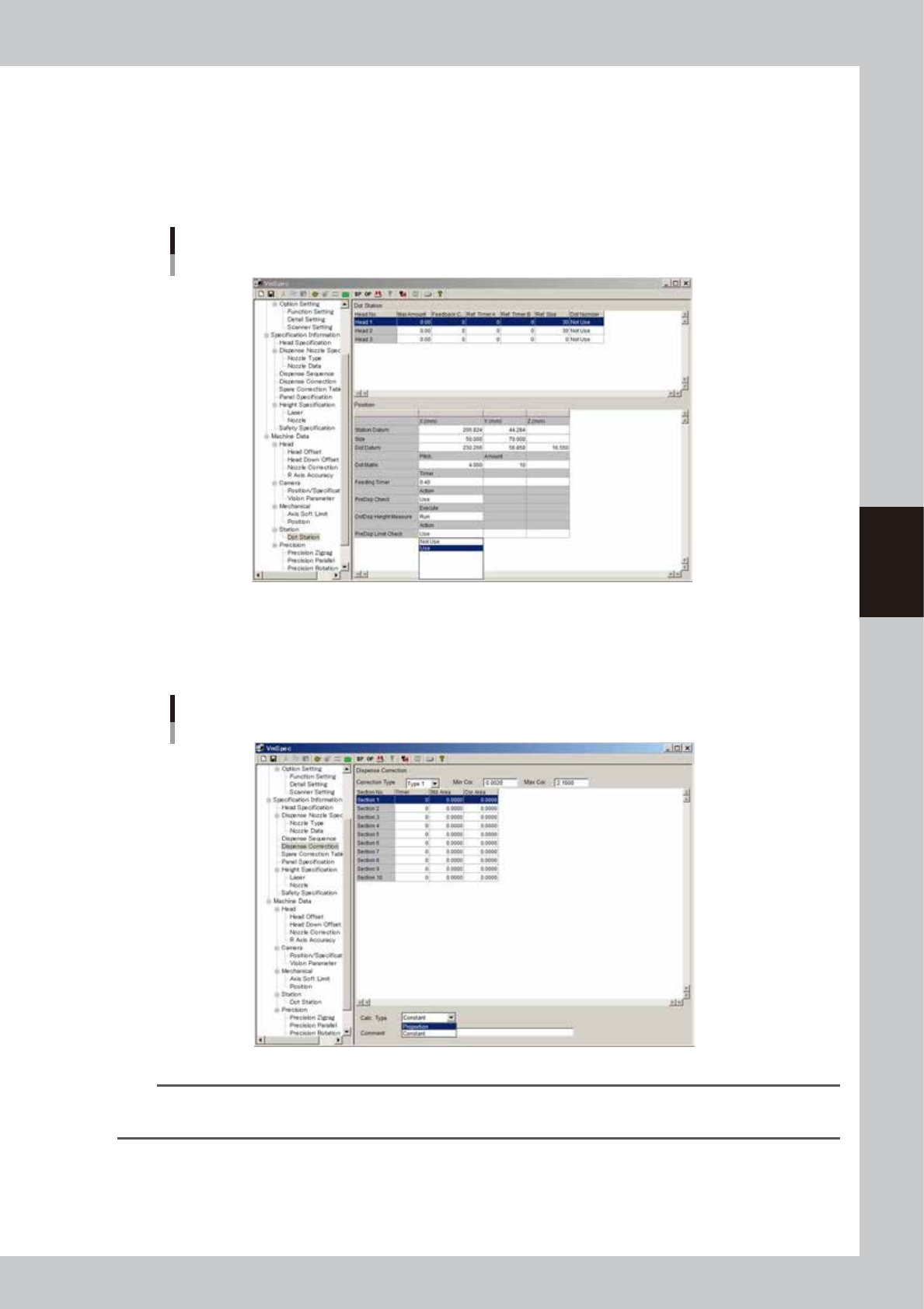
To use this function, the following parameters must be set in the VmSpec window that opens with the
[Machine] button.
1
Make the dot station settings.
In the VmSpec window, open “Dot Station” and set the “PreDsp Check” parameter to “Use”.
“PreDsp Limit Check” parameter
64424-N7-00
2
Make the dispense correction settings.
In the VmSpec window, open “Dispense Correction” and enter the “Min Cor.” and “Max Cor.” limits to
set the correction range.
“Dispense Correction”
64425-N7-00
TIP
Dispense correction limit check does not work when the maximum correction is set to “0”.
The range between the minimum and maximum correction limits must be larger than 1.0000.