YSD_Users_E.pdf - 第324页
8-4 8 Managing the data The "Board Folder Making" dialog box appears. Check the message and pr ess the [Y es] button. Making a board folder Select the folder. 64802-N7-00 3. When the setting is complete, press …
8-3
8
Managing the data
3
Open the Board Explorer.
Press the [Board Explorer] button on the Setup screen.
4
Press the [Media] button.
The "Media Select" dialog box appears.
5
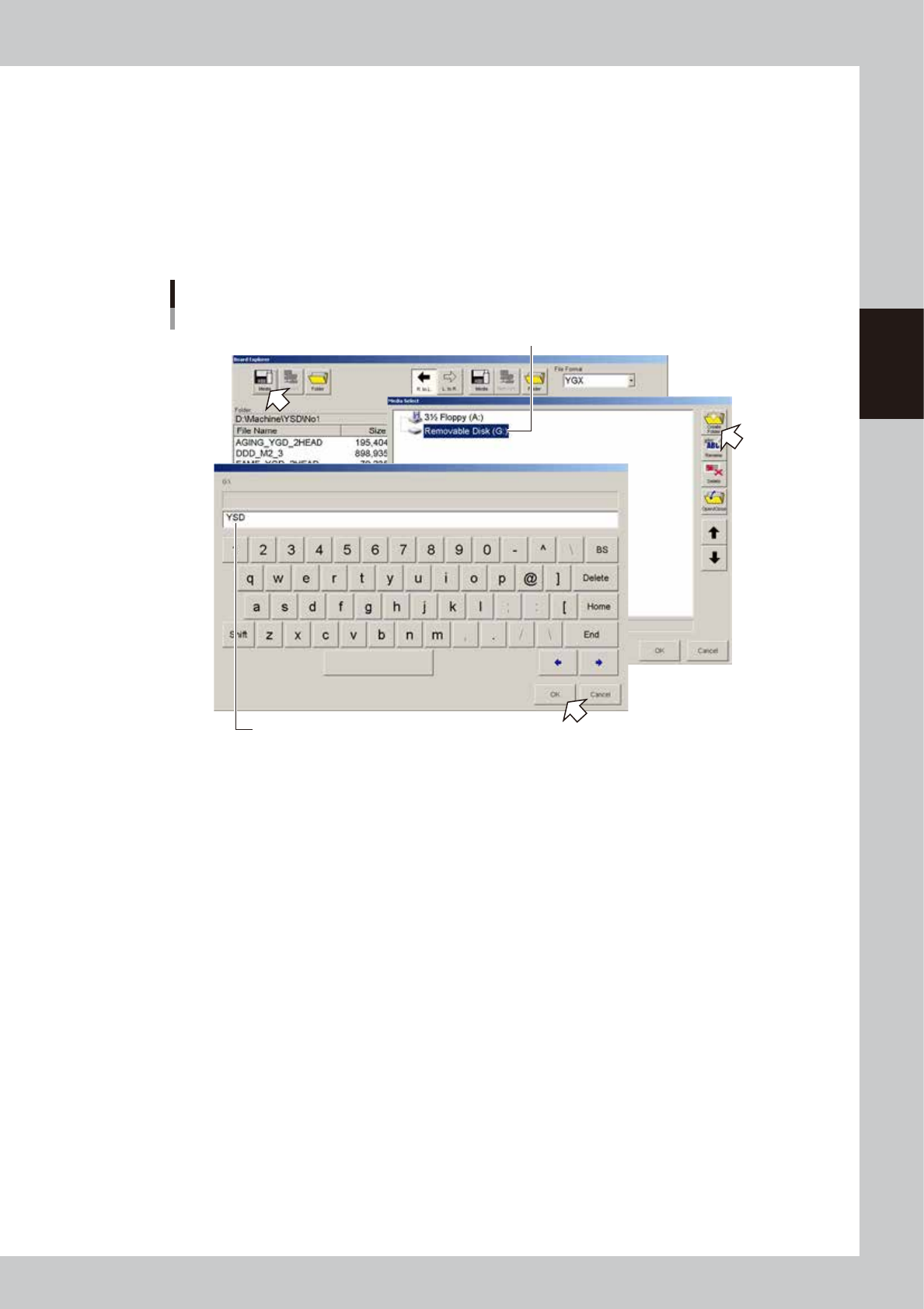
Select the media and create a board folder.
1. In the "Media Select" dialog box, select the media (USB flash drive) and press the [Create Folder]
button. When the keyboard dialog box appears, enter a folder name and press the [OK] button.
Selecting the media
Select the media (USB memory device).
Enter a folder name.
64801-N7-00
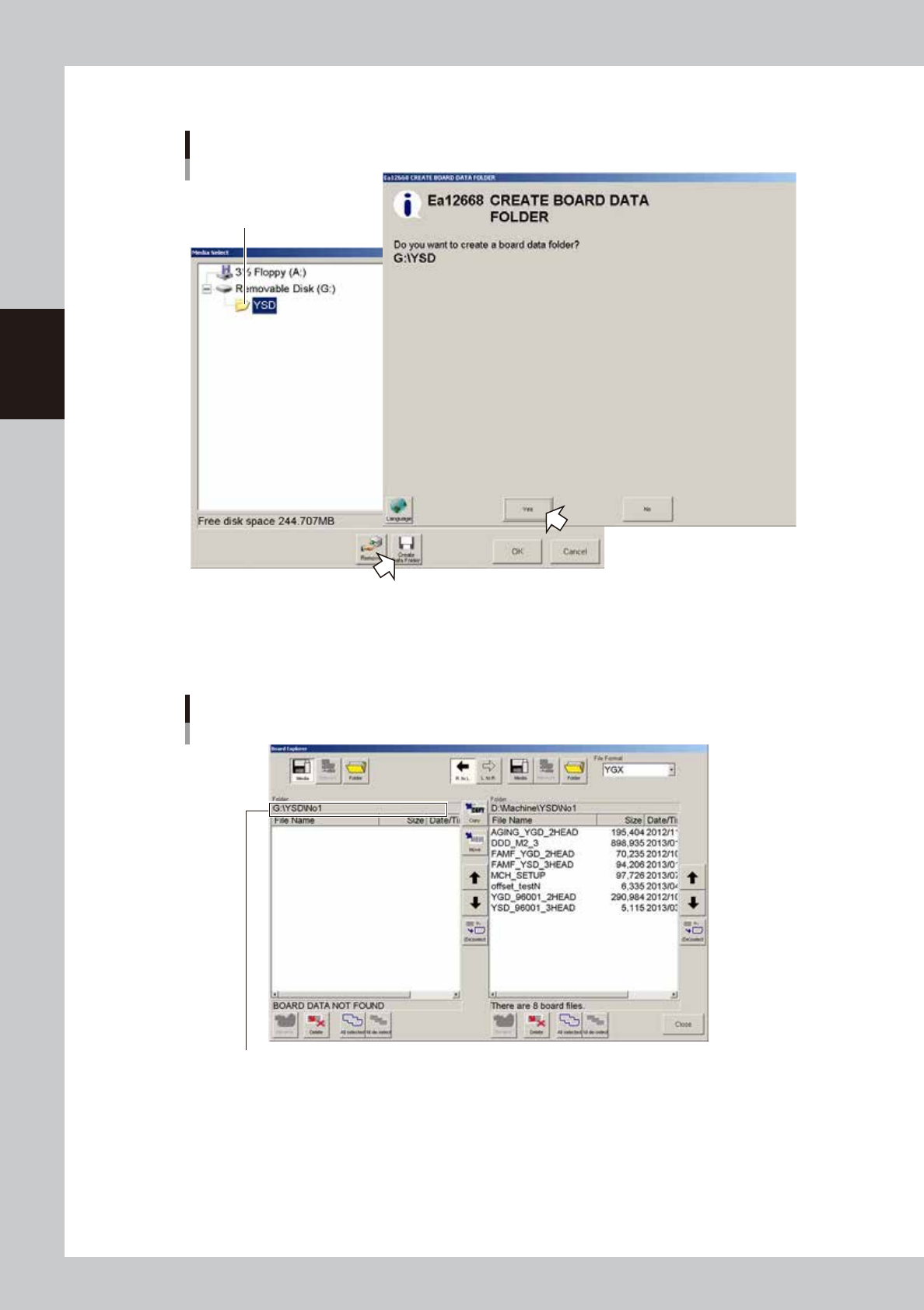
2. Select the folder you have just created, and press the [Board folder making] button.
8-4
8
Managing the data
The "Board Folder Making" dialog box appears. Check the message and press the [Yes] button.
Making a board folder
Select the folder.
64802-N7-00
3. When the setting is complete, press the [OK] button in the "Media select" dialog box to close it.
4. After returning to the Board Explorer window, check the "Folder" box to see if the "No1" folder is
created.
Checking the folder
Check that a folder named "No1" is created.
64803-N7-00
6
Select the file format.
Select the file format from the "File Format" drop-down list box.
8-5
8
Managing the data
7
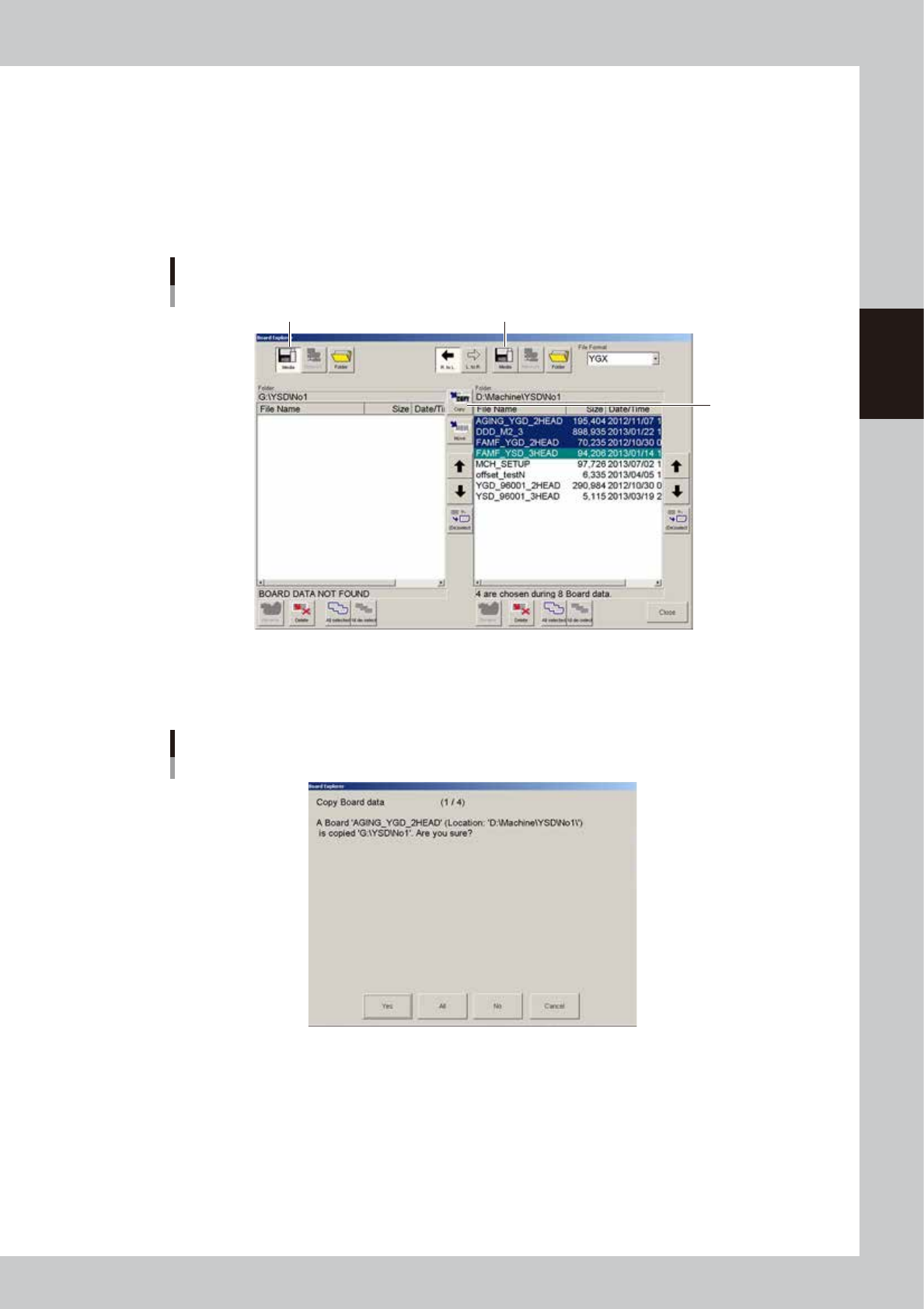
Select the board data you want to back up.
Line up the cursor with the board data you want to back up. You can select multiple board data by
selecting them while holding down the [Ctrl] key or [Shift] key. When you want to select all board data
in the list, press the [All Selected] button.
8
Designate the copy destination.
Press the [Media] button on the left when copying from right to left, or press the [Media] button on the
right when copying from left to right.
Copy from left to right
[Copy] button
Copy from right to left
Selecting the copy destination
64804-N7-00
9
Press the [Copy] button.
A confirmation dialog box appears. Press the [Yes] or [All] button to make a copy to the USB flash drive.
Copy confirmation dialog box
64805-N7-00