YSD_Users_E.pdf - 第170页
4-42 4 Making the dispensing stable 5.2 Setting the board information F or each board data, set whether the dot station is to be used. 1 Set the automatic predispensing function. 1. Open the board data. 2. Open the [Boar…
4-41
4
Making the dispensing stable
3. Ref. Timer A
Enter the period of time (0 to 99999 seconds) during which automatic predispensing is to be performed.
If no dispense is performed for a long period of time, the dispensing liquid at the nozzle tip will harden, causing unstable
dispensed dots. To prevent this problem, automatic predispensing is performed each time this time is exceeded in cases
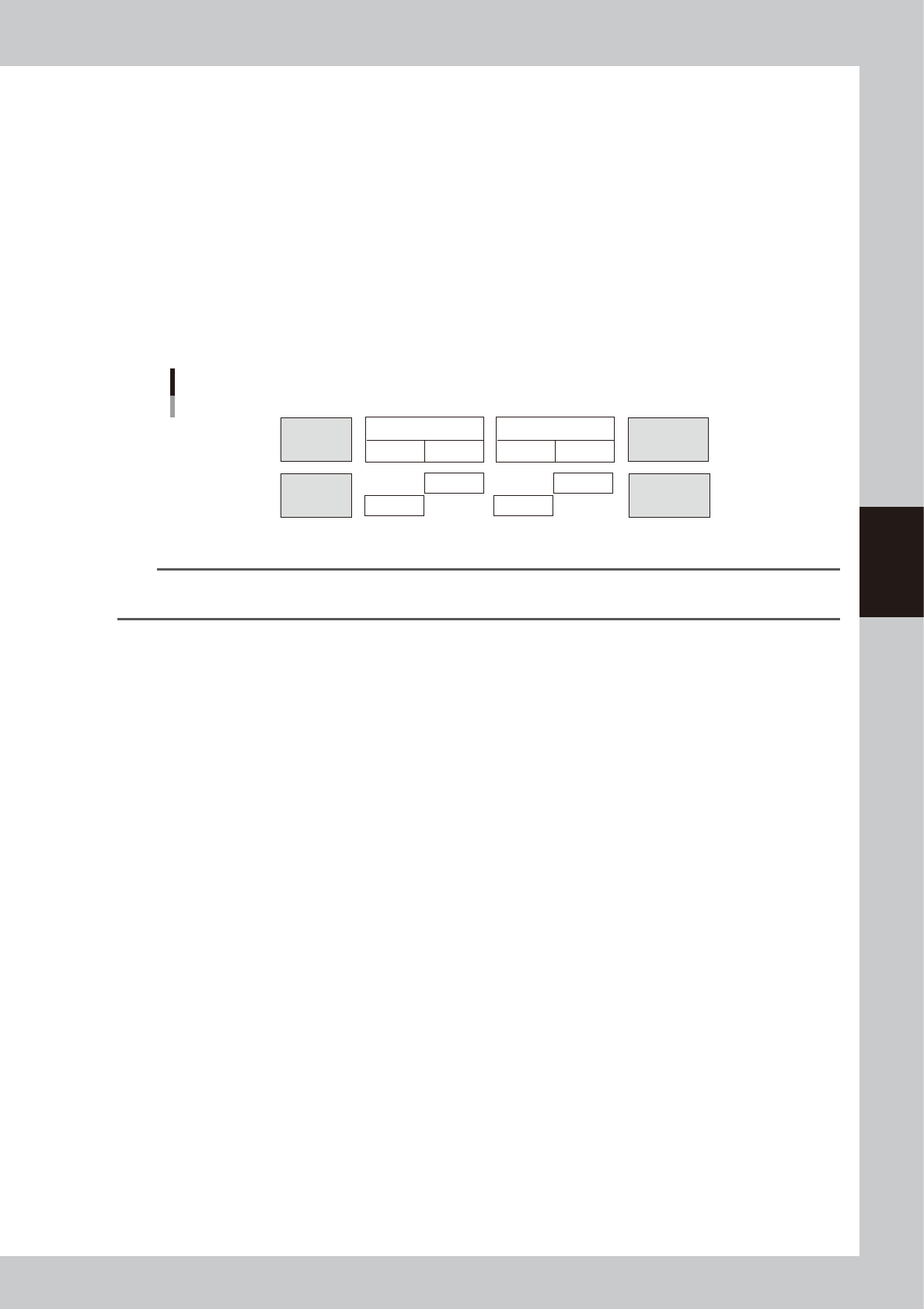
where the head used has not dispensed for a certain period of time during board transfer or standby state (Ref, Timer A).
Predispensing is performed during automatic operation and the timer is counted even during STOP or emergency stop.
Predispensing is first performed at the timing when automatic operation starts next time.
4. Ref. Timer B
Enter the period of time (0 to 99999 seconds) during which automatic predispensing is to be performed.
When exchanging the head during dispensing, predispensing will be performed automatically if this "Ref. Timer B" is
exceeded by the remaining time for the head you are exchanging. Predispensing is performed during automatic operation
and the timer is counted even during STOP or emergency stop. Predispensing is first performed at the timing when
automatic operation starts next time.
Head 1
<Stop time>
Head 2
Time conditions A and B
Transferring
board
Time
conditions A
Time
conditions B
Time
conditions B
Time
conditions B
Time
conditions B
Time
conditions A
Waiting for
board
Predispensing
Had 1
Head 1
Head 2
Head 2
Dot dispensing
63417-N7-00
n
NOTE
As time condition A, enter a value that is about 2 to 4 times larger than the normal cycle time and increase or
decrease it while checking the production.
5. Ref Size
Set the size difference for predispensing.
When dispensing small dots after large dots, the size of the small dots is sometimes not constant. To prevent this problem,
predispensing is performed automatically after large dots are dispensed. For this parameter, set the size difference that
triggers automatic predispensing. (Max. 255)
For instance, when this parameter is set to 10, predispensing will be automatically performed if the difference in the
liquid amount for the next dispensing exceeds 10.
(Example) When a liquid amount of 24 is dispensed after a liquid amount of 35 is dispensed, automatic predispensing
will be performed.
When a liquid amount of 25 is dispensed after a liquid amount of 35 is dispensed, automatic predispensing will not be
performed.
6. Not Number
Set the number of predispensing dots.
3
Save the settings you have made and exit.
4-42
4
Making the dispensing stable
5.2 Setting the board information
For each board data, set whether the dot station is to be used.
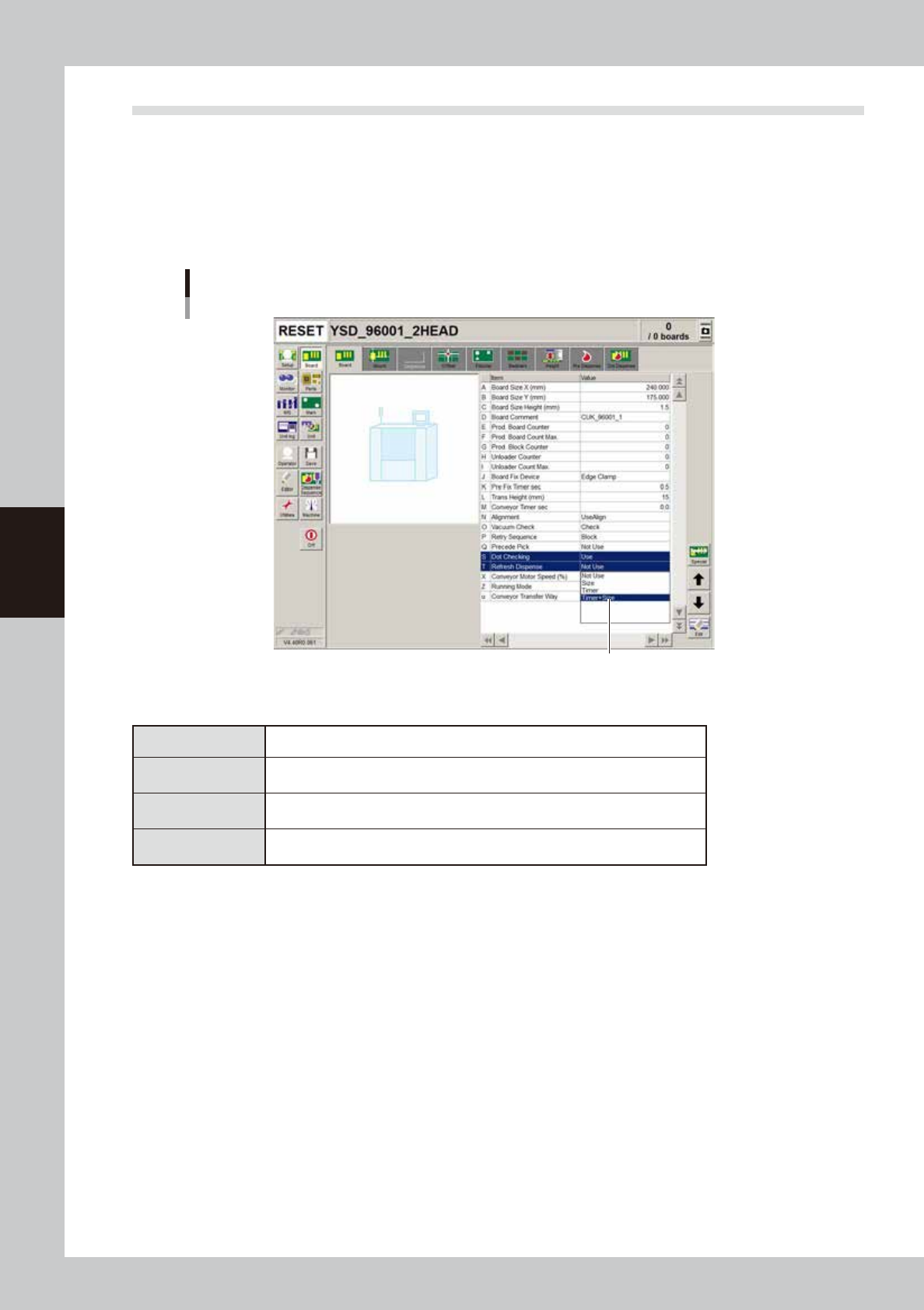
1
Set the automatic predispensing function.
1. Open the board data.
2. Open the [Board] - [Board] tab.
3. Set the "Refresh Dispense" parameter.
"Refresh Dispense" parameter
Set the automatic predispensing function.
64410-N7-00
n
Automatic predispensing setting
Not use This function is not used.
Size
Automatically performs predispensing if the difference in the dot size between
successive dispensings is larger than the size specified here.
Time
Automatically performs predispensing if the head does not dispense for longer
than the time specified here. (Recommended)
Time+Size
Automatically performs predispensing if either of the "time" and size" conditions
above is met.
4-43
4
Making the dispensing stable
2
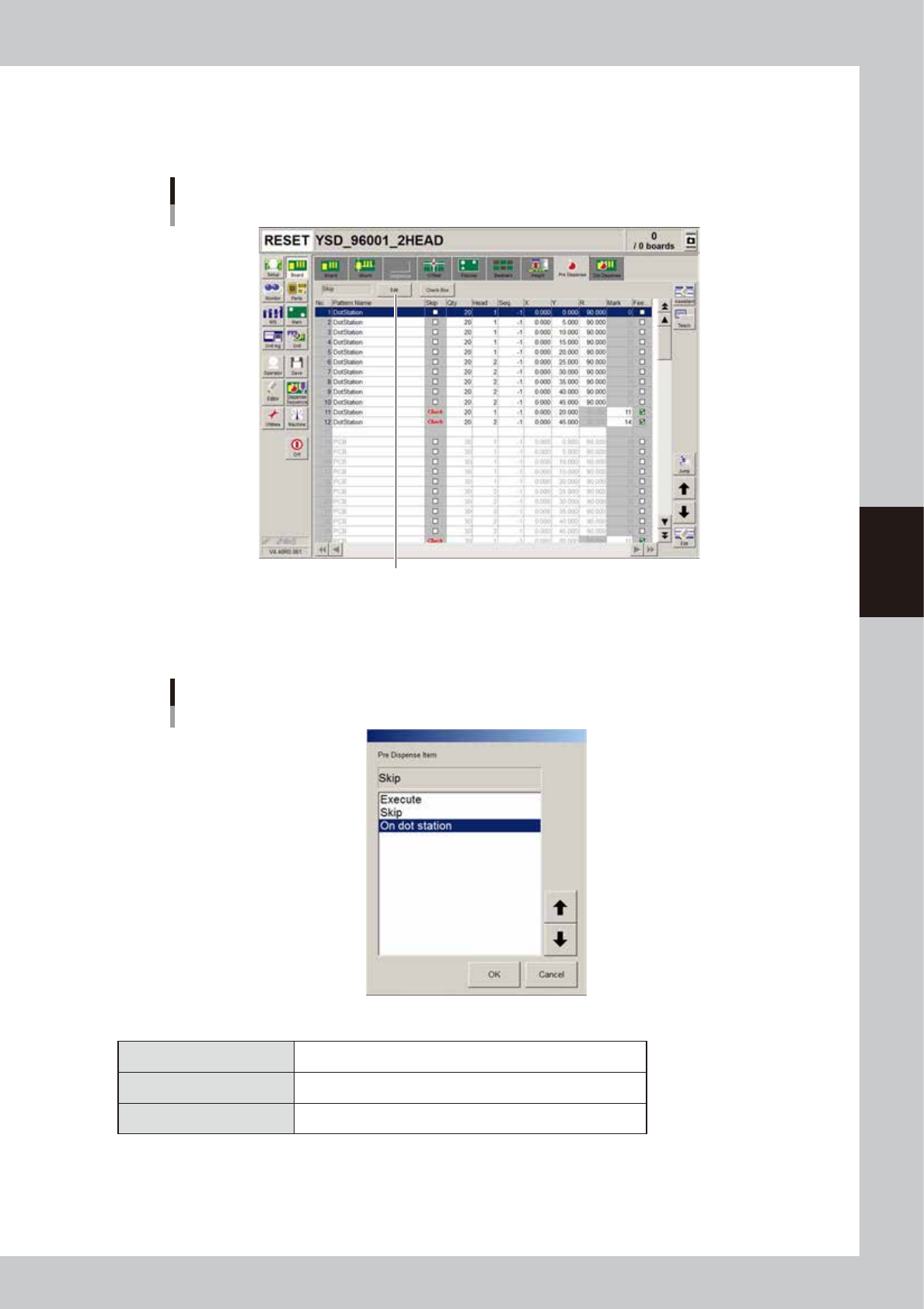
Set the predispensing location.
1. Open the [Board]-[Pre Dispense] tab.
2. Press the [Edit] button.
Pre-dispense information
Press the [Edit] button.
64411-N7-00
3
Set the predispensing location.
Select the desired items and press the [OK] button.
Pre-dispense item dialog box
64412-N7-00
n
Predispensing setting
Skip Predispensing is not performed.
Execute Performs predispensing on a board.
On dot station Performs predispensing on the dot station.
4
Set the predispensing coordinates.
If "Execute" has been selected, the relative coordinates from the board origin must be entered. To
predispense on the dot station, the coordinates of the dot datum entered in "5.1.2 Entering the
predispensing coordinates" must be used as the origin. Make sure that the coordinates are not outside
the paper.