YSD_Users_E.pdf - 第391页
3-17 3 Periodic maintenance items 4.7 Controller unit 4.7.1 Cleaning the filter 1 T urn off the machine power . End the software, and turn the machine power switch to OFF . 2 Remo ve the cov er . Remove the front center …
3-16
3
Periodic maintenance items
4.6.2 Cleaning the air filter and mist filter
1
Remove the filter cup.
See the previous section "Cleaning the filter
cup".
2
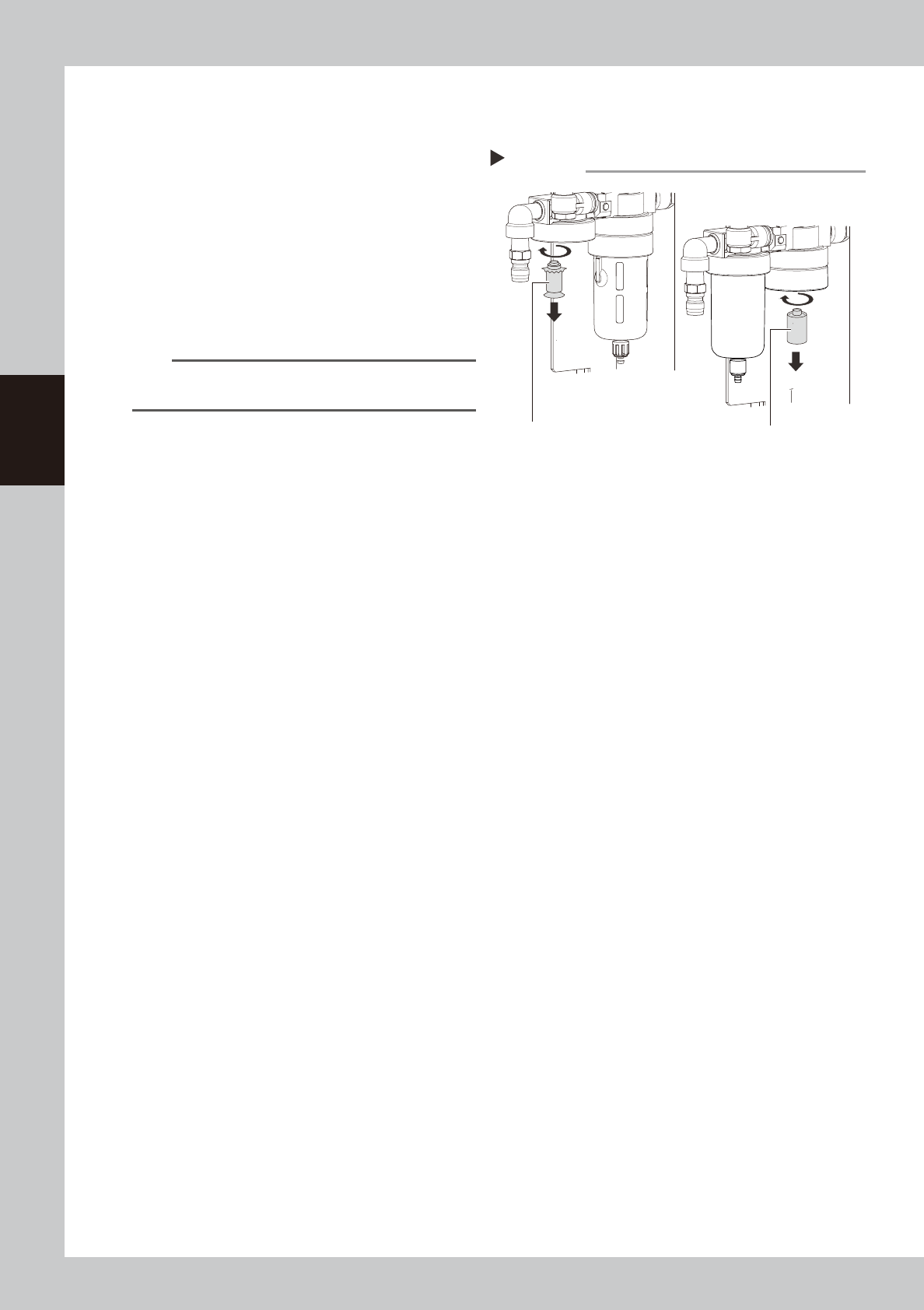
Remove the filters.
Rotate the filters as shown on the right.
53327-N7-00
3
Clean the filters.
Use an air blow tool to blow away dust and
impurities trapped by the filter.
n
NOTE
If the filters are excessively dirty and cannot be
cleaned, replace them with new filters.
4
Reattach the filters.
Reattach the filters to their original position.
5
Reattach the filter cup.
6
Reconnect the air hose to the air
coupler.
After connecting the air hose, check that no
air is leaking.
Removing the filters
Step 2
Mist filter
(MIST FILTER ELEMENT)
Air filter
(FILTER ELEMENT)
3-17
3
Periodic maintenance items
4.7 Controller unit
4.7.1 Cleaning the filter
1
Turn off the machine power.
End the software, and turn the machine
power switch to OFF.
2
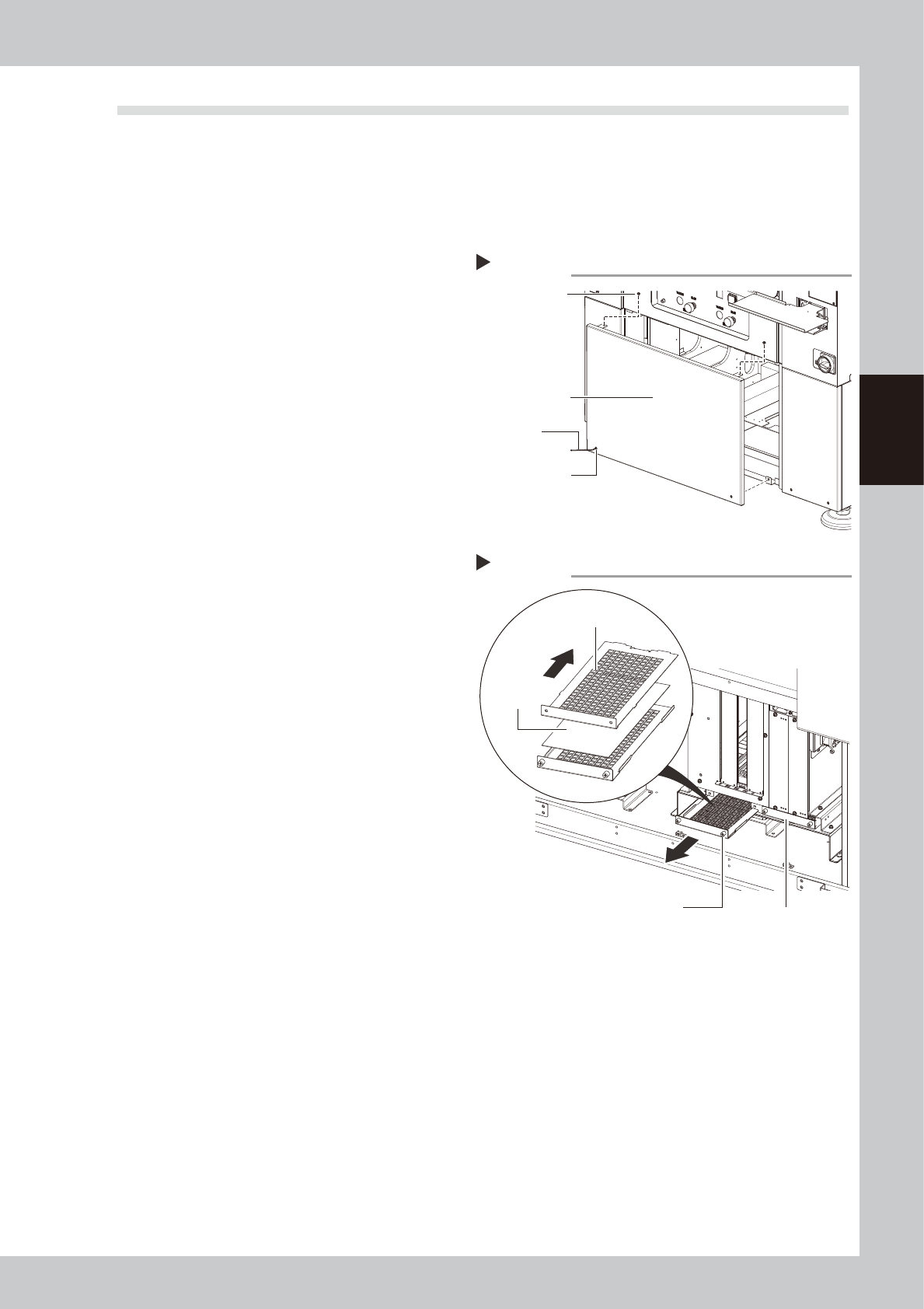
Remove the cover.
Remove the front center cover as shown on
the right.
1. Open the open/close cover and remove
the screws securing the cover with a
Phillips screwdriver.
2. Loosen the bolts securing the cover with
a hex wrench (3mm)
53354-N7-00
3
Remove the filter unit.
1. Loosen the two screws securing the filter
unit with a Phillips screwdriver, and pull
out the filter unit.
2. Slide the plate that holds the filter and
remove the filter.
3. Use the same way to remove the filter in
another unit.
53355-N7-00
4
Clean the filter unit.
1. Suction up any dirt accumulated in the
filter by using a vacuum assembly
(option) or a mini-vacuum cleaner.
2. Proceed to step 6 if there is no problem
with the cleaned filter.
5
Replace the filter.
If the dirt and grime on the filter could not
be removed in step 4 or the filter is broken or
damaged, replace it with a new filter.
Slide the plate back that holds the filter, and
then remove and replace the filter with a
new one.
6
Reattach the filter unit.
Reinstall the filter unit back in its original
position using the reverse of the procedure
in steps 2 to 3.
Removing the cover
Step 2
Front center cover
Hex wrench
Screws securing
cover
Bolts securing
the cover
Removing the filter
Step 3
Slide the upper plate back
Screw securing the filter unit
Filter unit
Filter