YSD_Users_E.pdf - 第261页
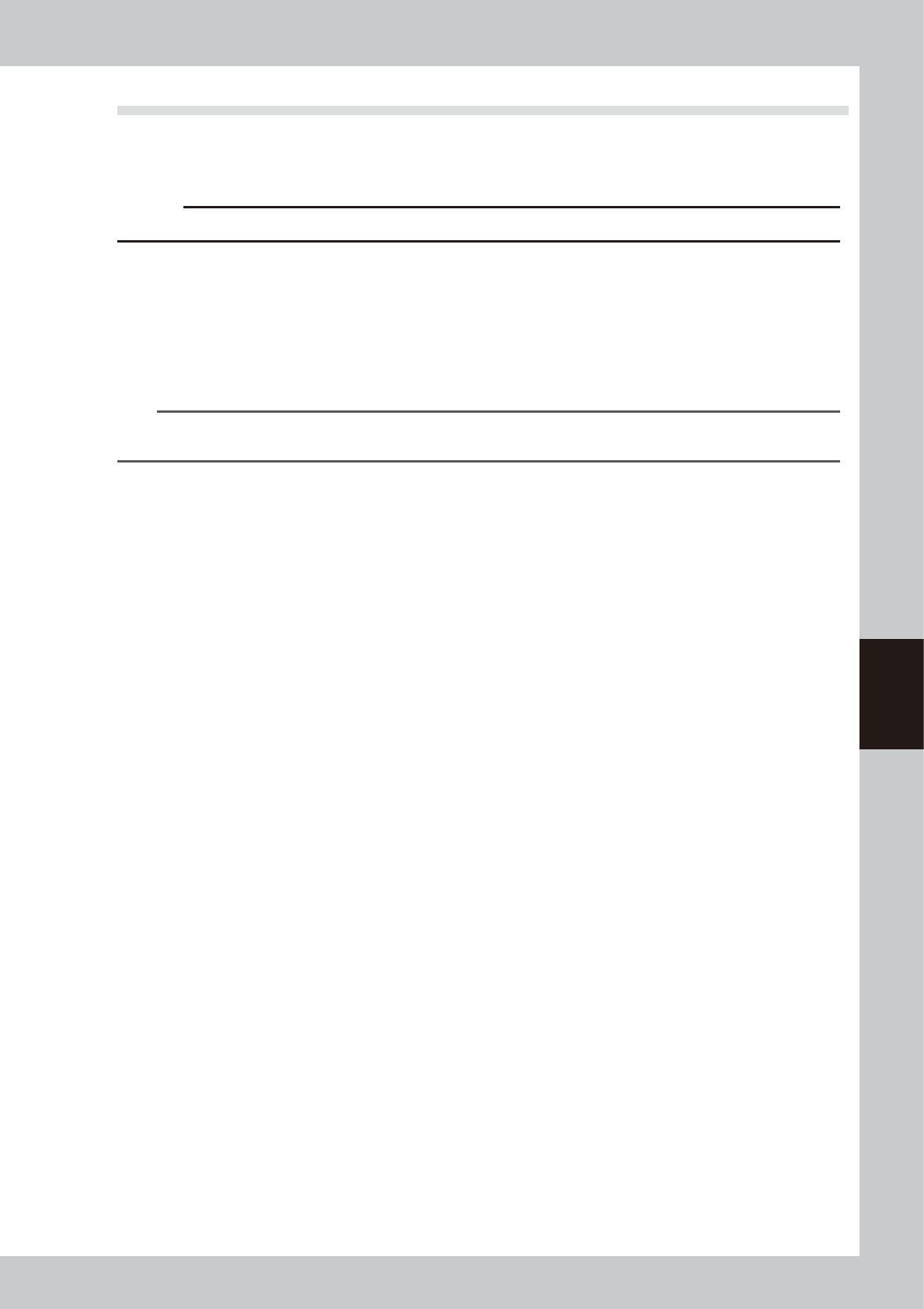
5-72 5 Creating the board data 2. Select "Exit" from the File menu. The Editor window closes. Exiting the Editor 64547-N7-00
5-71
5
Creating the board data
n
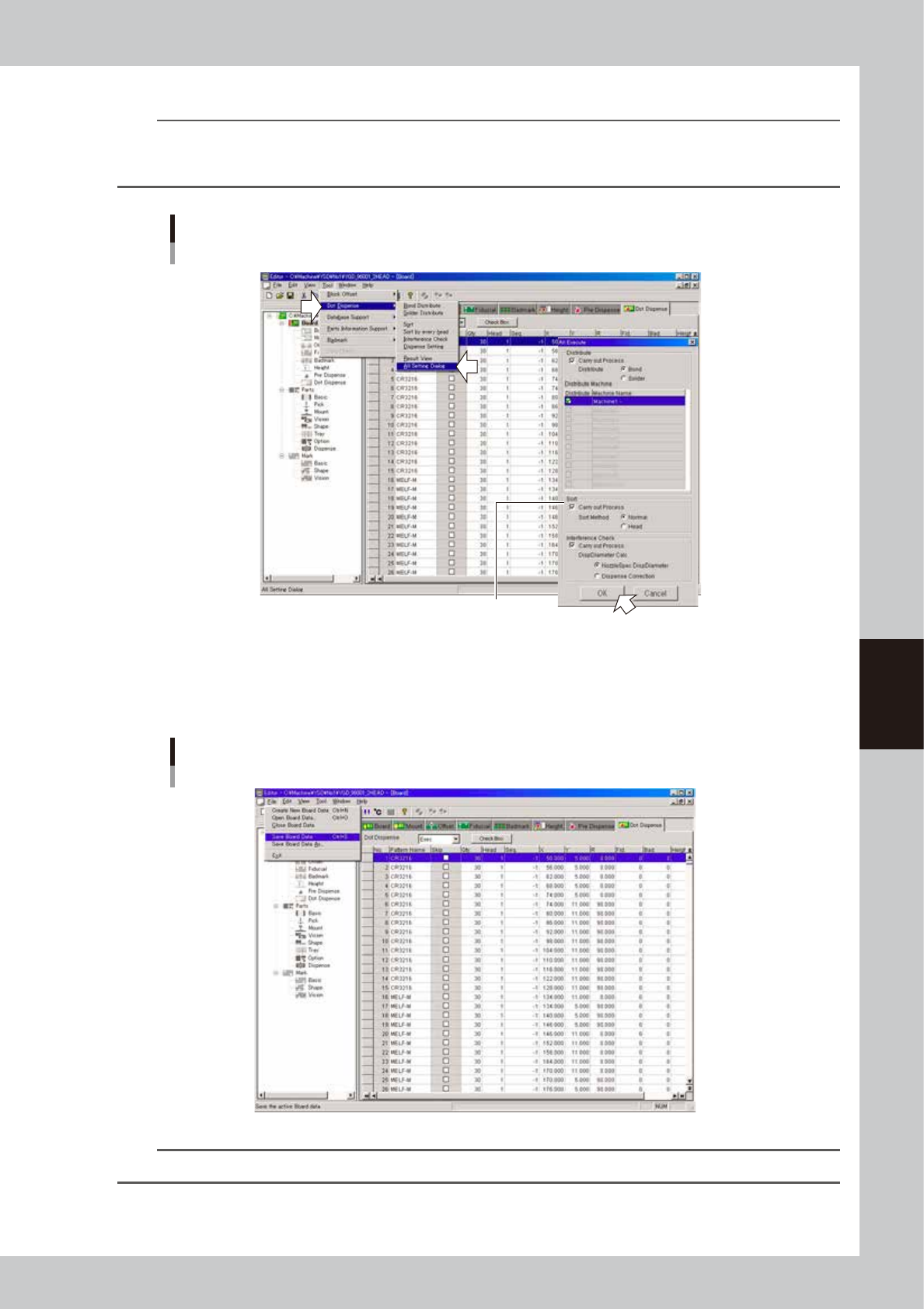
”All Setting Dialog” command
TIP
The task from steps 4 to 6 can be performed at one time.
From the Tool menu, select "Dot Dispense" - "All Setting Dialog" and make the necessary settings in the dialog box that
appears and click the [OK] button.
Dispense distribution
Selecting "All Setting Dialog" command
Select the option buttons as needed.
64545-N7-00
7
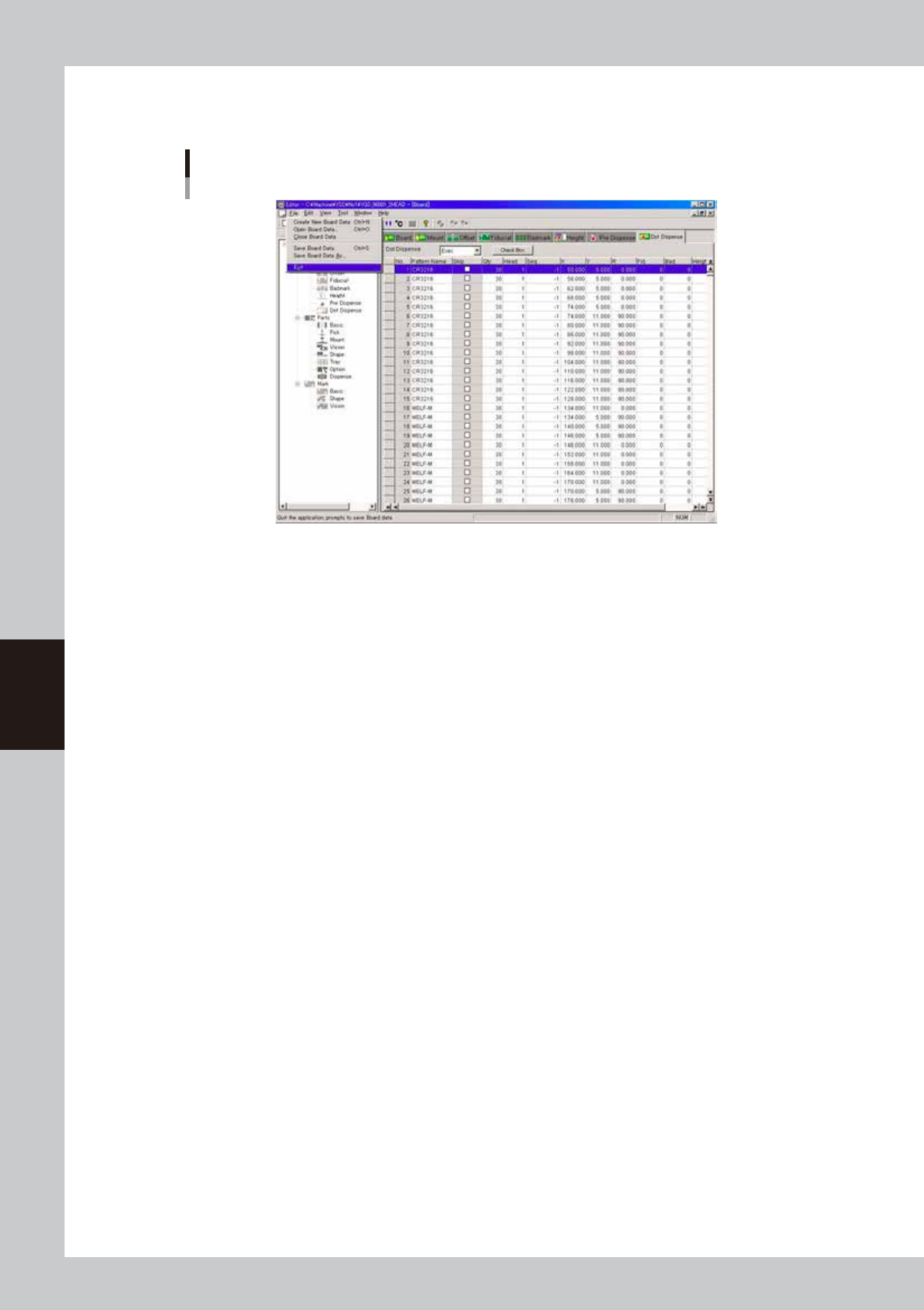
Save the board data and quit the Editor.
1. Select "Save Board Data" from the File menu or click the [Save Board Data] button on the toolbar.
The board data is saved and the existing board data is overwritten.
"Save Board Data" command
64546-N7-00
TIP
If you do not want the existing board data to be overwritten, select "Save Board Data As…" from the File menu.
5-72
5
Creating the board data
2. Select "Exit" from the File menu.
The Editor window closes.
Exiting the Editor
64547-N7-00
5-73
5
Creating the board data
7.2 Editing the dot dispense information
In the dot dispense information created as result of dispense distribution, "Qty." and "Head" data are input from
the component information and other data from the mount information.
Check the settings while referring to "4.9 Dot dispense parameters" in this chapter.
c
CAUTION
Performing dispense distribution will overwrite the current dispense data.
"-1" will be set to the sequence of the dot dispense information automatically when dispense distribution is
performed. This means that the software has selected the dispense sequence (see "6. Editing the dispense
sequence" in Chapter 4) automatically based on the registered component information and nozzle type.
If you need to perform dispense by the different sequence even if the quantity is the same, change the content
of a sequence No. which is not used for nozzle type of each head and manually change the sequence of the
corresponding data No. in the dot dispense information. Dispense will be performed by a different sequence
for that data No. only.
TIP
For example, if liquid must be dispensed on the convex surface of a board, prepare the dispense sequence for which
the lower target position, the height to permit the next task, and the upper target position have been changed.