YSD_Users_E.pdf - 第199页
5-10 5 Creating the board data 4 Select the data to be copied. Among the board data, parts data, and mark data, select the data you want to copy by pressing their buttons. Selecting data to be copied Select data to be co…
5-9
5
Creating the board data
3
Select the board data to be copied.
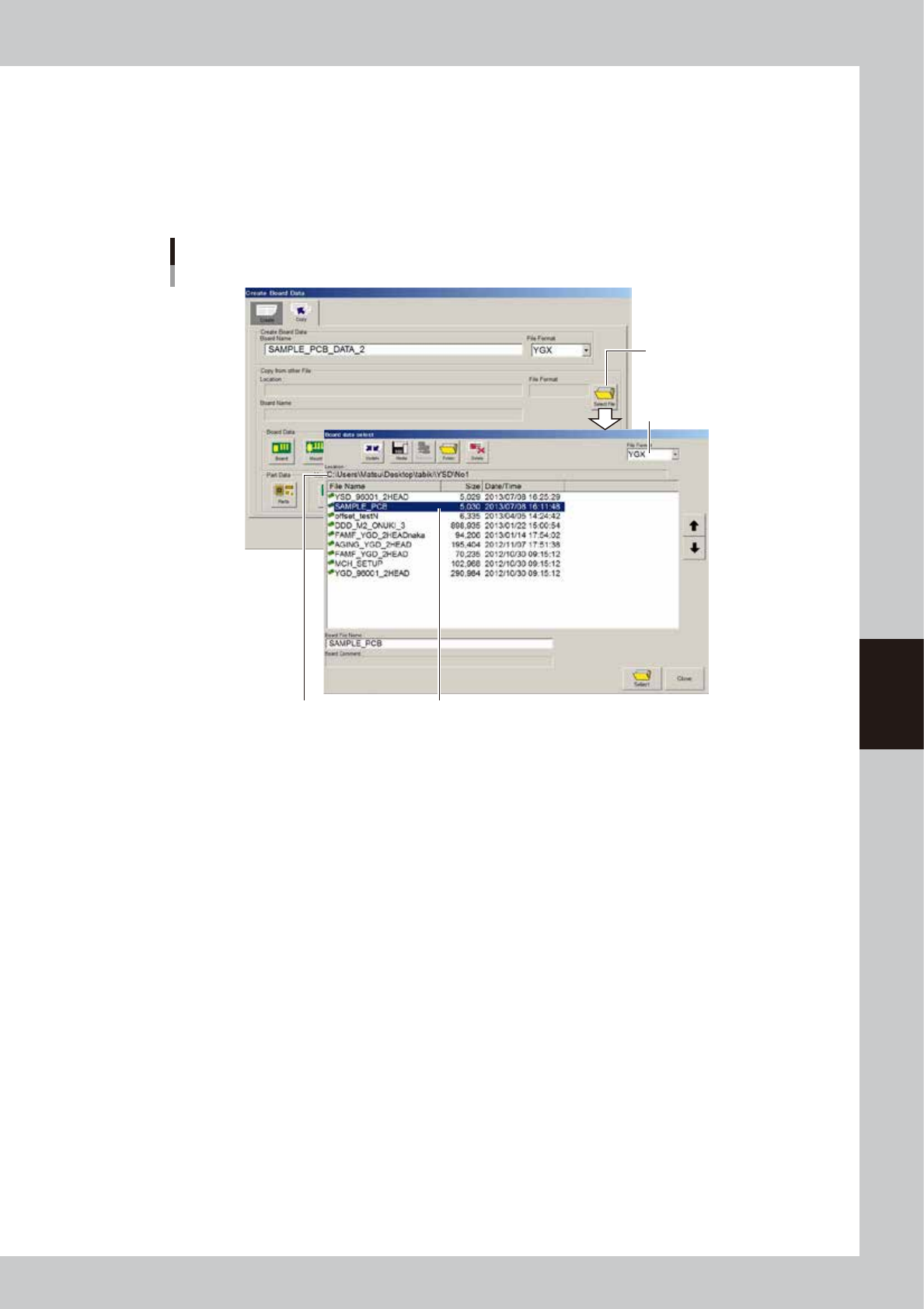
1. Press the [Select File] button on the right of the "Copy from other file" box.
The "Board data select" screen appears. Check the file location and file format.
2. Select the board data to be copied and press the [Select] button.
3. The display returns to the [Copy] tab after the board data is selected. The information on the
selected board data is displayed in the "Copy from other file" box.
[Select File] button
Check "Location". Select board data.
Selecting the data to be copied
Select file format.
64583-N7-00
5-10
5
Creating the board data
4
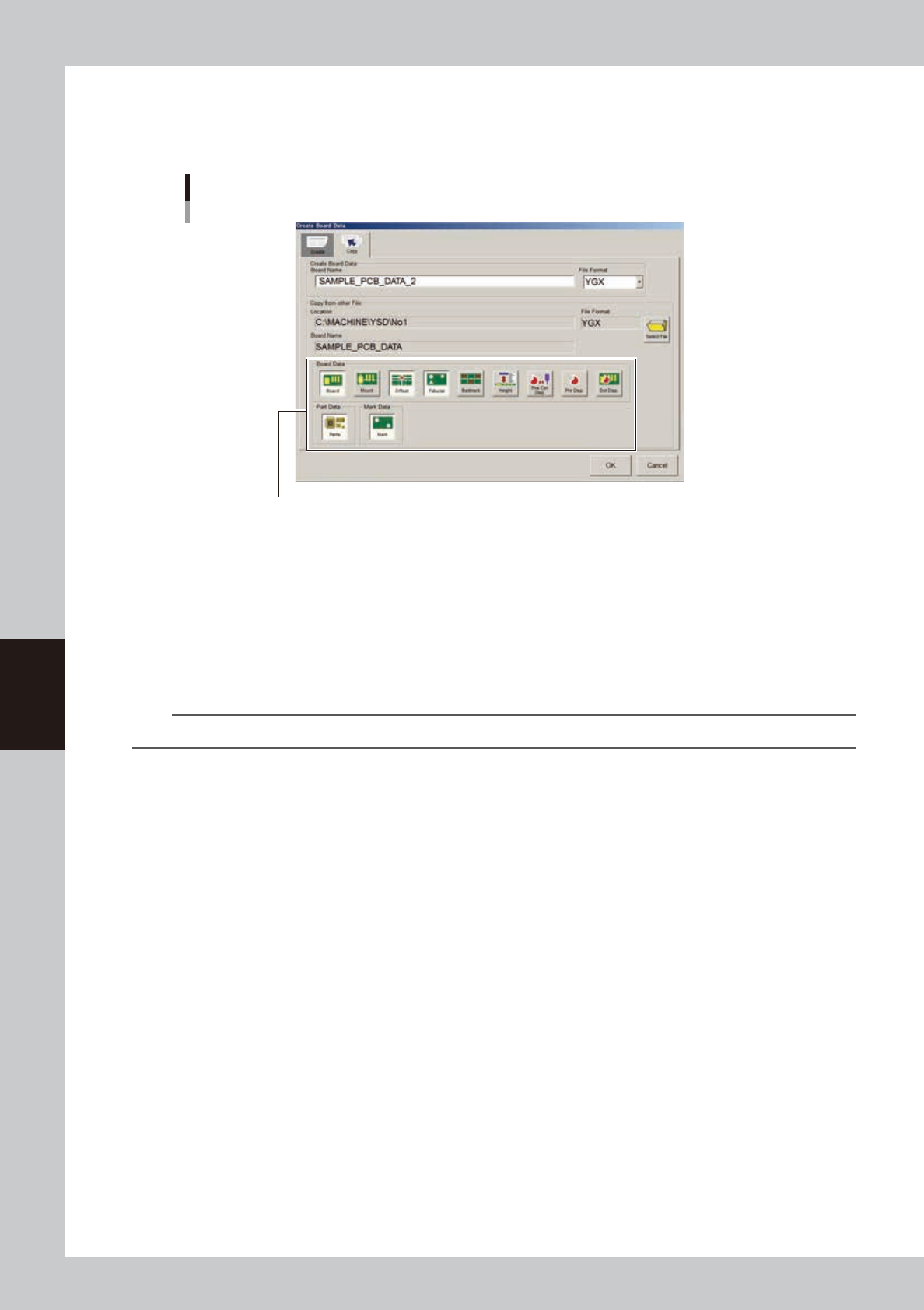
Select the data to be copied.
Among the board data, parts data, and mark data, select the data you want to copy by pressing their
buttons.
Selecting data to be copied
Select data to be copied.
64584-N7-00
5
Press the [OK] button to start copying.
The display returns to the Setup screen when the copying is complete.
6
Save the board data.
1. Press the [Save] button in the main menu button area.
The "Board data save" dialog box appears.
2. Check the location and file format to save the board data, then press the [Save] button.
n
NOTE
VIOS format data must be saved in the "No 1" folder.
5-11
5
Creating the board data
3. Creating the setup information
This section describes how to set the nozzle information and make temperature setting.
3.1 Nozzle information
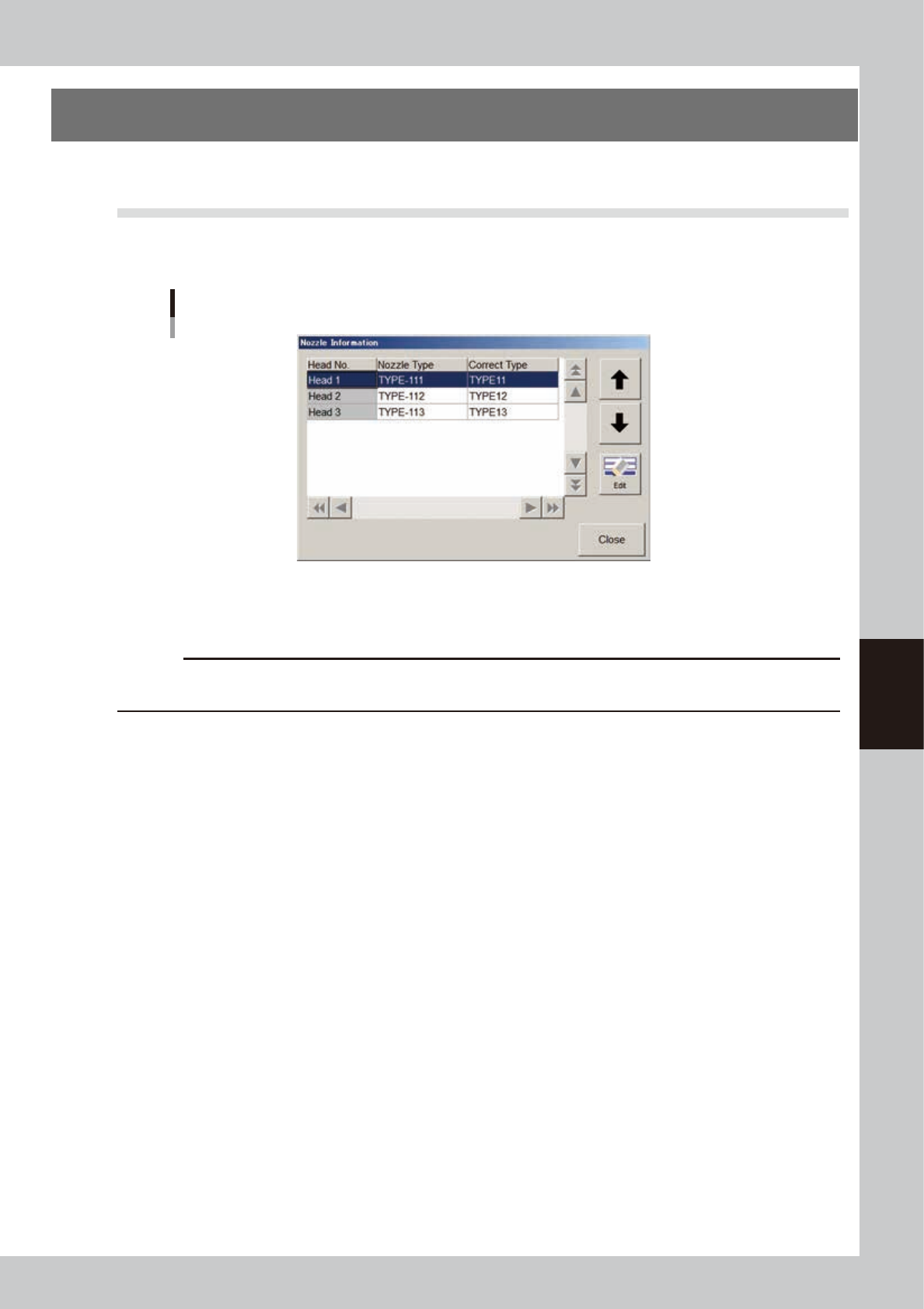
On the Setup screen, press the [Nozzle] button to open the "Nozzle Information" dialog box and set the nozzle
information.
Nozzle information
64557-N7-00
Nozzle Type
Select the nozzle type to use from the drop-down list.
c
CAUTION
If a particular nozzle is set by [Machine] - “Head Offset”, that nozzle takes priority over other nozzles and does not
allow changing the nozzle type. Clear the nozzle set by “Head Offset” to select the nozzle for each board data.
Correct Type
Set this item when using dispense correction. Select the correction type to use from the drop-down list.