YSD_Users_E.pdf - 第101页
2-41 2 Basic operation n Monitor: Fiducial T he [Fiducial] tab screen shows the results after fiducial marks such as "Board, bloc k", "Local" and "P oint" fiducial marks were recognized. Mon…
2-40
2
Basic operation
n
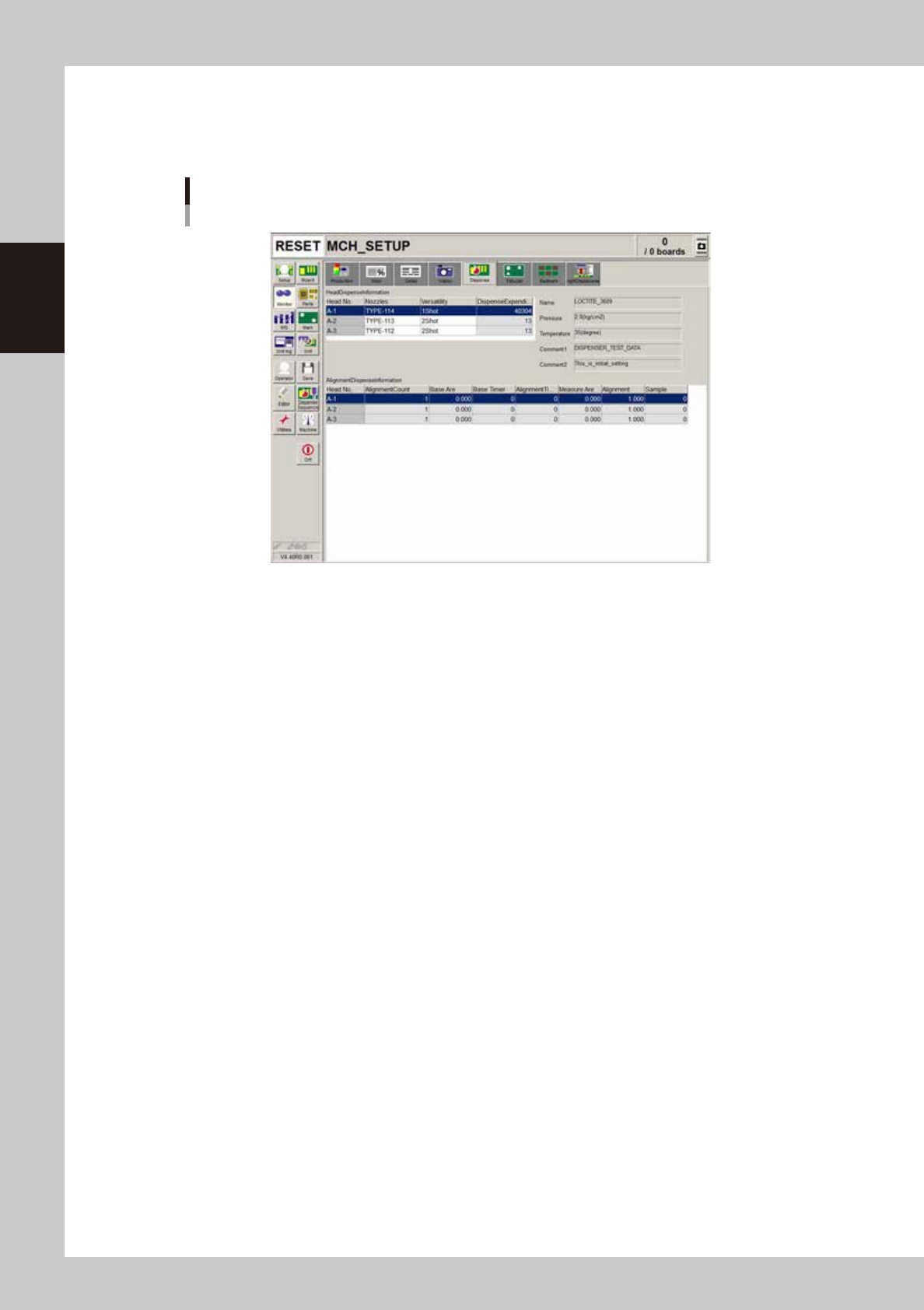
Monitor: Dispense
The total dispense expenditure and alignment dispense information for automatic operation are displayed in a table
format.
Monitor
Dispense
64220-N7-00
• Base Area
Shows the standard area specified in the mark information.
• Base Timer
Shows the amount of predispensing liquid used for correction. (Normally, the standard amount of liquid is set to 20.)
• Measure Area
Shows the average area of all the dots when alignment is performed.
• Alignment
Proportion type: Shows the magnification used for correction.
Addition type: Shows the difference between the standard area and the correction area.
• Sample
Shows the number of measured samples.
2-41
2
Basic operation
n
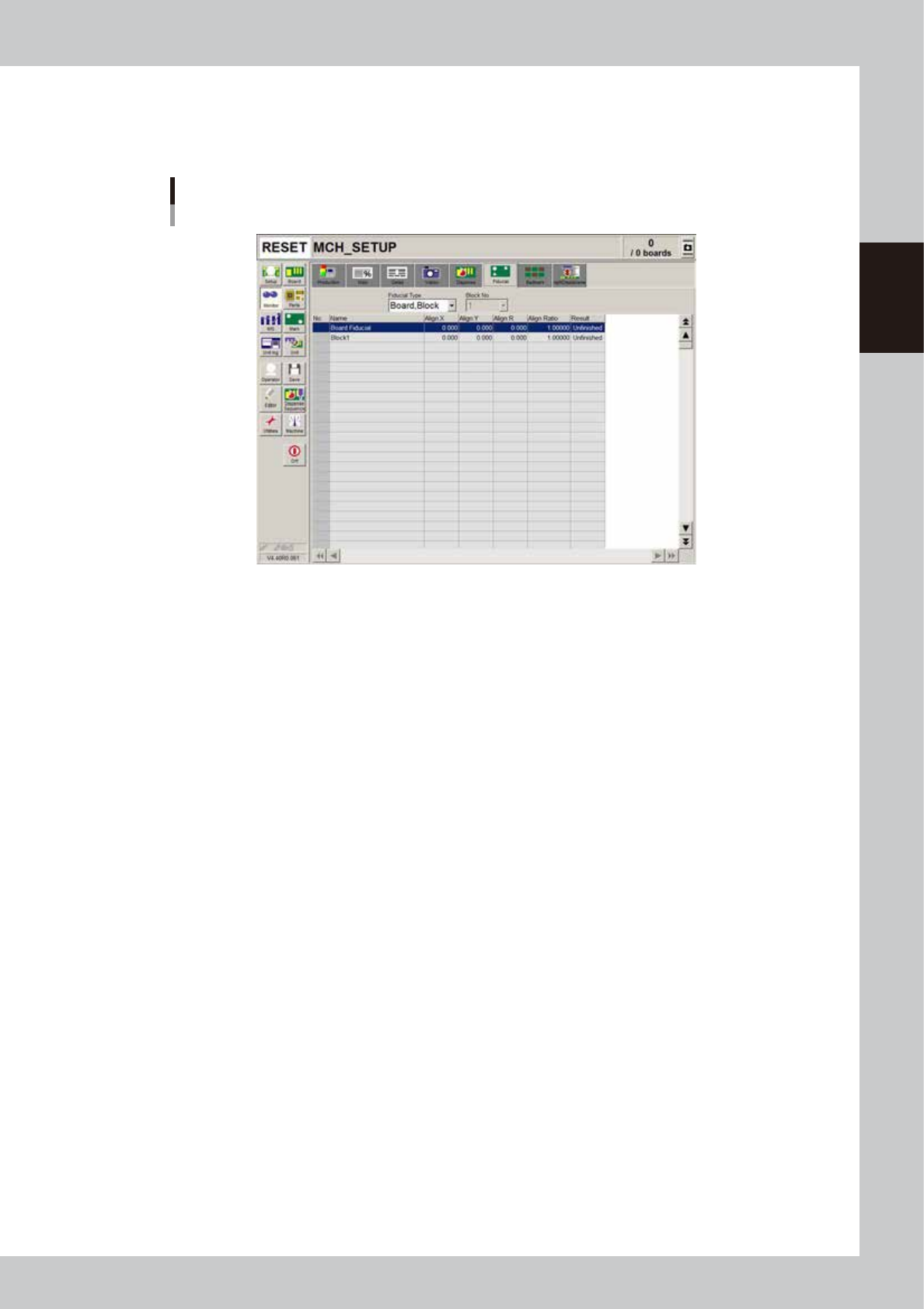
Monitor: Fiducial
The [Fiducial] tab screen shows the results after fiducial marks such as "Board, block", "Local" and "Point" fiducial marks
were recognized.
Monitor
Fiducial
64221-N7-00
• Align X, Y, R
Shows the difference between the recognition results and the board data input values, by plus or minus values.
• Align Ratio
Shows the rate of expansion of the board, calculated by using the X, Y, R offset values.
• Result
Shows the recognition results as a "Pass" or "Unfinished ". The "Unfinished" message changes to "Pass" after the mark is
recognized successfully.
2-42
2
Basic operation
n
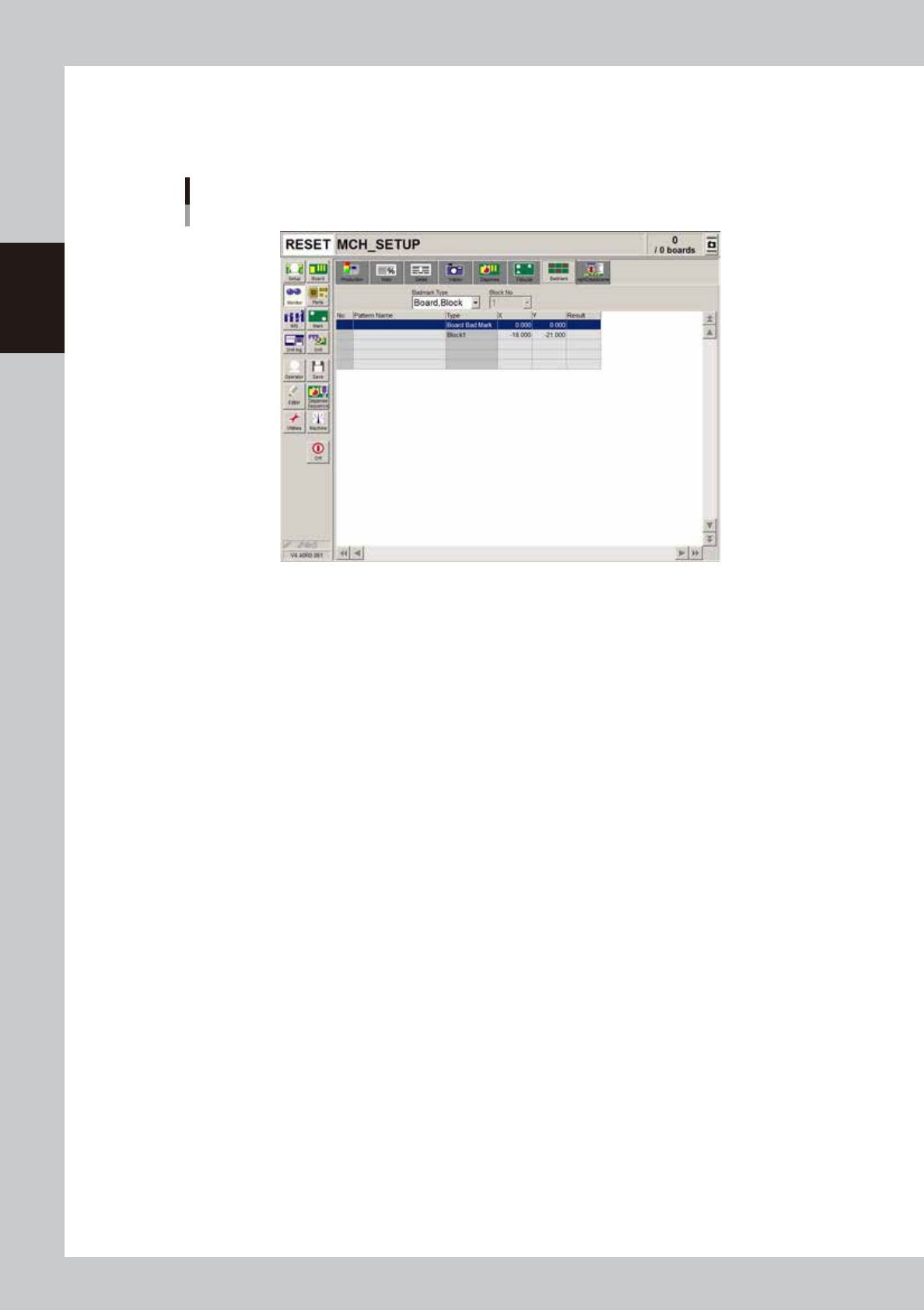
Monitor: Badmark
The [Badmark] tab screen shows the results after badmarks such as "Board, block", "Local" and "Point" badmarks were
recognized.
Monitor
Badmark
64222-N7-00
• X, Y
Shows the board data input values (by taking block offset amount into account).
• Result
Makes an "OK" or "NG" decision based on the badmark recognition result.
OK : Work is performed when no badmark is recognized.
NG : Work is not performed when a badmark is recognized.