CM602all_EJM8AESM_Service Manual.pdf - 第142页
Maintenance Adjustment Main Body Beam Remarks Item Remove the j i g from the conve y or. Move the head assembly to the steel rails. Loosen the theta holding set screws. Be careful not to let small brass bushings fall off…
Maintenance Adjustment Main Body Beam
Remarks
Item
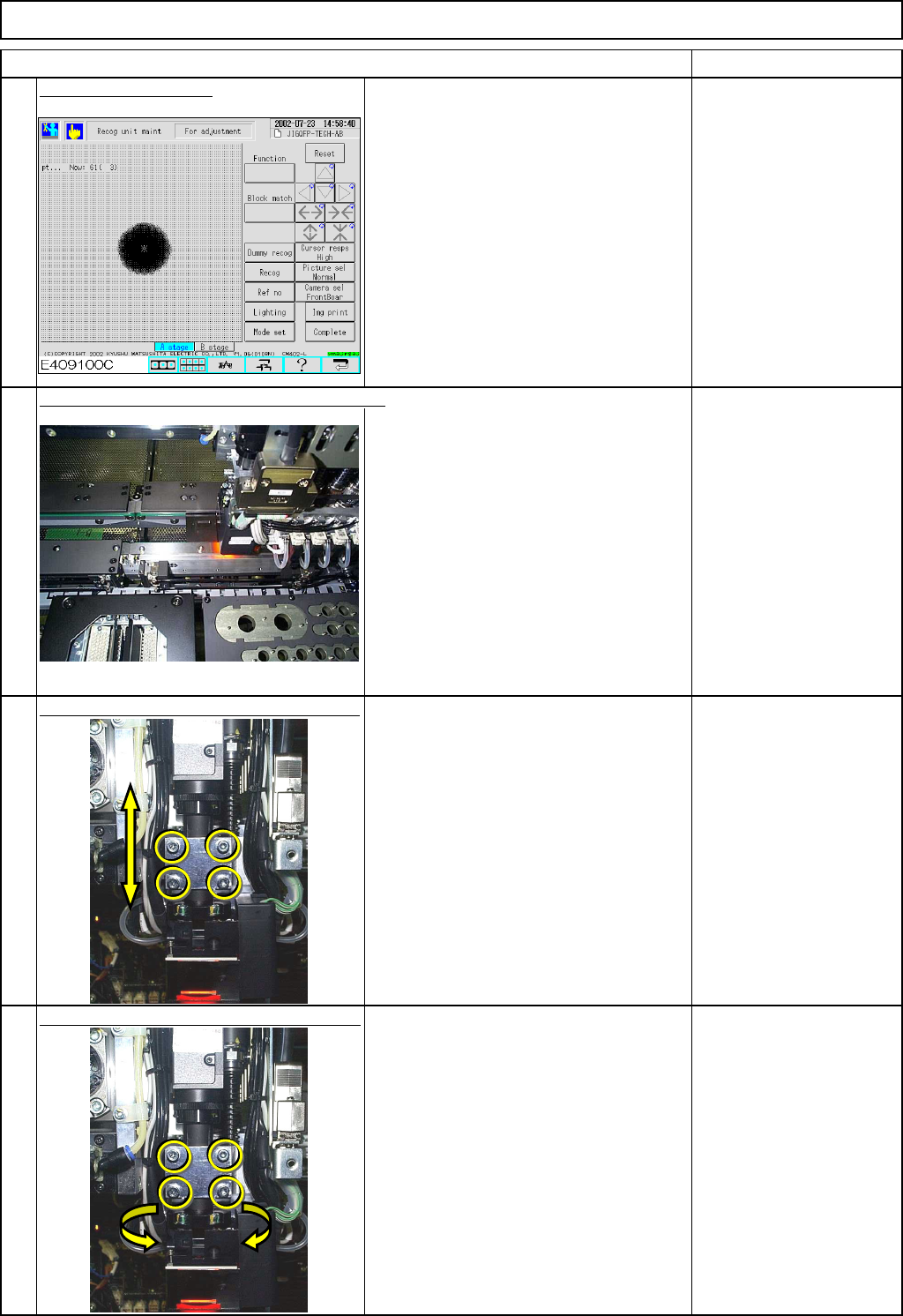
Adjust the lamp value.
To check the jig:
LAMP1=6
LAMP2=6
To check a glass-epoxy board:
LAMP1=100
LAMP2= 10
Move the head assembly to the jig manually.
Loosen the head camera holding screws.
How to focus the camera:
Move the camera up and down until one
of the two holes on the camera focusing
jig is displayed on the screen as clearly
as the other hole.
Allen key 3 mm
Tighten the head camera holding screws.
When positioning the head camera unit,
make the LED light parallel with the X
and the Y axes.
Allen key 3 mm
5
6
7
8
EJM8A-E-SMA040102-A01-00
Page 4-1-2-3
Maintenance Adjustment Main Body Beam
Remarks
Item
Remove the
j
i
g
from the conve
y
or.
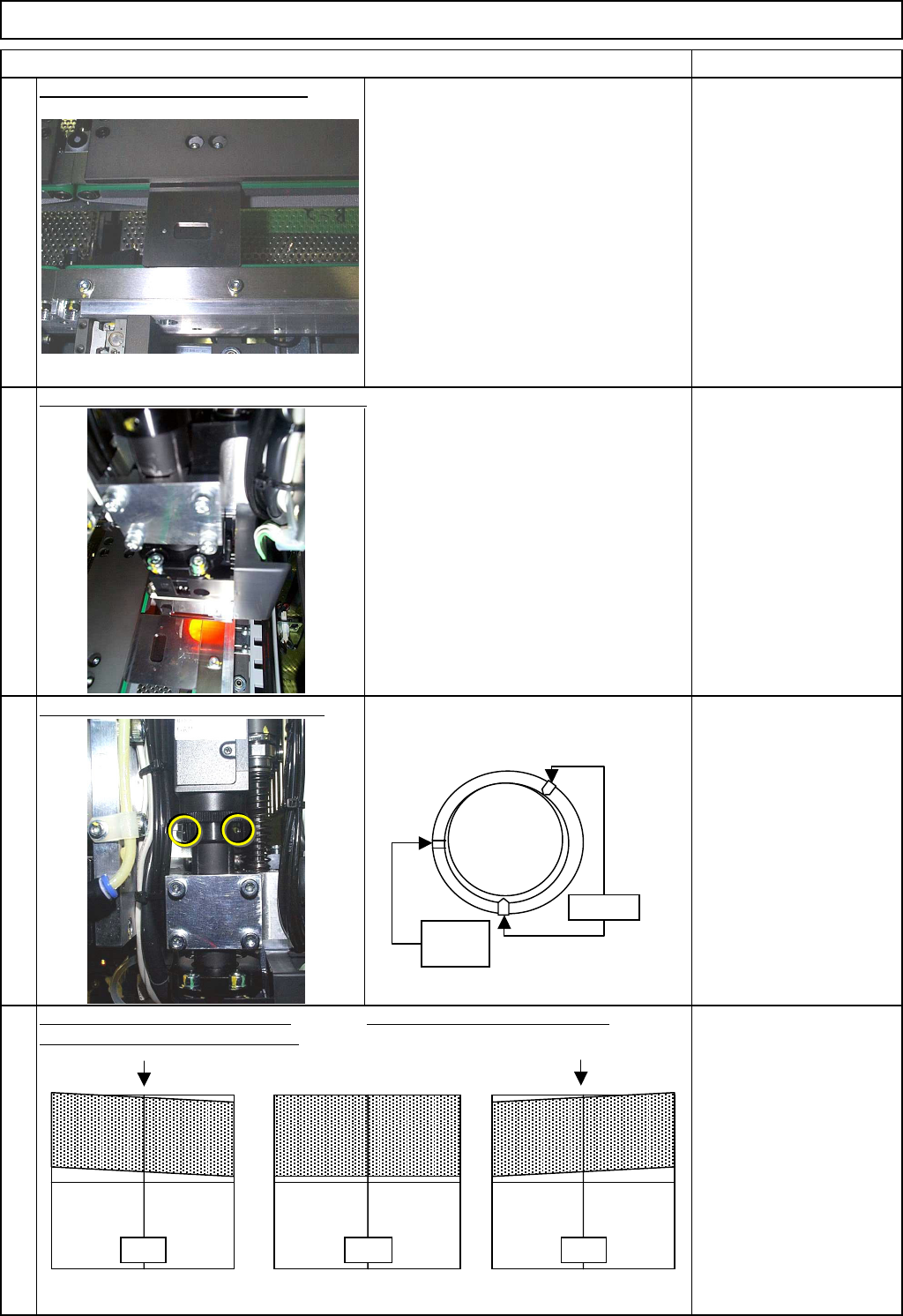
Move the head assembly to the steel rails.
Loosen the theta holding set screws.
Be careful not to let small brass bushings
fall off the screw holes.
Allen key 1.5 mm
Looking at the camera from above, Looking at the camera from above
turn the head camera unit clockwise. turn the head camera unit counterclockwise.
within +/- 0.2°
9
10
11
12
NG OK NG
No
screw
Loosen
EJM8A-E-SMA040102-A01-00
Page 4-1-2-4
Maintenance Adjustment Main Body Beam
Remarks
Item
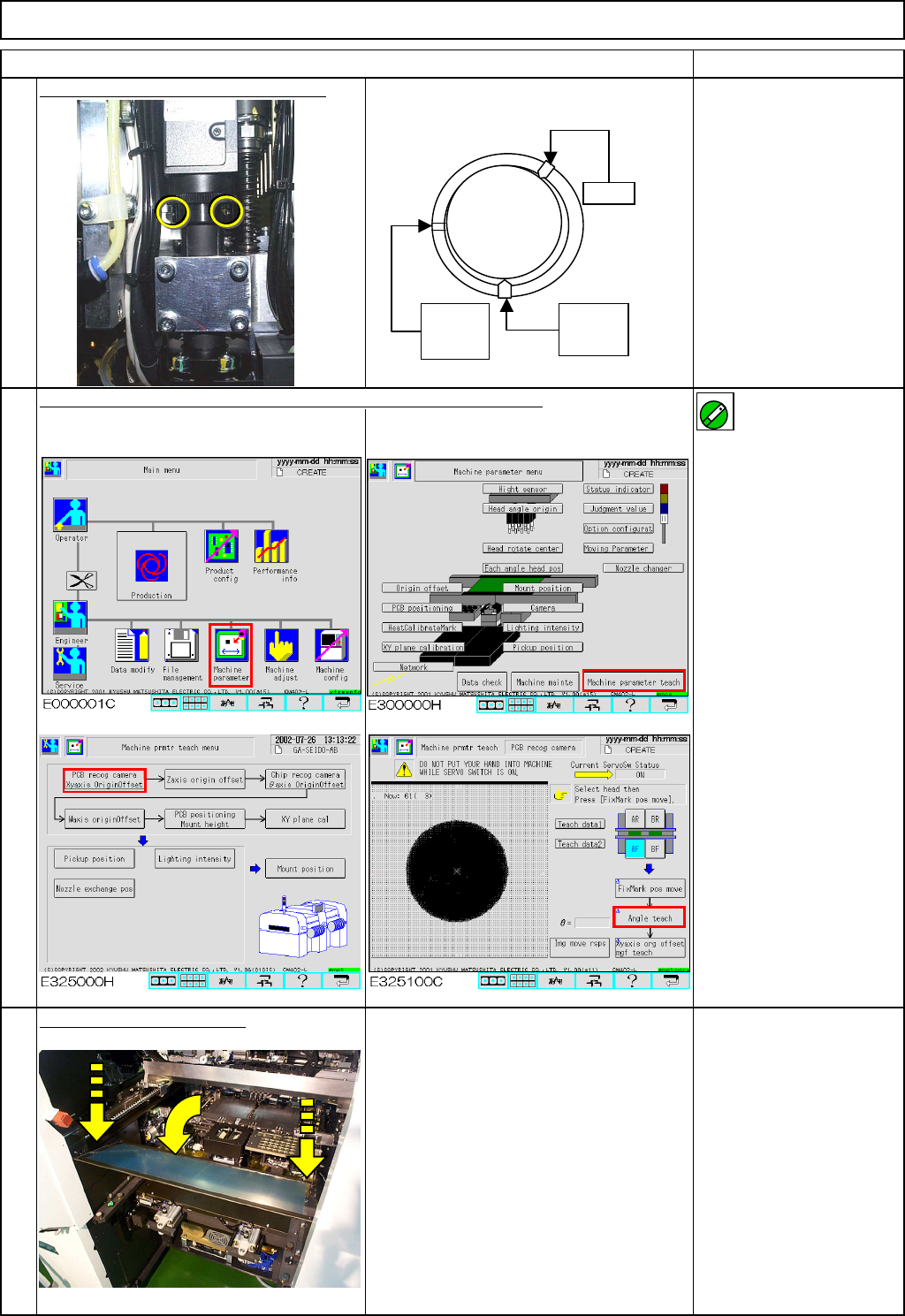
Tighten the theta holding set screws.
Allen key 1.5 mm
Teach "Board Recognition Camera - X and Y-axis Origin Offset."
For details, see Sections at right. High-speed machine:
Section 4-2-2
Multi-purpose machine:
Section 4-3-2
Specifications:
within +/- 0.05°
Put back the feeder cover.
Phillips screwdriver #2
Screw M4 2 pcs.
15
14
13
Lightly
tighten
Lock
No
screw
ON
EJM8A-E-SMA040102-A01-00
Page 4-1-2-5