CM602all_EJM8AESM_Service Manual.pdf - 第803页
Remark Component-Thickness-Measuring Unit Option Part and Accessory Replacement Item Put the am p lifier on the bracket. 54 Move the amplifier in the (1) and (2) directions below, and fit the amplifier. Pre p are the hol…
Remark
Component-Thickness-Measuring Unit
Option Part and Accessory Replacement
Item
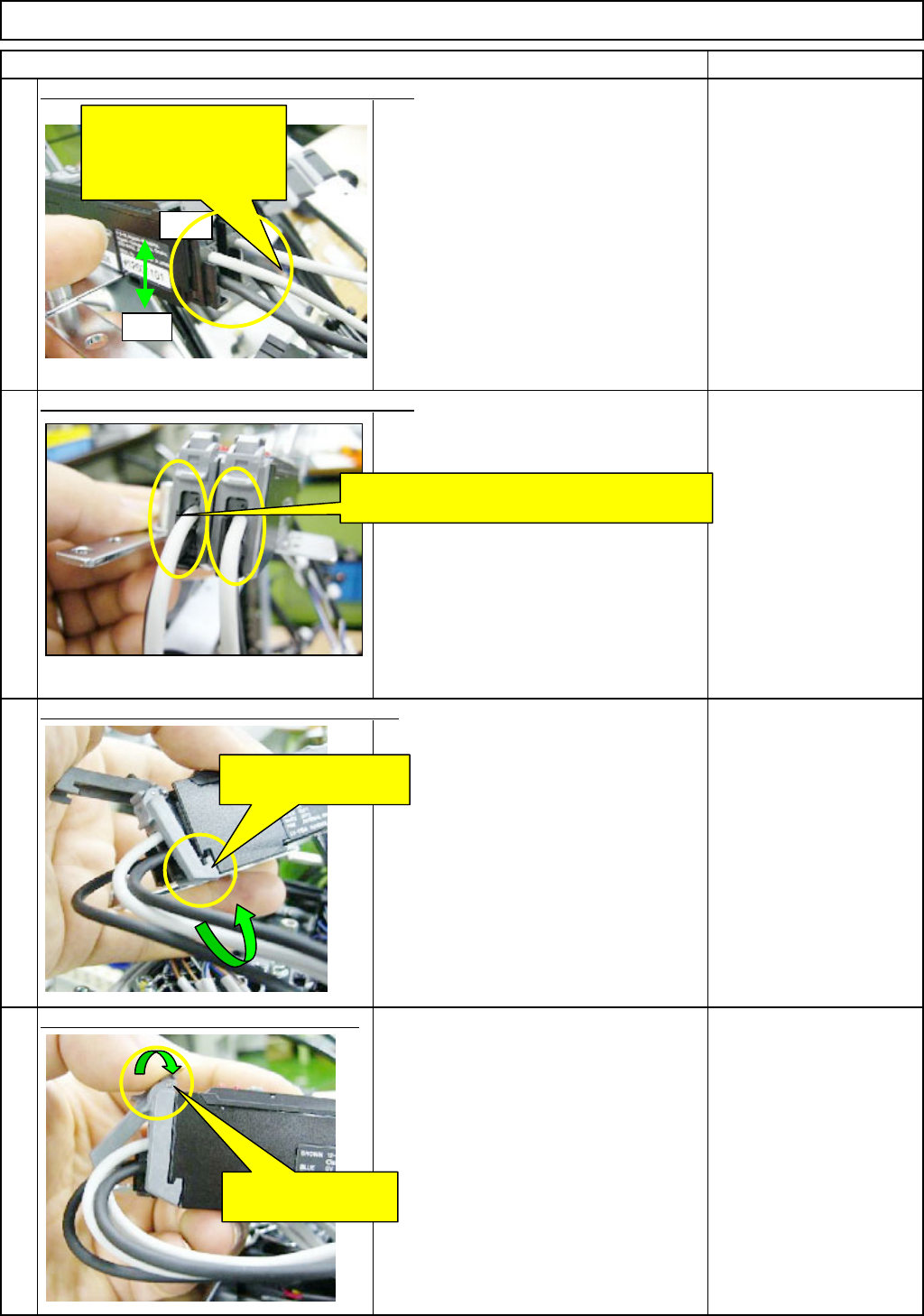
(1) Insert the light-emitting cable (gray) for the
nozzle front line (1 to 6) into the front side of
the amplifier connector 40.
Next, insert the light-sensing cable (black) for
the nozzle front line (1 to 6) into the rear side
of the amplifier connector 40.
(2) Insert the light-emitting cable (gray) for the
nozzle rear line (7 to 12) into the front side of
the amplifier connector 39.
Next, insert the light-sensing cable (black) for
the nozzle rear line (7 to 12) into the rear side
of the amplifier connector 39.
Lock the connector lock of the am
p
lifier.
52
53
50
51
Insert the sensor cables into the amplifier. - (1)
Insert the sensor cables into the amplifier. - (2)
Put the connector-lock hook on the amplifier.
Front
Insert the sensor cables
for the front (1 to 6) and
for the rear (7 to 12) into
the amplifier.
Rear
Put the sensor cables between the connector
locks of the amplifier.
Put the connector-lock
hook on the amplifier.
Lock the connector
lock of the amplifier.
EJM8A-E-SMA060402-A01-01
Page 6-4-2-15
Remark
Component-Thickness-Measuring Unit
Option Part and Accessory Replacement
Item
Put the am
p
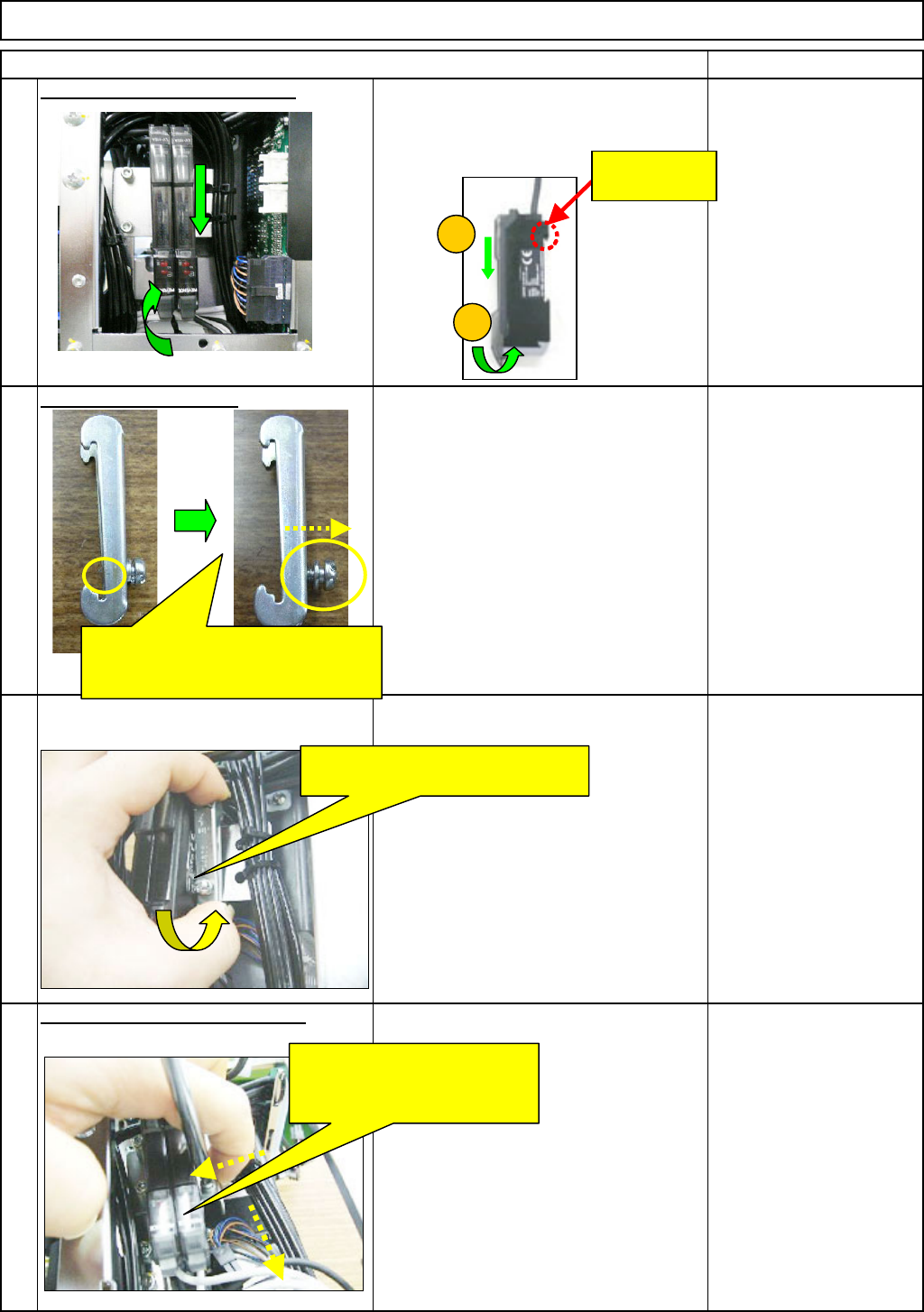
lifier on the bracket.
54
Move the amplifier in the (1) and (2)
directions below, and fit the amplifier.
Pre
p
are the holdin
g
bolt.
55
Fit the am
p
lifier-holdin
g
bolt. -
(
1
)
56
Fit the am
p
lifier-holdin
g
bolt. -
(
2
)
57
Phillips screwdriver #2
Screw M4
2
1
Press the bolt end of the bracket
against the cables to lock that end.
Pressing the bracket in the
↓ direction and against the
amplifier, tighten the bolt.
This hook can
move.
Loosen the holding bolt until the end
of it does not come out to the
rear side of the bracket.
EJM8A-E-SMA060402-A01-01
Page 6-4-2-16
Remark
Component-Thickness-Measuring Unit
Option Part and Accessory Replacement
Item
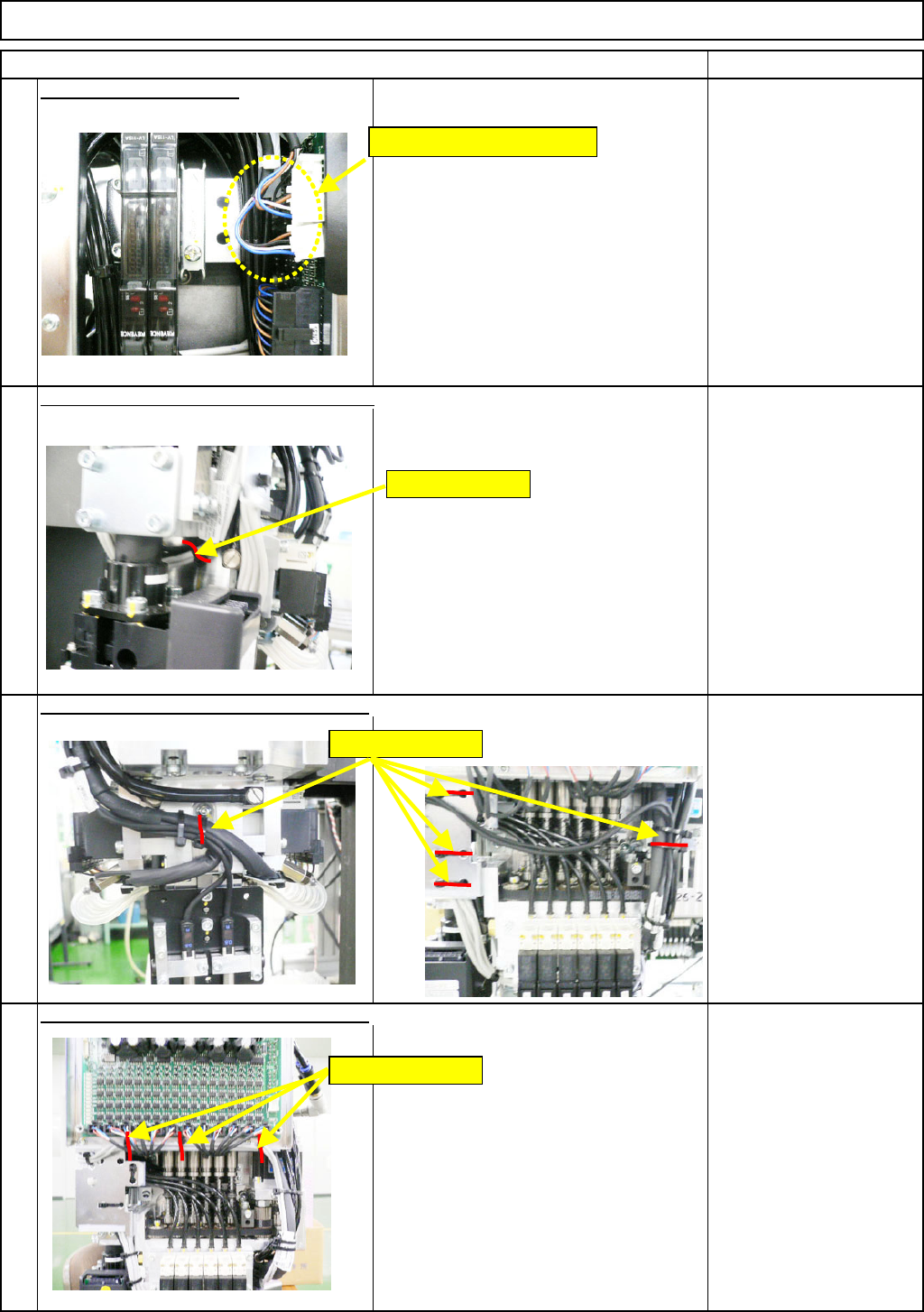
Connect CNs 39 and 40.
58
61
Secure the sensor cables with a cable tie.
Secure the sensor cables with cable ties.
60
Secure the sensor cables with cable ties.
59
Holding cable tie
Holding cable ties
Connect CNs 39 and 40.
Holding cable ties
EJM8A-E-SMA060402-A01-01
Page 6-4-2-17