CM602all_EJM8AESM_Service Manual.pdf - 第853页
Remarks Item Option Part and Accessory Replacemen t PCB-Warp-Sensor Unit Cut off the cable tie. - (1) Remove the sensor connector. Cut off the cable tie. - (3) Remove the sensor bracket. Wrench M4 M4 x 14L (2 pcs.) 6 5 8…
Remarks
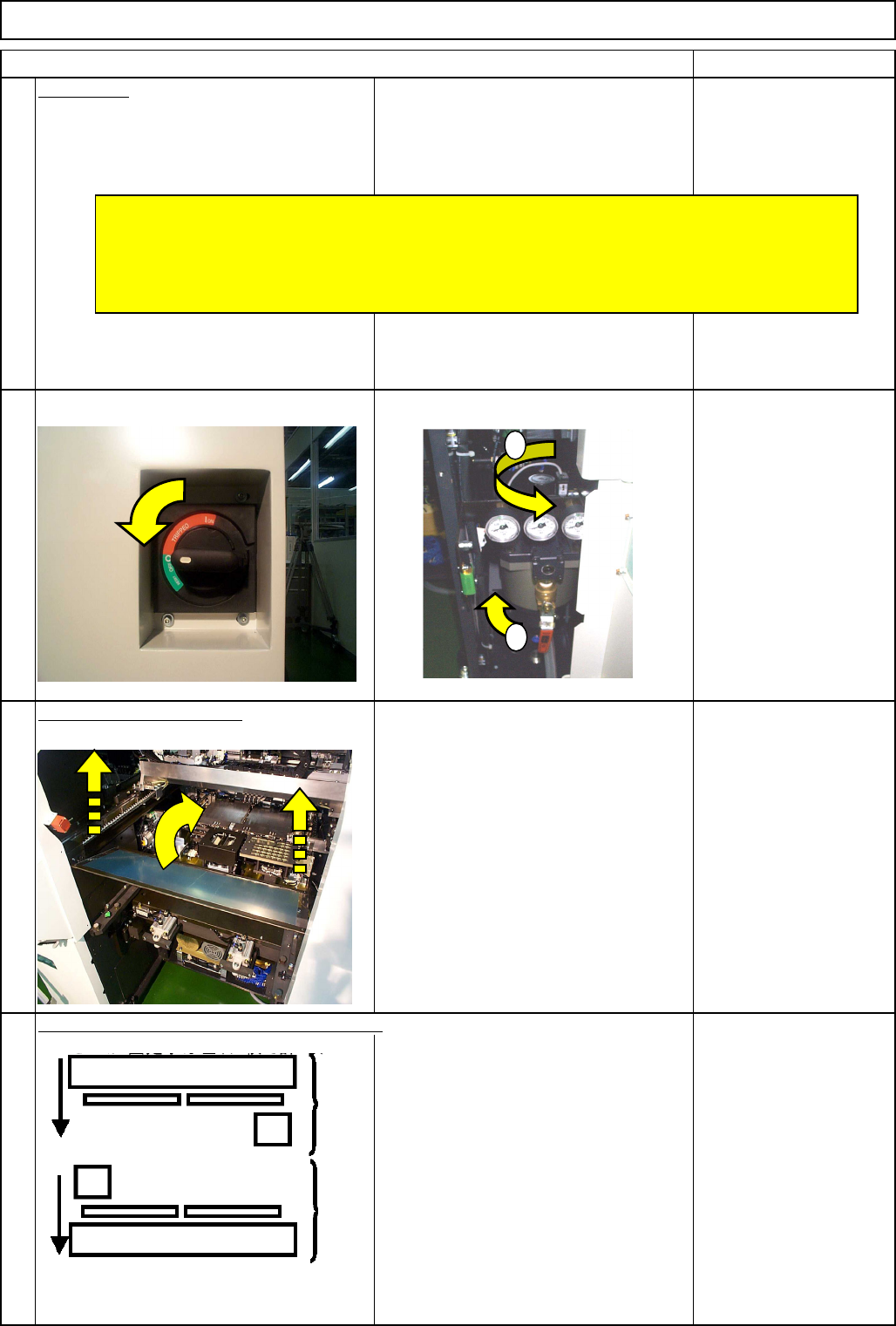
Preparation
Turn off the power and air supply.
2
Remove the feeder cover.
3
Allen key 3 mm
Screw M4 4 pcs.
4
Item
1
Move the front and rear beams towards you.
Option Part and Accessory Replacemen
t
PCB-Warp-Sensor Unit
Remove all the support pins.
* Before replacing the sensor, check no polarizing plates are attached to the head camera.
* Some of the pictures in this section of the manual are 12-nozzle-head ones; the
procedures for the 8-nozzle and 12-head nozzle heads are the same.
1
2
Rear Front
EJM8A-E-SMA060503-A01-00
Page 6-5-3-2
Remarks
Item
Option Part and Accessory Replacemen
t
PCB-Warp-Sensor Unit
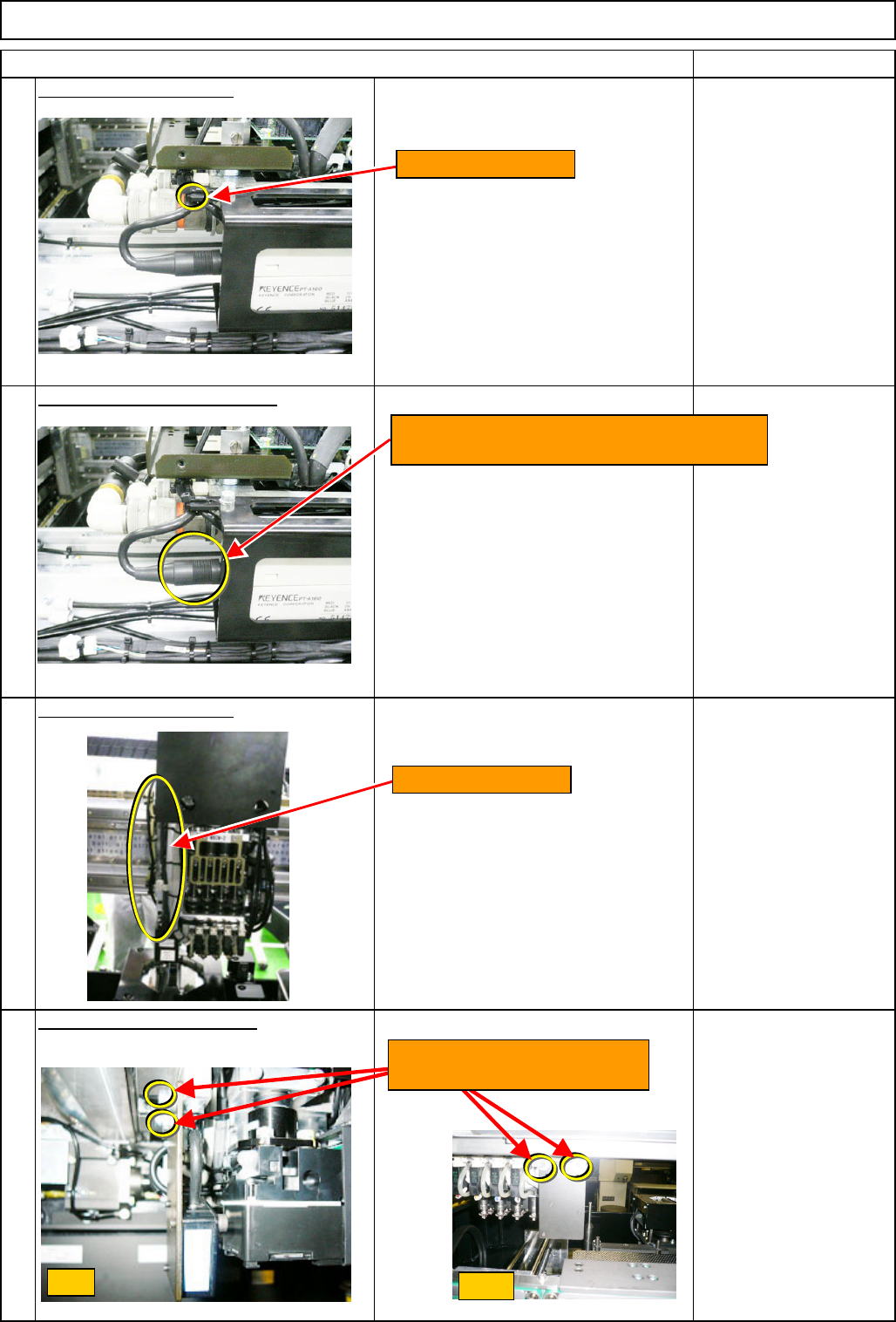
Cut off the cable tie. - (1)
Remove the sensor connector.
Cut off the cable tie. - (3)
Remove the sensor bracket.
Wrench M4
M4 x 14L (2 pcs.)
6
5
8
7
Front
Side
Loosen the two M4x14L bolts.
Remove the bracket.
Cut off the cable tie.
Turn the sensor connector (to the amplifier)
to the left. Remove the connector.
Cut off the cable tie.
EJM8A-E-SMA060503-A01-00
Page 6-5-3-3
Remarks
Item
Option Part and Accessory Replacemen
t
PCB-Warp-Sensor Unit
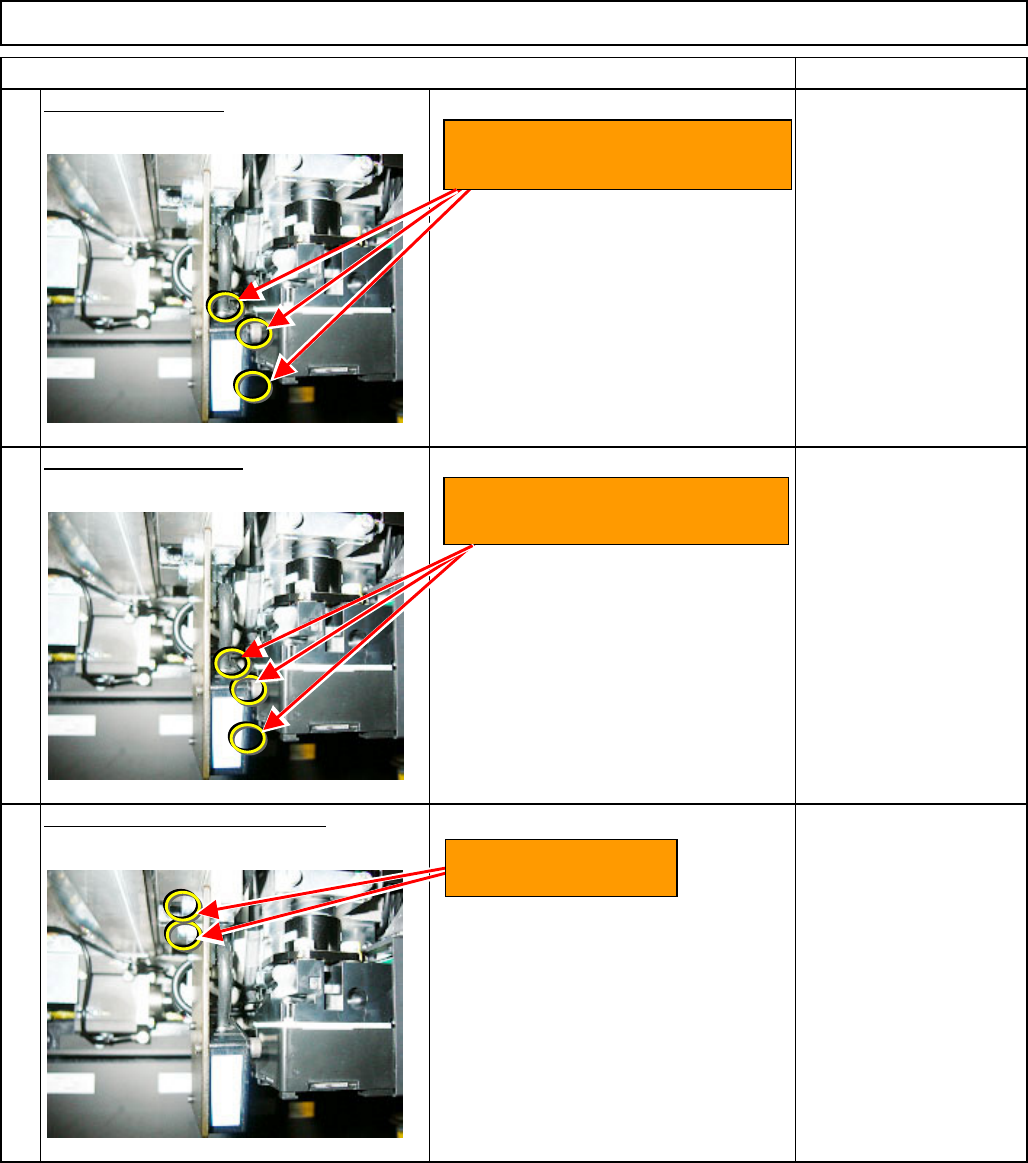
Remove the sensor.
Wrench M4
CB4-18 (3 pcs.)
Install the new sensor.
Wrench M4
CB4-18 (3 pcs.)
Put the sensor bracket back on.
Wrench M4
M4 x 14L (2 pcs.)
10
9
11
Loosen the three special bolts
CB4-18. Remove the sensor.
Install the sensor with three
special bolts CB4-18.
Install the bracket
with two M4x14L bolts.
EJM8A-E-SMA060503-A01-00
Page 6-5-3-4