CM602all_EJM8AESM_Service Manual.pdf - 第891页
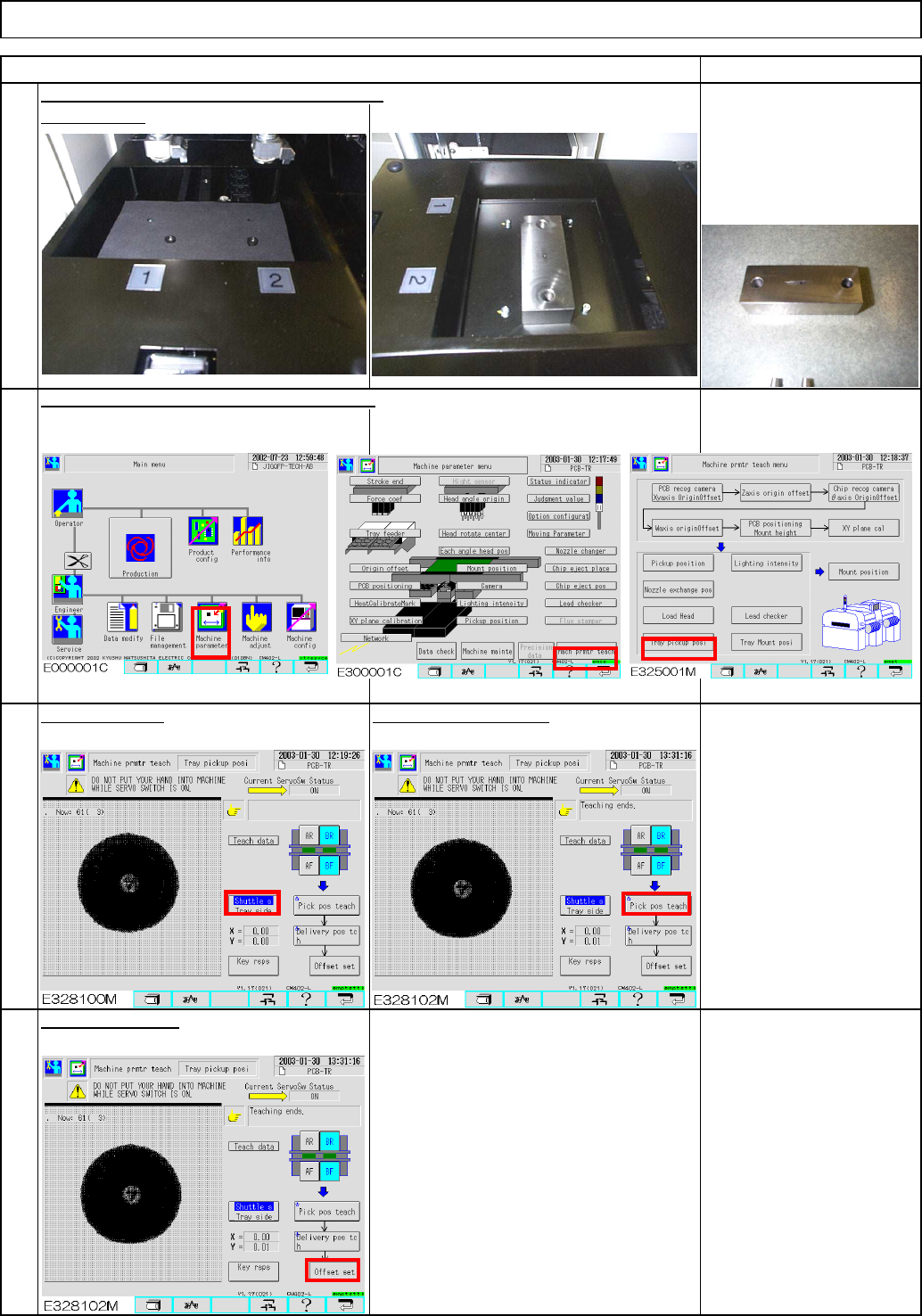
Item 3 4 The shuttle head checks the holes of the jig, and corrects the pickup position automatically. Remove the sheet from the transfer section. Carry out the machine parameter teaching. Select [Shuttle]. Press [Pick p…
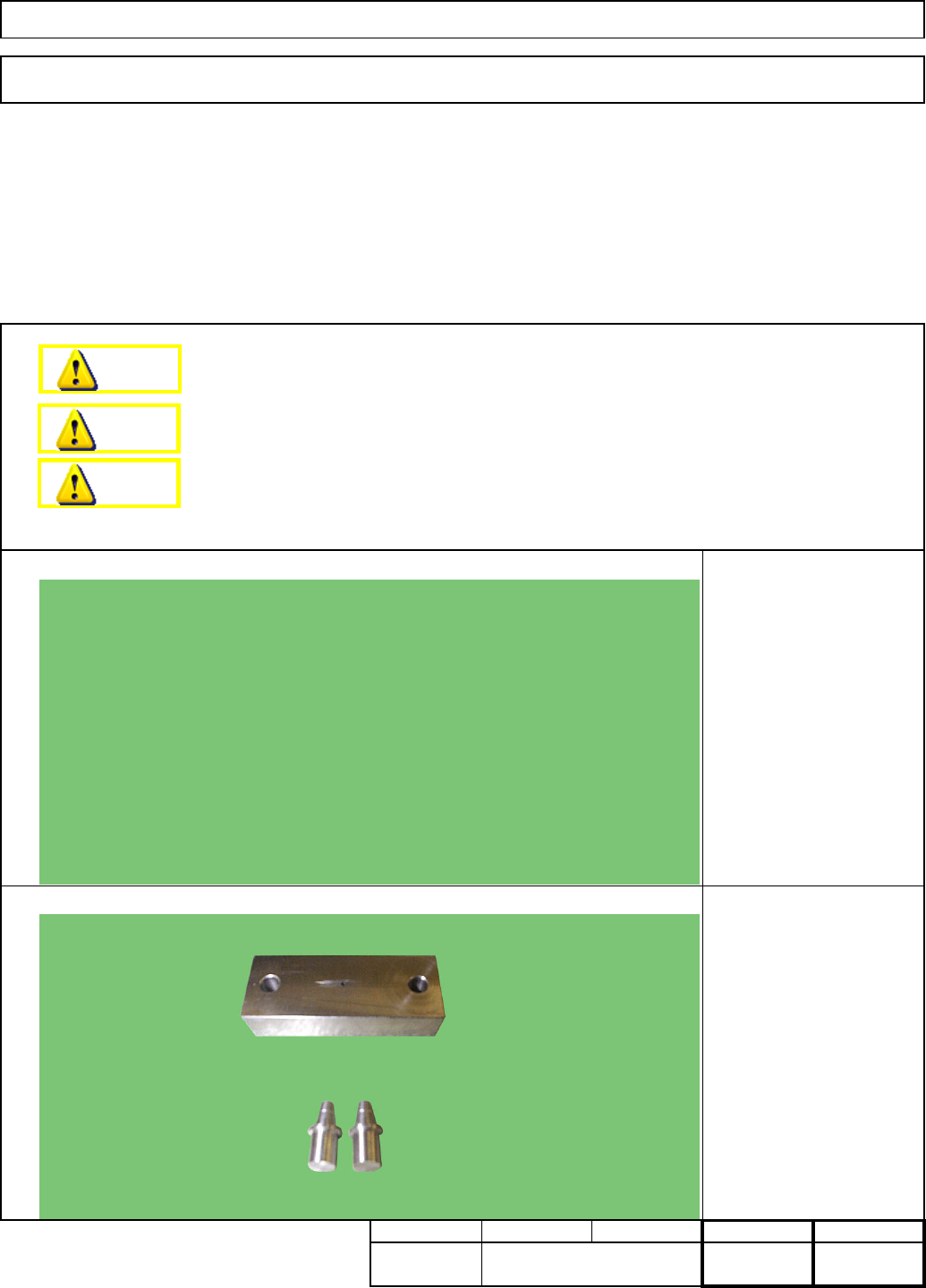
7-1-2 Shuttle Tray Pickup Position Teaching
Shuttle TrayTray
• This section describes the procedures for teaching the shuttle tray pickup position
Total Part Weight
Assembly/Adjustment
・Tools
・Jigs
Min.
00
Pickup position adjustment
jig
Nozzle jig
Removal/Disassembly
7
None
Teaching
Min. Min. kgs.
7
Min.
Dange
r
Warning
Caution
EJM8A-E-SMA070102-A01-00
Page 7-1-2-1
Item
3
4
The shuttle head checks
the holes of the jig, and
corrects the pickup position
automatically.
Remove the sheet from the transfer section.
Carry out the machine parameter teaching.
Select [Shuttle]. Press [Pick pos teach].
Press [Offset set].
Offset range:
-5.000 to 5.000
Remarks
Mount the jig.
Tray Shuttle Tray
2
1
EJM8A-E-SMA070102-A01-00
Page 7-1-2-2
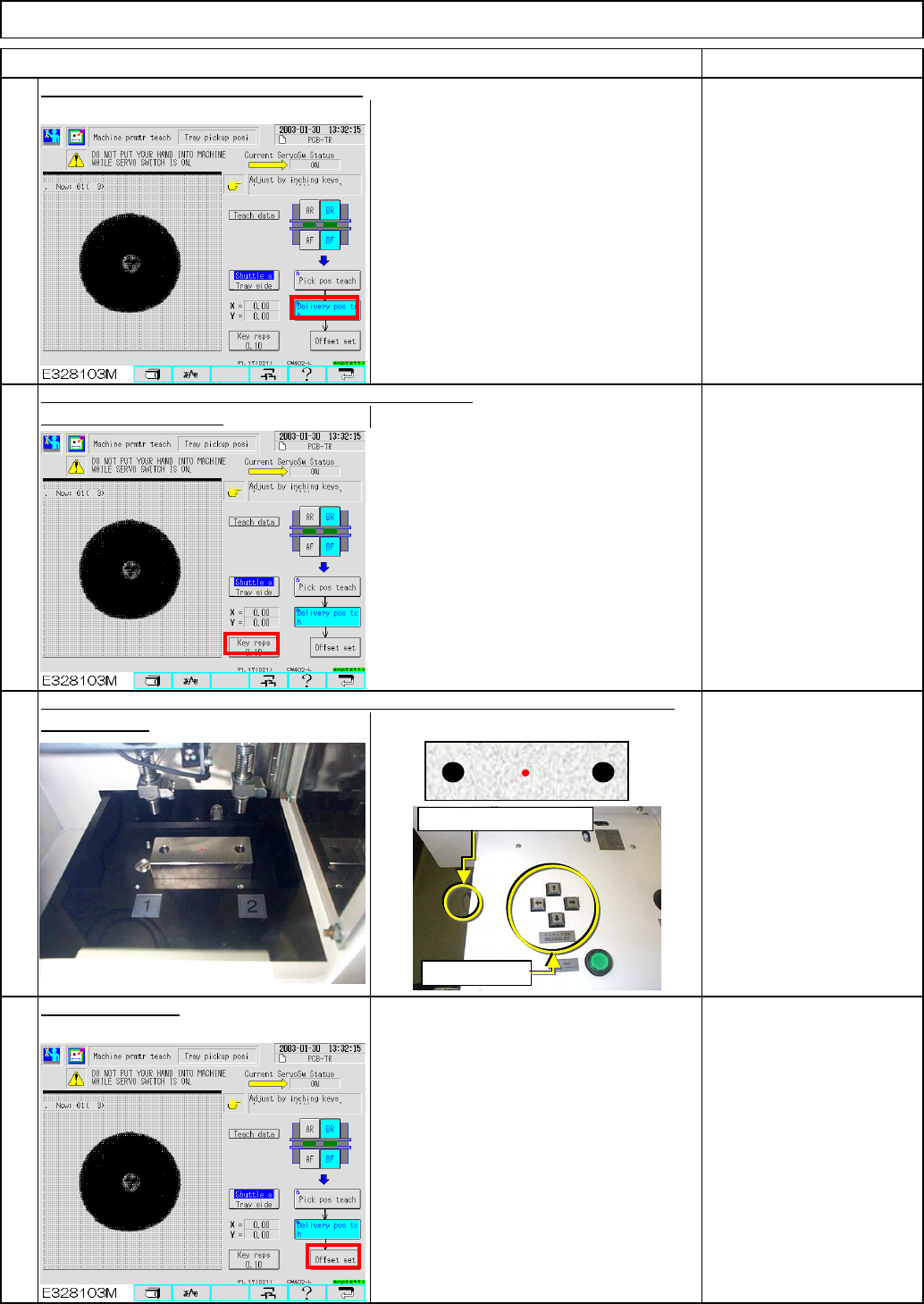
Precisely position the transfer and
the shuttle heads.
6
7
8
determine the key rsps.
Align the shuttle head sensor LED with the holes of the jig, using the inching keys
According to how much the shuttle head is out of place,
Remarks
Tray Shuttle Tray
Carry out the "Delivery position" teaching.
Item
Key rsps:
0.01, 0.10, 1.00
as necessary.
5
Press [Offset set].
Offset range: -3.5 to 3.5
Unrelock switch
Inching keys
EJM8A-E-SMA070102-A01-00
Page 7-1-2-3