CM602all_EJM8AESM_Service Manual.pdf - 第825页
Remarks Component-Thickness-Measuring Unit Item Option Part and Accessory Replacement Unlock the amplifier key. Hold down the "Manual" and "Mode" buttons for some seconds at the same time. "out 1…
Remarks
Component-Thickness-Measuring Unit
Item
Option Part and Accessory Replacement
FM-1962(1) Component-
thickness-measuring-unit-
lightl-axis-adjusting jig (1.
Component-height-
detection-sensor-
adjusting-power box)
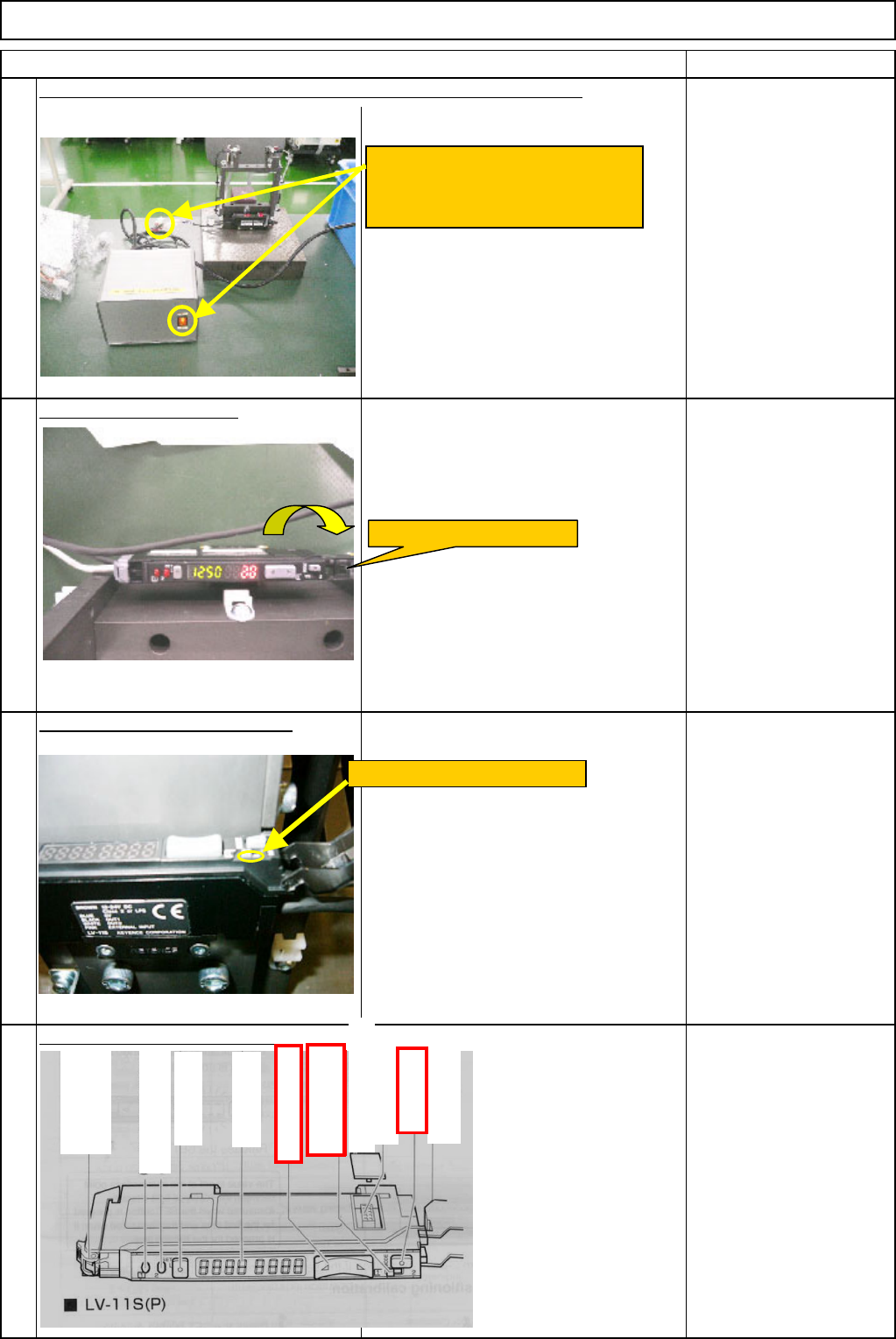
Open the amplifier cover.
Set the amplifier output type "1."
Set the amplifier detection mode.
19
17
18
20
Connect the component-height-detection-sensor-adjusting-power box.
Connect the amplifier connector to
the power-box connector. Turn on
the power switch.
Open the amplifier cover.
Set the channel switch to "1."
A
dd-in protection cover
Ch
anne
l
sw
it
c
h
(display setting)
Manual button
Dust cover
A
dd-in connector
Digital monitor
Set button
Hold lock bar
Output indicator
(
Control output 2
)
Output indicator
(
Control output 1
)
Mode button
EJM8A-E-SMA060404-A01-00
Page 6-4-4-6
Remarks
Component-Thickness-Measuring Unit
Item
Option Part and Accessory Replacement
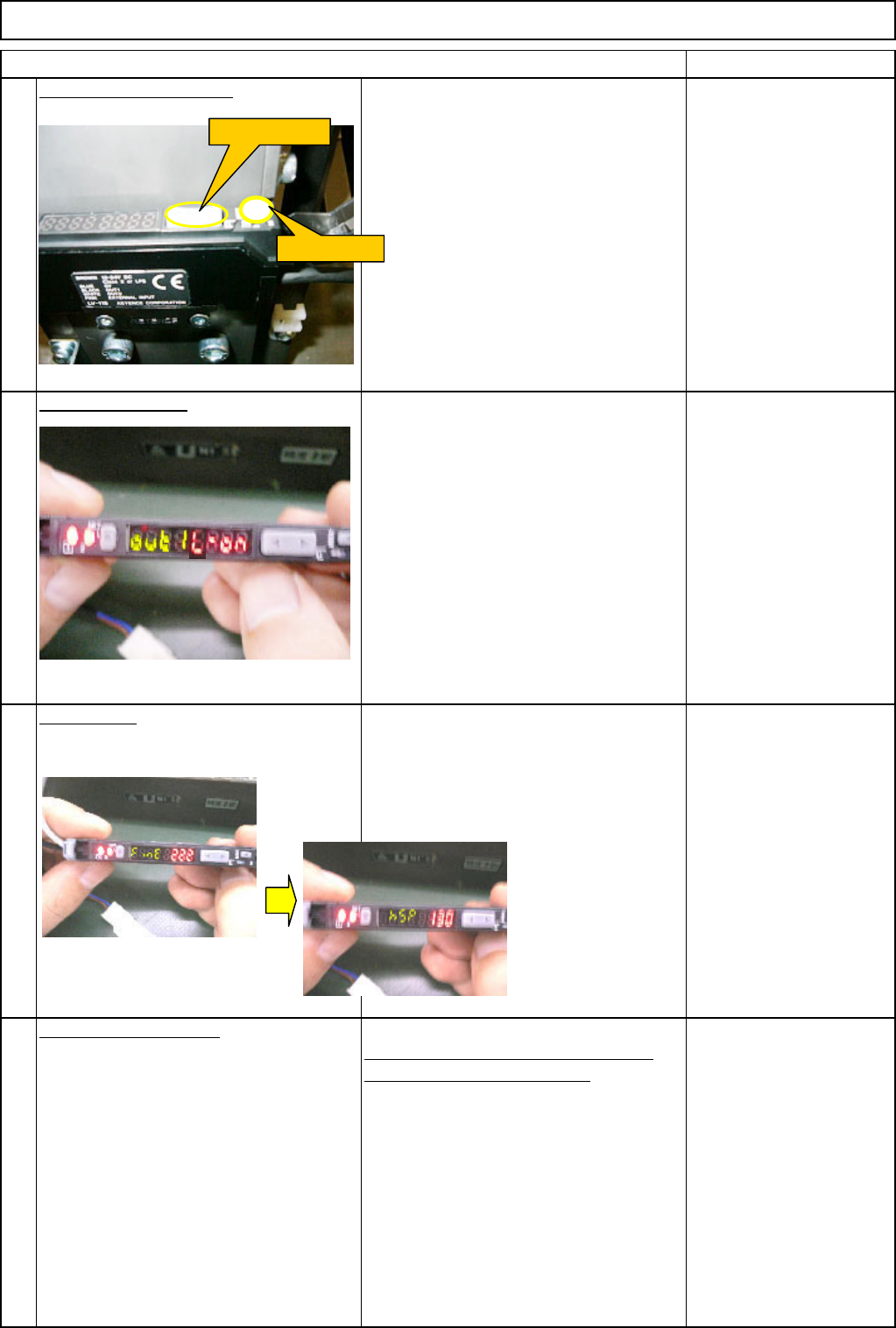
Unlock the amplifier key.
Hold down the "Manual" and "Mode"
buttons for some seconds at the same
time.
"out 1 L-on" setting
Hold down the "Mode" button for two
seconds to display "out 1 L-on."
If "out 1 D-on" is displayed, press the
"Manual" button to change it to "out 1 L-
on."
"hsp" setting
If "FinE" is displayed when pressing the
"Mode" button once, press the "Manual"
button to change it to "hsp." (When "hsp"
is displayed, proceed to the next step.)
"End" (in green) setting
Press the "Mode" button once so that
"End" (in green) is displayed.
24
21
23
22
Manual button
Mode button
EJM8A-E-SMA060404-A01-00
Page 6-4-4-7
Remarks
Component-Thickness-Measuring Unit
Item
Option Part and Accessory Replacement
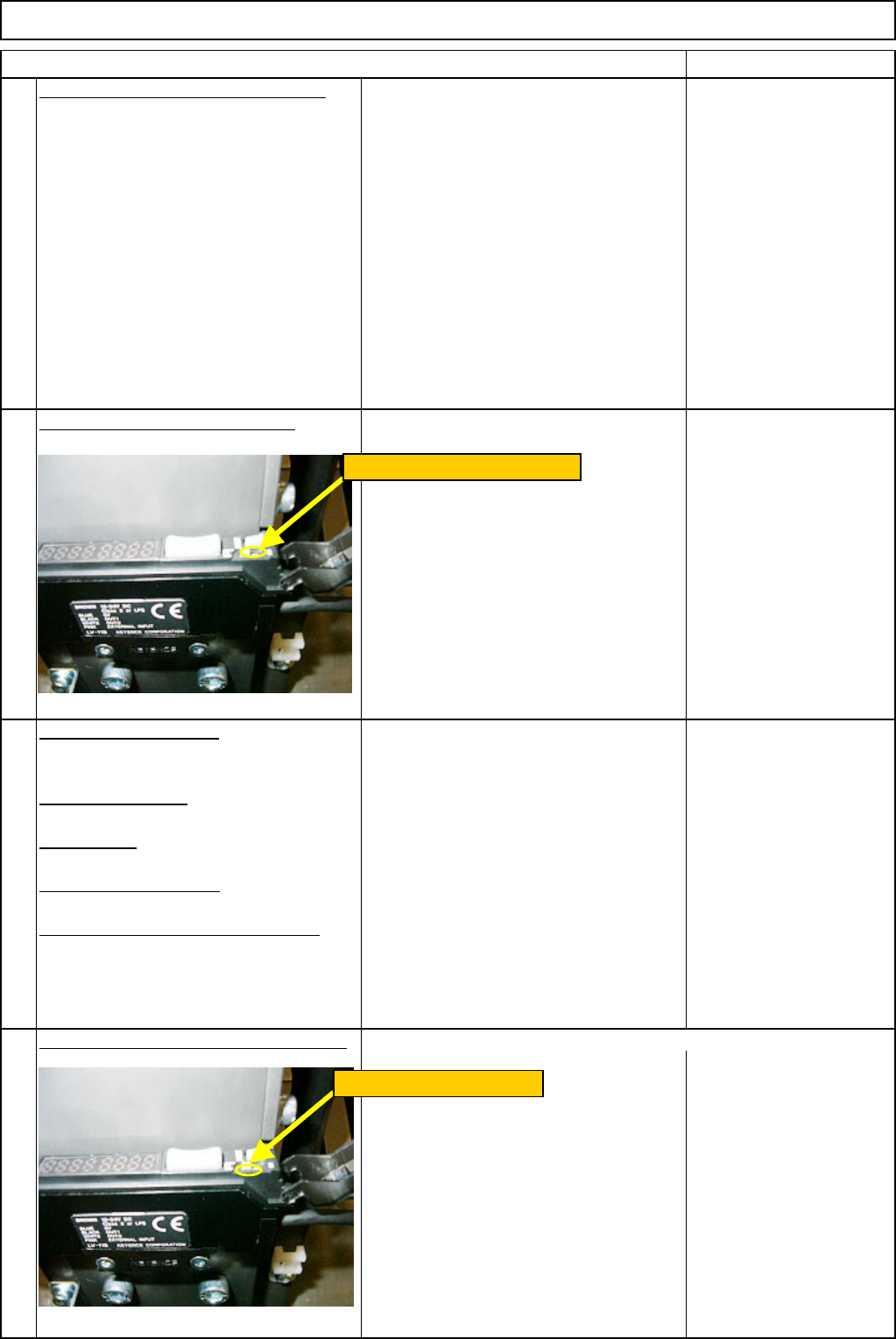
"End" (E: in red, nd: in green) setting
Press the "Mode " button once again to
display "End" (E: in red, nd: in green).
The initial display is returned.
Set the am
p
lifier out
p
ut t
yp
e "2."
Repeat Steps 22 to 25.
"out 1 L-on" setting
"hsp" setting
"End (in green) setting"
"End (E: in red, nd: in green) setting
Change the amplifier output type to "1."
27
28
25
26
Set the channel switch to "2."
Switch the channel to "1."
EJM8A-E-SMA060404-A01-00
Page 6-4-4-8