CM602all_EJM8AESM_Service Manual.pdf - 第547页
Machinery Part Replacement Remarks Switch off the power. Remove the head cover. 2 Phillips screwdriver #1 Phillips screwdriver #2 Screw M3 8 pcs. Screw M4 4 pcs. Remove the connector. Phillips screwdriver #1 Connector sc…
Machinery Part Replacement
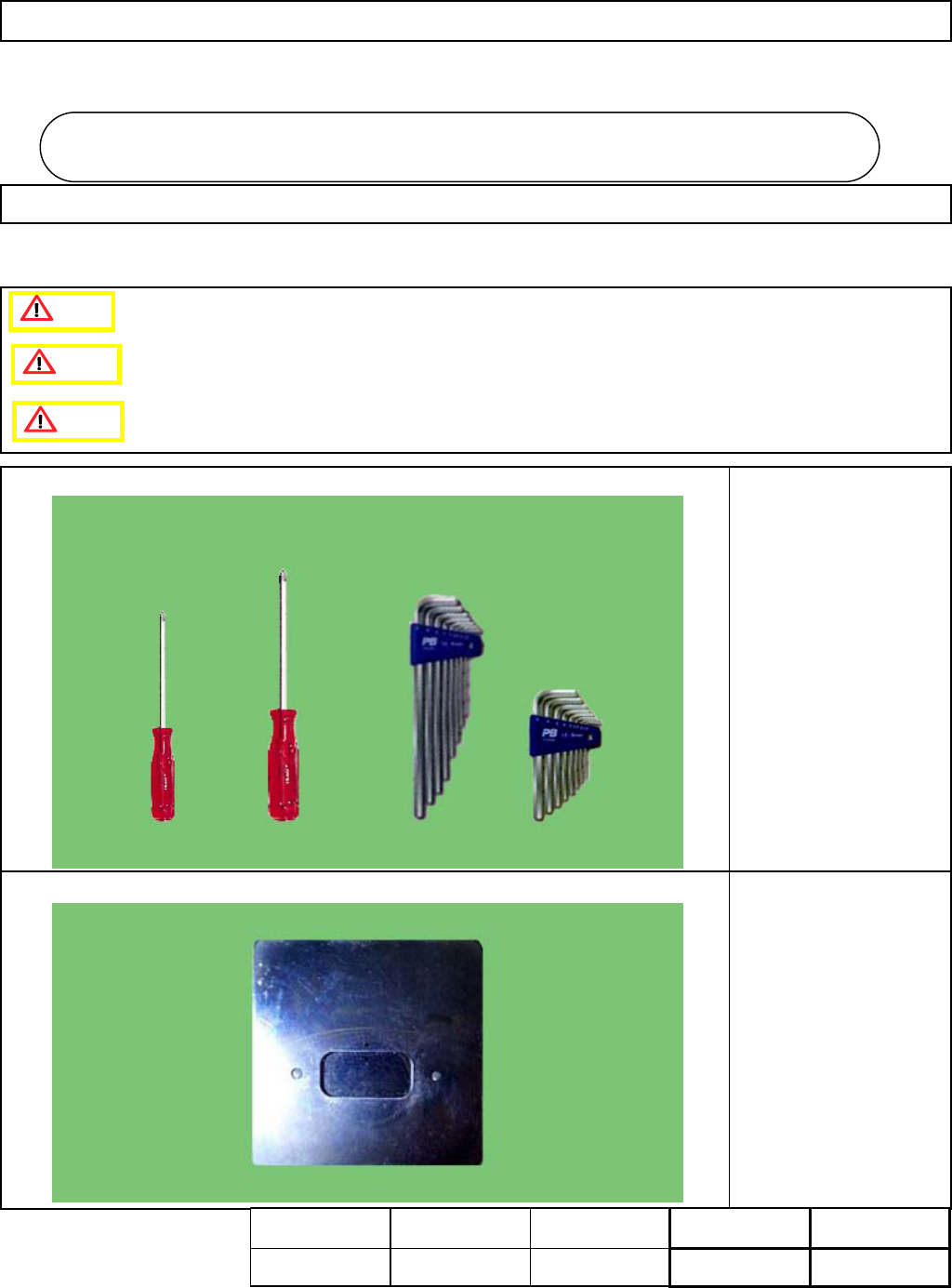
・Tools
Phillips screwdriver #1
Phillips screwdriver #2
Allen key 3 mm
・Jig
FM-1112
Head Camera Height
Adjusting Jig
Head Camera Unit
5-6-1 Head Camera and LED Replacement
This section describes the procedures for replacing the head camera and the LED.
Caution
Dange
r
Warning
Head Camera Uni
t
5-6
Assembly
Adjustment
42min.
Teaching
min.
Total Time Weight of
Part
Removal
Disassembly
20min.
62min.
kgs
EJM8A-E-SMA050601-A01-00
Page 5-6-1-1
Machinery Part Replacement
Remarks
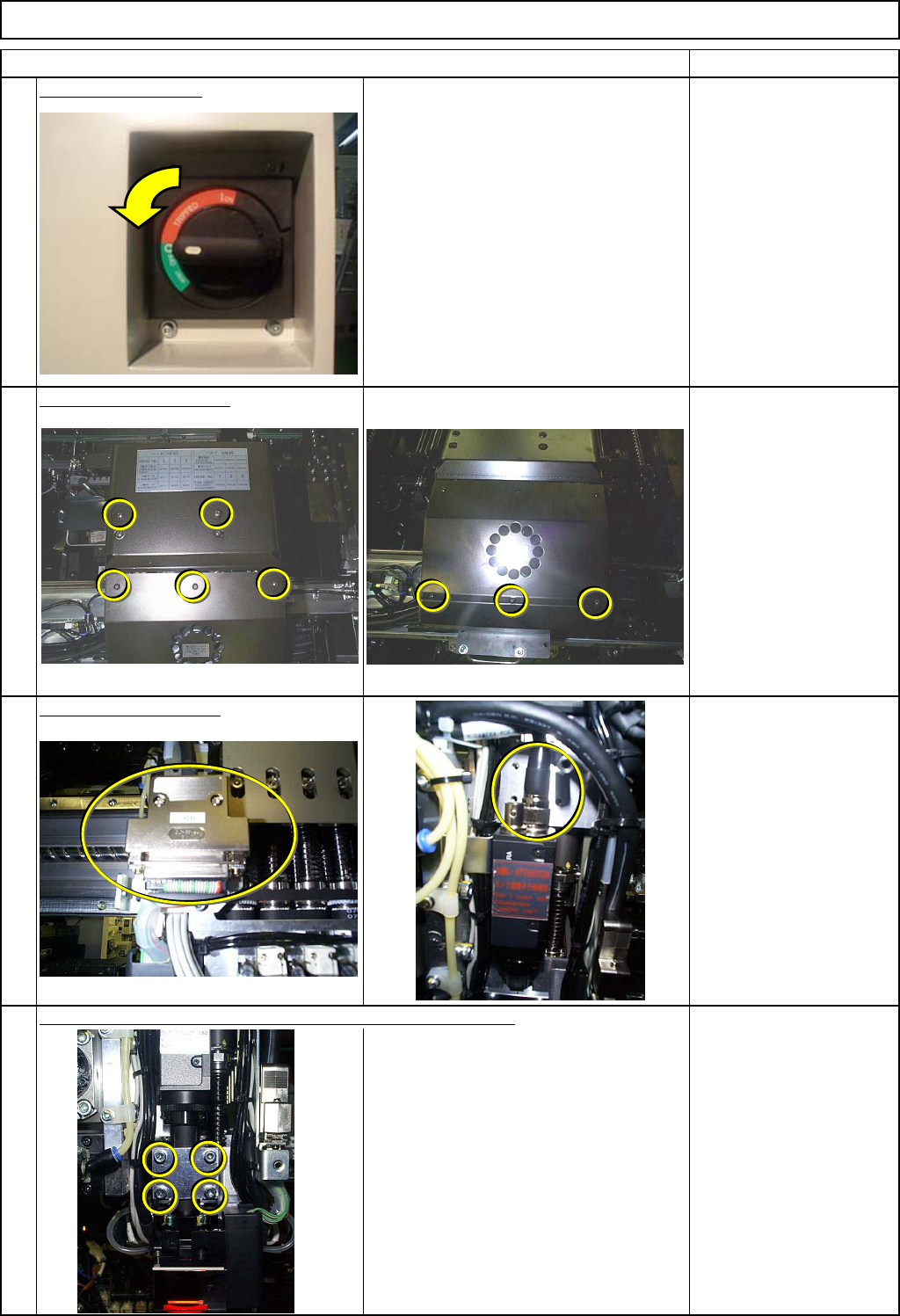
Switch off the power.
Remove the head cover.
2
Phillips screwdriver #1
Phillips screwdriver #2
Screw M3 8 pcs.
Screw M4 4 pcs.
Remove the connector.
Phillips screwdriver #1
Connector screws
Be careful not to let the camera unit fall.
Allen key 3 mm
Screw M4 4 pcs.
Remove the camera holding screws, holding the camera unit.
4
3
Head Camera Unit
1
Item
EJM8A-E-SMA050601-A01-00
Page 5-6-1-2
Machinery Part Replacement
Remarks
Head Camera Unit
Item
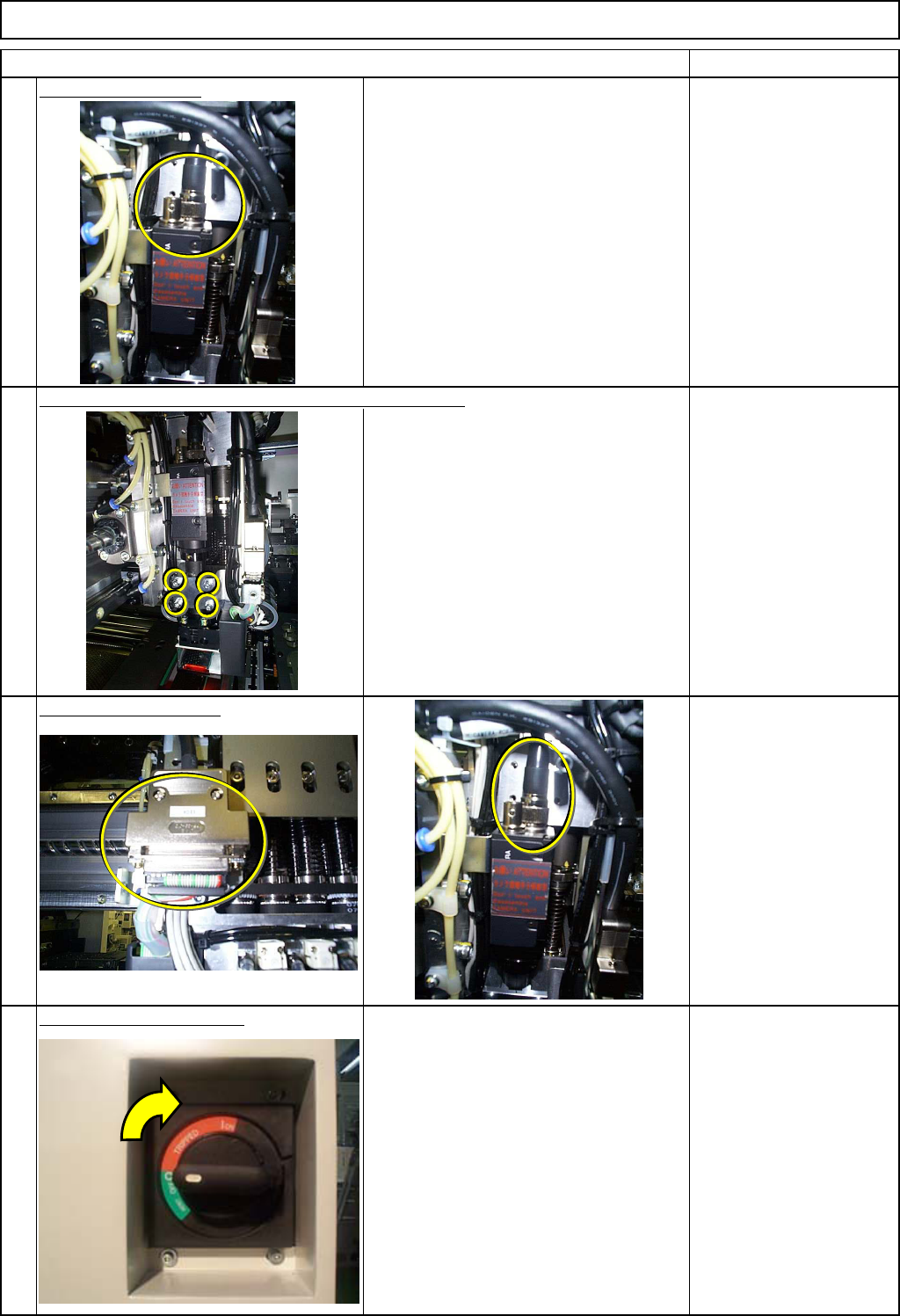
Replace the camera.
Take care with the orientation of the
camera unit. (Check the connector
position.)
Lightly tighten the screws not to let the camera unit fall.
Connect the connector.
Phillips screwdriver #1
Connector screws
Switch on the main power.
7
8
6
5
EJM8A-E-SMA050601-A01-00
Page 5-6-1-3