Smart Graphical User Interface (SmartG) Overview_rev1.pdf - 第102页
Copyright © ViT rox All Rights Reserved . Move Component 102 Move Component Move component by drag and draw T otal number of component to be move This is used to apply the move component feature for the selected componen…
Copyright © ViTrox All Rights Reserved.
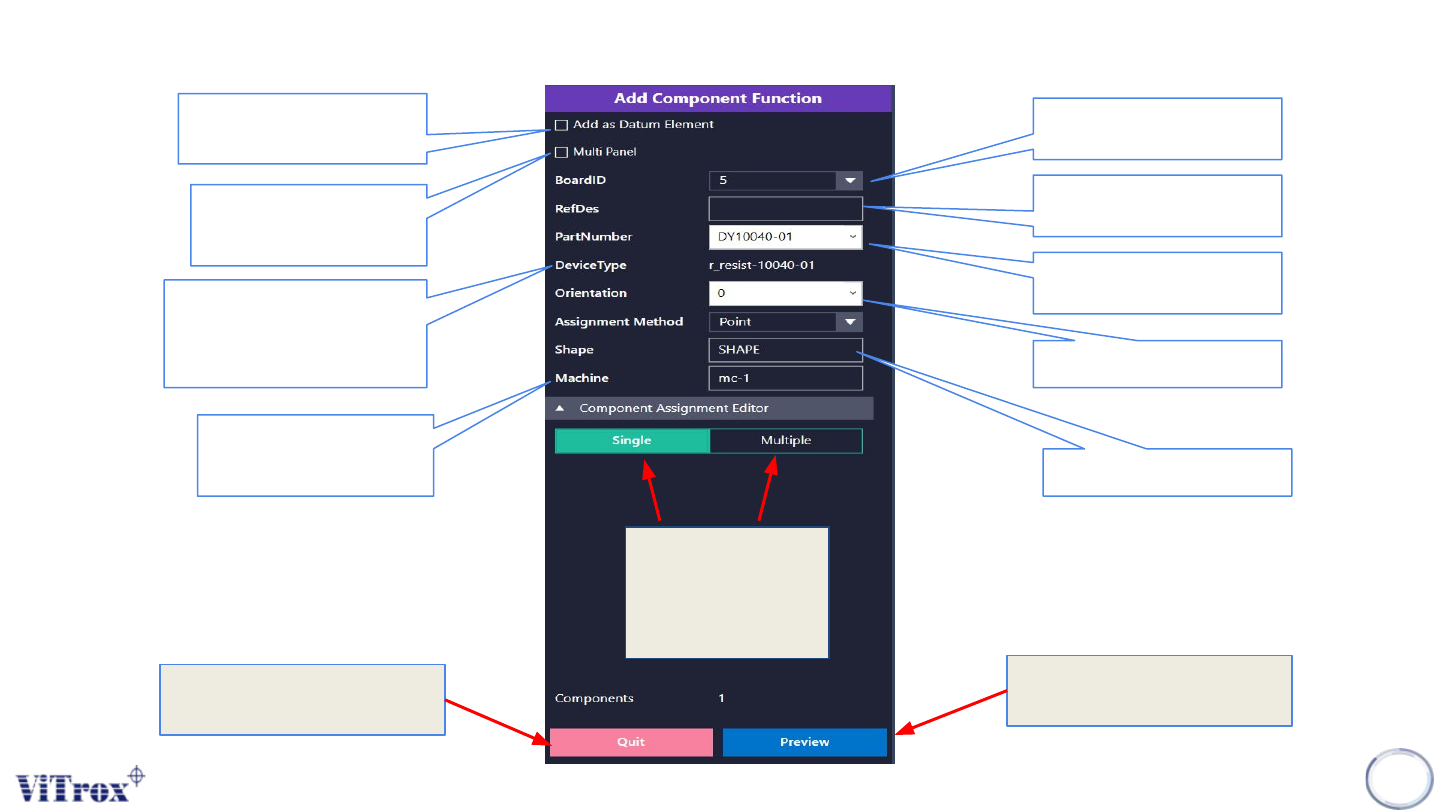
Add component description
101
Figure 87: Add component functionality
This is used to show the
current board number in a
panel board.
This is used to provide
refdes name of the
component
To find the consistent
region to calculate the
warpage compensation.
This is used to add a
component into multiple
boards.
This is used to link the ref
des into the existing part
number.
This is used to show the
device type of the existing
part number only. For a
newly created part number, it
shows n0000
This is used to set the
component rotation.
This is used to set the
shape of component
This is used to set the
machine type. The
recommended setting is
mc-1.
This is used to add a
single component or
multiple components
at the same time. The
default setting is
single.
Preview the components
detail before done add
component
Quit the add component
configuration
Copyright © ViTrox All Rights Reserved.
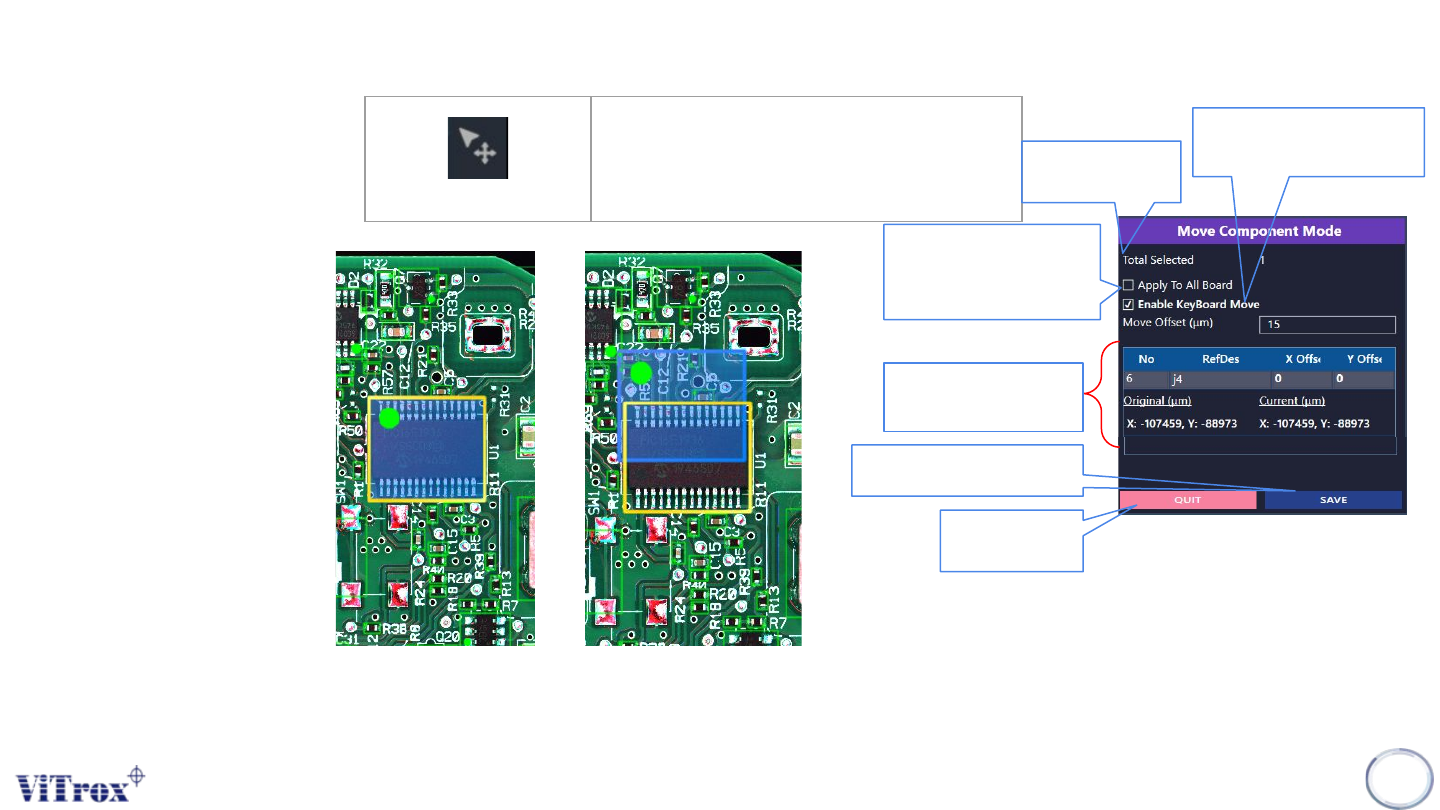
Move Component
102
Move Component
Move component by drag and
draw
Total number of
component to be
move
This is used to apply the
move component feature
for the selected
component to all boards.
This is used to move the
component by using arrow
keyboard
The total ref des moved
and its offset parameter.
Save after move component
have been made.
Quit the add
component
configuration
Figure 89: Move Component Mode Tab
Figure 88: Before and after move component
Copyright © ViTrox All Rights Reserved.
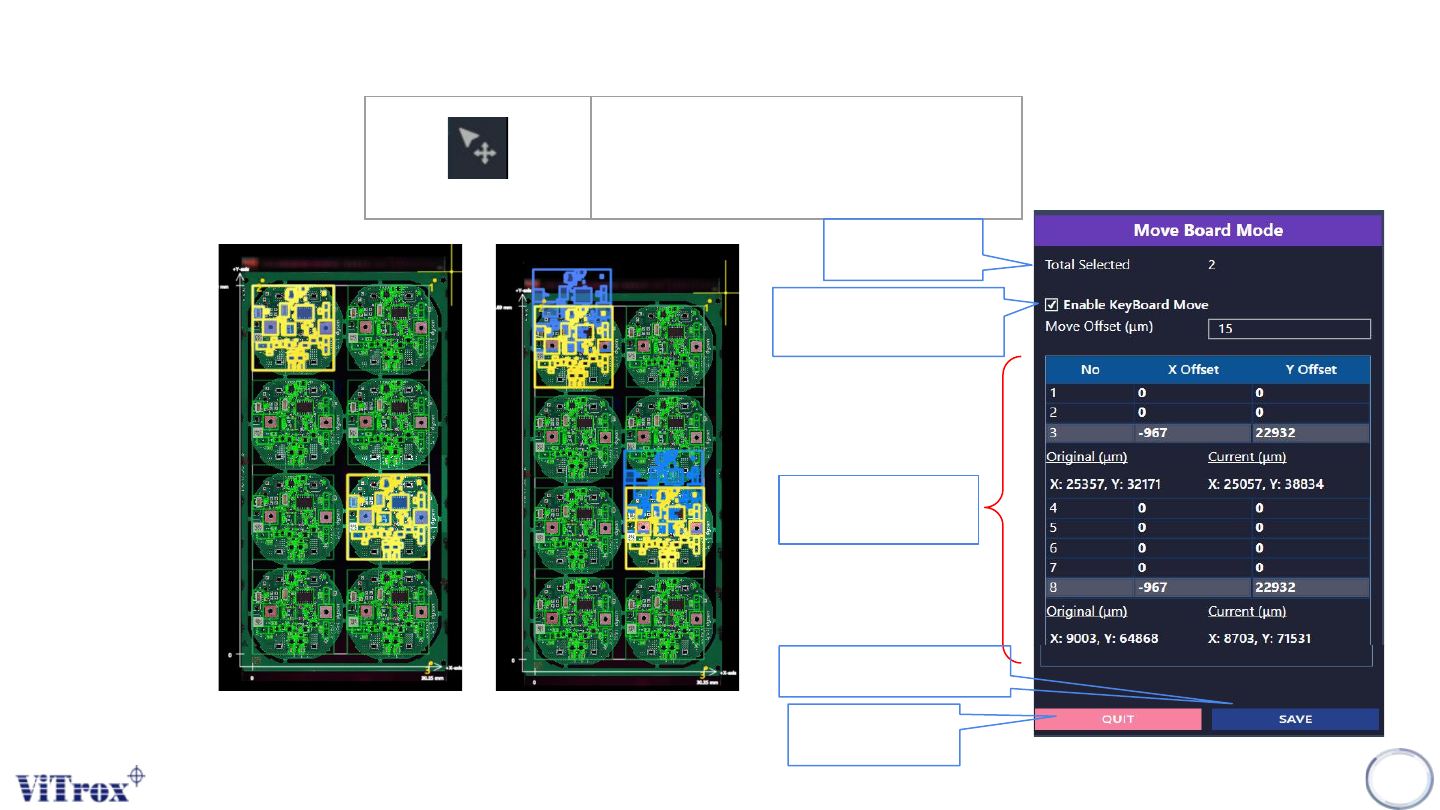
Move Board
103
Move Board
Move and drag Selected Board
Total number of
board to be move
This is used to move the
board by using arrow
keyboard
The total boards moved
and its offset parameter.
Save after move board
have been made.
Quit the add board
configuration
Figure 91: Move Board Mode Tab
Figure 90: Before and after Move Board