Smart Graphical User Interface (SmartG) Overview_rev1.pdf - 第92页
Copyright © ViT rox All Rights Reserved . 92 T ool Box
Copyright © ViTrox All Rights Reserved.
Component Tree View
91
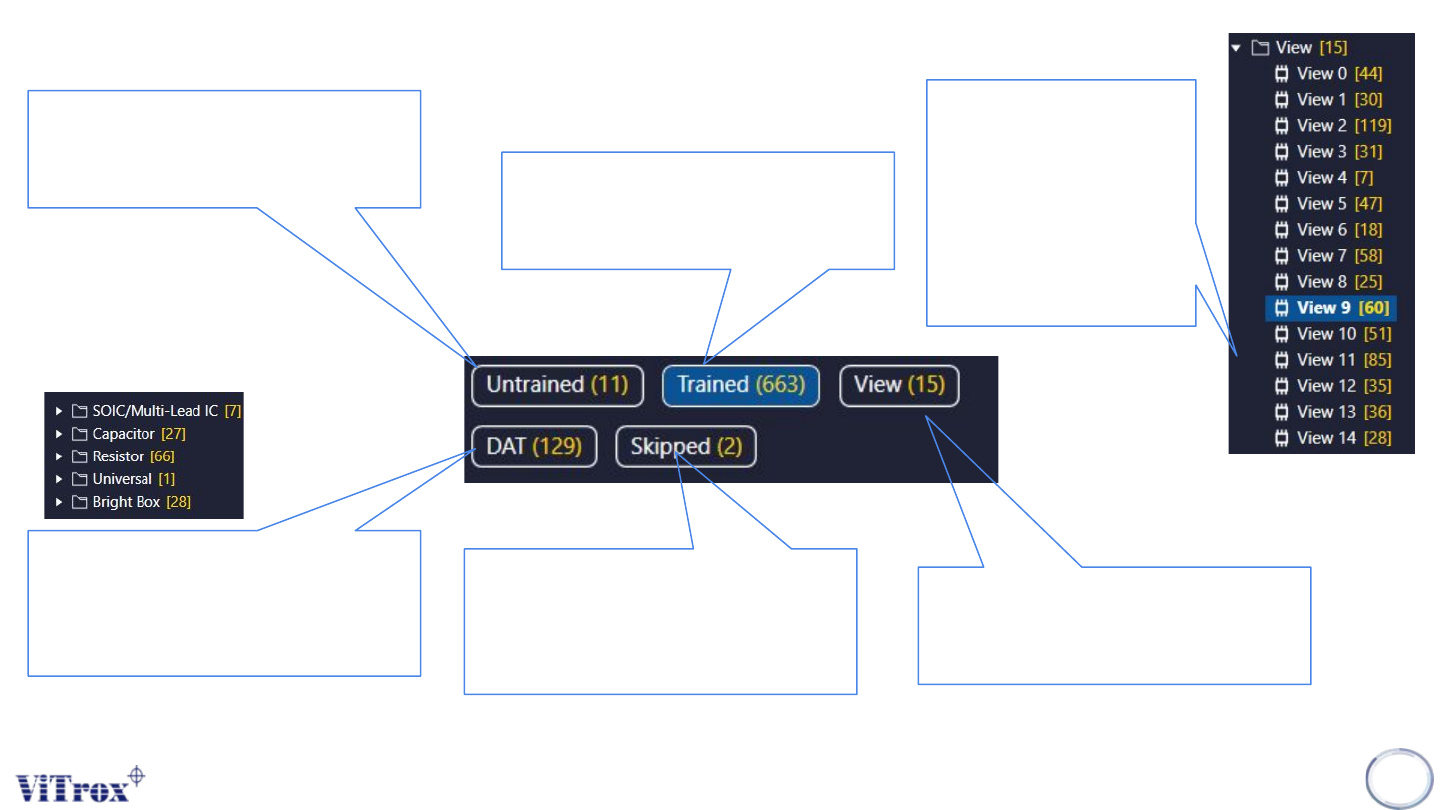
Untrained Component list
● The untrained box show
the components without
assigning device type
Trained Component list
● The Trained box show the
components already
assigning device type.
View list
● The View box show the
total number of FOV for the
entire inspection.
View list
● The number in
yellow colour
are the total
number of
components in
sugle FOV.
Skipped List
● The skipped list shows the
total number of skipped
components in this
program
DAT List
● The DAT list shows total
number of components
with specific device type.

Copyright © ViTrox All Rights Reserved.
92
Tool Box
Copyright © ViTrox All Rights Reserved.
Show Board Number
93
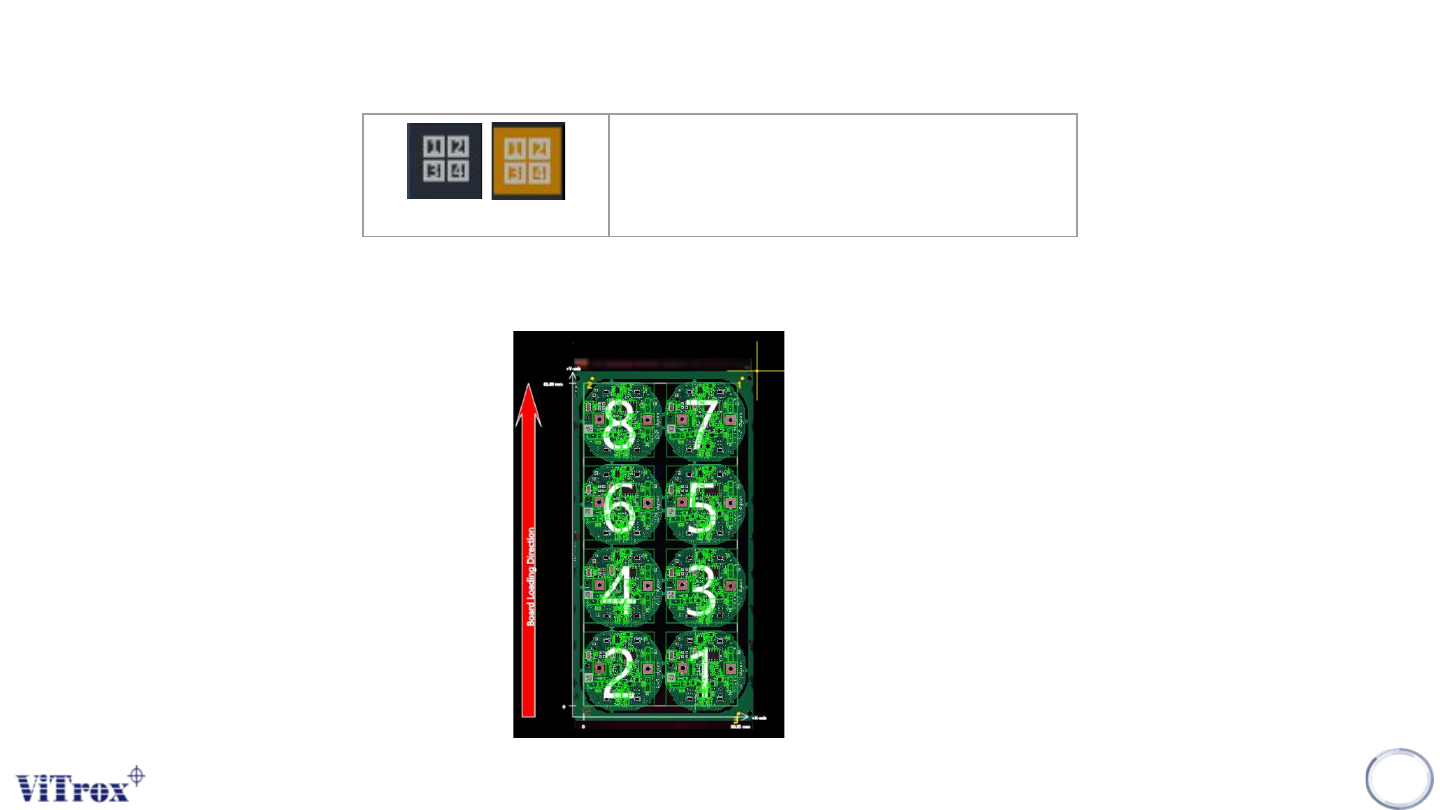
Show Board Number
Display board number and sequence
When click at Show Board Number button in tool box, the button turns into orange. The board number displays in
each board. See the figure below.
Figure 80: Show board number view in full board view