Smart Graphical User Interface (SmartG) Overview_rev1.pdf - 第41页
Copyright © ViT rox All Rights Reserved . General Setting (Action on Failure Options) 41 Figure 35: Action on failure options Allow No Reason for False Fail This feature is used to allow operator to mark false fail on th…
Copyright © ViTrox All Rights Reserved.
General Setting (Action on Failure Options)
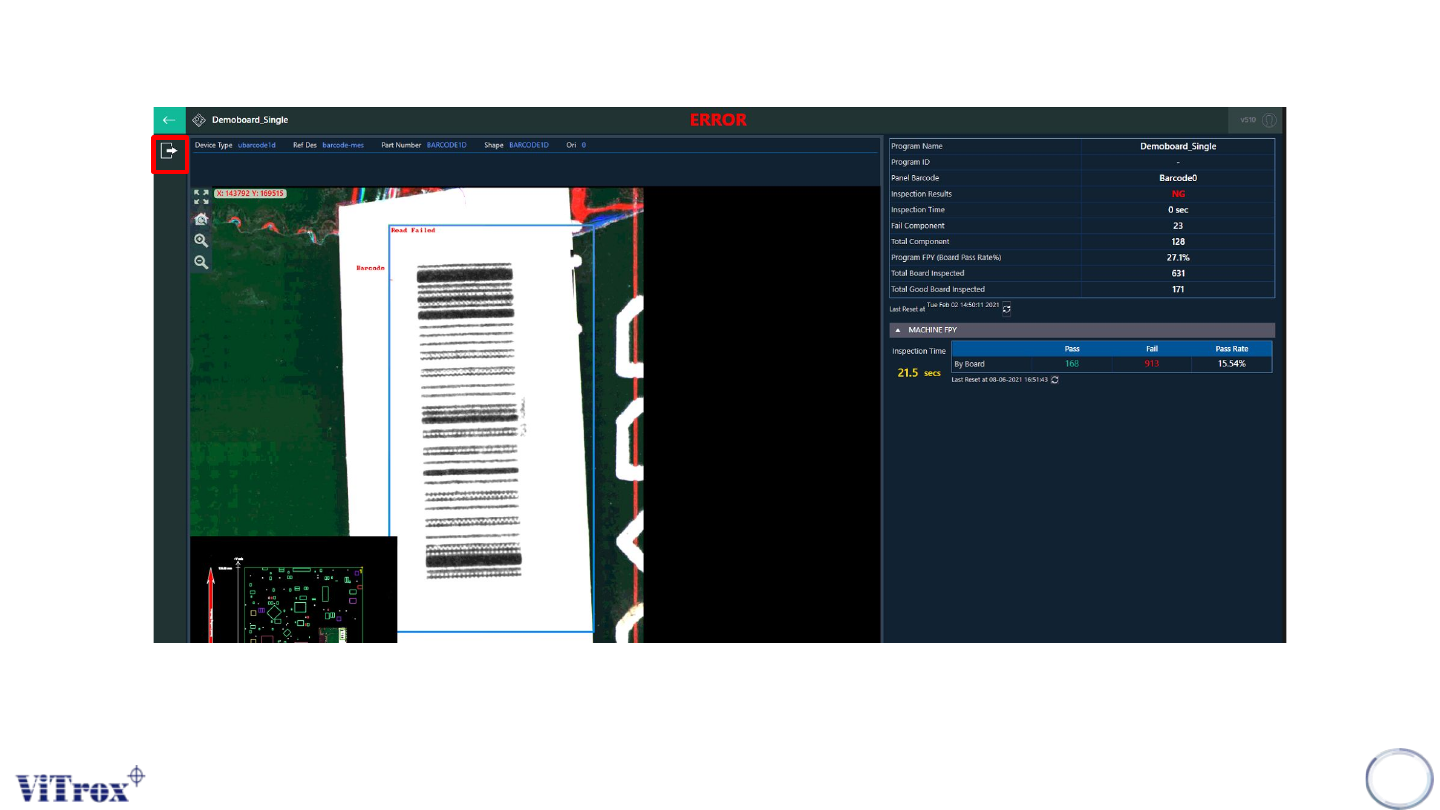
Note: The unload button appears after the operator viewed all defects calls in operator mode.
40
Figure 34: Unload button appears after viewing all defect calls
Copyright © ViTrox All Rights Reserved.
General Setting (Action on Failure Options)
41
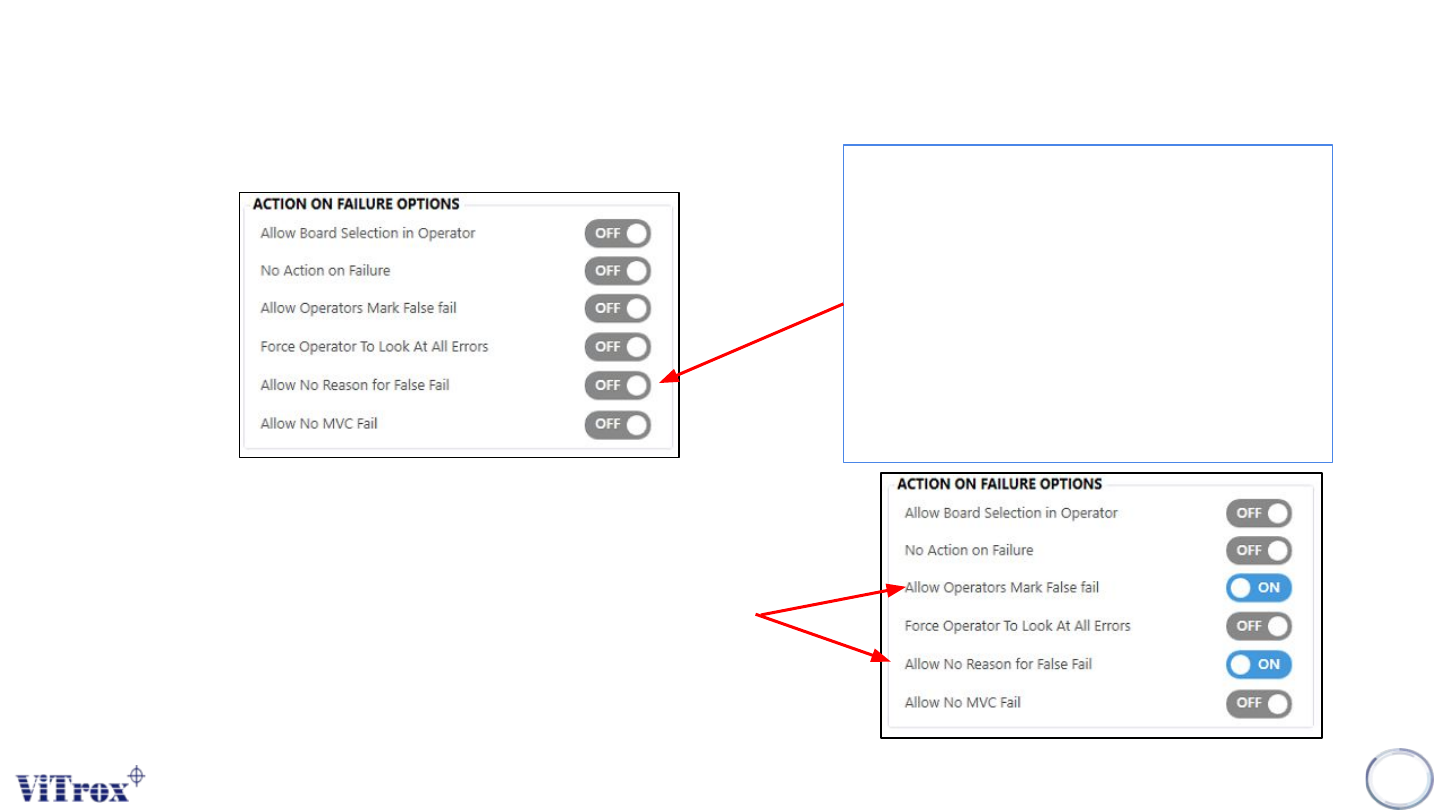
Figure 35: Action on failure options
Allow No Reason for False Fail
This feature is used to allow operator to
mark false fail on the reference designator
without prompting the "Mark as false fail"
window. This is a feature to allow an
operator to use "Mark as false fail" option.
Note: This option is not functional if the "Allow
operator mark as false fail" option is set to Off.
Figure 36: Action on failure options
Note: To use this feature, ensure that , enable both ‘’Allow Operator Mark False
Fail and Allow No Reason for False Fail.

Copyright © ViTrox All Rights Reserved.
42
Package Manager