Smart Graphical User Interface (SmartG) Overview_rev1.pdf - 第78页
Copyright © ViT rox All Rights Reserved . Database Manager Database Manager is used to manage the current database. The current database can be applied in database manager by: ● Creating new database from existing ● Poin…
Copyright © ViTrox All Rights Reserved.
Machine Setting (Auto Width Adjust)
77
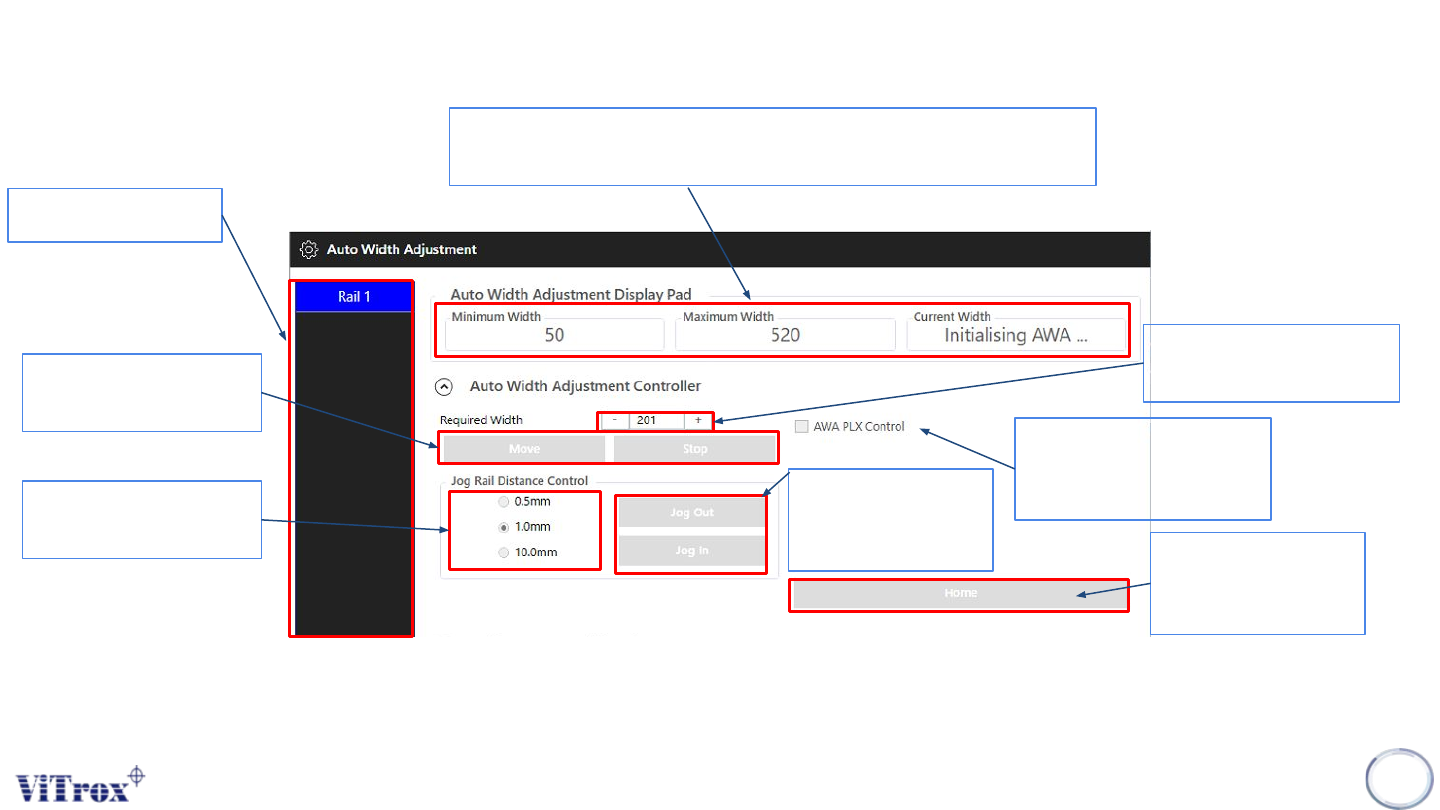
Shows Rail number
● Shows Minimum, and Maximum width of AWA
● Shows the current width of AWA
User can fill the required
width of the panel
If press Home, it will
go to minimum width
of AWA
Increase and Reduce
the steps of jog AWA
Figure 64: PLC Information
User can click AWA plx
control followed by the
plx width of panel
Can jog in and out
followed by rail
distance control
Move and Stop to
specific value
Copyright © ViTrox All Rights Reserved.
Database Manager
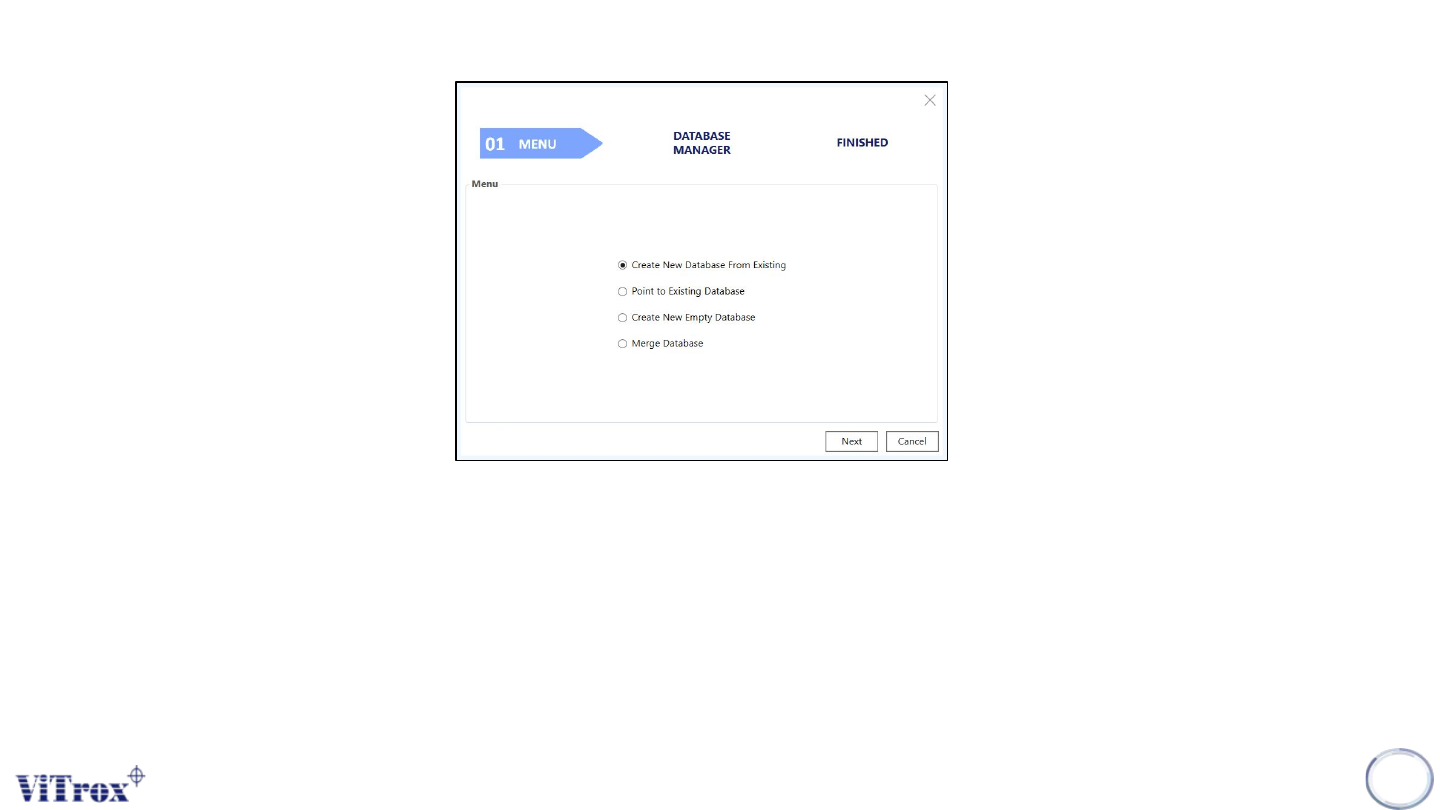
Database Manager is used to manage the current database. The current database can be applied in database manager
by:
● Creating new database from existing
● Pointing to existing database
● Creating new empty database
● Merging database
78
Figure 113: Main Menu Database Manager Option

Copyright © ViTrox All Rights Reserved.
79
Algorithm Setting