Smart Graphical User Interface (SmartG) Overview_rev1.pdf - 第98页
Copyright © ViT rox All Rights Reserved . V iew origin Location View origin location is used display full-board view and the original location. When clicking the V iew Origin Location button in the tool box, the camera v…
Copyright © ViTrox All Rights Reserved.
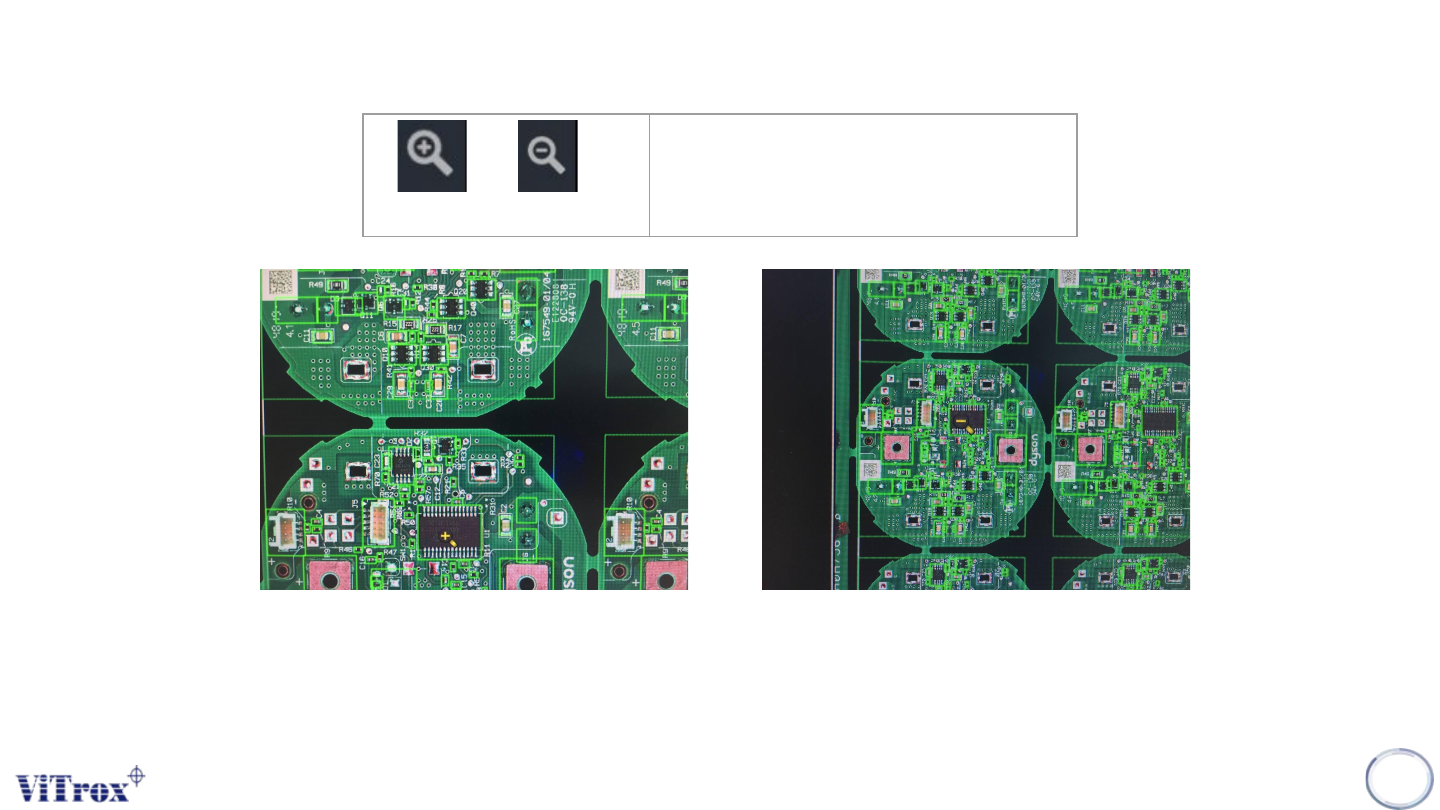
Zoom In,Zoom Out
Note: User can use mouse wheel to zoom in and out at any location
97
Zoom in (+), Zoom Out (-)
Zoom in the camera view
Figure 84: Zoom in/Zoom out to specific pointed mouse
Copyright © ViTrox All Rights Reserved.
View origin Location
View origin location is used display full-board view and the original location. When clicking the View Origin Location
button in the tool box, the camera view always moves to the original location of the board.
98
View Origin Location
View the origin location of the panel
board
Copyright © ViTrox All Rights Reserved.
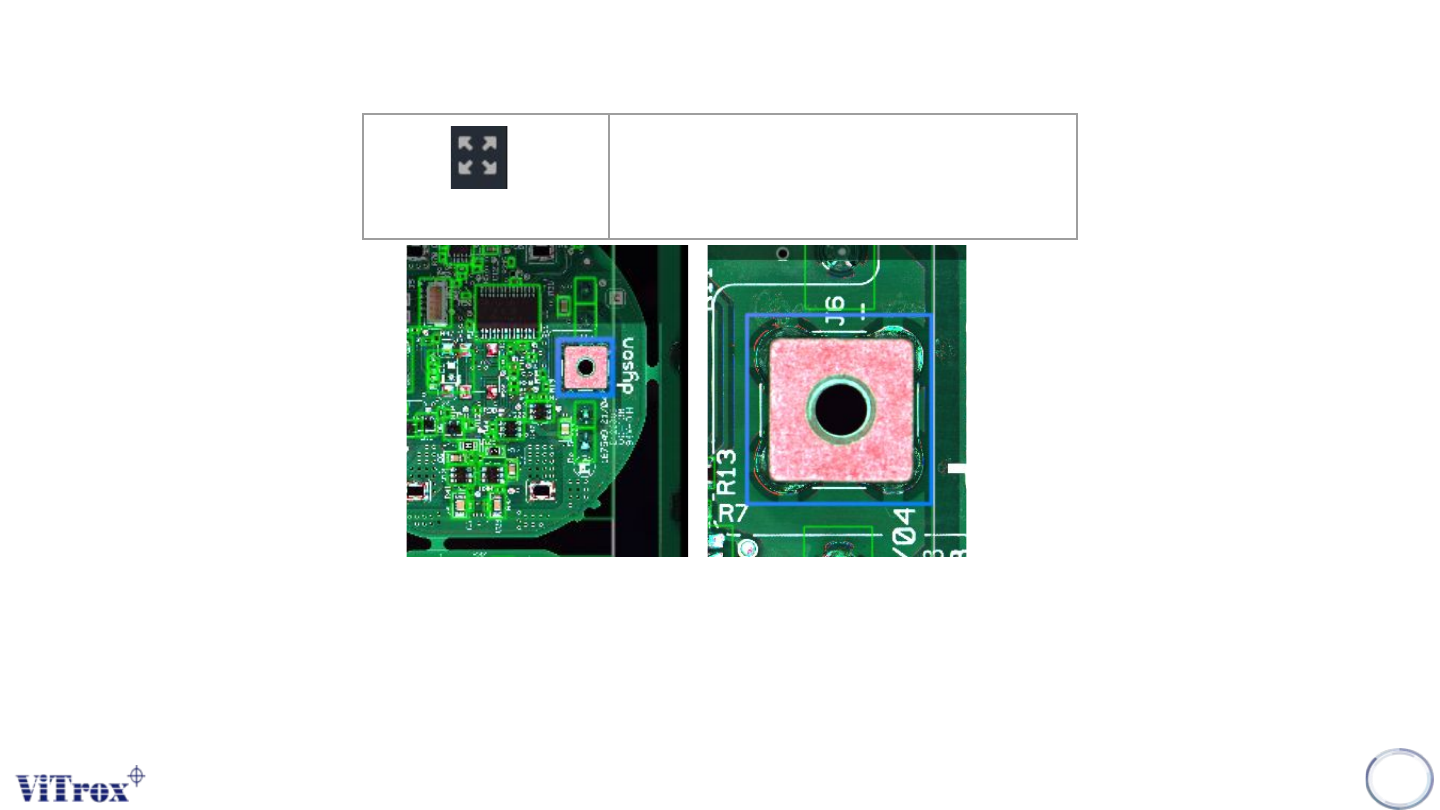
Zoom 1 to 1
When click at the Zoom 1 to 1 button in the tool box, the camera view moves to the selected component (Blue bracket) and this
component stays in center of camera view.
Note: If there is no component selected, no action will be performed. Zoom 1 to 1 performed in component camera view and full
board view shows different sizes.
99
Zoom 1 to 1
Zoom at component in centroid of
camera view
Figure 85: Before and after click Zoom 1 to 1