Smart Graphical User Interface (SmartG) Overview_rev1.pdf - 第63页
Copyright © ViT rox All Rights Reserved . Machine Setting (Calibration) 63 When Alignment Style is set to Gridlines, this sets the spacing between the grids. This is set to 5000 by default When Alignment Style is set to …
Copyright © ViTrox All Rights Reserved.
Machine Setting (Calibration)
62
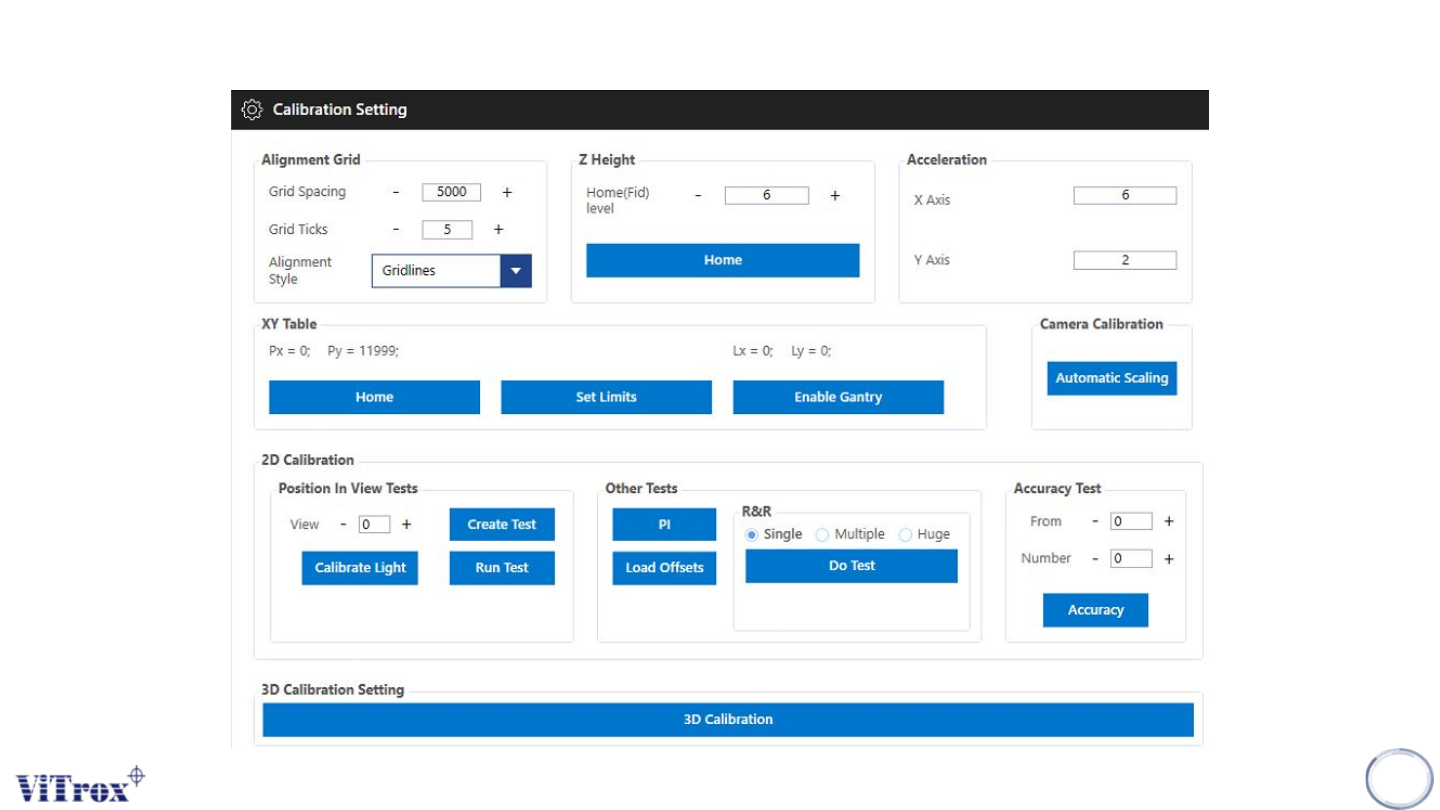
Figure 52: Calibration Setting Interface
Copyright © ViTrox All Rights Reserved.
Machine Setting (Calibration)
63
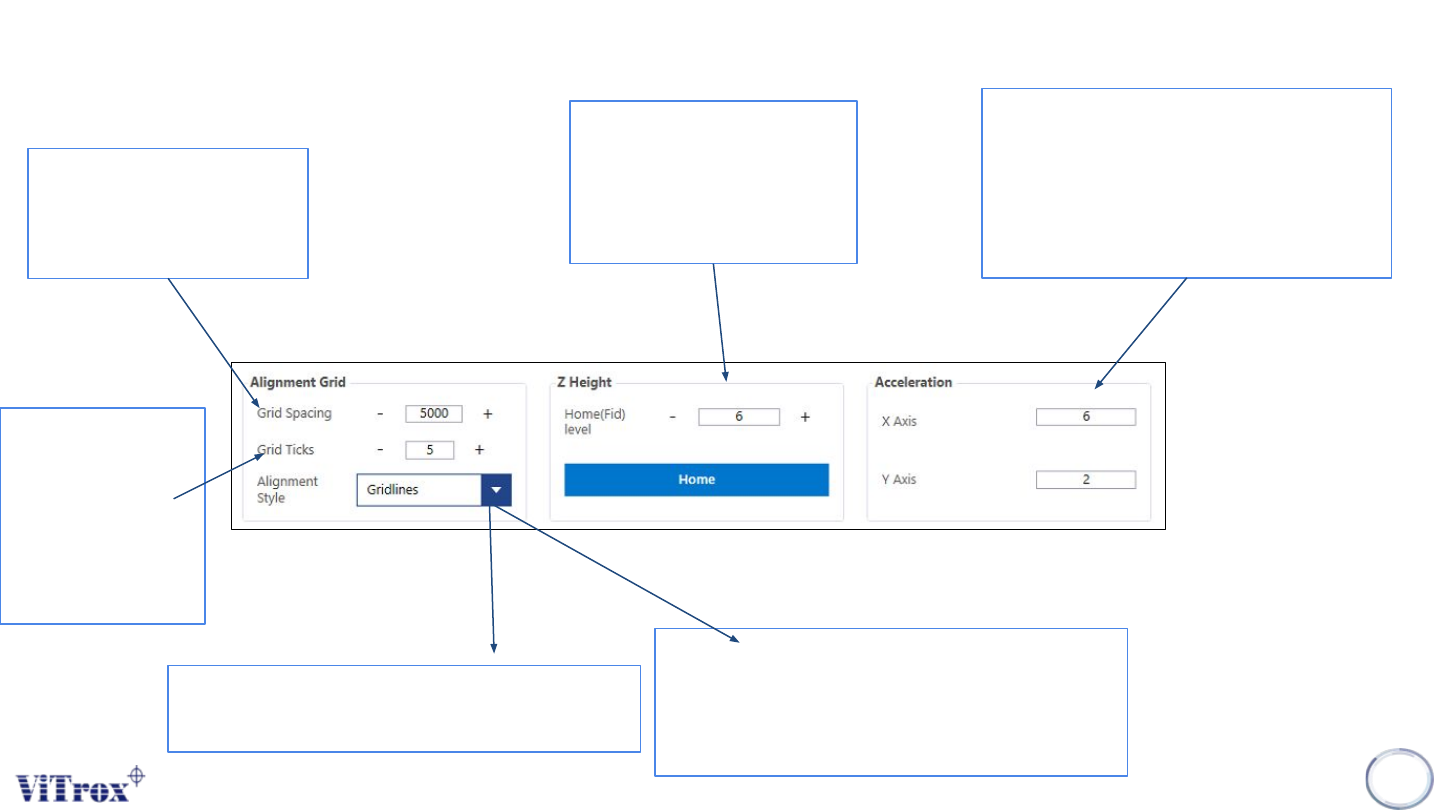
When Alignment Style is
set to Gridlines, this sets
the spacing between the
grids. This is set to 5000
by default
When Alignment
Style is set to
Gridlines, this
sets the number
of ticks between
each Grid. This is
set to 5 by default
Z height customization:
Recommended value: 6
Home: To make a default
of Z height
Sets the accelerations of the XY Table
in the X and Y directions in meters per
second. Recommended values for X
and Y are 3 and 1.5 respectively for
accuracy, and 6 and 2 respectively for
high speed.
Figure 53: Alignment Grid, Z height and Acceleration function
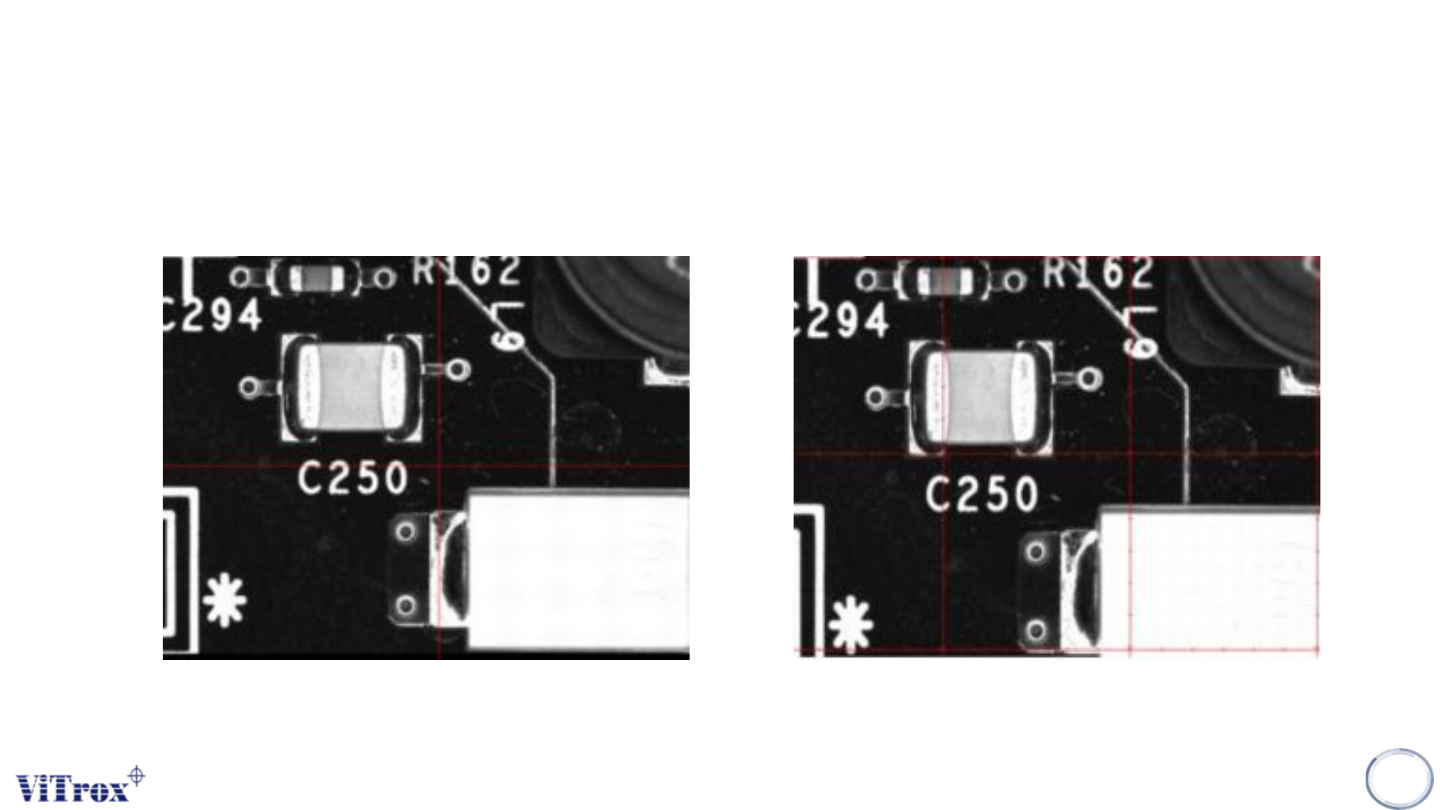
● Gridlines - This draws a series of
lines with ticks as determined by the
user specified Grid Spacing and Grid
Ticks parameters.
● Crosshair - This draws a single cross
hair through the centre of the display
Copyright © ViTrox All Rights Reserved.
Machine Setting (Calibration)
64
Figure 54: Crosshair View Figure 55: Gridlines View
Different of Crosshair and Gridlines