Smart Graphical User Interface (SmartG) Overview_rev1.pdf - 第91页
Copyright © ViT rox All Rights Reserved . Component T ree V iew 91 Untrained Component list ● The untrained box show the components without assigning device type T rained Component list ● The T rained box show the compon…

Copyright © ViTrox All Rights Reserved.
Component Tree (Introduction)
Component Tree View is used to view the component in several types of groups which are:
● Search Tab
● Component tree view
● Component train view
● Defect List
90
Copyright © ViTrox All Rights Reserved.
Component Tree View
91
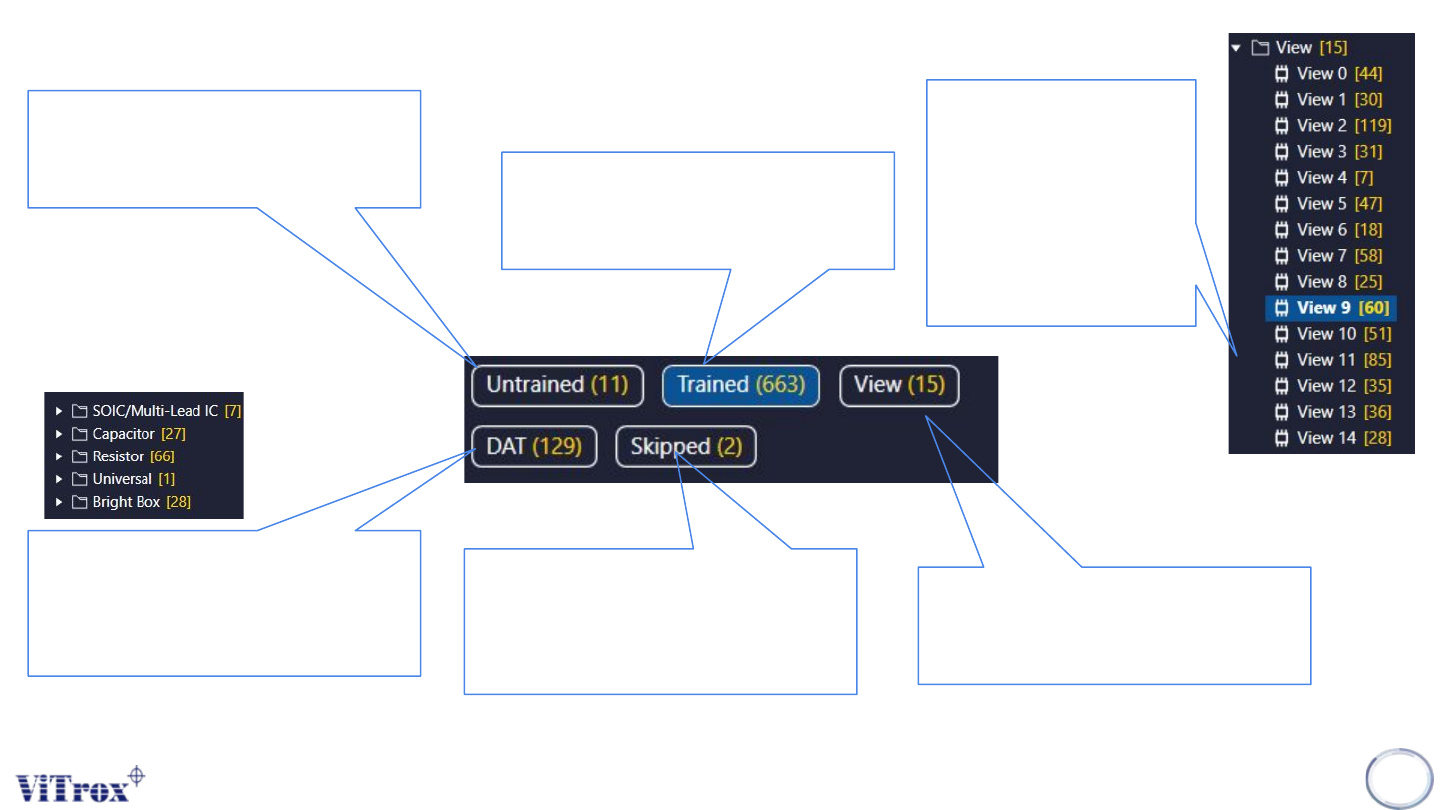
Untrained Component list
● The untrained box show
the components without
assigning device type
Trained Component list
● The Trained box show the
components already
assigning device type.
View list
● The View box show the
total number of FOV for the
entire inspection.
View list
● The number in
yellow colour
are the total
number of
components in
sugle FOV.
Skipped List
● The skipped list shows the
total number of skipped
components in this
program
DAT List
● The DAT list shows total
number of components
with specific device type.

Copyright © ViTrox All Rights Reserved.
92
Tool Box