Smart Graphical User Interface (SmartG) Overview_rev1.pdf - 第161页
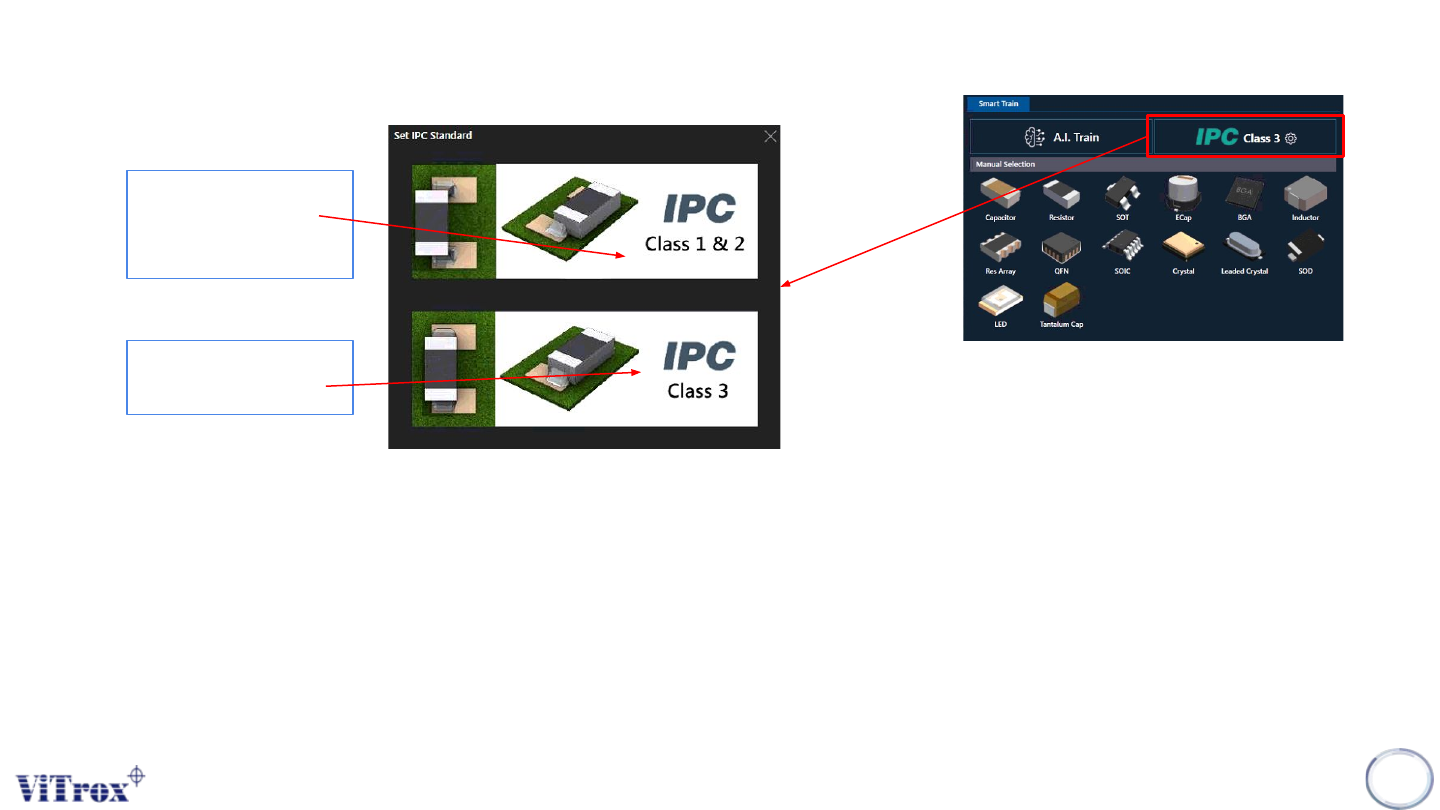
Copyright © ViT rox All Rights Reserved . IPC Classification • Class 1 is assigned to general electric boards with a limited life and a “simple” function, such as the ones you can find in remote controls. • Class 2 is fo…
Copyright © ViTrox All Rights Reserved.
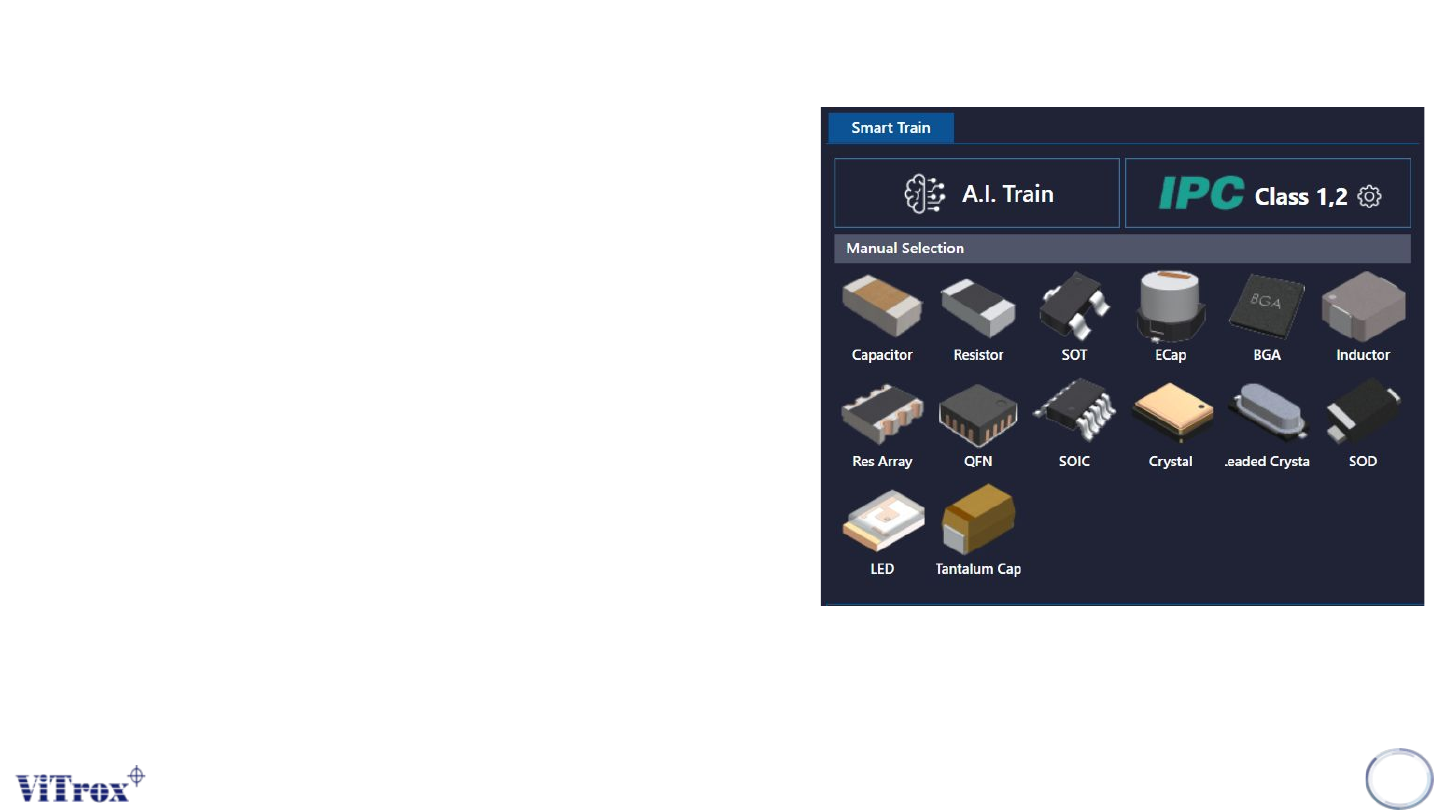
Note of Smart train
Smart train is a feature that applied Artificial Intelligence
(A.I) technology. This feature is specifically used to train
components in a manual way in one click by using A.I
technology. The following figure shows Smart Train
interface in algorithm trainer. There are three parts
under Smart Train which are:
● A.I Train
● A.I Train by manual package selection
● IPC Class
Note: Smart train option is shown when the A.I smart
programming license is detected by the ViTrox license
server and with the existence of .plx, .eplx and .epad
files in the c:/cpi/cad folder. Contact the ViTrox AOI
Service and Support team to learn about the A.I smart
programming license.
160
Figure 148: Smart train interface
Copyright © ViTrox All Rights Reserved.
IPC Classification
• Class 1 is assigned to general electric boards with a limited life and a “simple” function, such as the ones you
can find in remote controls.
• Class 2 is for dedicated service electronic products. This means that you expect the board to have an extended
life so you can place it in a television, a computer, or an air conditioner.
• Class 3 PCBs are tighter in tolerances as opposed to Class 1 and Class 2 boards.
161
General Electronic
Product & Service
Electronic product
High Performance
Electronic Product
Note: User can manually select the IPC Classification on each component.
Figure 149: Train History tab
Figure 150: Train History tab
Copyright © ViTrox All Rights Reserved.
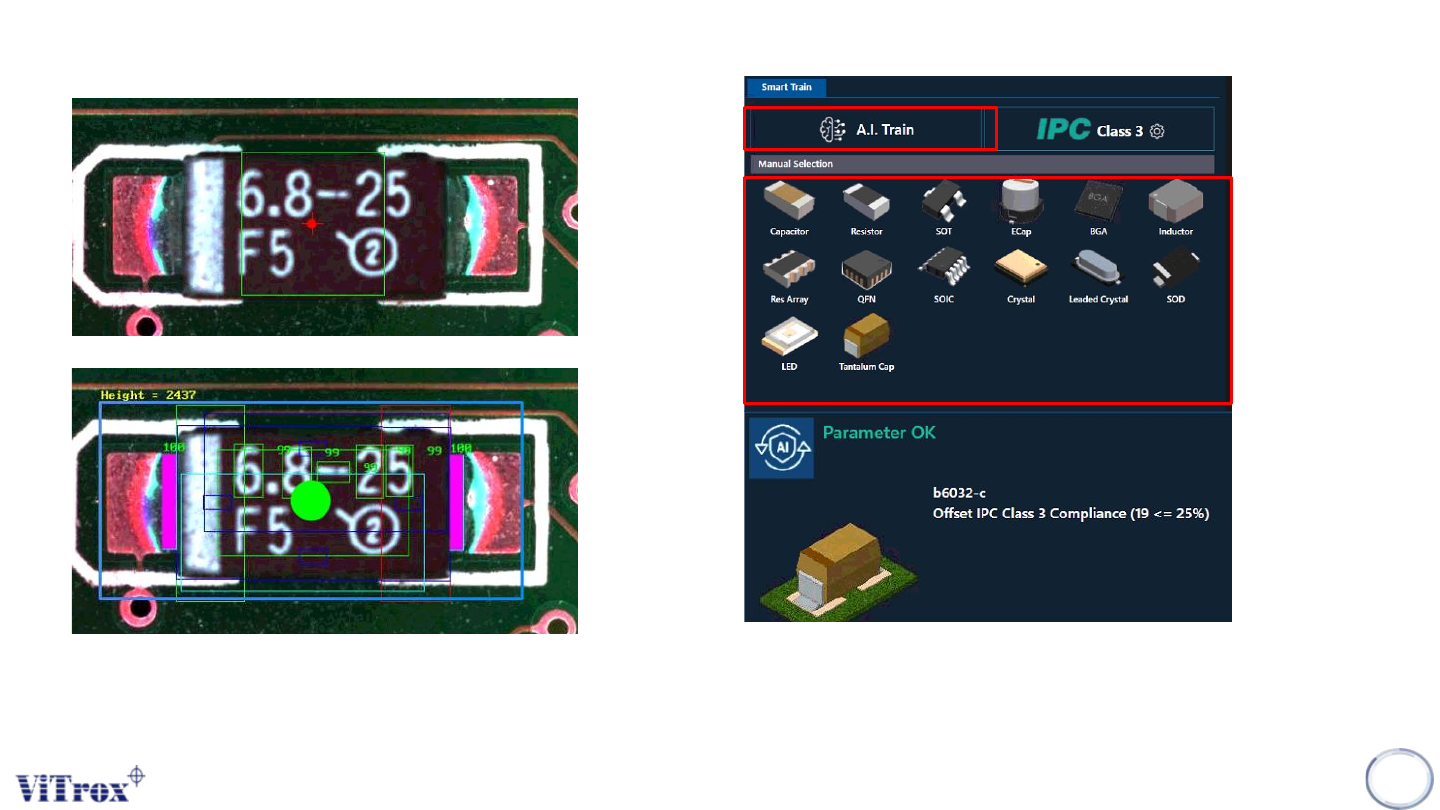
Smart Train Function
Note:This feature is specifically used to train components in a manual way in one click by using A.I technology.
162
Figure 151: Before and After Smart Train
Before Using Smart Train
After Using Smart Train
Figure 152: Parameter of the component after click A.I Train
Manual Selection to Train