Smart Graphical User Interface (SmartG) Overview_rev1.pdf - 第93页
Copyright © ViT rox All Rights Reserved . Show Board Number 93 Show Board Number Display board number and sequence When click at Show Board Number button in tool box, the button turns into orange. The board number displa…
Copyright © ViTrox All Rights Reserved.
92
Tool Box
Copyright © ViTrox All Rights Reserved.
Show Board Number
93
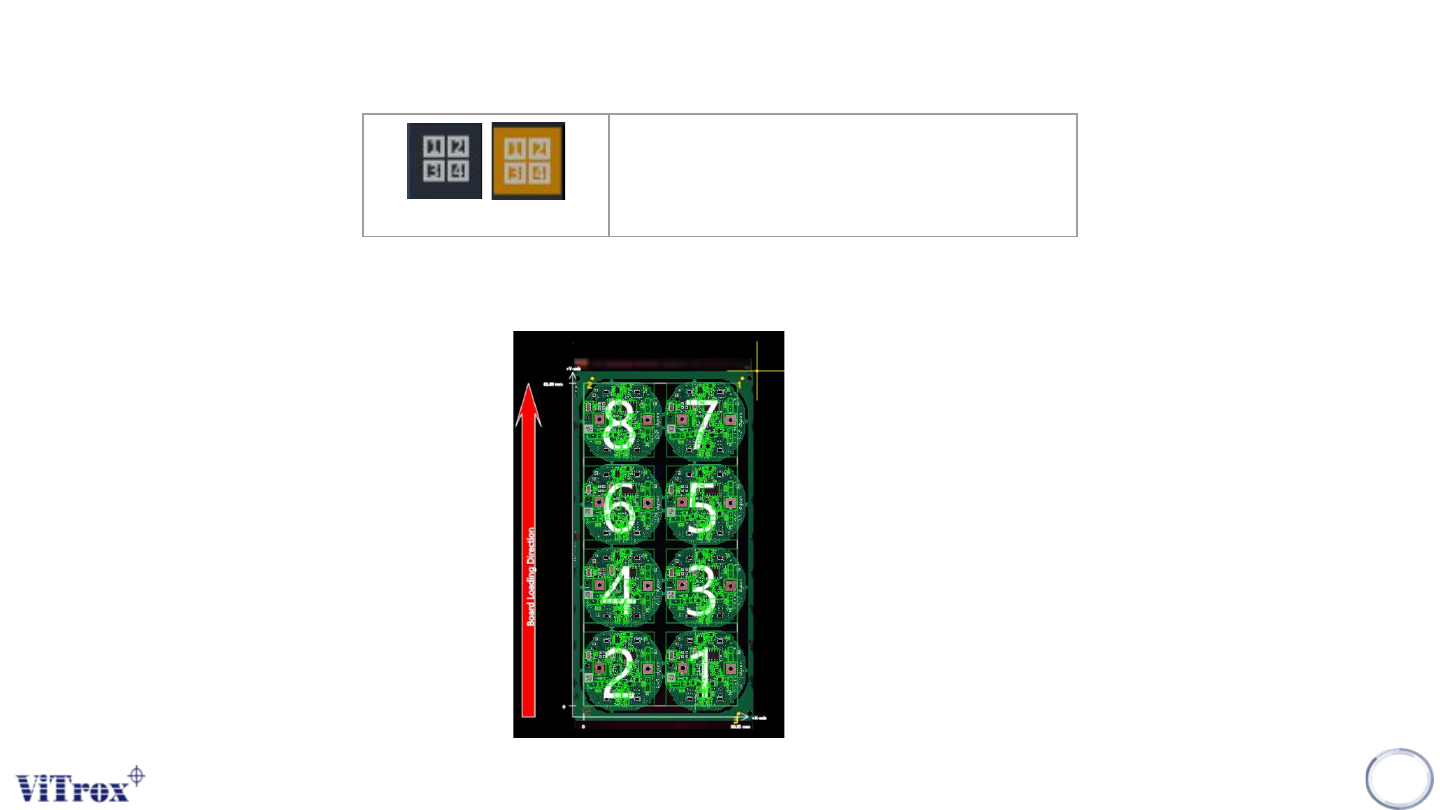
Show Board Number
Display board number and sequence
When click at Show Board Number button in tool box, the button turns into orange. The board number displays in
each board. See the figure below.
Figure 80: Show board number view in full board view
Copyright © ViTrox All Rights Reserved.
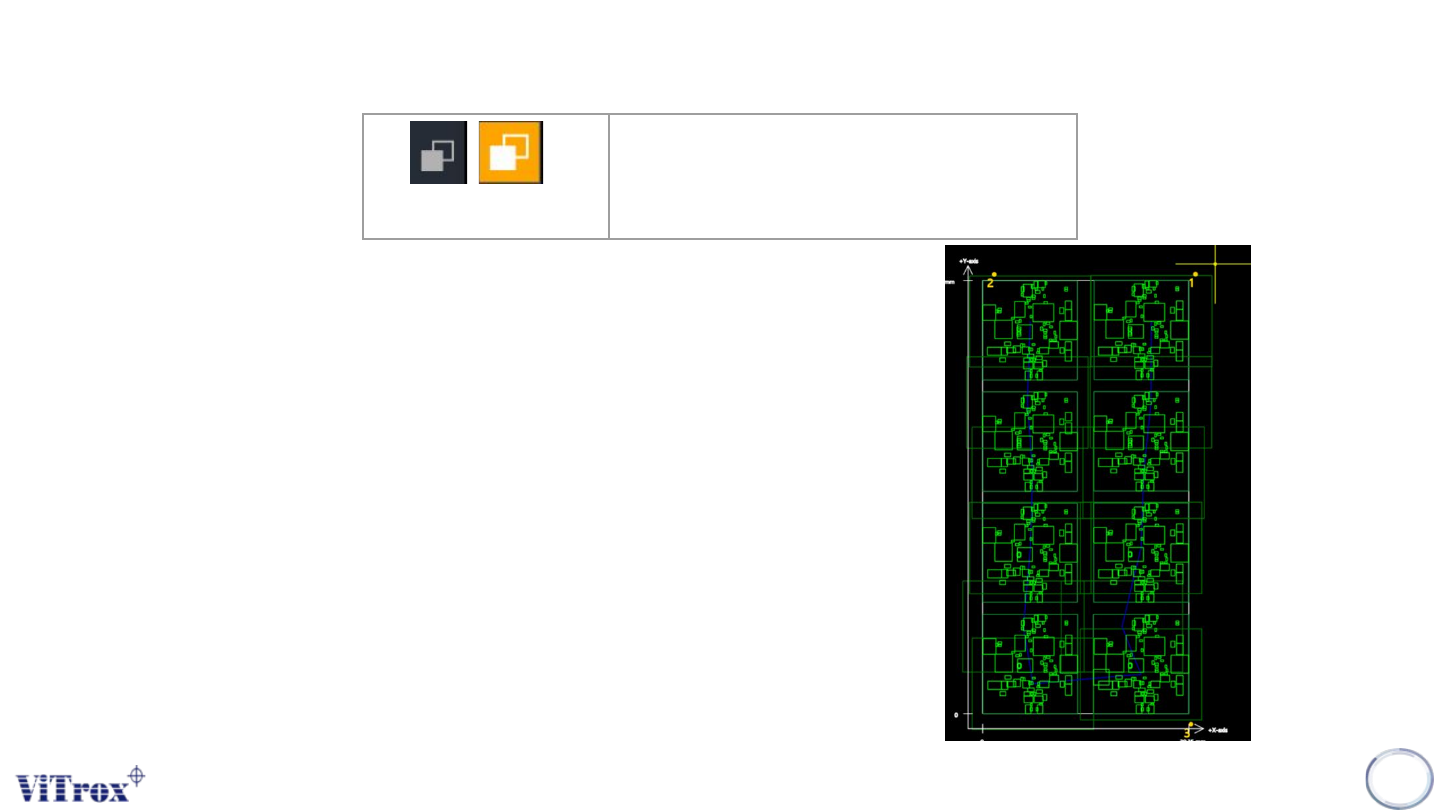
View Cad
View Cad is used to show the view inspection sequence among all field of
view. The panel board becomes transparent in full-board view, while two
additional information pieces appear in board graphic which are:
● Blue Line (View inspection sequence)
● Green box (Current field of view size)
Note: In order to check which FOV of a component falls under, select the
component and the inspection FOV shows turn into actual board status.
94
View Cad
Display inspection sequence/path
among all field of view
Figure 81: View Inspection sequence