Smart Graphical User Interface (SmartG) Overview_rev1.pdf - 第116页
Copyright © ViT rox All Rights Reserved . Auto train Inspection Result (Upon Inspection) When the inspection is 100% completed, an Auto T rain result appears in inspection list. The auto train results are: ● T otal compo…
Copyright © ViTrox All Rights Reserved.
Auto Train Inspection Result (Upon Inspection)
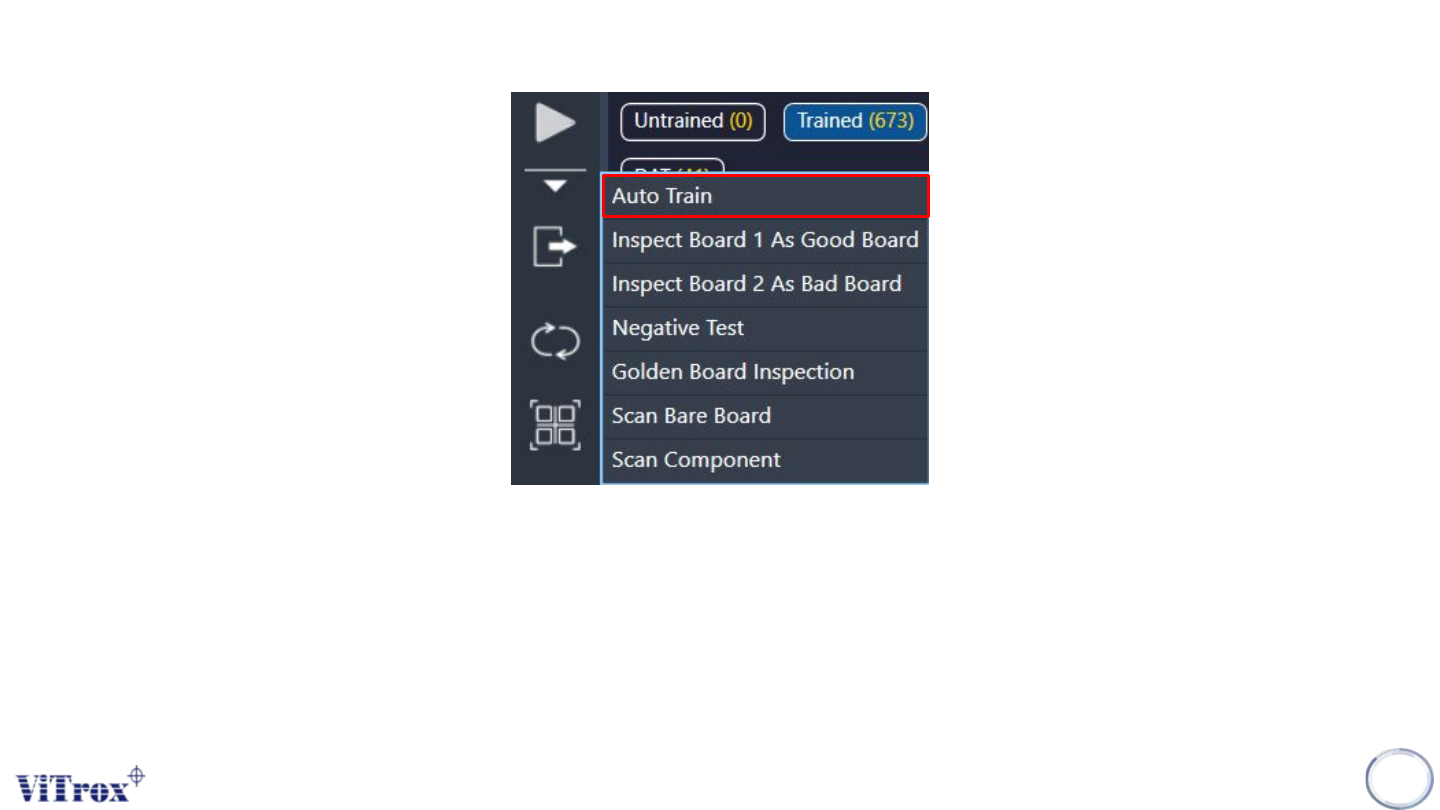
Auto train inspection result is used to show the total numbers trained and the auto train result in a table. To display the auto train
inspection result, select Auto Train from the drop-down list of inspect button. The software runs inspection as usual.
Note: Auto Train generally cover 14 package types. Some unsupported types are yet to cover.
115
Figure 104: Auto train under inspect list
Copyright © ViTrox All Rights Reserved.
Auto train Inspection Result (Upon Inspection)
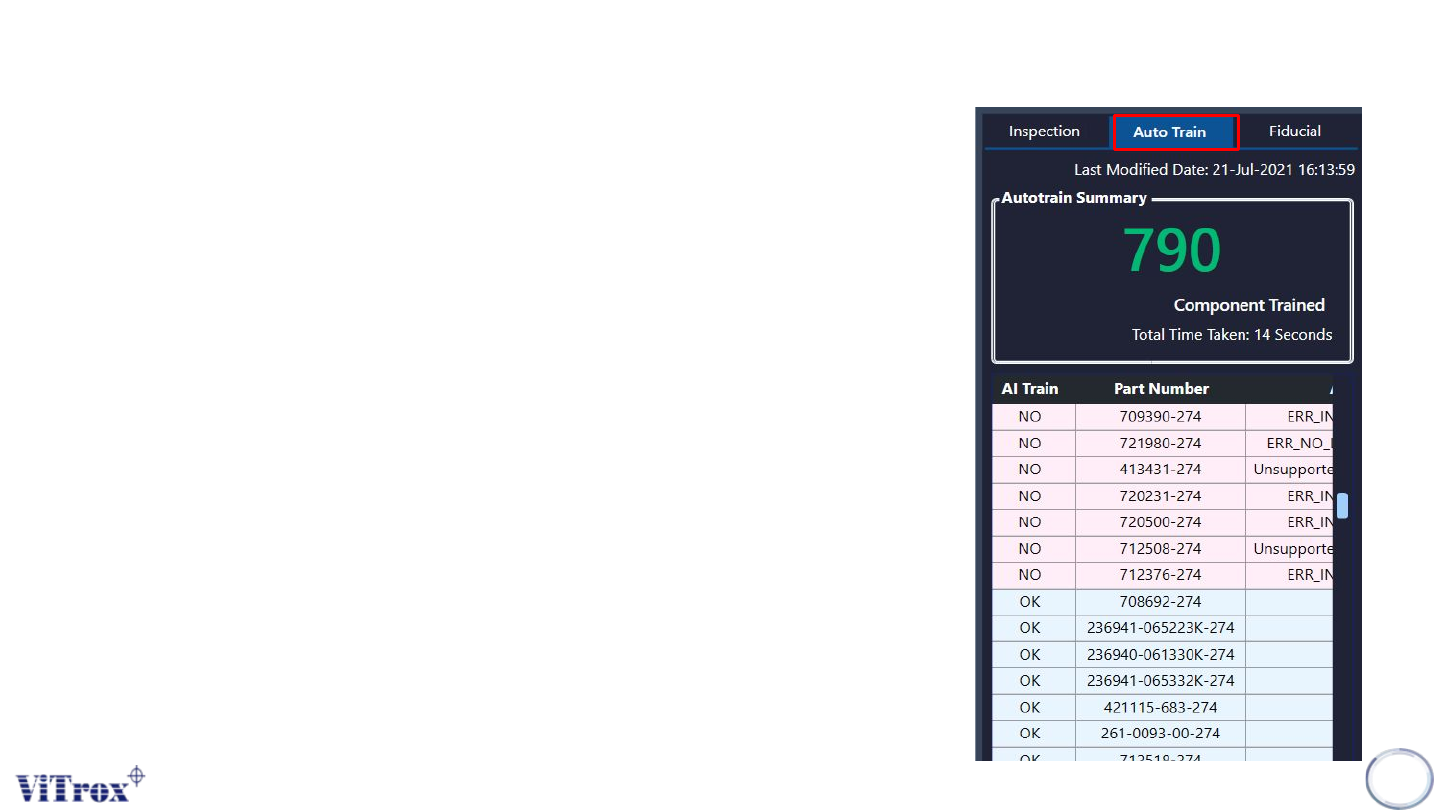
When the inspection is 100% completed, an Auto Train result appears in inspection
list. The auto train results are:
● Total component trained
● Auto train result in table
● Last modified date
● Total time taken
In the auto train results, there are two types of important information which are the
total component trained and the auto train result in table. In the auto train result, there
are two highlighted colors are green and red. The row in green represents the part
number which has successfully auto trained while row in red represents the part
number failed to auto train. The AI column contains the training detail log.
116
Figure 105: Auto train result
Copyright © ViTrox All Rights Reserved.
Note of Smart train
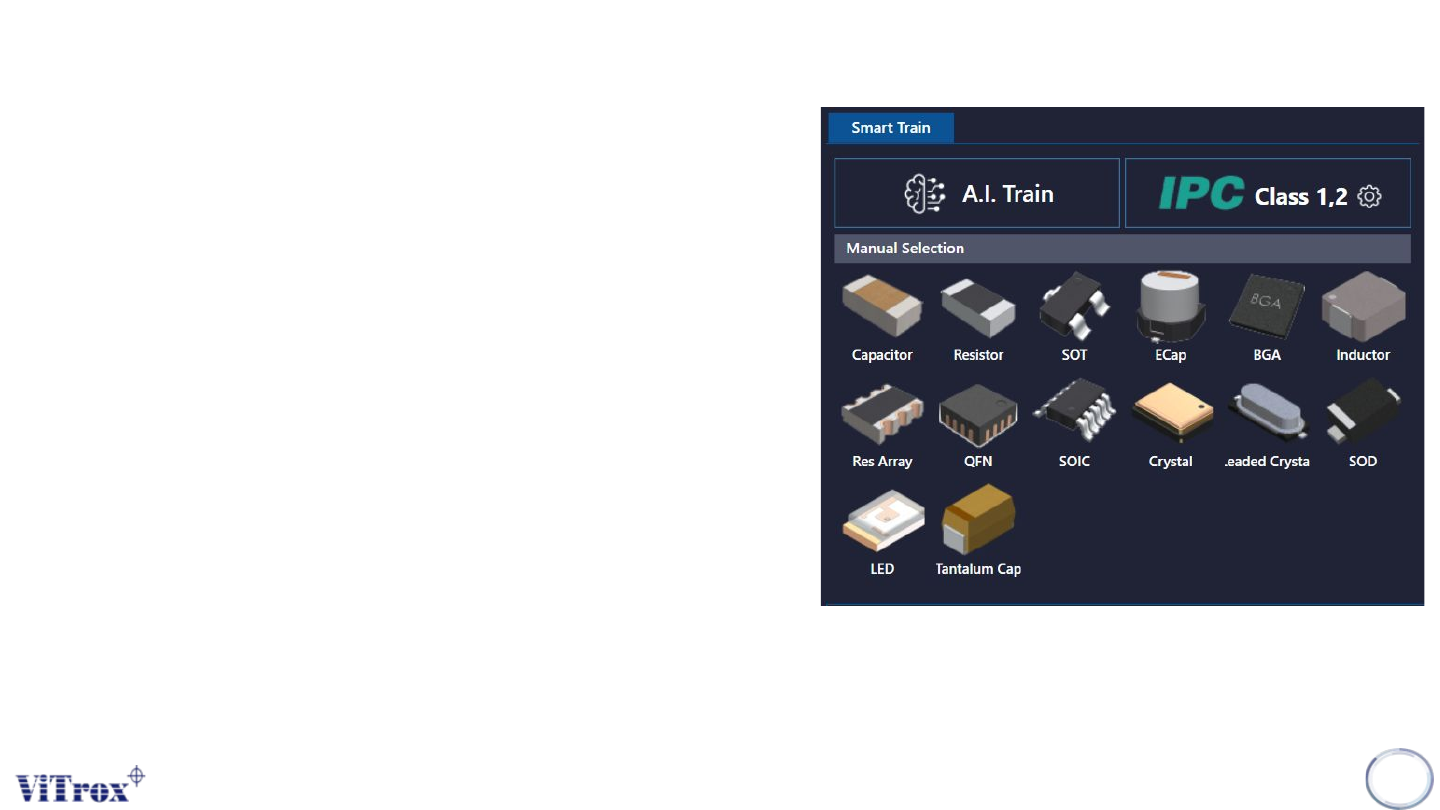
Smart train is a feature that applied Artificial Intelligence
(A.I) technology. This feature is specifically used to train
components in a manual way in one click by using A.I
technology. The following figure shows Smart Train
interface in algorithm trainer. There are three parts
under Smart Train which are:
● A.I Train
● A.I Train by manual package selection
● IPC Class
Note: Smart train option is shown when the A.I smart
programming license is detected by the ViTrox license
server and with the existence of .plx, .eplx and .epad
files in the c:/cpi/cad folder. Contact the ViTrox AOI
Service and Support team to learn about the A.I smart
programming license.
117
Figure 106: Smart train interface