Smart Graphical User Interface (SmartG) Overview_rev1.pdf - 第76页
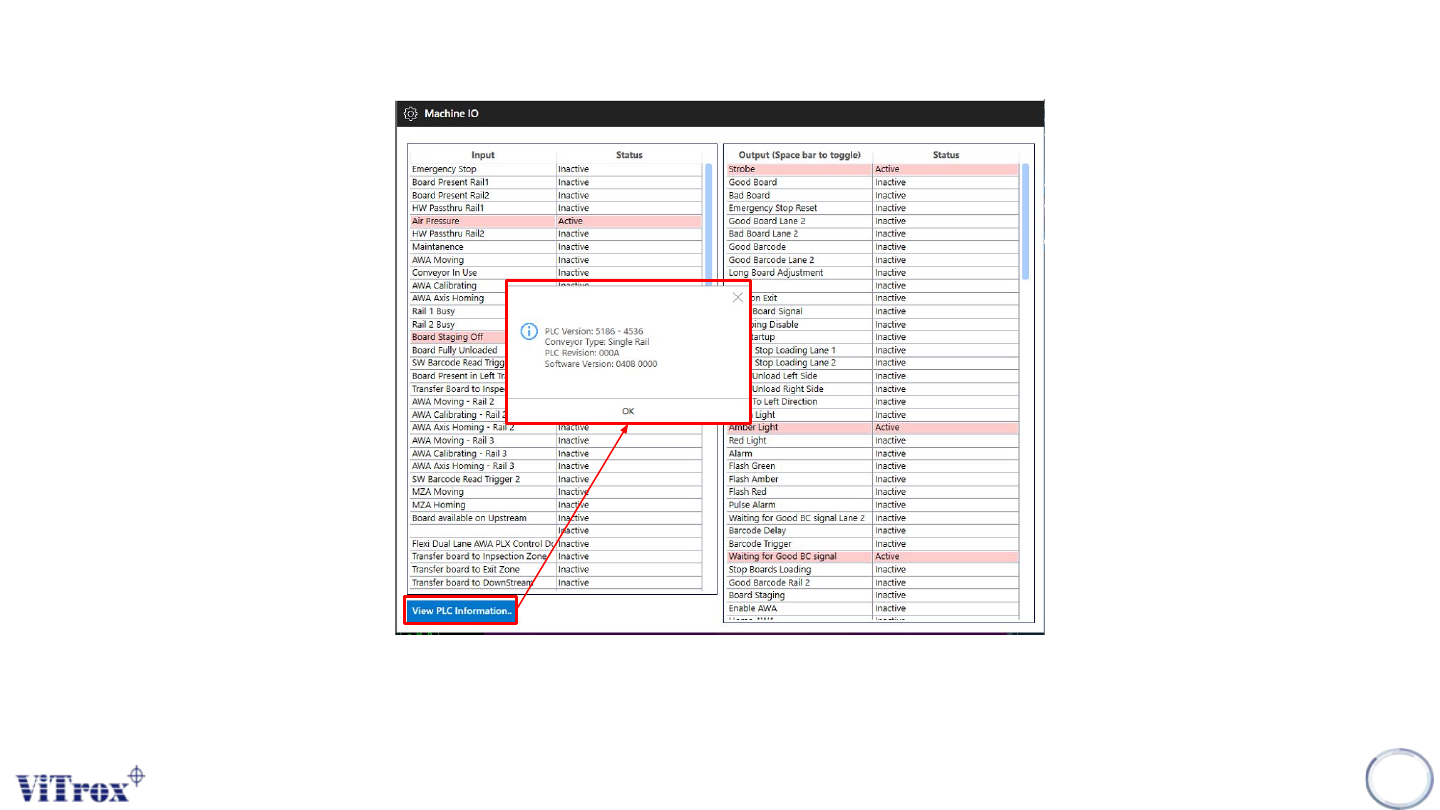
Copyright © ViT rox All Rights Reserved . Machine Setting (Machine I/O) *Note: User can verify the version and type of the PLC 76 Figure 63: PLC Information
Copyright © ViTrox All Rights Reserved.
75
Calibrate AWA Used by AWA Tools Menu
Abort AWA Move Used by AWA Tools Menu
Jog AWA In/Out 0.5mm/1mm/10mm Used by AWA Tools Menu
Lighting Controller AWA Used when AWA homes during Lighting Auto Calibration
Move AWA Used by AWA Tools Menu
Clamps Rail 1 (Rail 2) Activates board clamps on the named rail (When Maintenance key ON)
Stops Rail 1 (Rail 2) Activate board stops on the named rail (When Mantenance Key ON)
Board Avail with Bad Board Special Configuration : Whenever the "Bad board" SMEMA signal is on, also send the "Board
Available" (also known as "Good Board") SMEMA signal
Disable Bad Board Signal Special Configuration : All boards are ejected with "Board Available" (also known as "Good
Board") SMEMA signal irrespective of inspection result.
Reset Rail 1 Resets PLC sequence for front conveyor only
Reset Rail 2 Resets PLC sequence for rear conveyor only
Reset PLC All Block Resets the PLC to the start of the board sequence for both conveyors. Has the same effect as
the reset PLC or Reset Conveyor button on the machine
Clear PLC Error Requests the PLC to clear error flags
Table 1: Machine I/O Description
Copyright © ViTrox All Rights Reserved.
Machine Setting (Machine I/O)
*Note: User can verify the version and type of the PLC
76
Figure 63: PLC Information
Copyright © ViTrox All Rights Reserved.
Machine Setting (Auto Width Adjust)
77
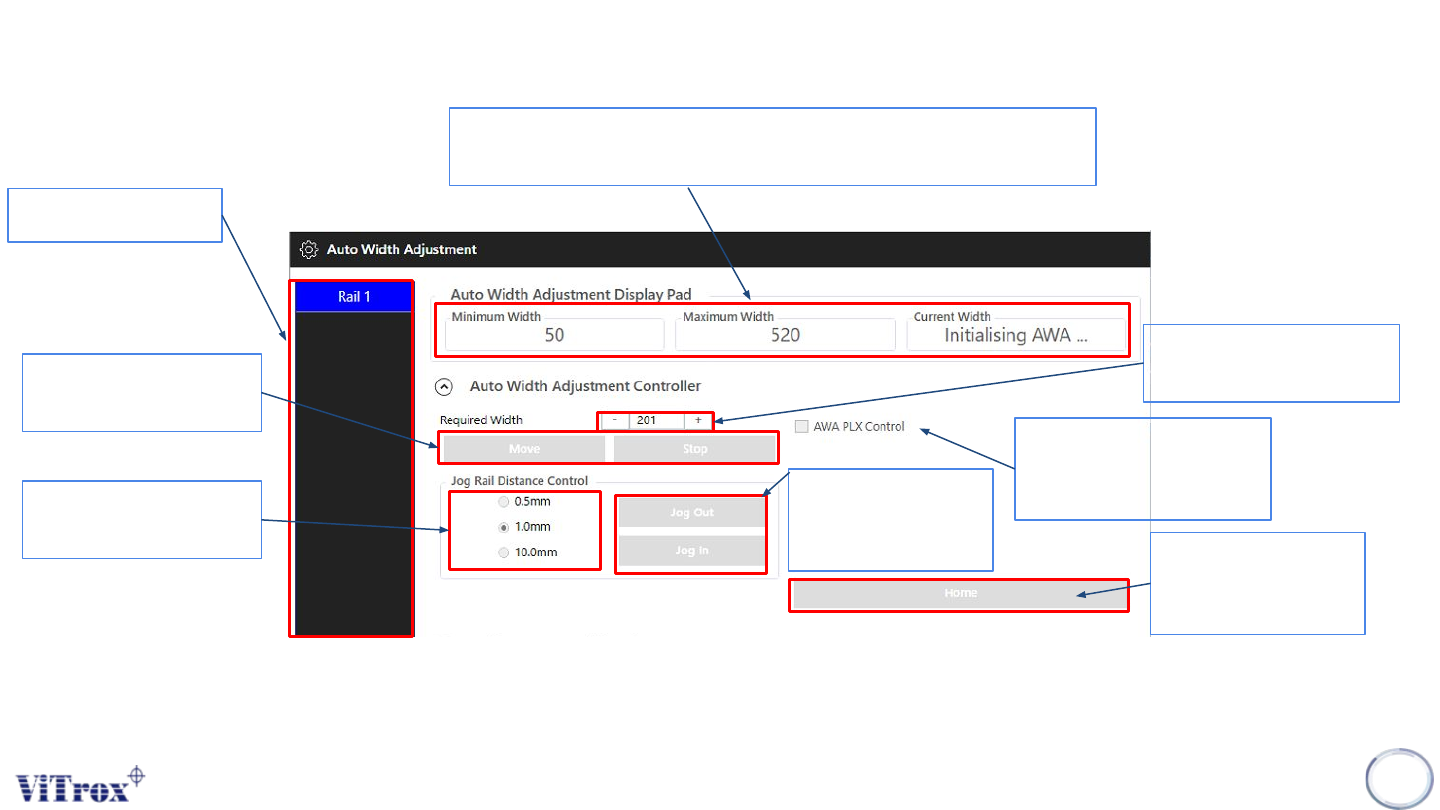
Shows Rail number
● Shows Minimum, and Maximum width of AWA
● Shows the current width of AWA
User can fill the required
width of the panel
If press Home, it will
go to minimum width
of AWA
Increase and Reduce
the steps of jog AWA
Figure 64: PLC Information
User can click AWA plx
control followed by the
plx width of panel
Can jog in and out
followed by rail
distance control
Move and Stop to
specific value