Smart Graphical User Interface (SmartG) Overview_rev1.pdf - 第59页
Copyright © ViT rox All Rights Reserved . Machine Setting (Barcode) 59 Figure 49: General Setting (Barcode) Parameter in SmartG 1 T o enable barcode validator from MES T o prompt out the message fail as barcode if the ba…
Copyright © ViTrox All Rights Reserved.
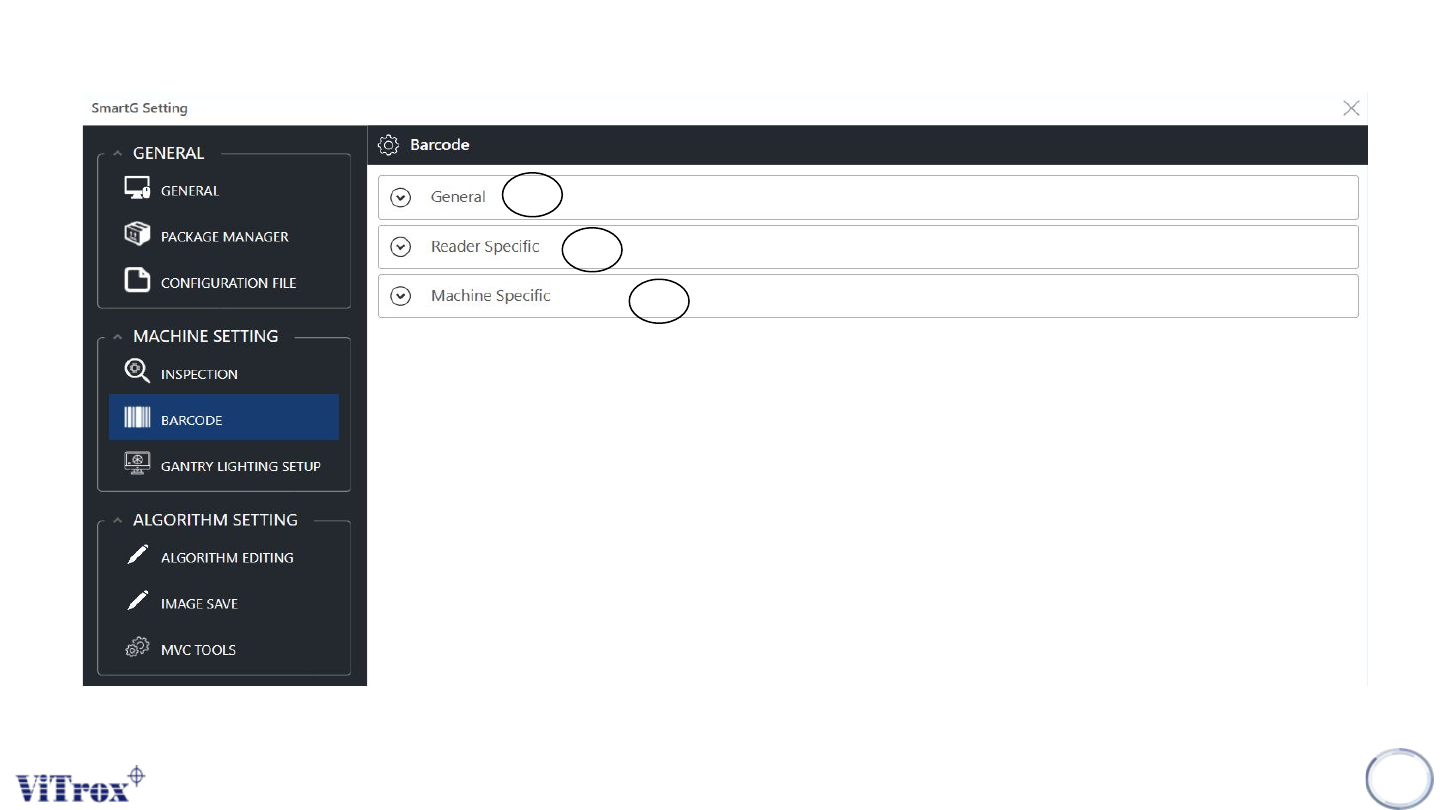
Machine Setting (Barcode)
58
Figure 48: Machine Setting (Barcode) configuration in SmartG
1
2
3
Copyright © ViTrox All Rights Reserved.
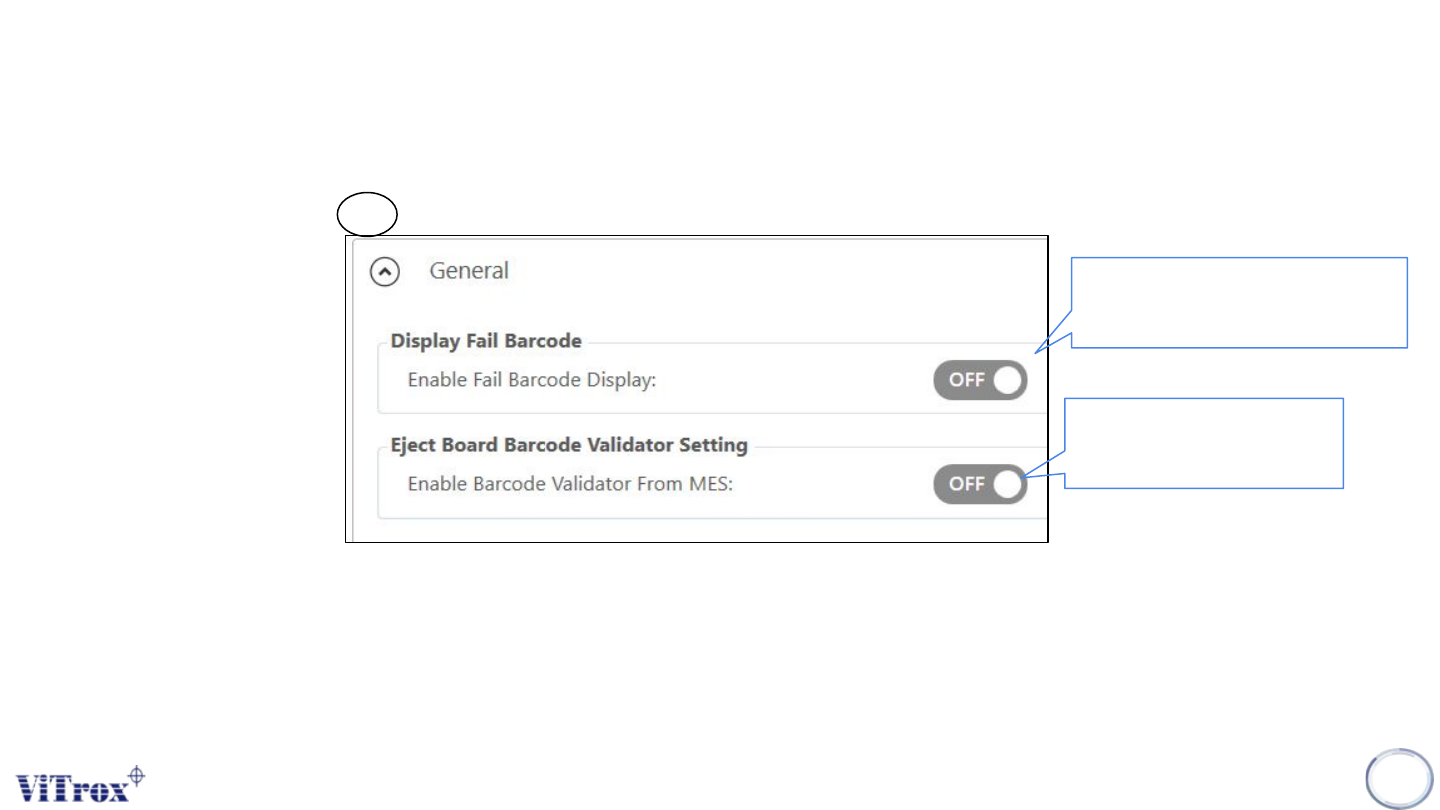
Machine Setting (Barcode)
59
Figure 49: General Setting (Barcode) Parameter in SmartG
1
To enable barcode
validator from MES
To prompt out the
message fail as barcode
if the barcode is fail.
Copyright © ViTrox All Rights Reserved.
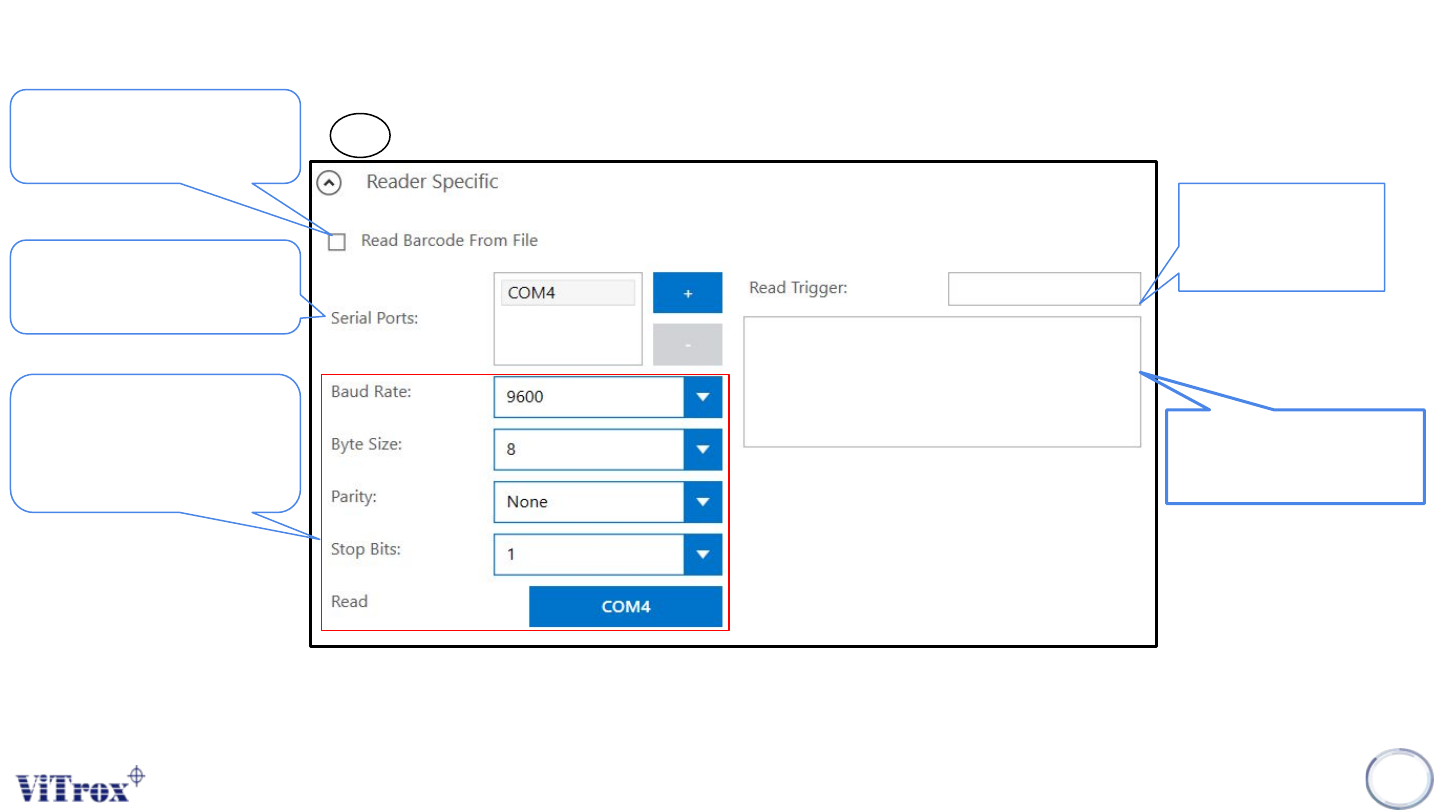
Machine Setting (Barcode)
60
User can use this if the
barcode file already exists in
the PC
2
Please ensure COM port in
device manager is tally with
this serial ports number.
Communication Channel
*Please ensure these
communication channel is
tally with configuration
application barcode
software.
Figure 50: Reader Specific (Barcode) Parameter in SmartG
Please use
this symbol
“<+>”
This box to ensure the
barcode configuration
in good condition
Barcode Initialised Successfully