Smart Graphical User Interface (SmartG) Overview_rev1.pdf - 第86页
Copyright © ViT rox All Rights Reserved . Algorithm Setting (Algorithm Editing) 86 8 9 T o enable/disable Golden Board Inspection ● T o enable/disable masking on unpopulated part ● User also can clear auto learned mask F…
Copyright © ViTrox All Rights Reserved.
Algorithm Setting (Algorithm Editing)
85
7
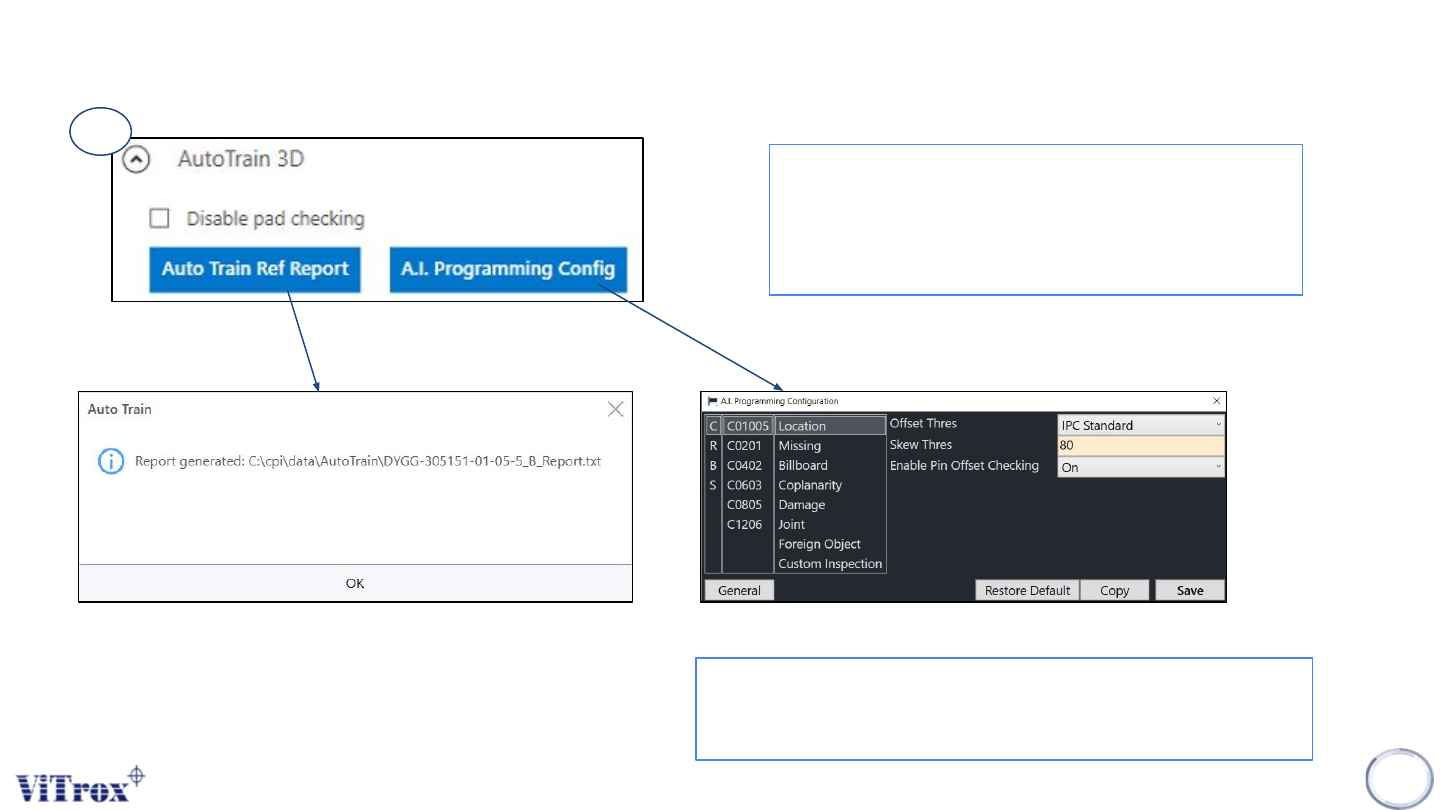
● To enable the AutoTrain for 3D Algorithm device
type
● User can disable pad checking (depend on user)
● All the Auto Train Reference report generated at
C\cpi\data\AutoTrain\ProgramName
● This is the configuration for A.I Technology
● User can see all the CRBS type with their respective
package including inspection parameter.
Figure 73: Auto Train 3D Parameter
Figure 74: Auto Train Ref. Report Path folder
Figure 75: A.I. Programming Configuration
Copyright © ViTrox All Rights Reserved.
Algorithm Setting (Algorithm Editing)
86
8
9
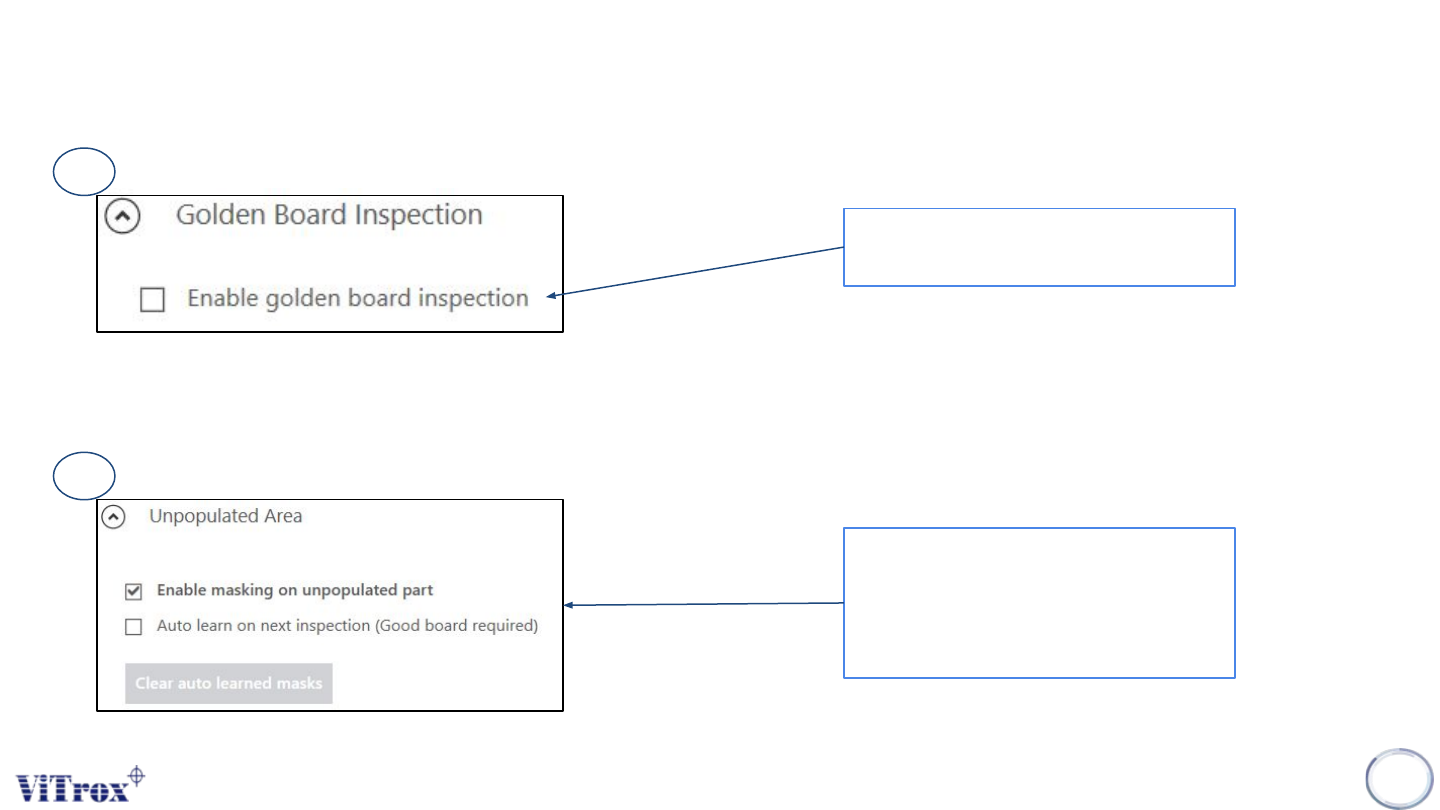
To enable/disable Golden Board
Inspection
● To enable/disable masking on
unpopulated part
● User also can clear auto learned
mask
Figure 76: Golden Board Inspection feature
Figure 77: Unpopulated Area Parameter
Copyright © ViTrox All Rights Reserved.
Algorithm Setting (Image Save)
87
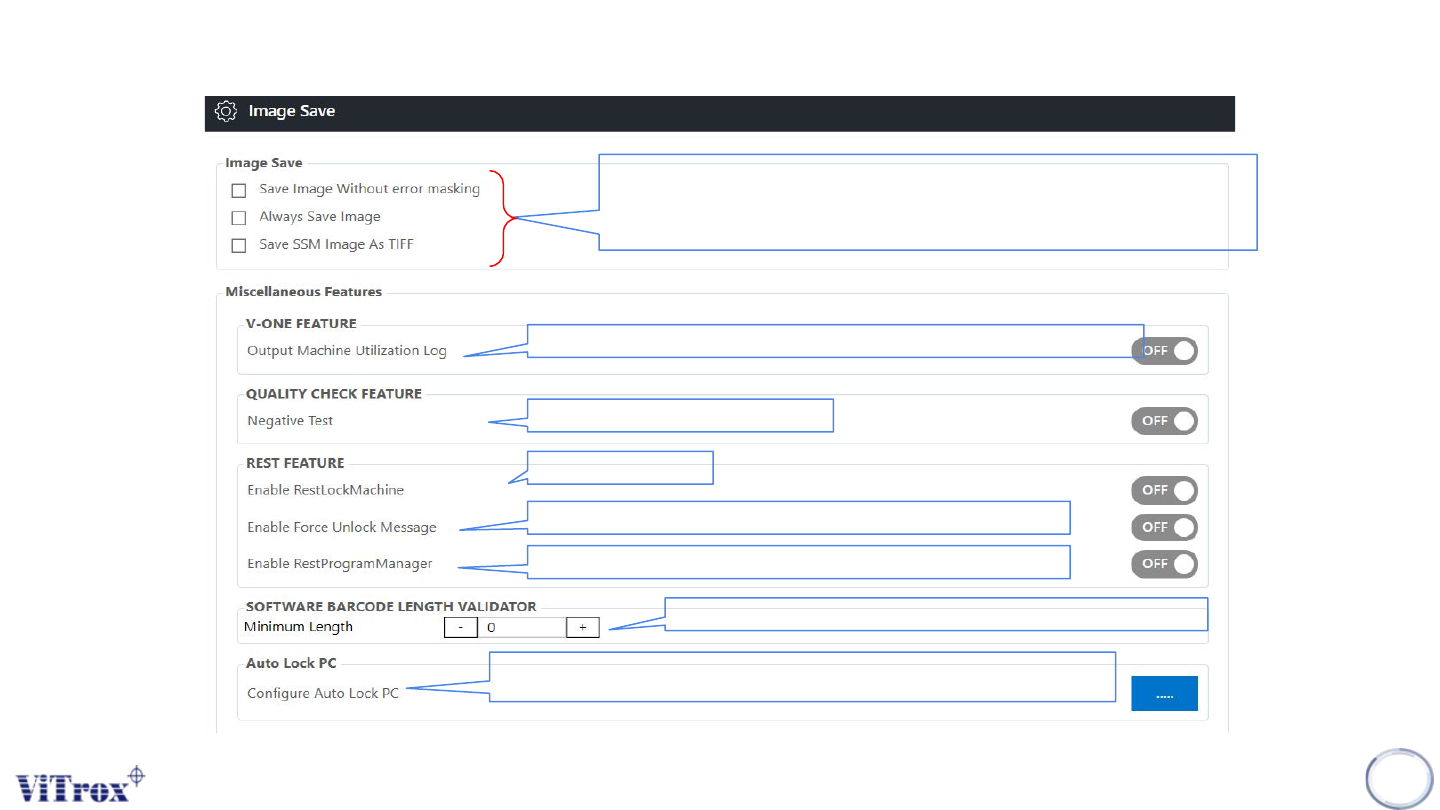
Figure 78: Image Save Parameter in SmartG
V-one log history/Miscellaneous Output Machine Utilization Log
Check overall the QC
To lock the machine
To enable the prompt message when user want to unlock the machine
To enable/disable rest program manager
User can set the minimum length of barcode validation 0:127
Use Can lock SmartG or PC when the PC in IDLE condition within the limit
The path folder c\cpi\img
● Save image without error masking→ no masking image will be saved
● Always Save image→ Save the entire image of inspection
● Save SSM Image As TIFF→Save image as TIFF type