Smart Graphical User Interface (SmartG) Overview_rev1.pdf - 第22页
Copyright © ViT rox All Rights Reserved . General Setting Pressing System Information brings up the dialogue box shown in the figure below . It also writes the C:\cpi\log\about_gsi.txt file. This may be required for trou…
Copyright © ViTrox All Rights Reserved.
General Setting
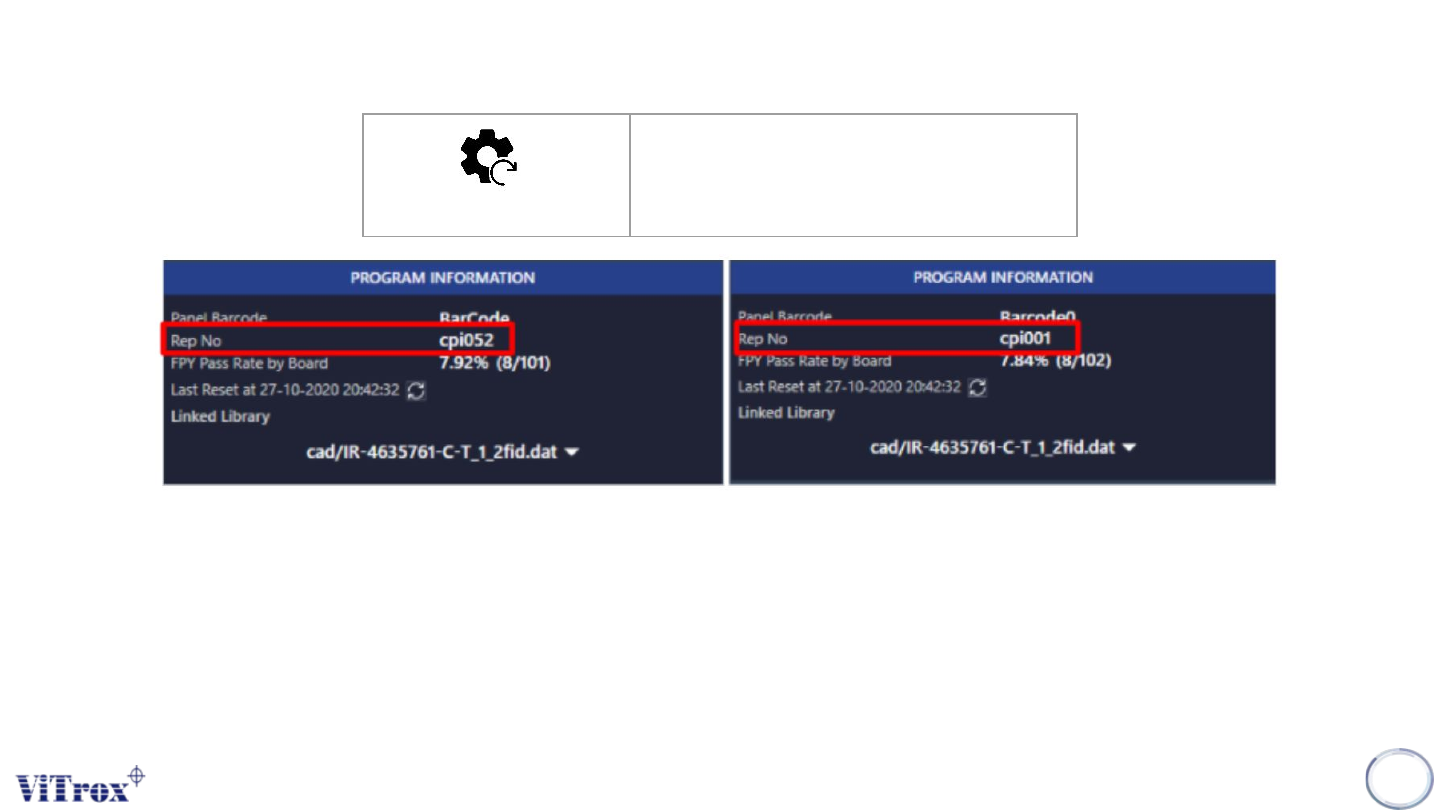
The system saves the report files in numerical order, from 1 to an upper limit that a user specified in the config.txt file. When the
system reaches the upper limit, it returns back to 1. Pressing Reset Report File Count sets the system so that the next inspection
comes with the rep file number 001. This can be seen in the program information.
21
Reset Report File Count
Reset Report File Count
Figure 11: After reset-ing report file count
Copyright © ViTrox All Rights Reserved.
General Setting
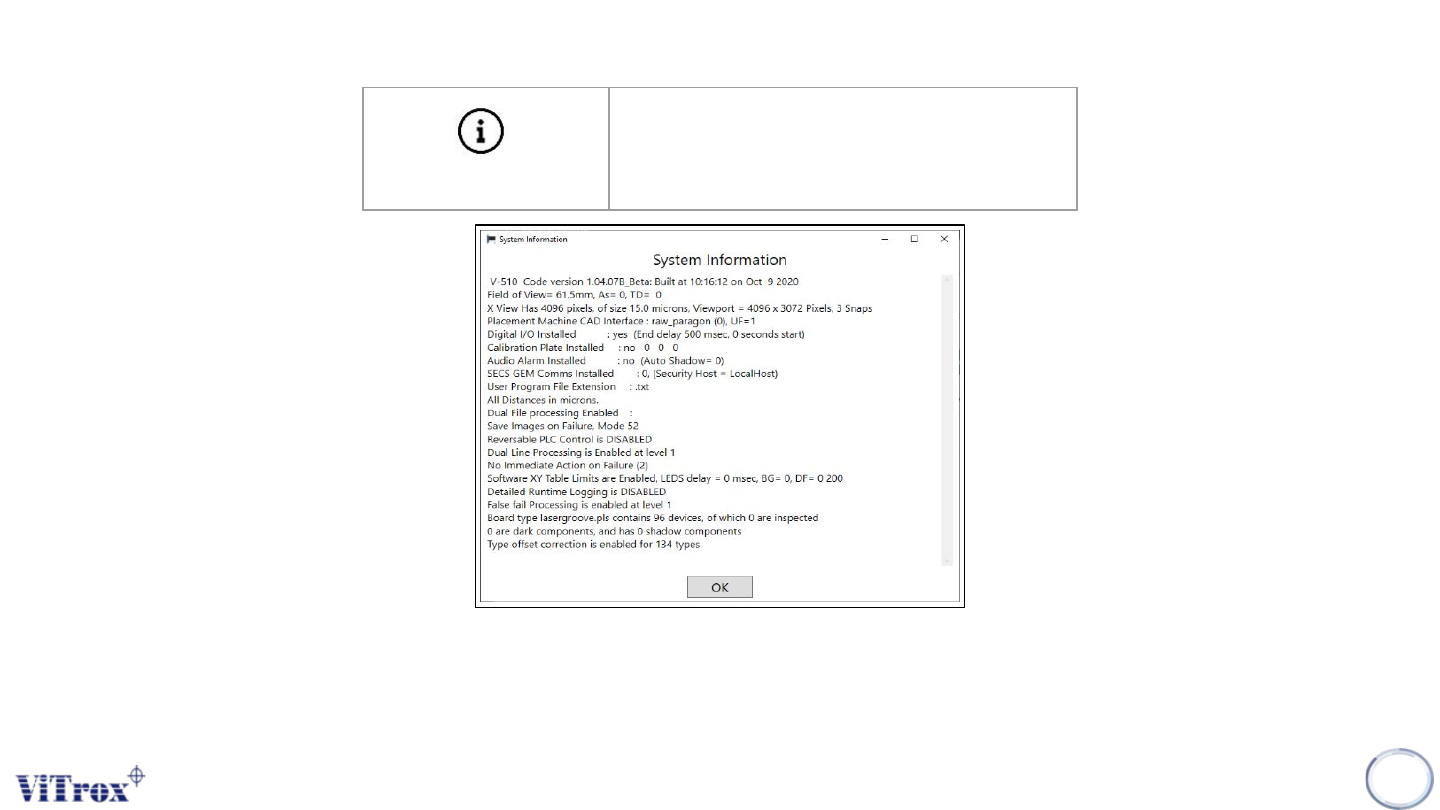
Pressing System Information brings up the dialogue box shown in the figure below. It also writes the C:\cpi\log\about_gsi.txt file. This
may be required for troubleshooting. This includes information such as the camera's pixel size.
Note: X view of size (15.0 microns) represent a 15 μm lens and the viewport (4096 x 3072 pixels) represents a 12M camera.
22
System Info
Show System Information
Figure 12: Show System Information
Copyright © ViTrox All Rights Reserved.
General Setting
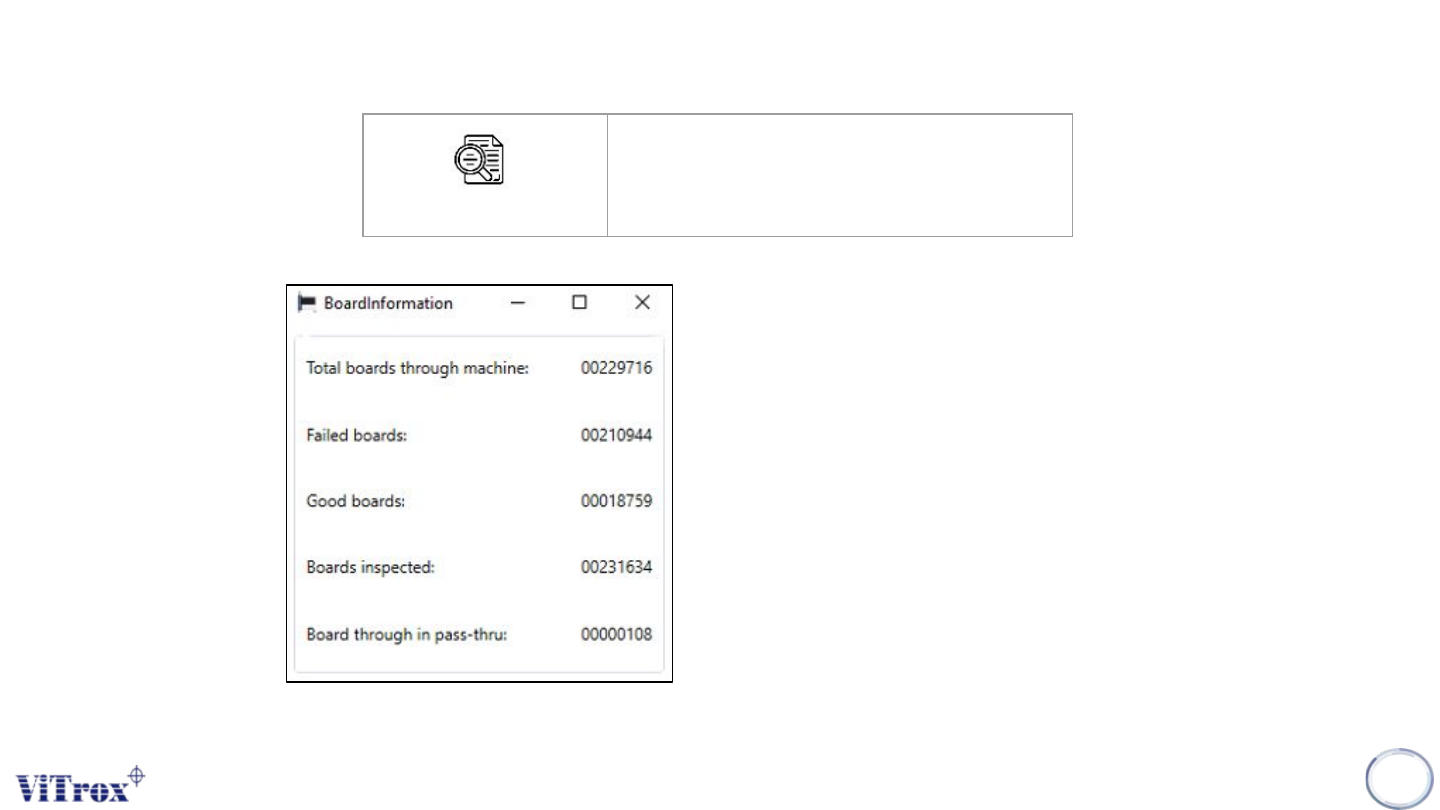
Machine board count is used to display
information related to the number of
boards passing through the machine.
This information is as follows:
● Total boards through machine
● Failed boards
● Good boards
● Boards inspected
● Boards through in pass-thru
23
Machine Board Count
Show Machine Board Count
Figure 13: Board Information