Smart Graphical User Interface (SmartG) Overview_rev1.pdf - 第31页
Copyright © ViT rox All Rights Reserved . General Setting (Engineer Setting) T urn On Sampling Inspection 31 This feature is used to run the sampling inspection for the first and second program, or vise versa. Set the sa…
Copyright © ViTrox All Rights Reserved.
General Setting (Engineer Setting)
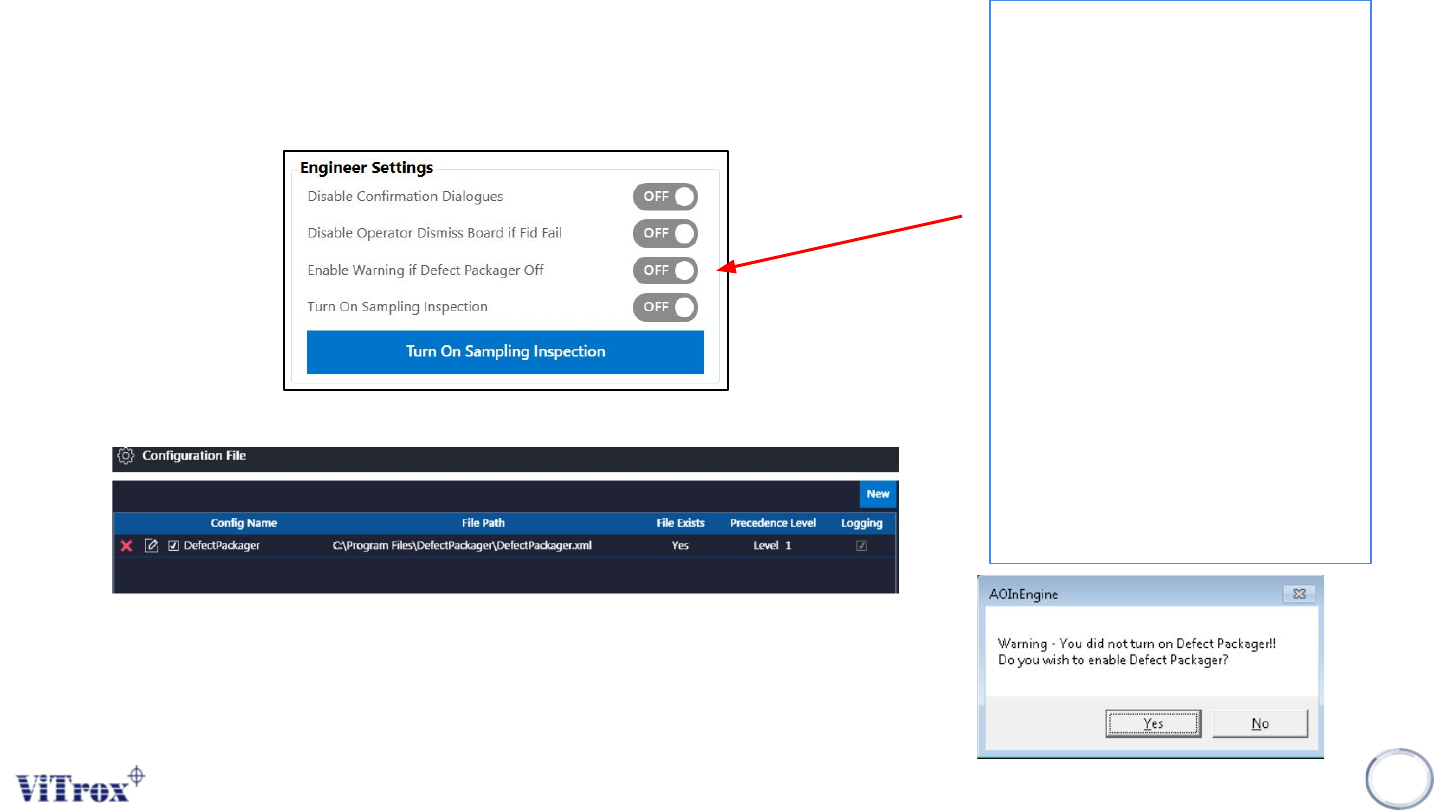
Enable Warning if Defect Packager Off
30
Figure 21: Engineer Settings
This feature is used to prevent a user
setting the defect packager to Off in
configuration files. This is because
when the defect packager set to Off, it
will induce the data to be unpacked and
VVTS will not display result.
Once the inspection started, a warning
window prompt the user to select
enable or disable the defect packager
setting. If defect packager is enabled,
the next inspection will not show the
warning message and the defect
packager will set to ON in configuration.
If defect packager is disabled, the
warning message will show for all
incoming boards.
Note: This feature is available in
engineer and operator mode.
Figure 22: After Selecting ‘’Yes’’, defect packager will be selected
Figure 22: Defect Packager warning message
Copyright © ViTrox All Rights Reserved.
General Setting (Engineer Setting)
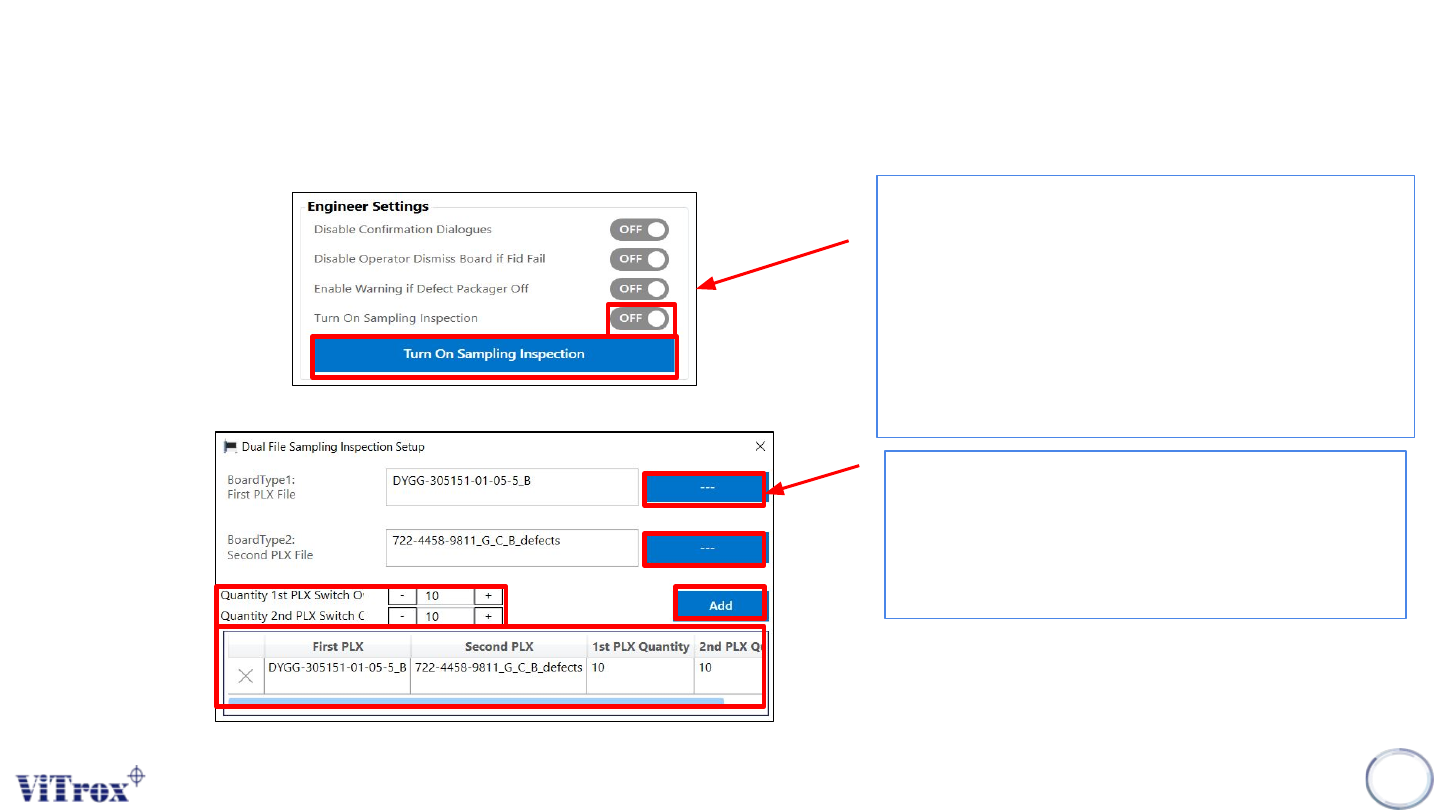
Turn On Sampling Inspection
31
This feature is used to run the sampling inspection for the
first and second program, or vise versa. Set the sampling
inspection to On, and click the sampling inspection button
as shown in the figure below.
Note: This feature is applicable to single lane and dual
lane.
Figure 23: Engineer Settings
Figure 24: Dual file sampling inspection setup
1) Load the PLX file for first and second program
2) Set the quantity of first and second program
and click at add button.
3) After add, the information will be added in the
table.
Copyright © ViTrox All Rights Reserved.
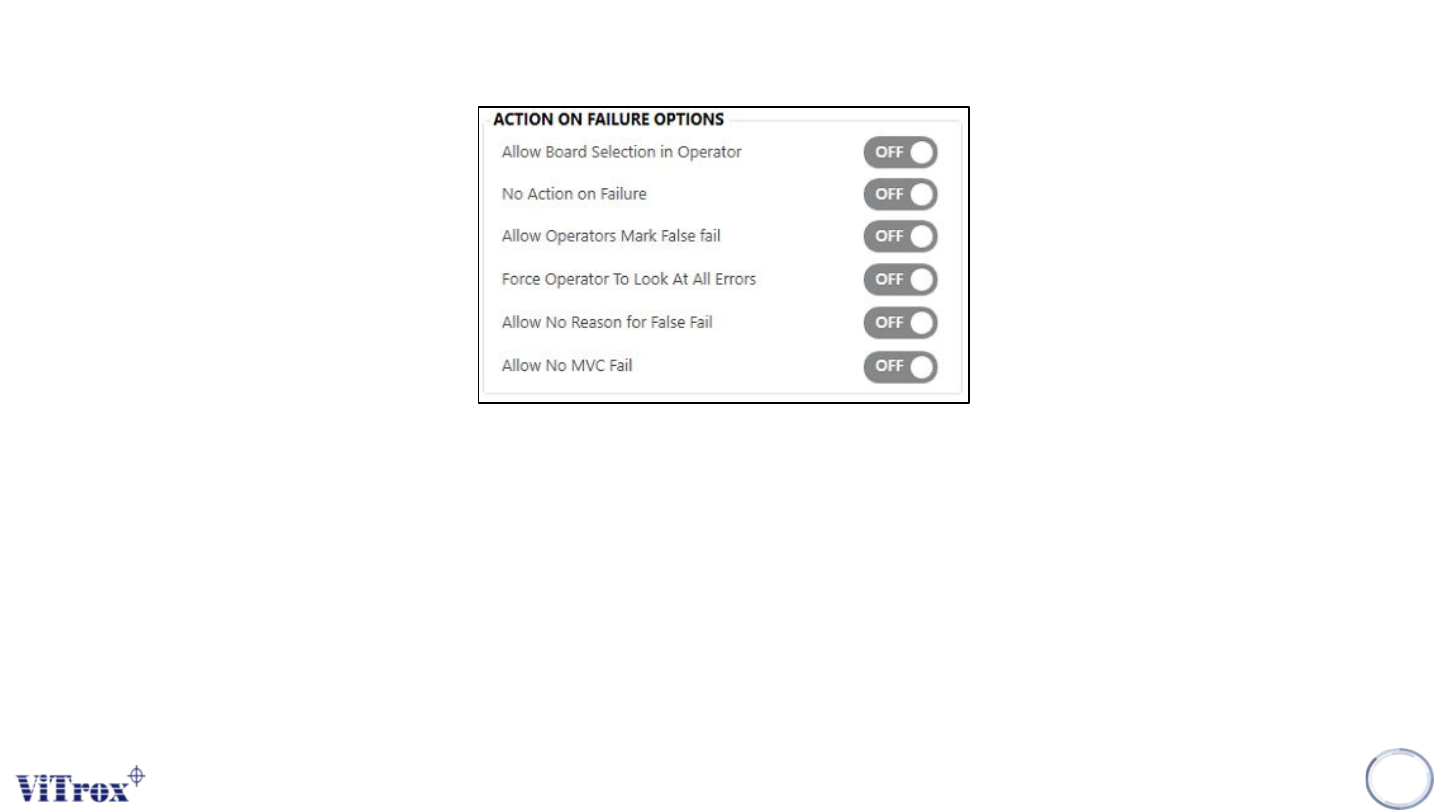
General Setting (Action on Failure Options)
Action on Failure Options are used to set up the operator access control and use model in the operator mode. The
options are:
● Allow board selection in operator
● No action on failure for operators
● Allow operators mark false fail
● Force operator to look at all errors
● Allow no reason for false fail
● Allow no MVC fail
32
Figure 25: Action on failure options