Smart Graphical User Interface (SmartG) Overview_rev1.pdf - 第83页
Copyright © ViT rox All Rights Reserved . Algorithm Setting (Algorithm Editing) 83 4 5 T o enable/disable log history in C/CPI/Log T o enable/disable Lot control in operator mode T o enable/disable Lot without Counter Co…
Copyright © ViTrox All Rights Reserved.
Algorithm Setting (Algorithm Editing)
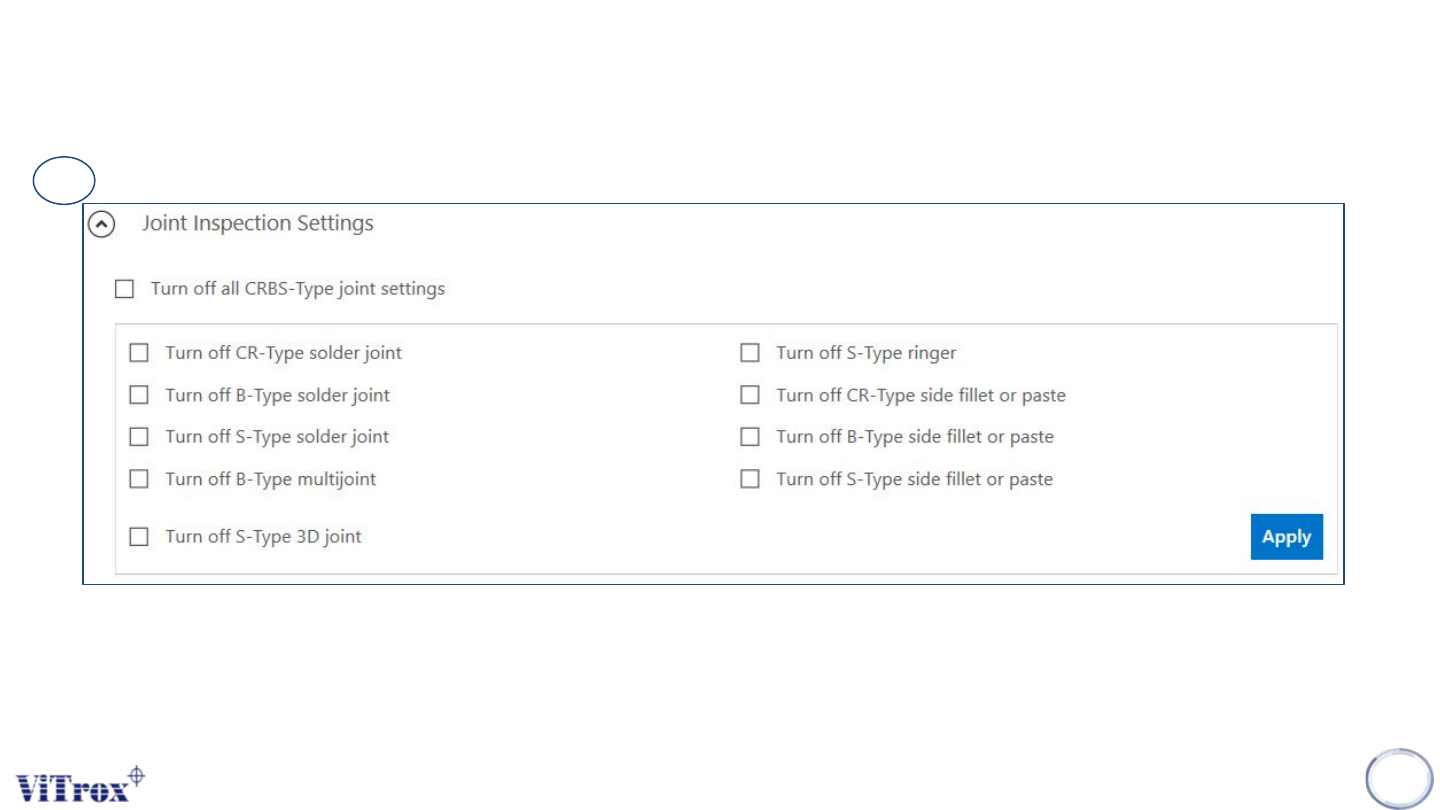
• User can enable and disable the type of Joint Inspection of each type.
• If user want to eliminate the some joint inspection in CRBS type, user can choose any of parameter to disable
inspection.
82
3
Note: Please refer to slide Algorithm for more information and detail
Figure 68: Joint Inspection Parameter
Copyright © ViTrox All Rights Reserved.
Algorithm Setting (Algorithm Editing)
83
4
5
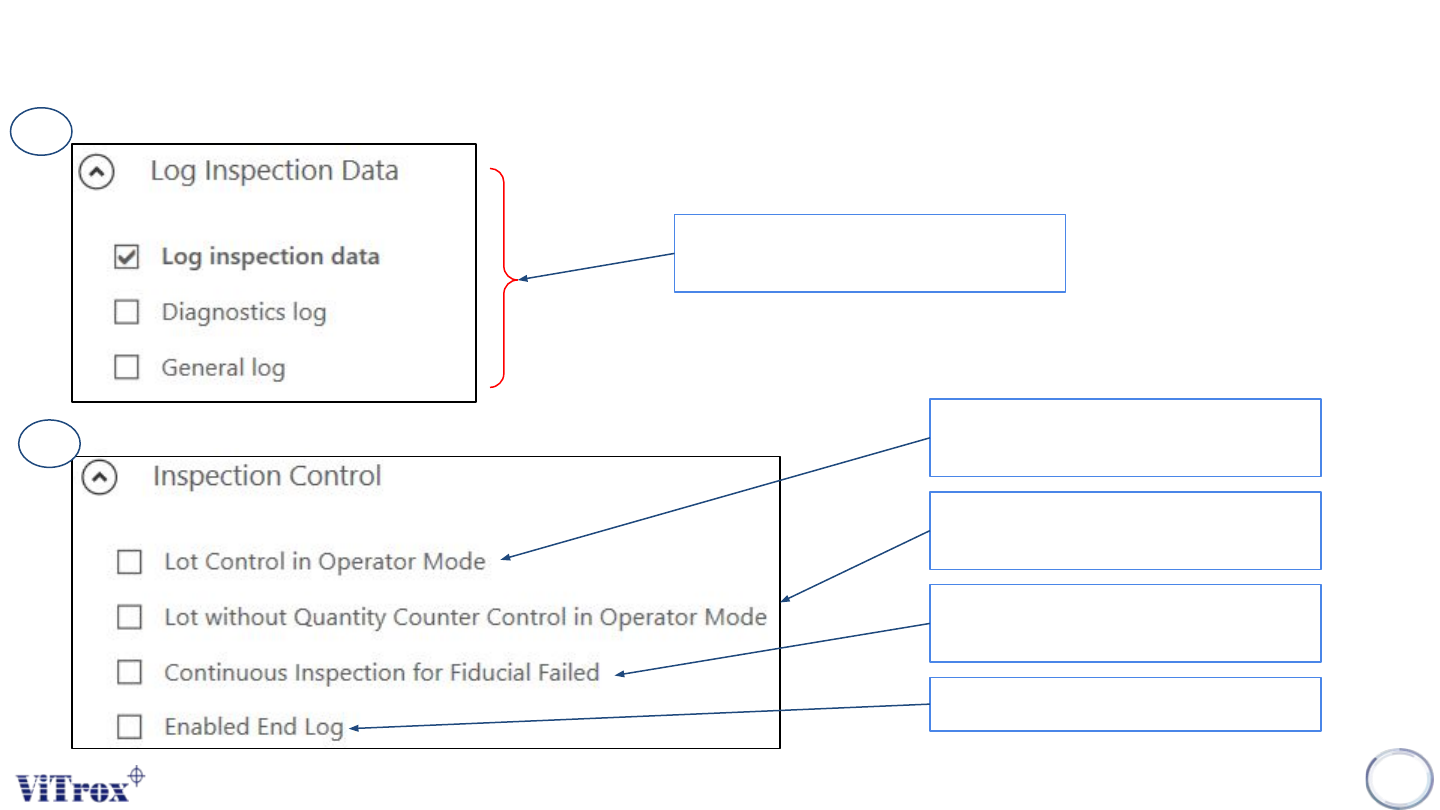
To enable/disable log history in
C/CPI/Log
To enable/disable Lot control in operator
mode
To enable/disable Lot without Counter
Control in operator mode
To enable/disable Continuous mode
Inspection for fiducial failed
To enable End log
Figure 69: Log Inspection Data Parameter
Figure 70: Inspection Control Parameter
Copyright © ViTrox All Rights Reserved.
Algorithm Setting (Algorithm Editing)
84
6
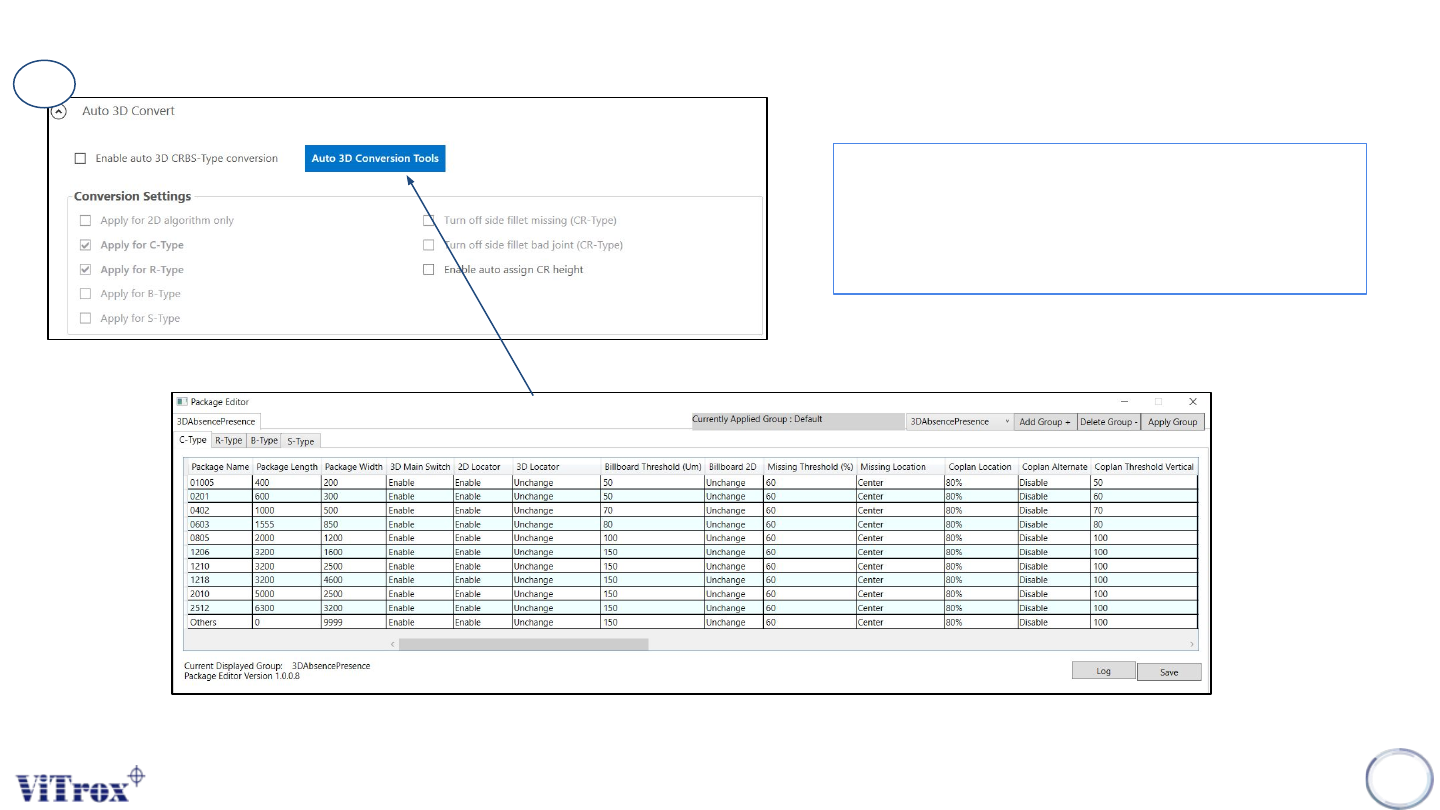
● To convert algorithm from 2D to 3D
● User can select multiple type of package CRBS
type to convert from 2D to 3D algorithm
● Auto 3D conversion Tools is to setup custom
package to apply this conversion.
Figure 71: Auto 3D Convert Parameter
Figure 72: Auto 3D Conversion Tools (Package Editor) Parameter