Smart Graphical User Interface (SmartG) Overview_rev1.pdf - 第35页
Copyright © ViT rox All Rights Reserved . General Setting (Action on Failure Options) 35 Figure 28: Action on failure options Allow Operators Mark False Fail This feature is designed to allow an operator to mark false fa…
Copyright © ViTrox All Rights Reserved.
General Setting (Action on Failure Options)
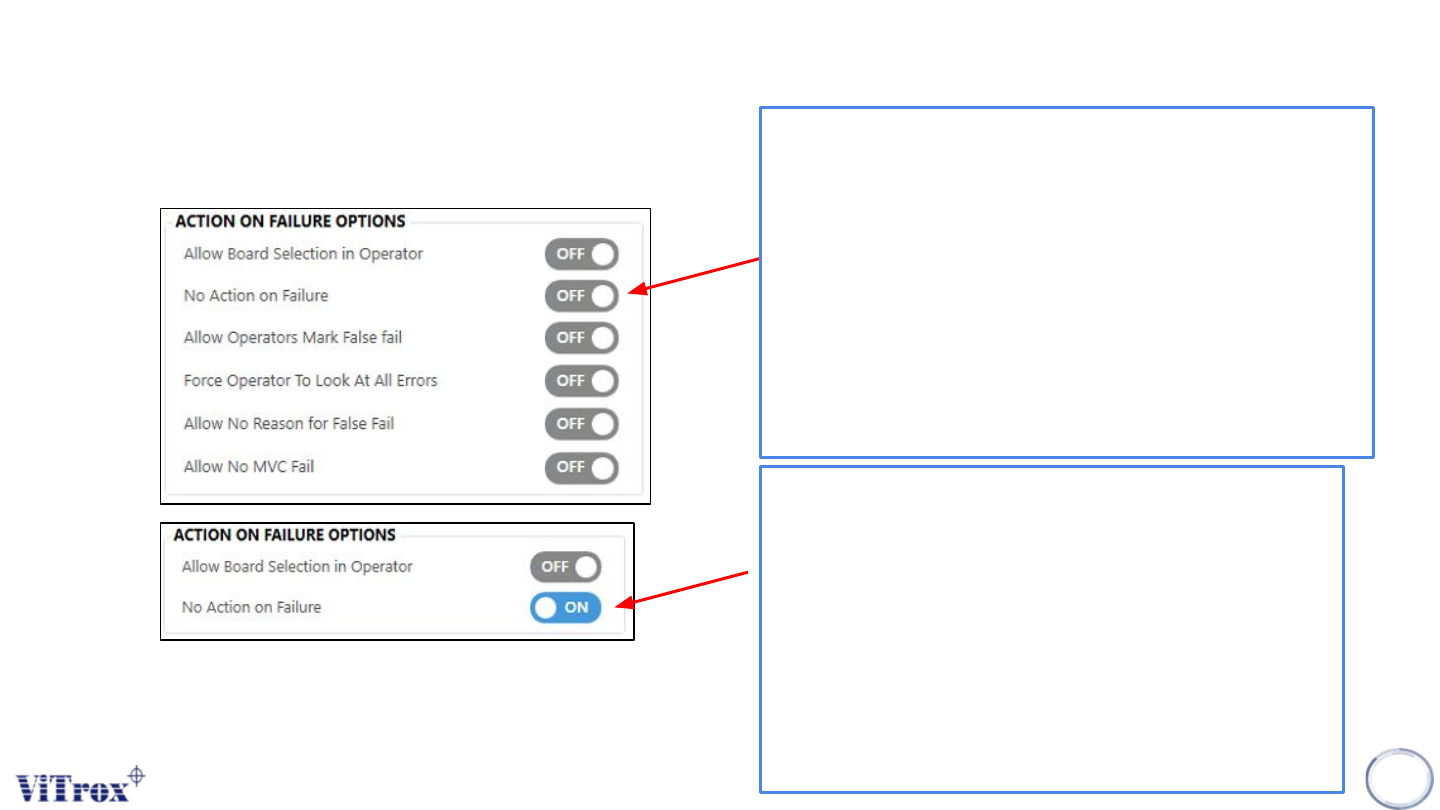
This feature is designed to switch the operator use
model to either "Require to perform false fail checking
on system" or "no action taken". When this feature is
enabled, the board unloads automatically without any
operator action. When this feature is disabled, it shows
the features under this operator use model. The
recommended settings are enabled.
Note: This feature is designed for users who are not using
ViTrox Verification Test Solution (VVTS) and performing
defect call verification in the system.
34
No Action on Failure for Operators
Figure 27: Action on failure options
When this feature is disabled, defect call inspected by
system after inspection is done. The board remains
unclamped and allows an operator to view the defect
call. The operator is required to unload the board
manually. The figure below shows the simple defect
review in the operator mode.
Note: No action can be taken to change the system
inspection result. The alarm will be triggered and red
light will be luminated.
Copyright © ViTrox All Rights Reserved.
General Setting (Action on Failure Options)
35
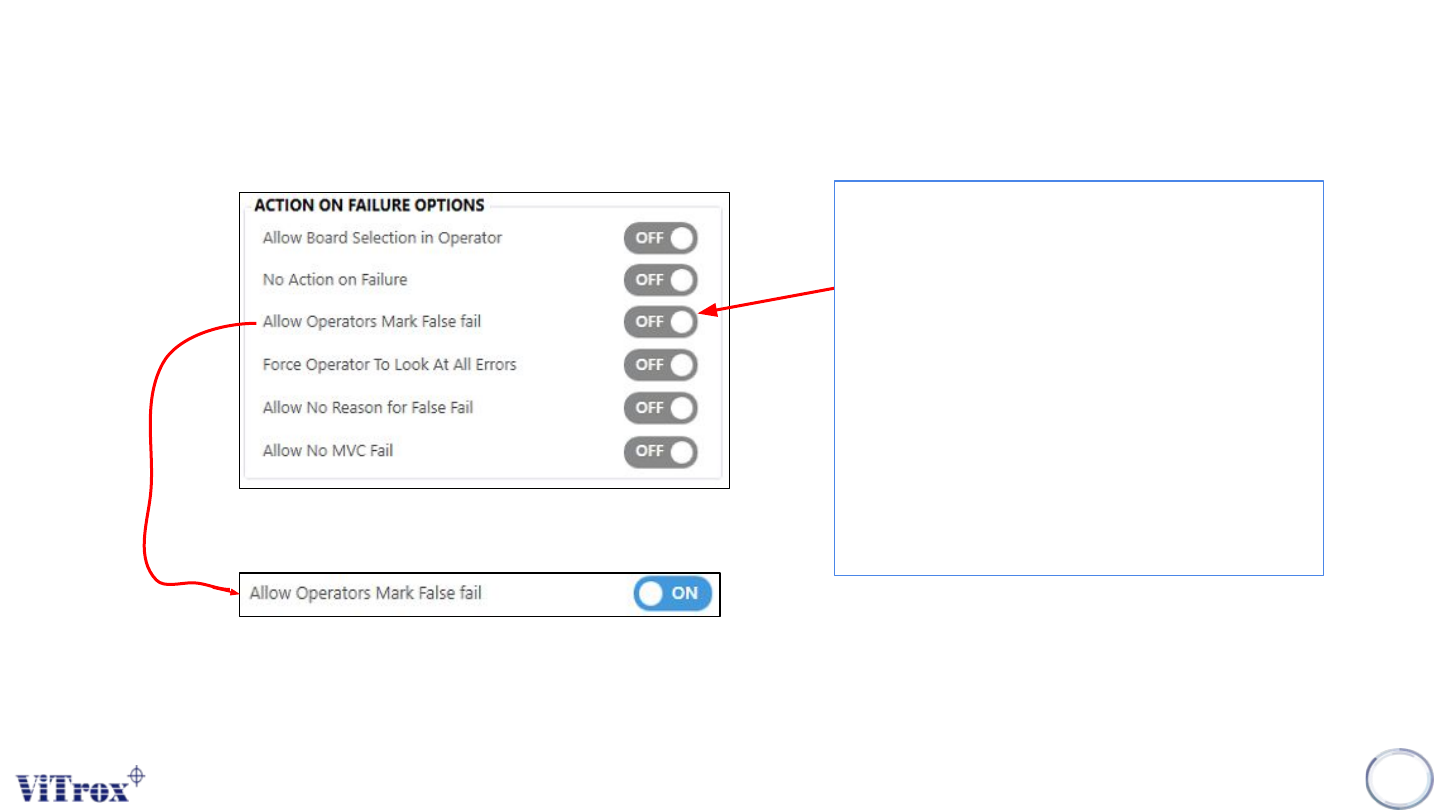
Figure 28: Action on failure options
Allow Operators Mark False Fail
This feature is designed to allow an
operator to mark false fail on the reference
designator. When a reference designator is
marked as false fail, the reference
designator is consider as a pass
component. A false fail button appears on
the defect review window in operator
mode.
Note: This feature is applicable when "No action on
failure for operator" is set to Off. This feature is not
compatible with false fail monitoring.
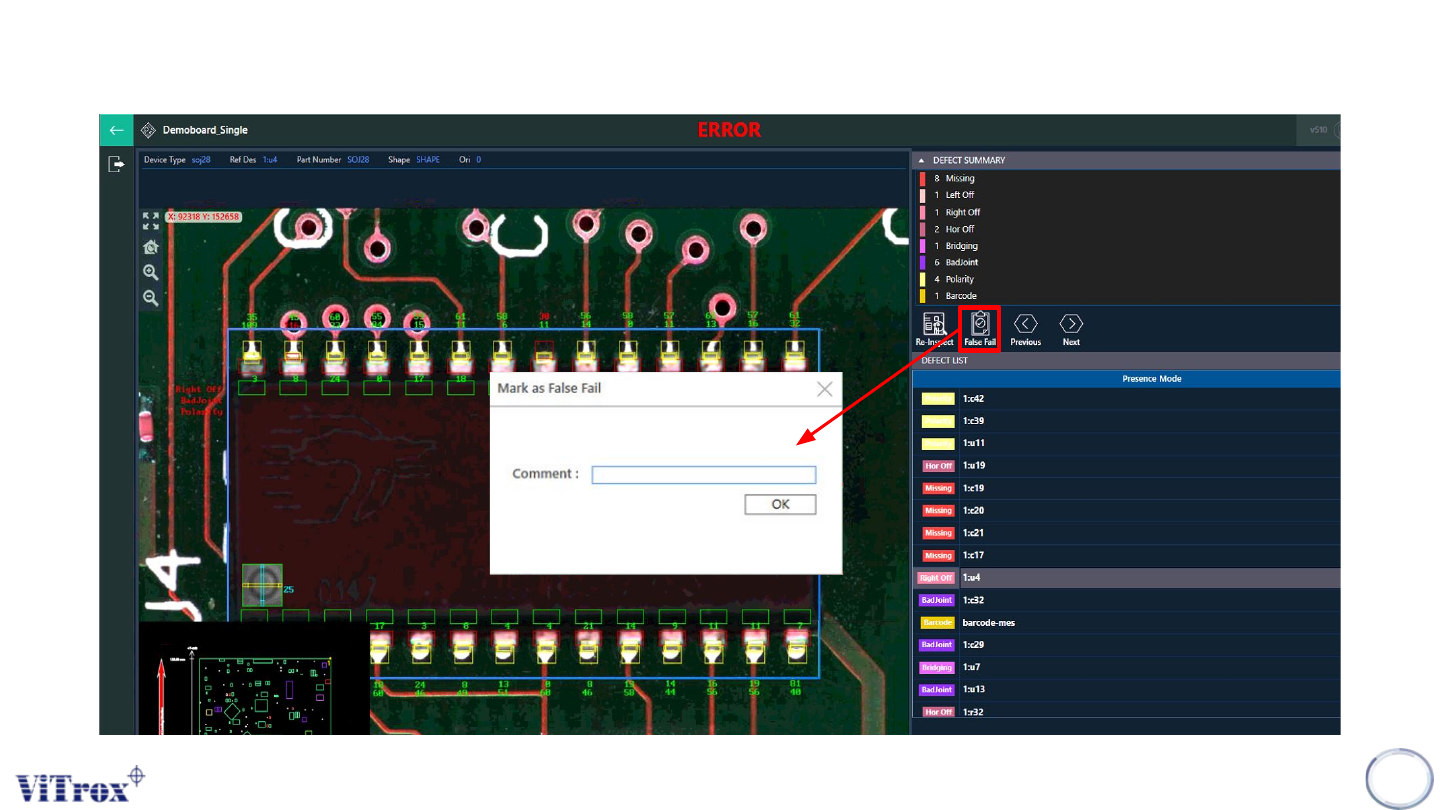
Note: Please refer to the next slide to see example of the Mark False Fail. You can put the comment why the specific component False Fail
Copyright © ViTrox All Rights Reserved.
General Setting (Action on Failure Options)
36
Figure 29: Example Interface when Mark False Fail button is enabled