Smart Graphical User Interface (SmartG) Overview_rev1.pdf - 第29页
Copyright © ViT rox All Rights Reserved . General Setting (Engineer Setting) 29 Disable Operator Dismiss Board if Fid Fail This feature is used to disallow the operator to unload boards from machine during fiducial fail …
Copyright © ViTrox All Rights Reserved.
General Setting (Engineer Setting)
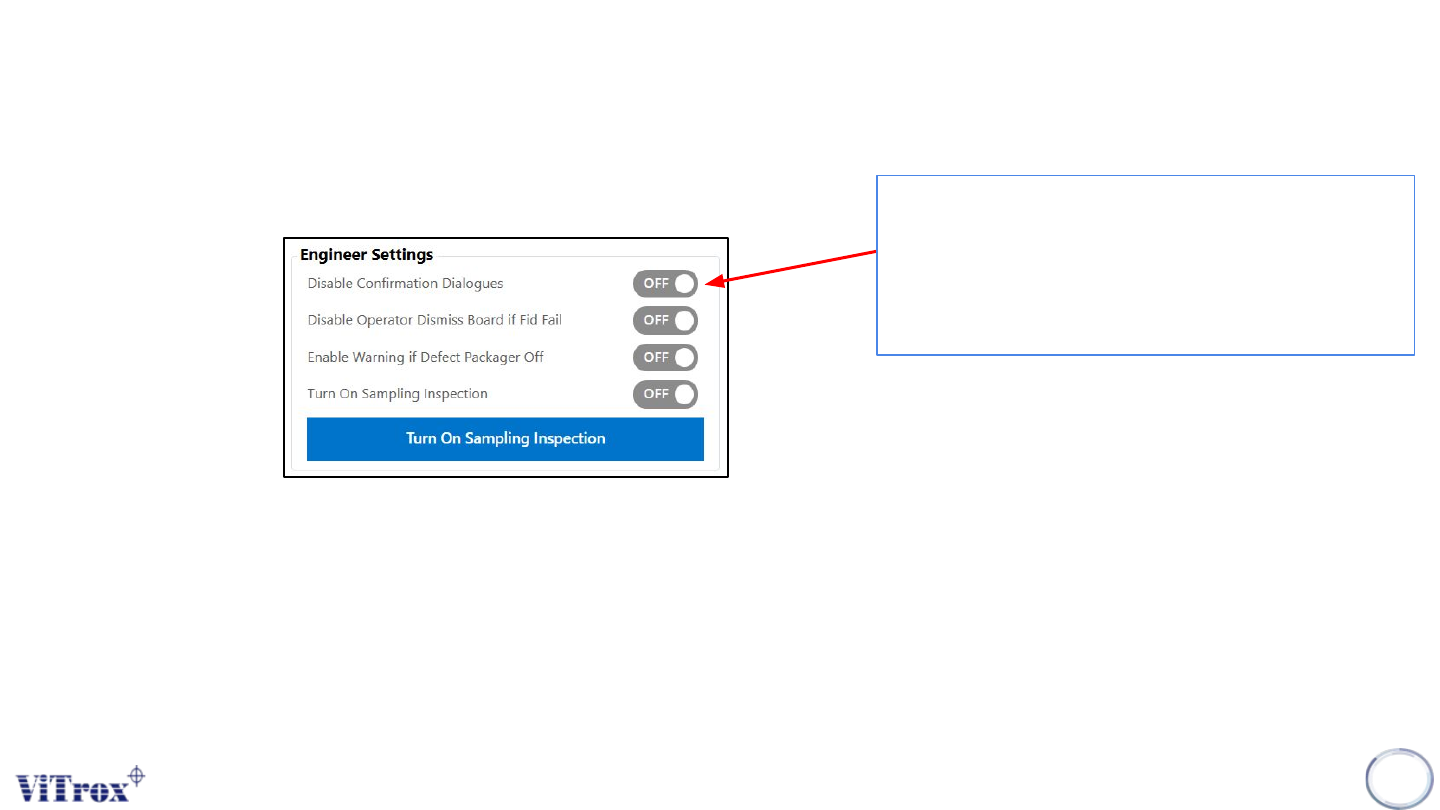
Disable Configuration Dialogues
28
Disable confirmation dialogues is to stop
prompting the confirmation window. It skips the
confirmation popup. Error messages that
require to perform action such as fiducial fail,
Barcode0 warning.
Figure 18: Engineer Settings
Copyright © ViTrox All Rights Reserved.
General Setting (Engineer Setting)
29
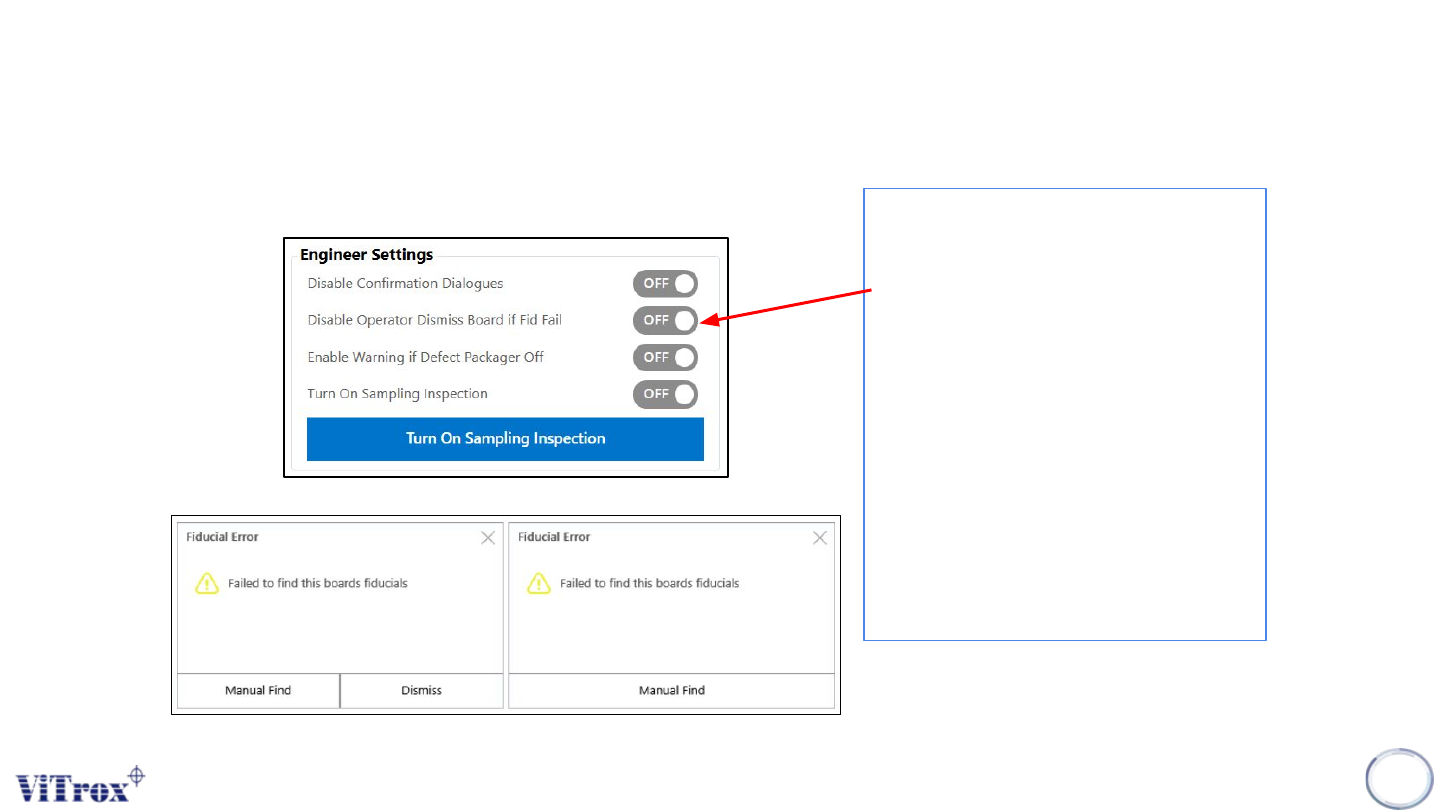
Disable Operator Dismiss Board if Fid Fail
This feature is used to disallow the
operator to unload boards from machine
during fiducial fail in operator mode.
After turning on Auto Inspect and Release
in engineer or operator mode, a board
remains clamped and an error message
appears for a user to select manual find
only once fiducial failed. It forces the user
to go back to fiducial editor to perform
fiducial fine-tuning. Figures below show
the fiducial error message before and
after turning on this feature.
Note: This feature is available in engineer
and operator mode.
Figure 19: Engineer Settings
Figure 20: Failed to find this board fiducials
Copyright © ViTrox All Rights Reserved.
General Setting (Engineer Setting)
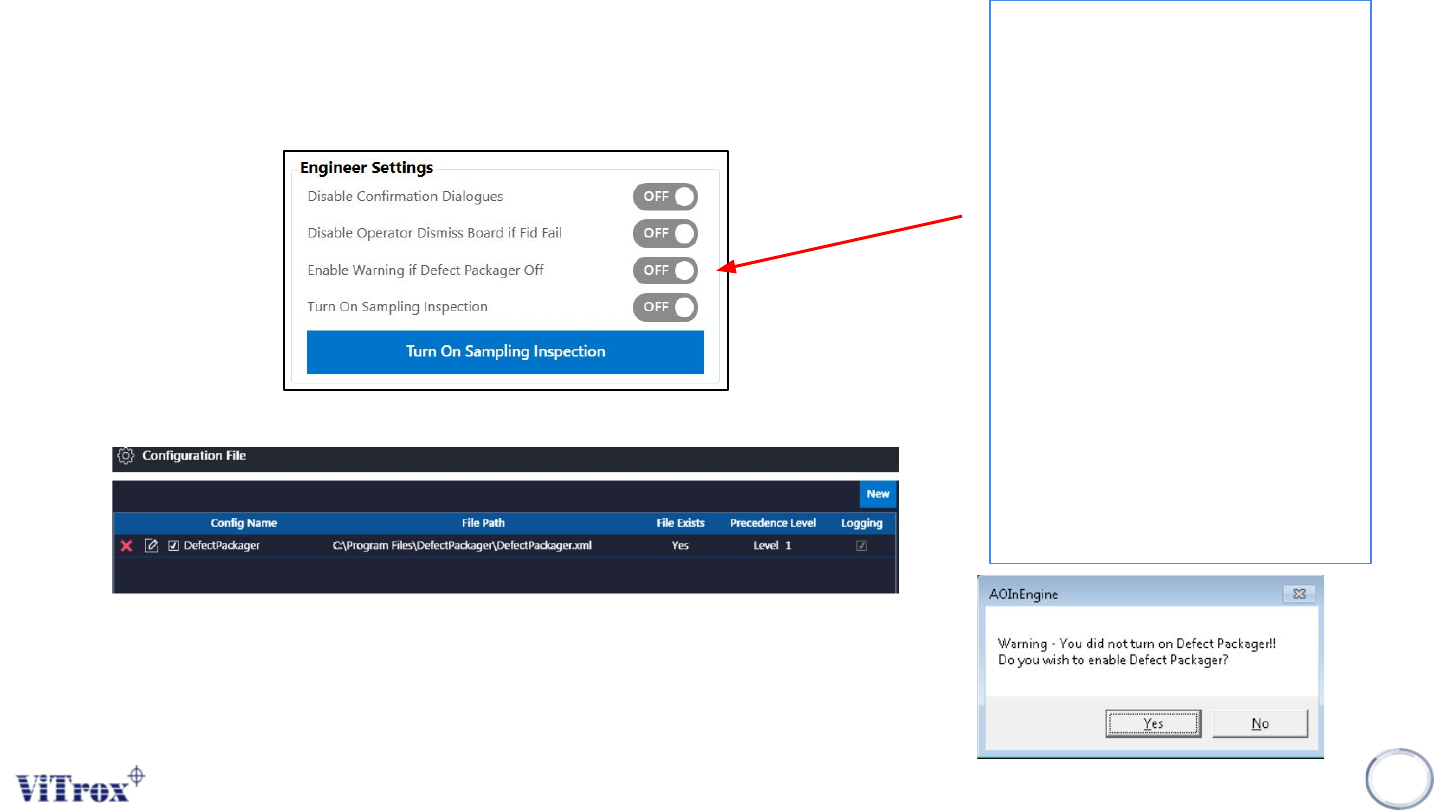
Enable Warning if Defect Packager Off
30
Figure 21: Engineer Settings
This feature is used to prevent a user
setting the defect packager to Off in
configuration files. This is because
when the defect packager set to Off, it
will induce the data to be unpacked and
VVTS will not display result.
Once the inspection started, a warning
window prompt the user to select
enable or disable the defect packager
setting. If defect packager is enabled,
the next inspection will not show the
warning message and the defect
packager will set to ON in configuration.
If defect packager is disabled, the
warning message will show for all
incoming boards.
Note: This feature is available in
engineer and operator mode.
Figure 22: After Selecting ‘’Yes’’, defect packager will be selected
Figure 22: Defect Packager warning message