Smart Graphical User Interface (SmartG) Overview_rev1.pdf - 第85页
Copyright © ViT rox All Rights Reserved . Algorithm Setting (Algorithm Editing) 85 7 ● T o enable the AutoT rain for 3D Algorithm device type ● User can disable pad checking (depend on user) ● All the Auto T rain Referen…
Copyright © ViTrox All Rights Reserved.
Algorithm Setting (Algorithm Editing)
84
6
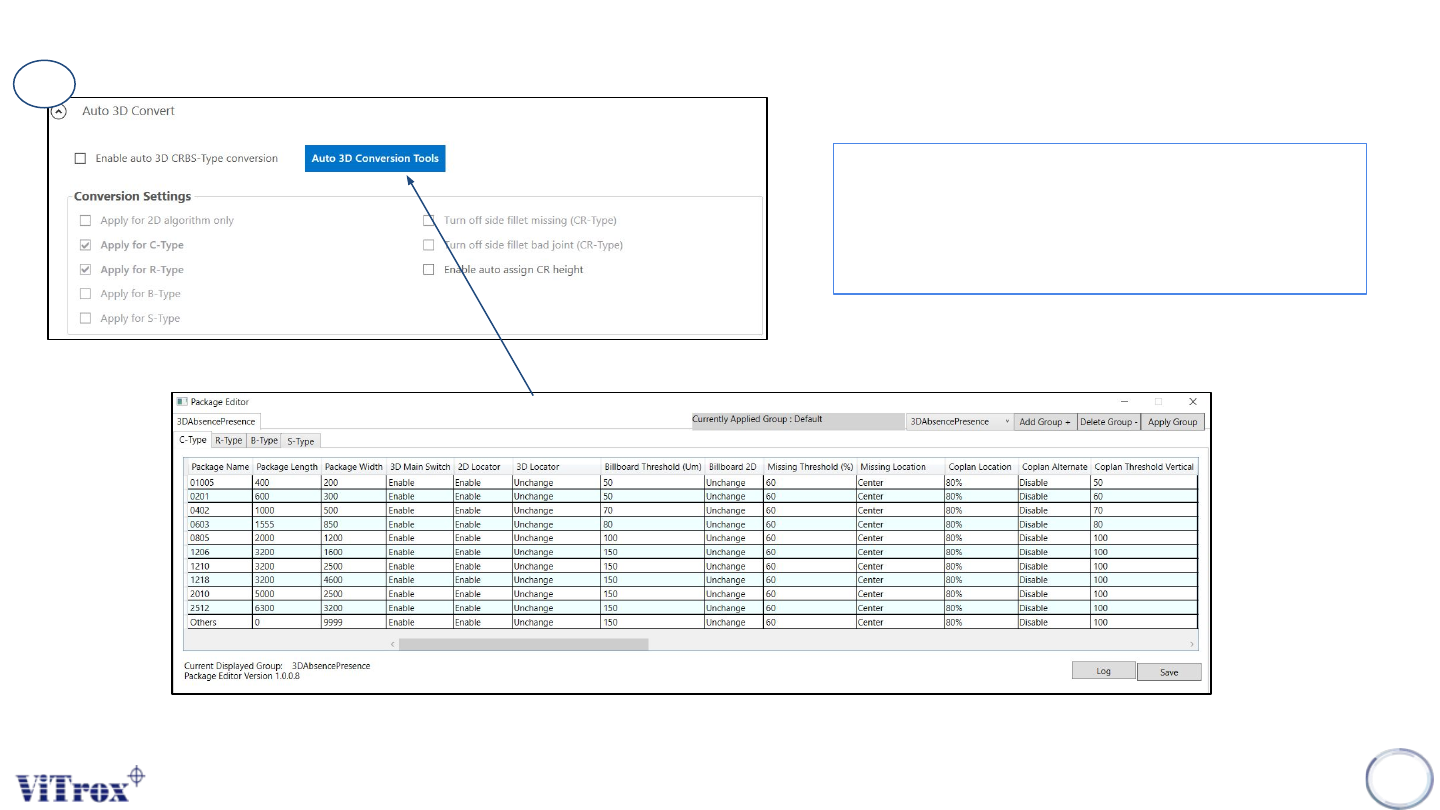
● To convert algorithm from 2D to 3D
● User can select multiple type of package CRBS
type to convert from 2D to 3D algorithm
● Auto 3D conversion Tools is to setup custom
package to apply this conversion.
Figure 71: Auto 3D Convert Parameter
Figure 72: Auto 3D Conversion Tools (Package Editor) Parameter
Copyright © ViTrox All Rights Reserved.
Algorithm Setting (Algorithm Editing)
85
7
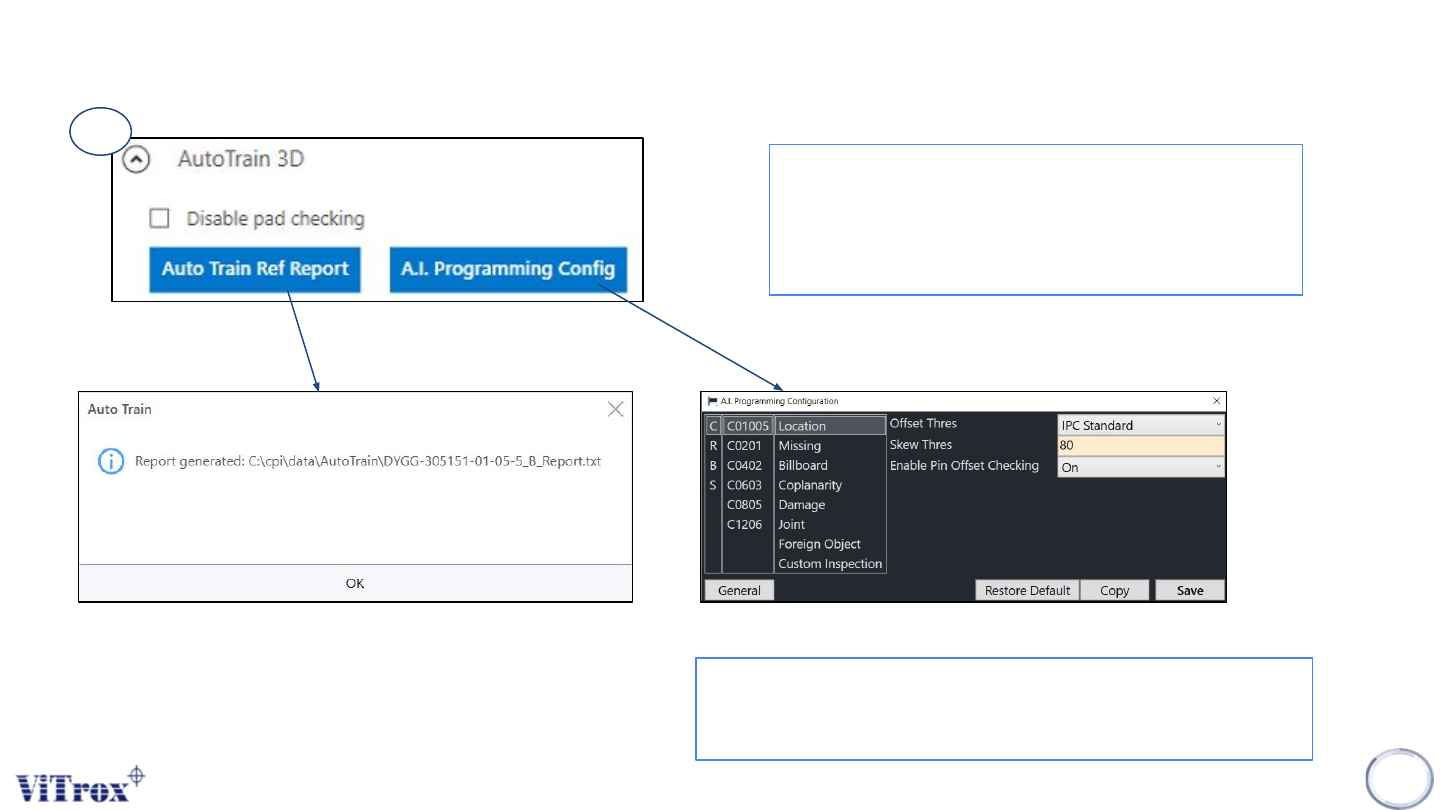
● To enable the AutoTrain for 3D Algorithm device
type
● User can disable pad checking (depend on user)
● All the Auto Train Reference report generated at
C\cpi\data\AutoTrain\ProgramName
● This is the configuration for A.I Technology
● User can see all the CRBS type with their respective
package including inspection parameter.
Figure 73: Auto Train 3D Parameter
Figure 74: Auto Train Ref. Report Path folder
Figure 75: A.I. Programming Configuration
Copyright © ViTrox All Rights Reserved.
Algorithm Setting (Algorithm Editing)
86
8
9
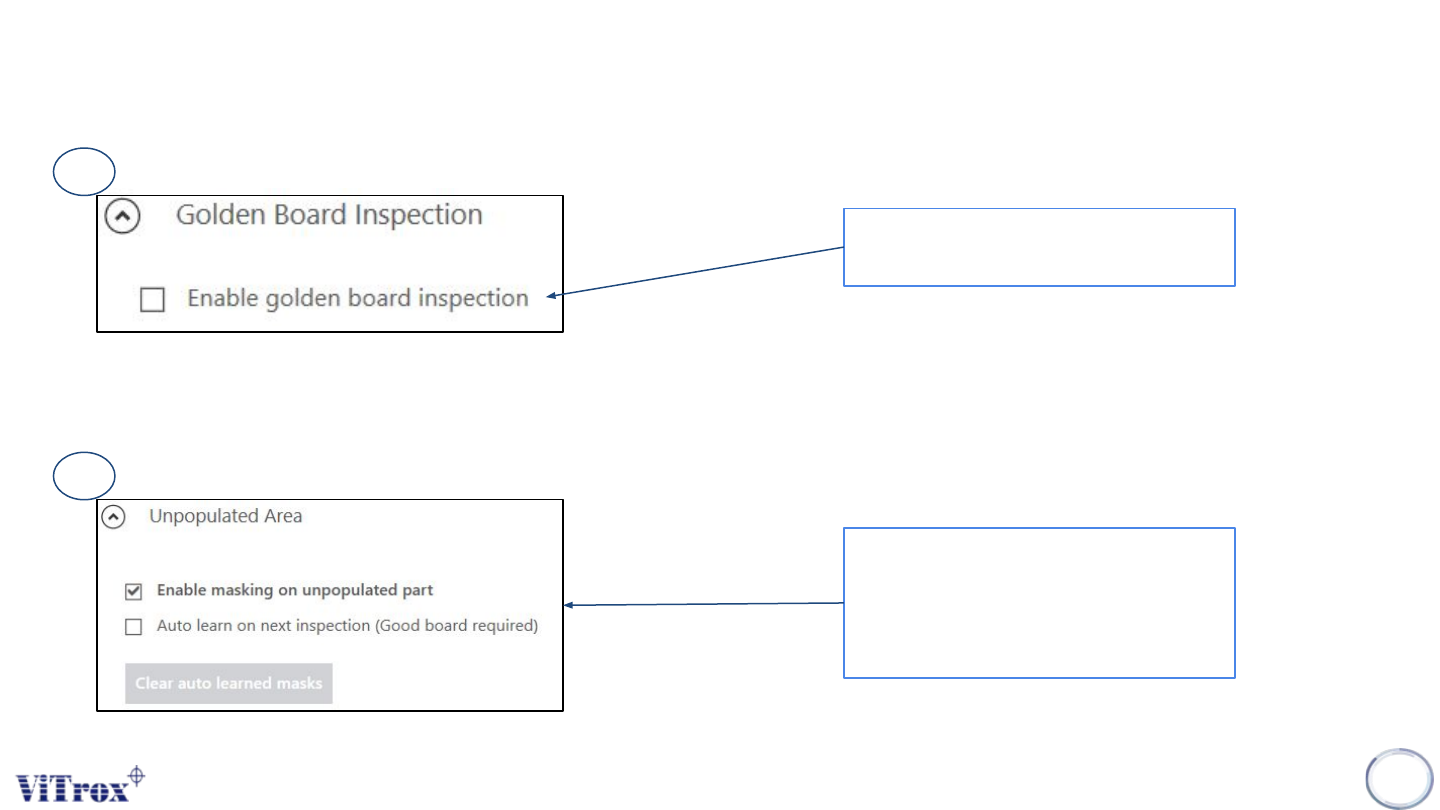
To enable/disable Golden Board
Inspection
● To enable/disable masking on
unpopulated part
● User also can clear auto learned
mask
Figure 76: Golden Board Inspection feature
Figure 77: Unpopulated Area Parameter