Smart Graphical User Interface (SmartG) Overview_rev1.pdf - 第43页
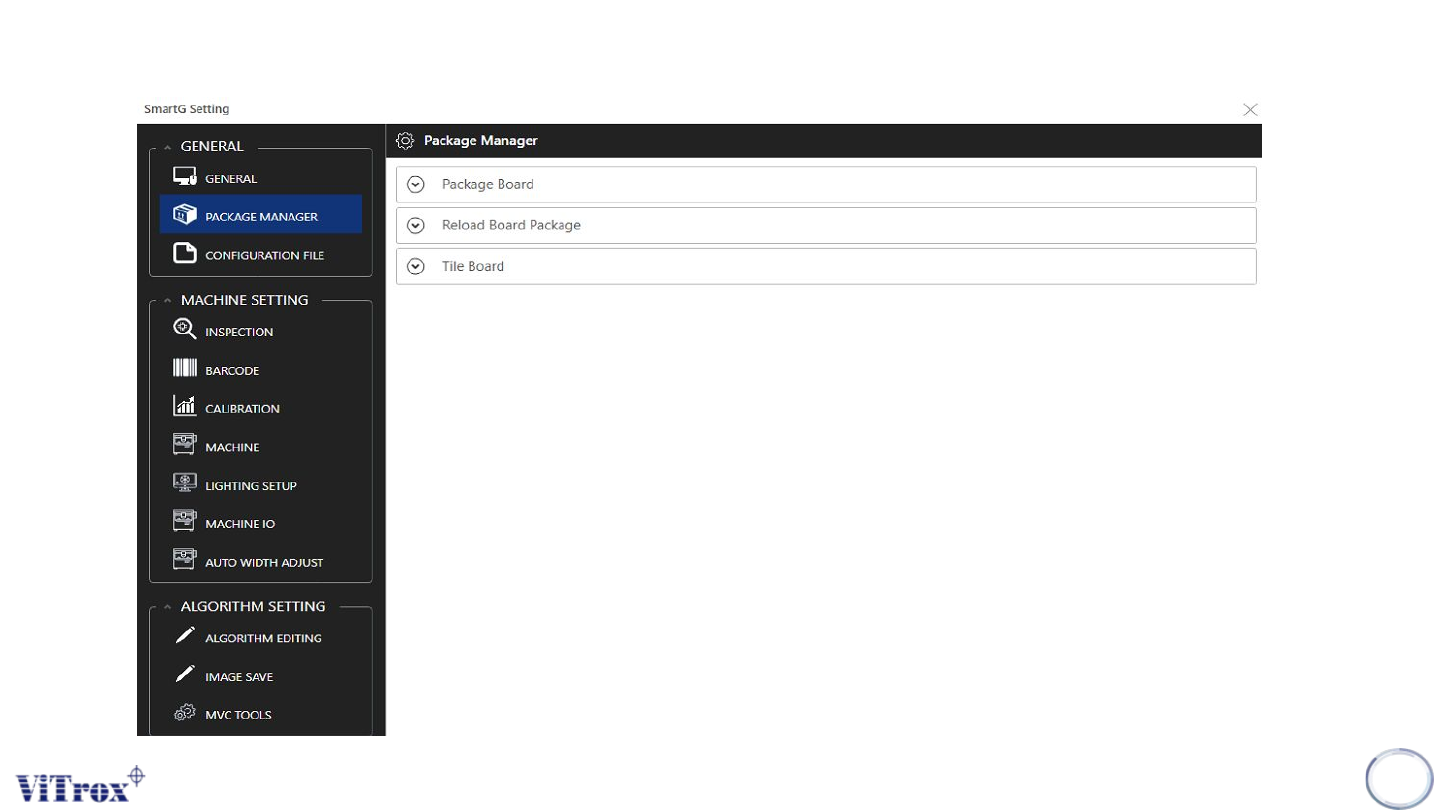
Copyright © ViT rox All Rights Reserved . General Setting (Package Manager) 43 Figure 37: Package Manager Parameter in SmartG
Copyright © ViTrox All Rights Reserved.
42
Package Manager
Copyright © ViTrox All Rights Reserved.
General Setting (Package Manager)
43
Figure 37: Package Manager Parameter in SmartG
Copyright © ViTrox All Rights Reserved.
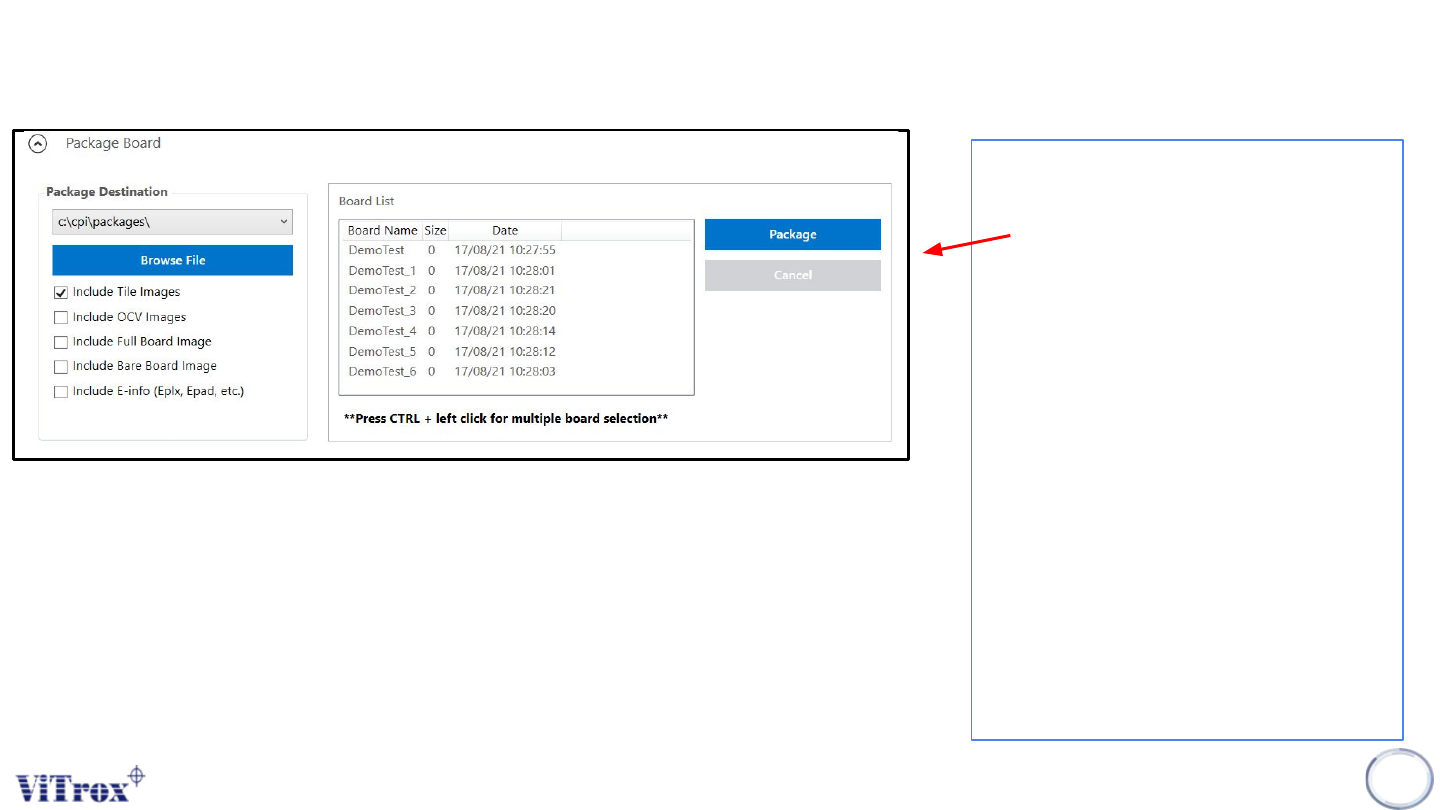
General Setting (Package Board)
• This feature to package the
program to make a copy to do
some research or reference.
• Other than that, this feature to
package the program and load
in NOLP software.
• Usually, to run the program in
the NOLP software, make sure
tick:
– Include Tile Images
– Include OCV Images
– Include full board Image
– Include E-Info (depend)
• Optional, if to package the
program as Bare Board, the
can tick ‘Include Bare Board
Image’
44
Figure 38: Package Board Parameter in SmartG