Smart Graphical User Interface (SmartG) Overview_rev1.pdf - 第103页
Copyright © ViT rox All Rights Reserved . Move Board 103 Move Board Move and drag Selected Board T otal number of board to be move This is used to move the board by using arrow keyboard The total boards moved and its off…
Copyright © ViTrox All Rights Reserved.
Move Component
102
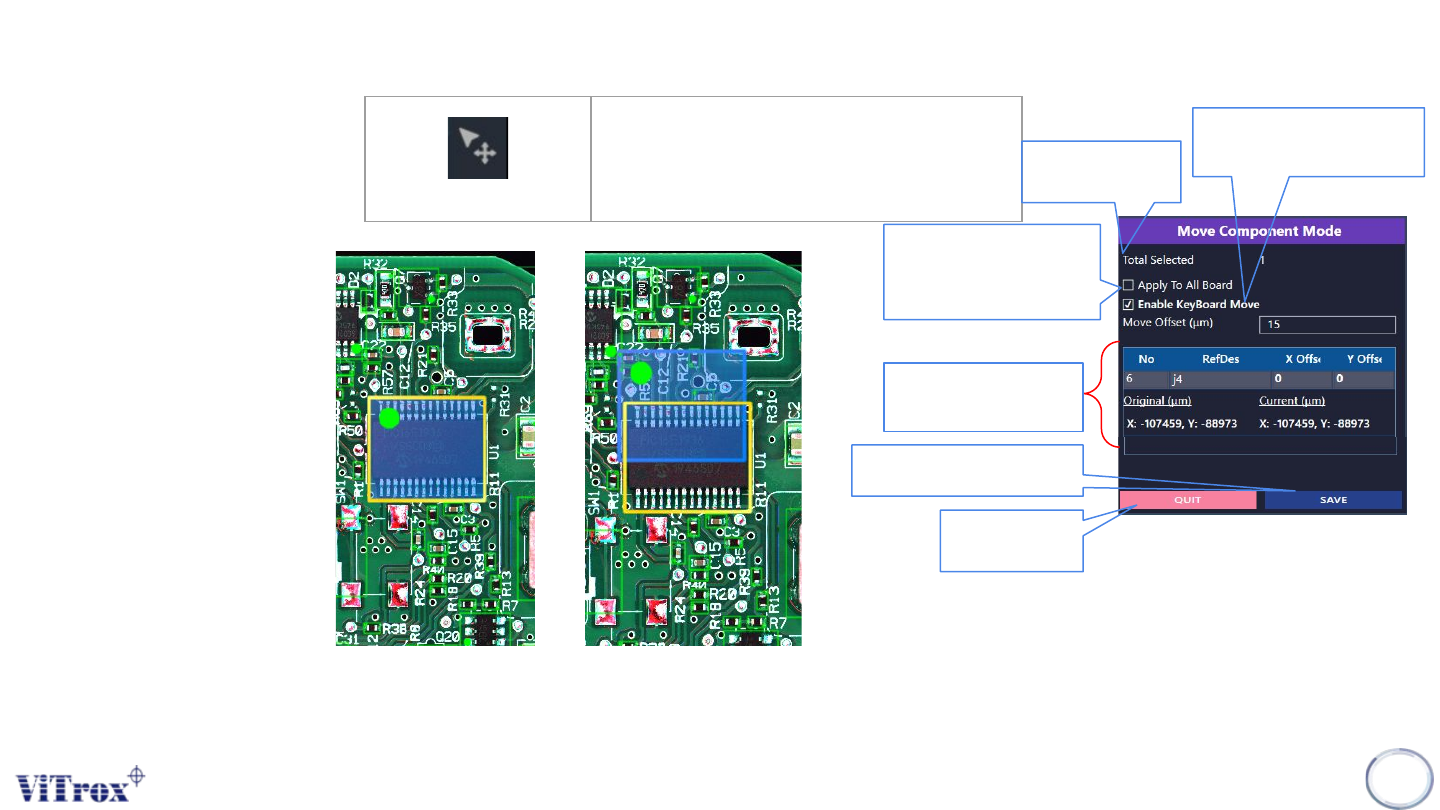
Move Component
Move component by drag and
draw
Total number of
component to be
move
This is used to apply the
move component feature
for the selected
component to all boards.
This is used to move the
component by using arrow
keyboard
The total ref des moved
and its offset parameter.
Save after move component
have been made.
Quit the add
component
configuration
Figure 89: Move Component Mode Tab
Figure 88: Before and after move component
Copyright © ViTrox All Rights Reserved.
Move Board
103
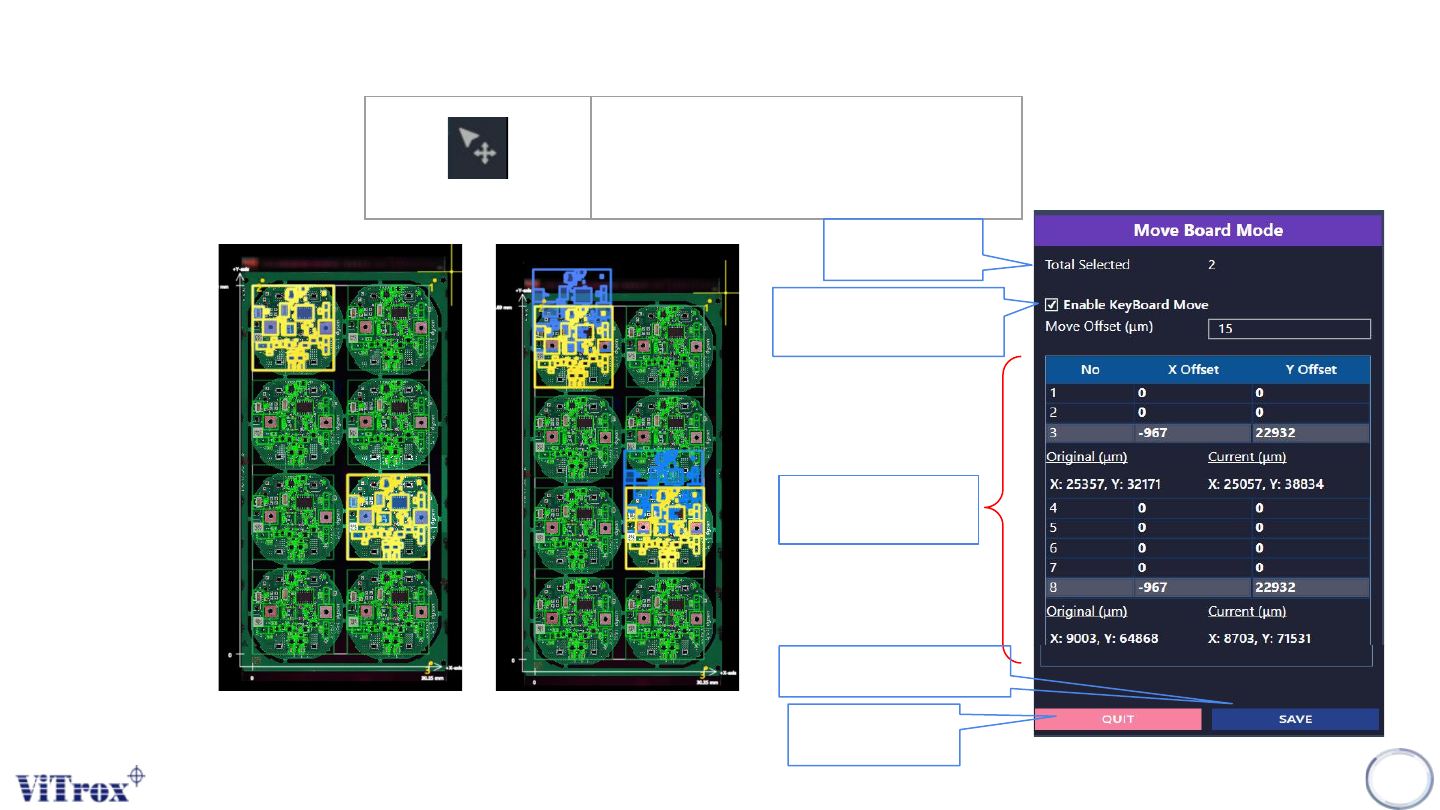
Move Board
Move and drag Selected Board
Total number of
board to be move
This is used to move the
board by using arrow
keyboard
The total boards moved
and its offset parameter.
Save after move board
have been made.
Quit the add board
configuration
Figure 91: Move Board Mode Tab
Figure 90: Before and after Move Board
Copyright © ViTrox All Rights Reserved.
Move Panel
104
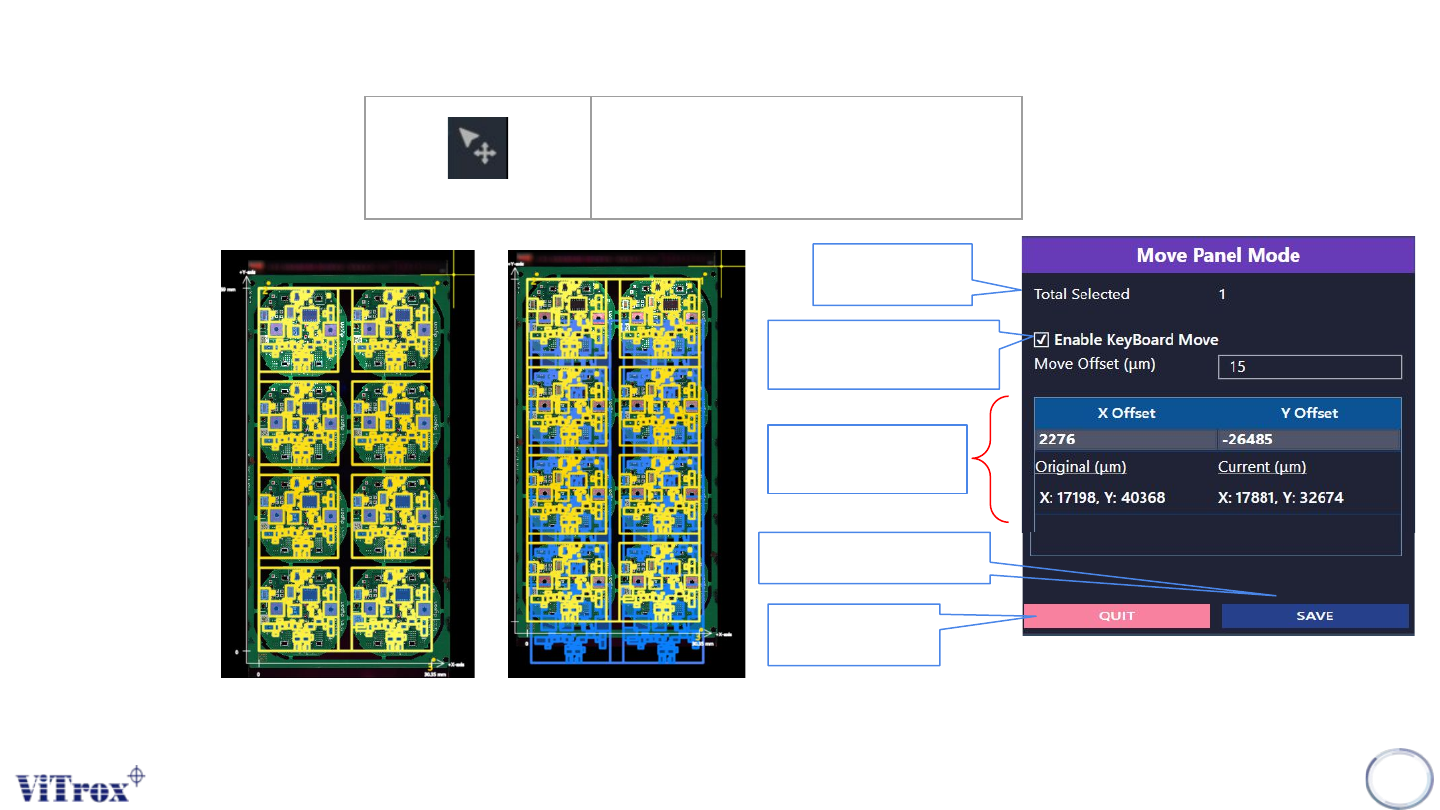
Move Panel
Move and Drag Whole Panel
Figure 92: Before and after Move Board
Total number of
Panel to be move
This is used to move the
Panel by using arrow
keyboard
The total Panel moved
and its offset parameter.
Save after move Panel
have been made.
Quit the add Panel
configuration
Figure 93: Move Panel Mode Tab