Smart Graphical User Interface (SmartG) Overview_rev1.pdf - 第39页
Copyright © ViT rox All Rights Reserved . General Setting (Action on Failure Options) When the maximum errors allowed is set to 50 and the defect calls are 19, it is yet to exceed the maximum errors allowed. The board ca…
Copyright © ViTrox All Rights Reserved.
General Setting (Action on Failure Options)
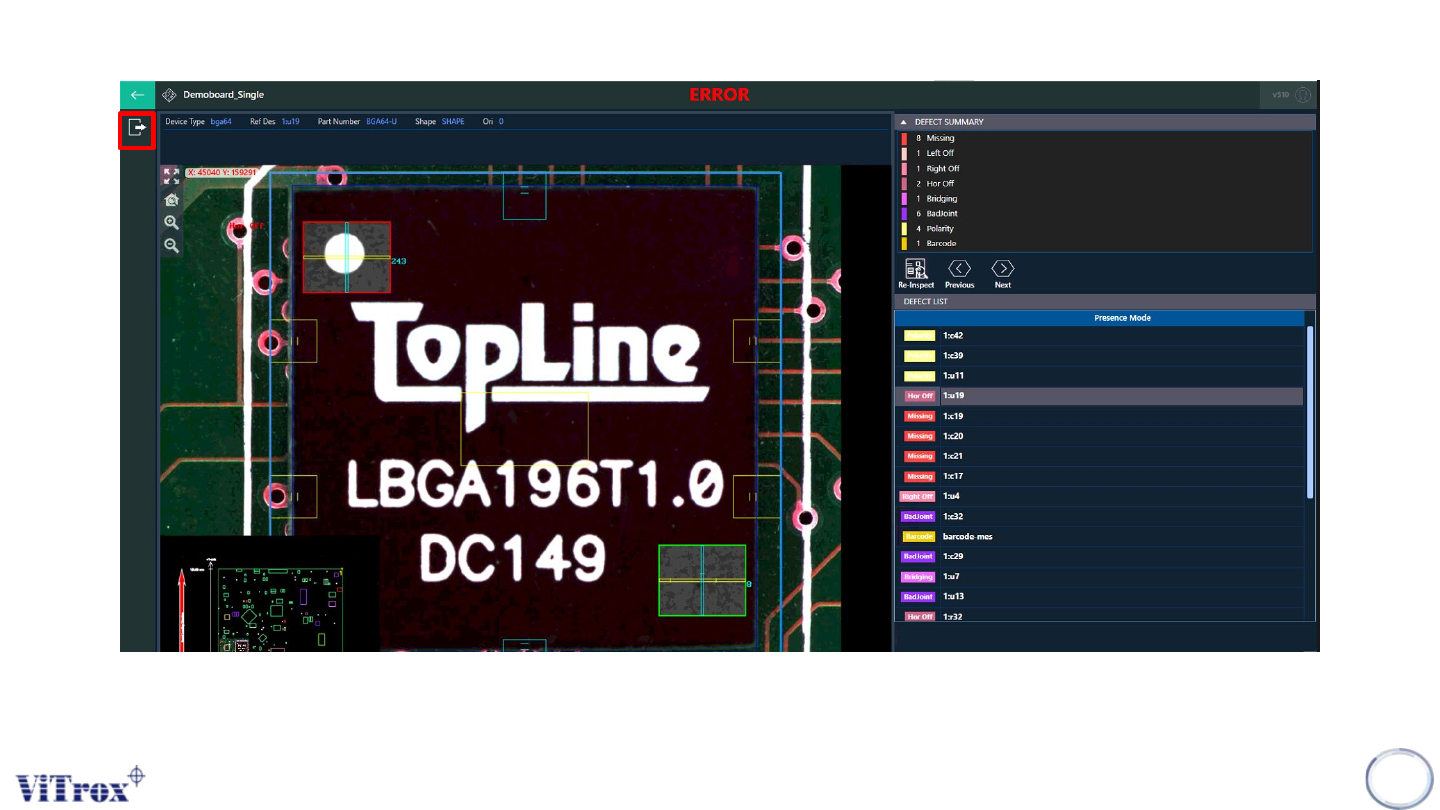
Note: When the maximum errors allowed is set to 5 and the defect calls are 19, it is already exceed the maximum errors allowed. The board can
be unload and the system forces operator to skip force operator to look at all errors. A bypass button not appear.
38
Figure 32: Exceed the maximum errors allowed
Copyright © ViTrox All Rights Reserved.
General Setting (Action on Failure Options)
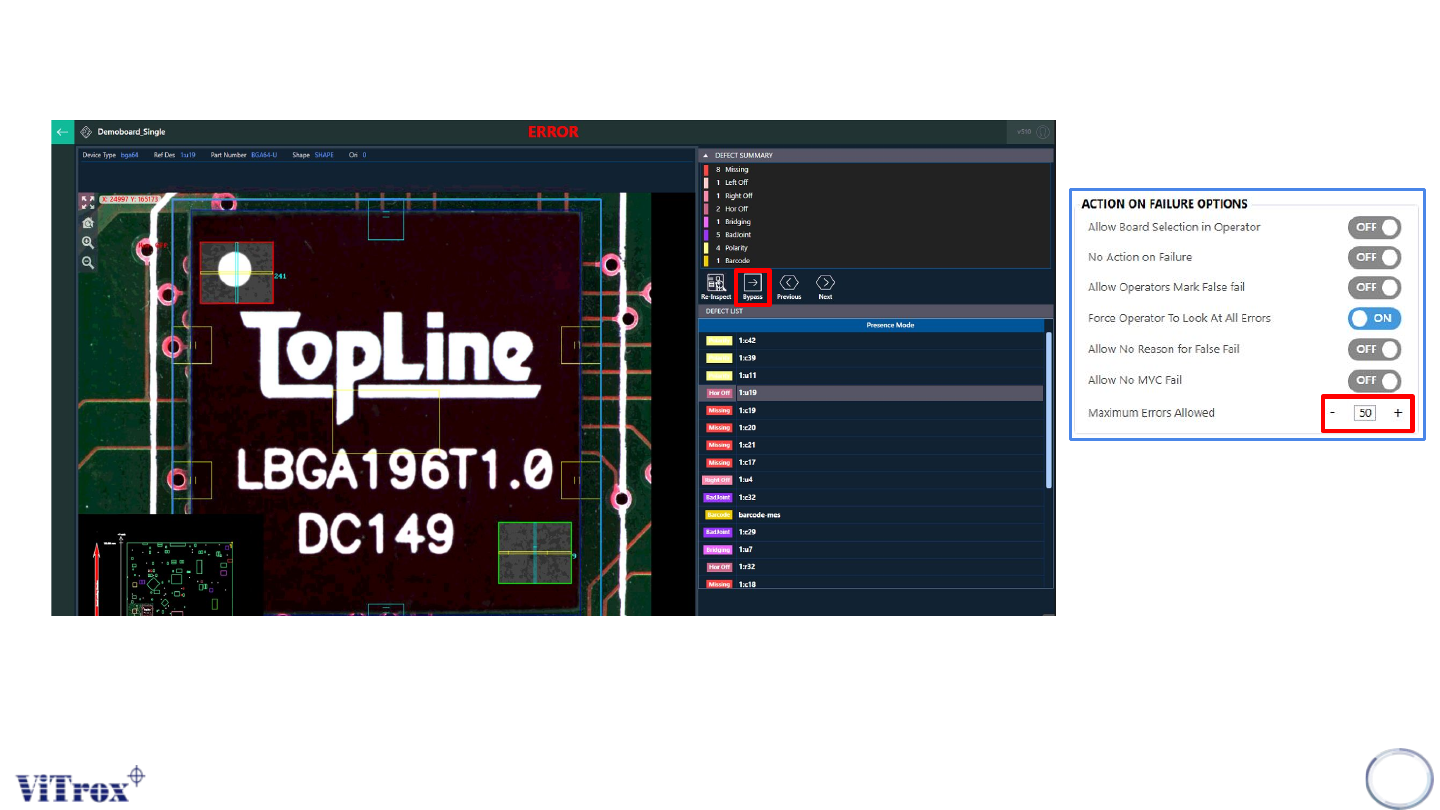
When the maximum errors allowed is set to 50 and the defect calls are 19, it is yet to exceed the maximum errors allowed. The
board cannot be unload and the system forces operator to view all defect calls. A bypass button can be used to skip a
particular component.
39
Figure 33: Force Operator To Look at all defect calls
Copyright © ViTrox All Rights Reserved.
General Setting (Action on Failure Options)
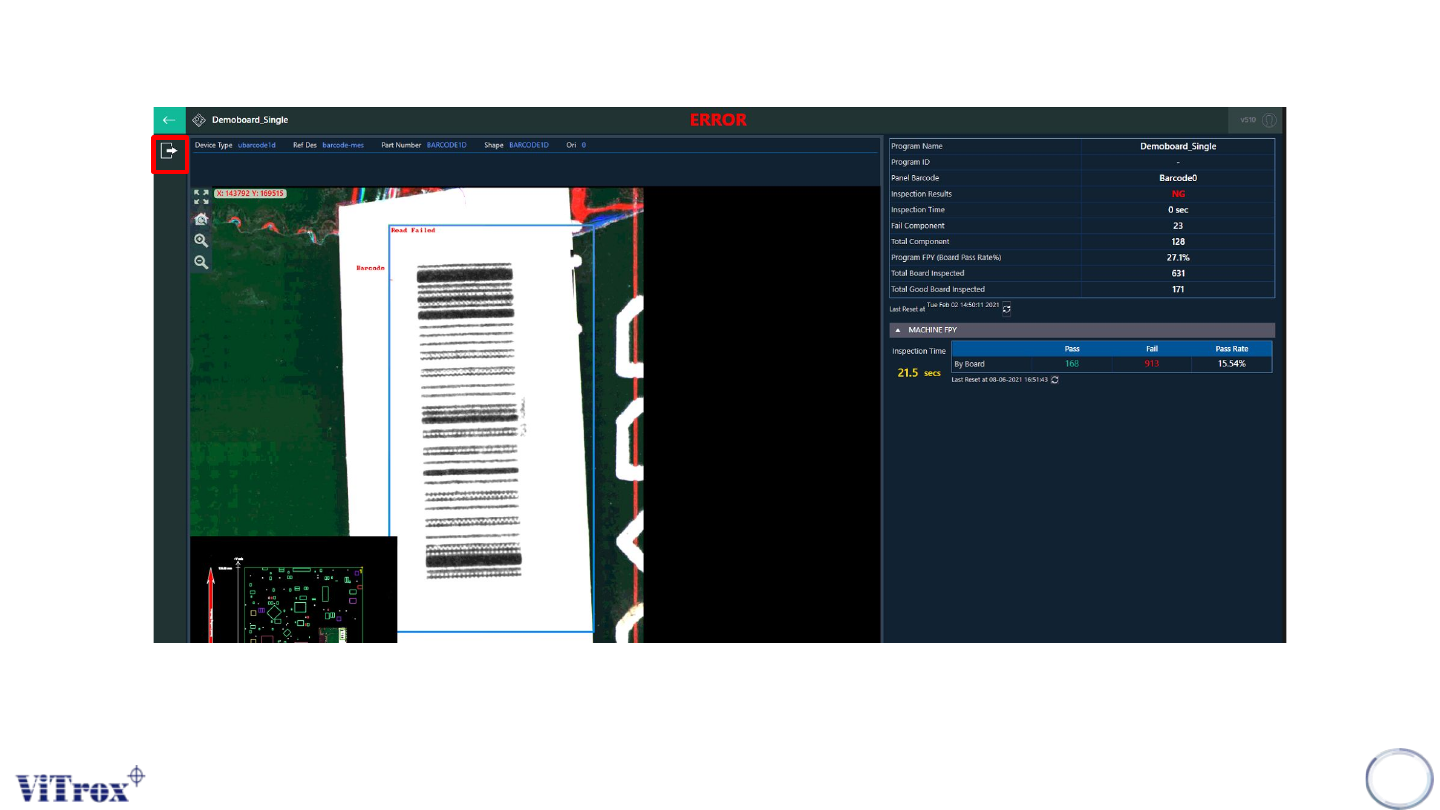
Note: The unload button appears after the operator viewed all defects calls in operator mode.
40
Figure 34: Unload button appears after viewing all defect calls