Smart Graphical User Interface (SmartG) Overview_rev1.pdf - 第4页
Copyright © ViT rox All Rights Reserved . SmartG Introduction T wo option in SmartG: ➔ Engineer Mode ◆ SmartG engineer mode is designed to control features on a program basis and support production running such as: ● Pro…
Copyright © ViTrox All Rights Reserved.
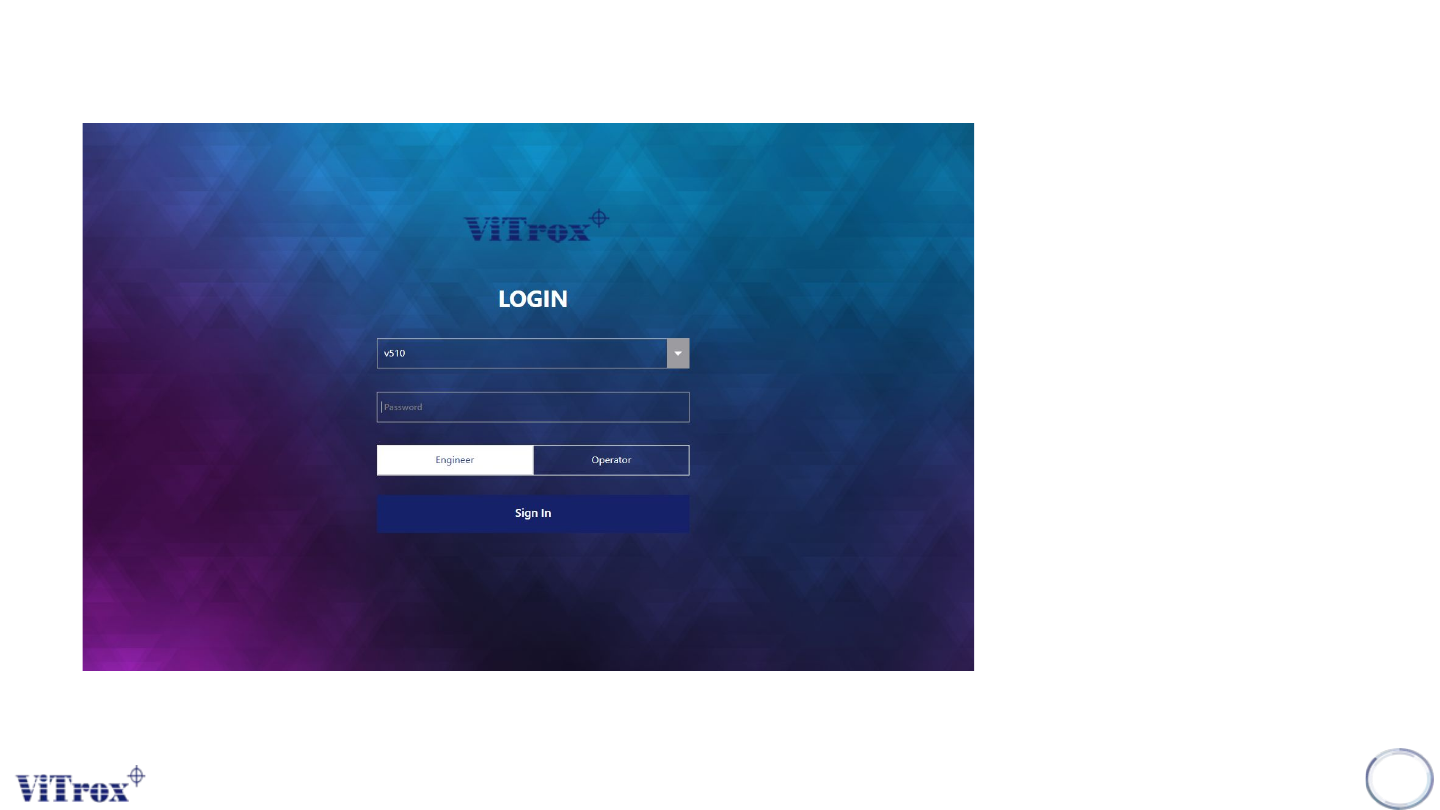
SmartG User Login
There are two default users in
SmartG:
• Administrator, to set user
access in user manager
• Username: administrator
Password: Refer AOI SNS
• V510, to set user access in
Engineer Mode or Operator
Mode
• Username: v510
Password: v5100
3
Figure 1: SmartG User Login
Copyright © ViTrox All Rights Reserved.
SmartG Introduction
Two option in SmartG:
➔ Engineer Mode
◆ SmartG engineer mode is designed to control features on a program basis and support
production running such as:
● Programming setup by navigating to SmartG fiducial editor, SmartG algorithm trainer,
SmartG algorithm editor, and SmartG operator mode.
● Feature setup and control to support production running
➔ Operator Mode
◆ SmartG operator mode is designed for the system to run in production mode and provides
minimum control to the line operator
4
Copyright © ViTrox All Rights Reserved.
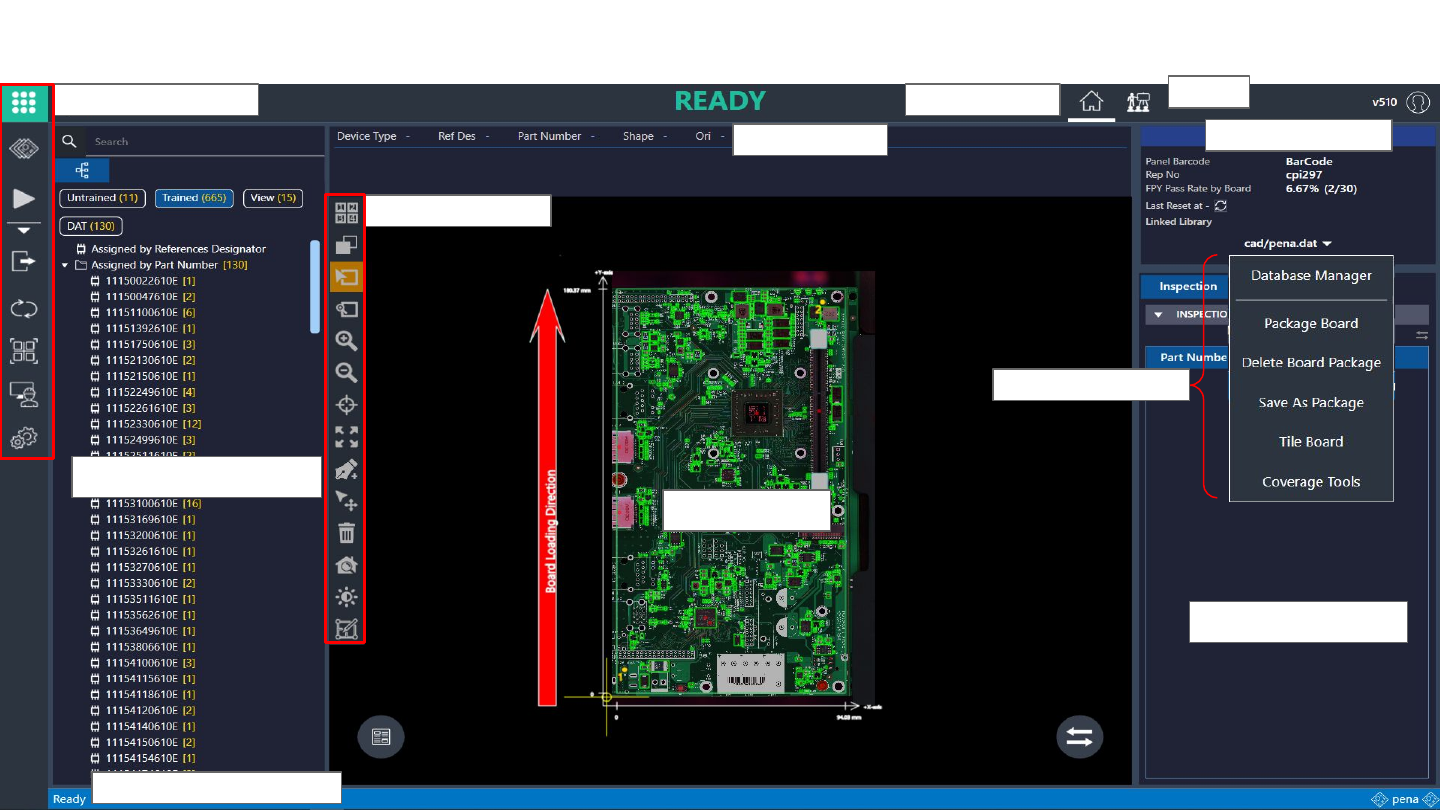
Main SmartG Screen
5
Engineer main button
Component Tree View
Status Progress Inspection
Display Area
List of Tool Box
Inspection Result
Program Information
Status bar
Figure 2: Main SmartG Interface
Shortcut Key
Home Button
Train