Smart Graphical User Interface (SmartG) Overview_rev1.pdf - 第178页
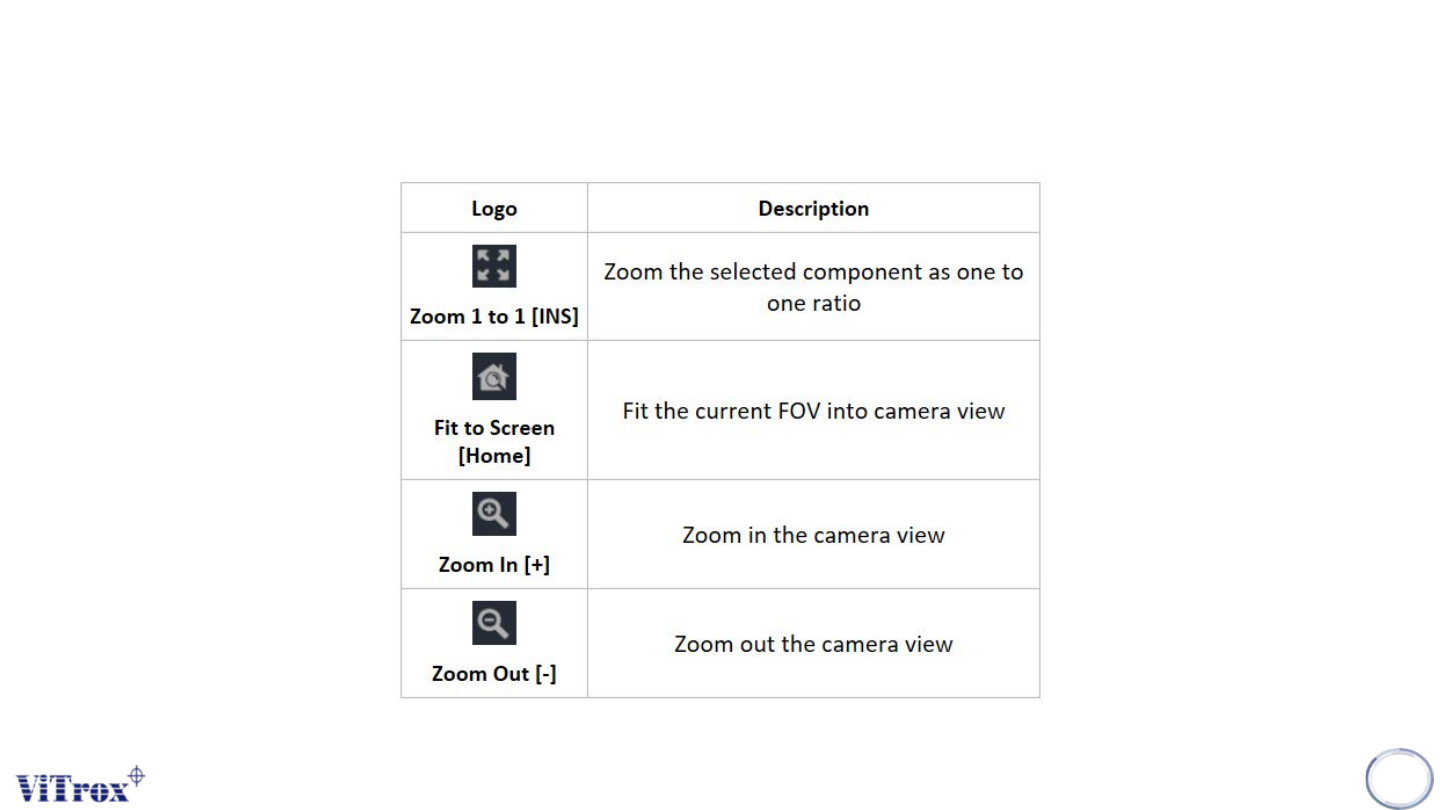
Copyright © ViT rox All Rights Reserved . T ool Box SmartG Operator 178 T able 1: T ool Box description
Copyright © ViTrox All Rights Reserved.
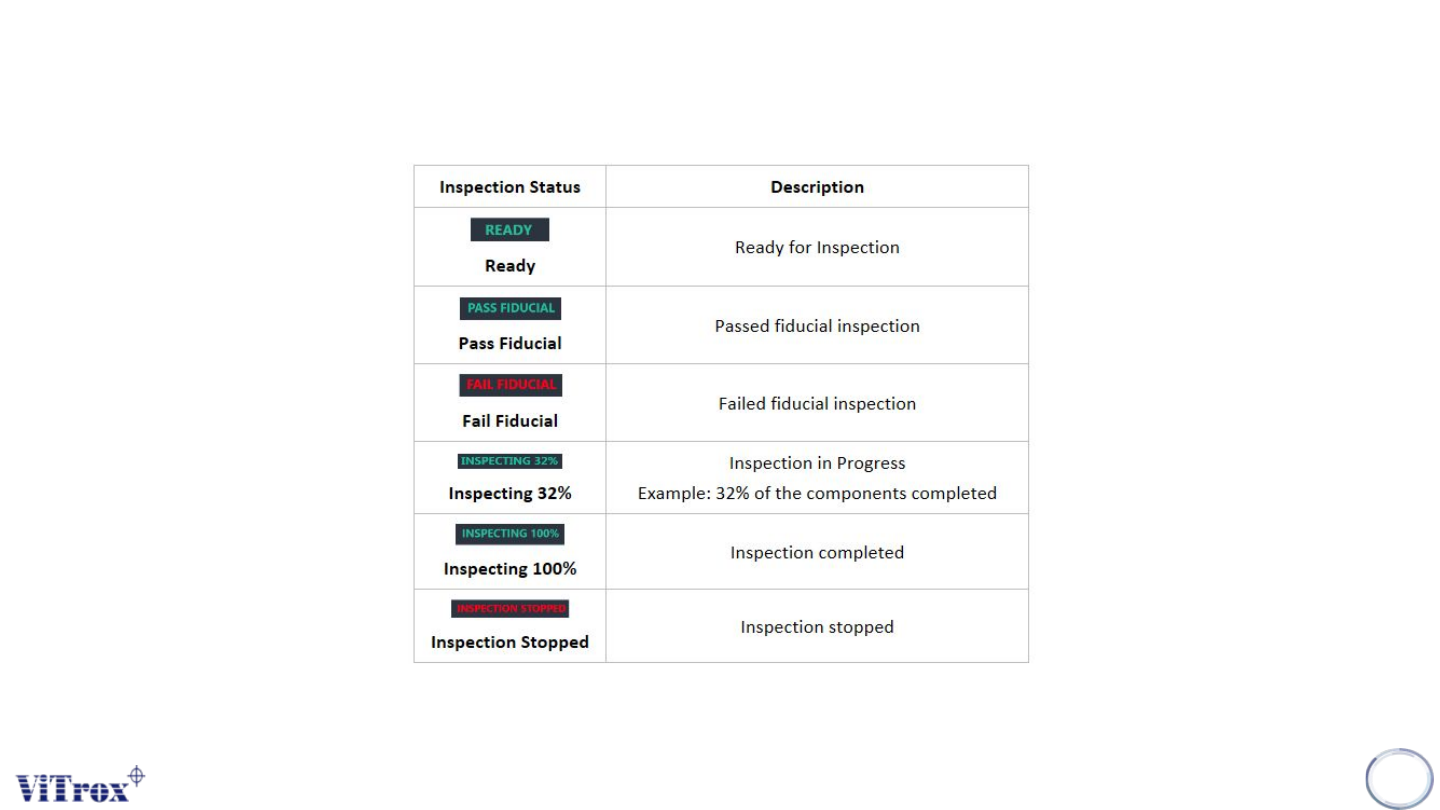
Inspection Status
Inspection Status is always shown on top of SmartG screen. The inspection status is always updated during an
inspection or any action that interrupts the inspection.
177
Table 2: Comparison acces
Copyright © ViTrox All Rights Reserved.
Tool Box SmartG Operator
178
Table 1: Tool Box description
Copyright © ViTrox All Rights Reserved.
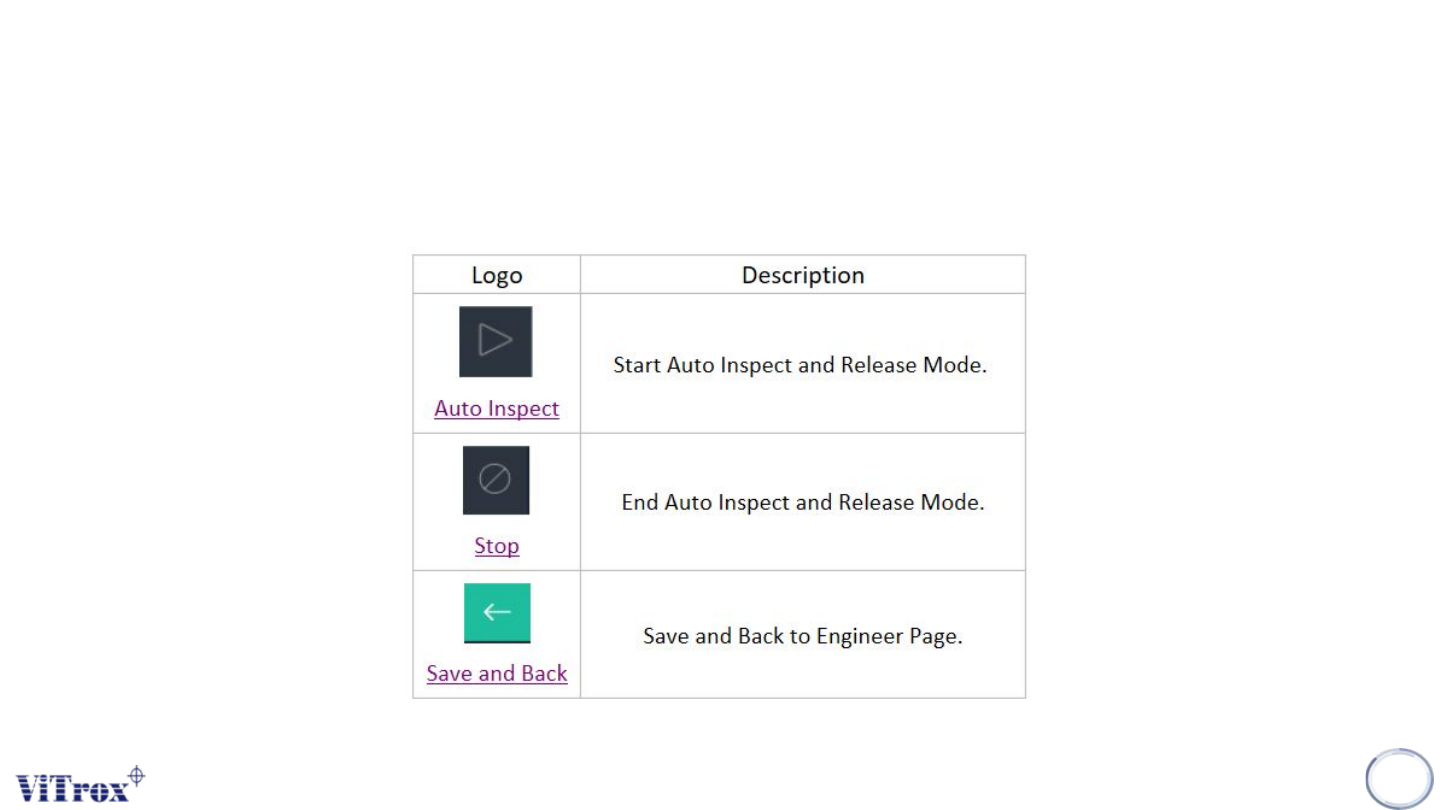
Operator Main Button Overview
SmartG operator main button is used to run the production and back to engineer mode.
179
Table 2: Operator Tools Overview