Smart Graphical User Interface (SmartG) Overview_rev1.pdf - 第179页
Copyright © ViT rox All Rights Reserved . Operator Main Button Overview SmartG operator main button is used to run the production and back to engineer mode. 179 T able 2: Operator T ools Overview
Copyright © ViTrox All Rights Reserved.
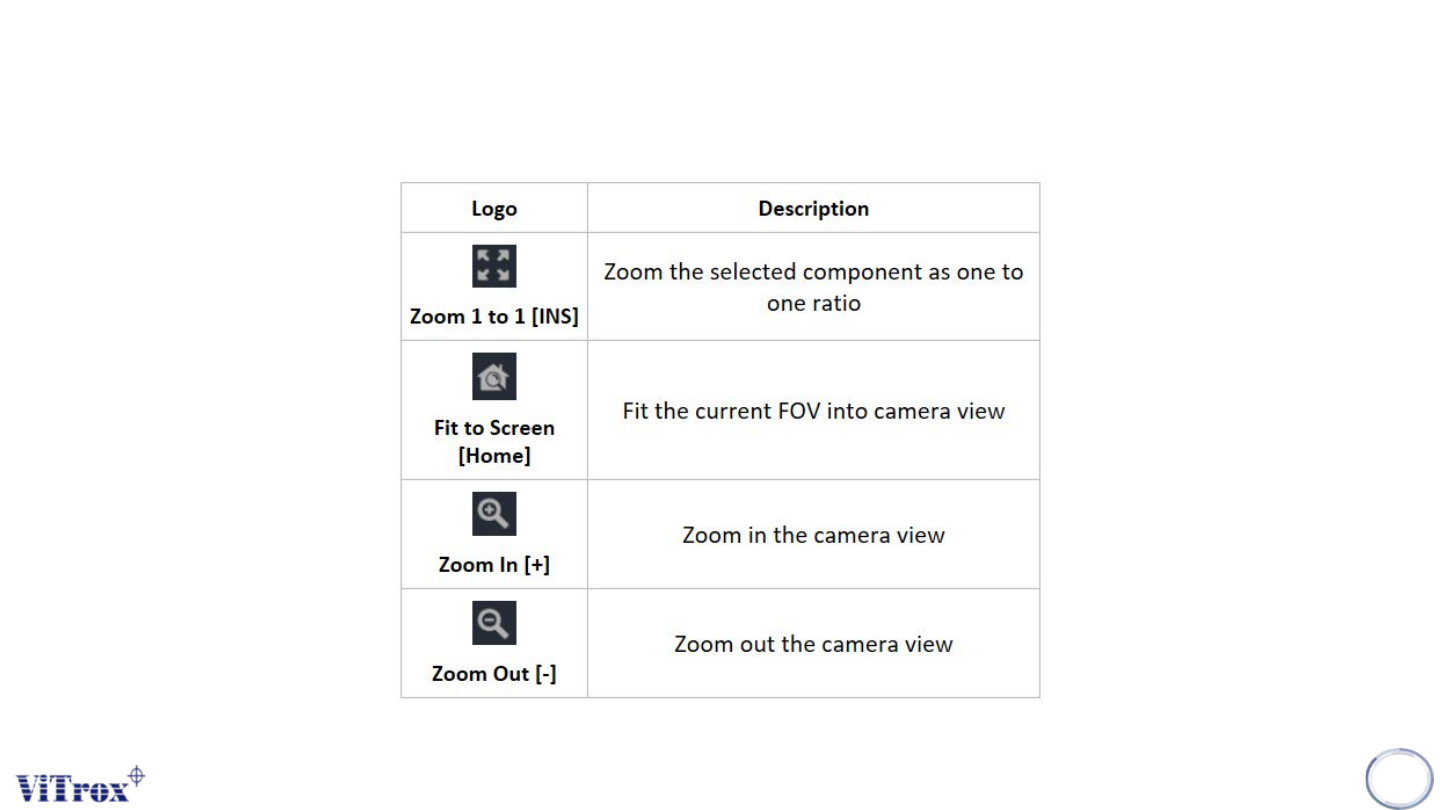
Tool Box SmartG Operator
178
Table 1: Tool Box description
Copyright © ViTrox All Rights Reserved.
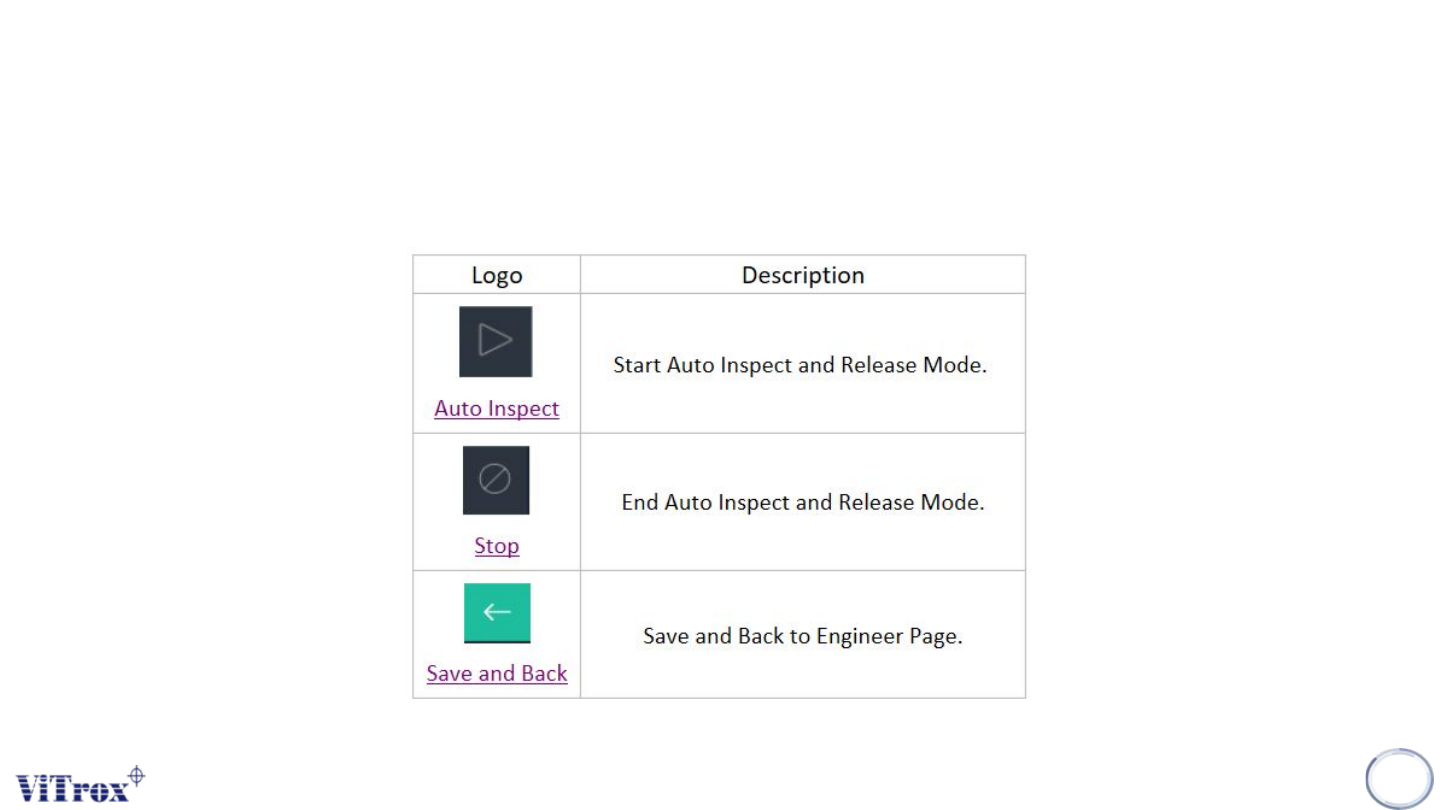
Operator Main Button Overview
SmartG operator main button is used to run the production and back to engineer mode.
179
Table 2: Operator Tools Overview
Copyright © ViTrox All Rights Reserved.
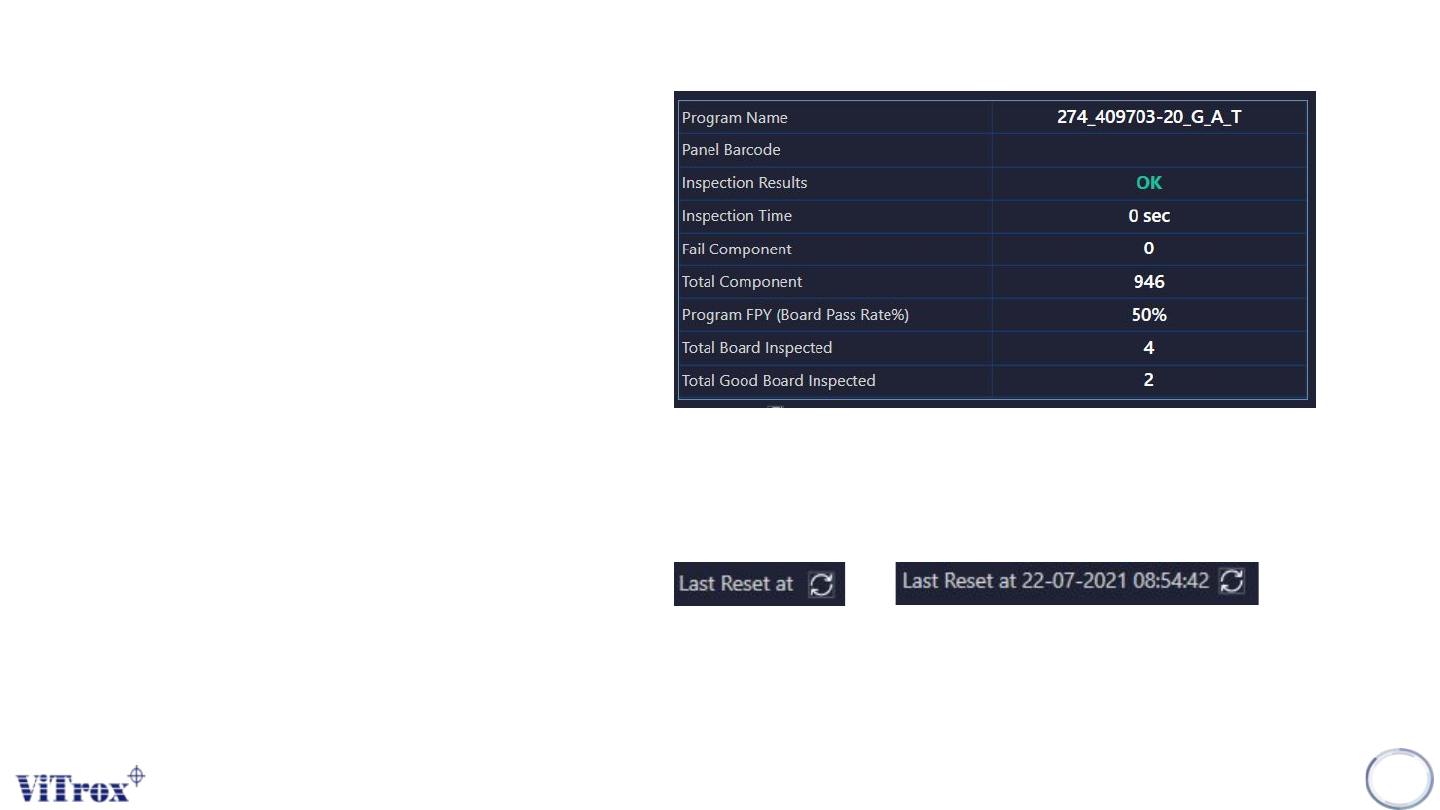
Program Information Overview (Operator)
Program Information is used to show the detailed
information of the current program. Once changing
to the new program, the setting shows the new
program information. The program information
details are:
● Program Name
● Panel Barcode
● Inspection Result
● Inspection Time
● Fail Component
● Total Component
● Program FPY (Board Pass Rate %)
● Total Board Inspected
● Total Good Board Inspected
180
Figure 163: Program Information in operator mode
Figure 164: Before and after reset the machine first pass yield