Smart Graphical User Interface (SmartG) Overview_rev1.pdf - 第23页
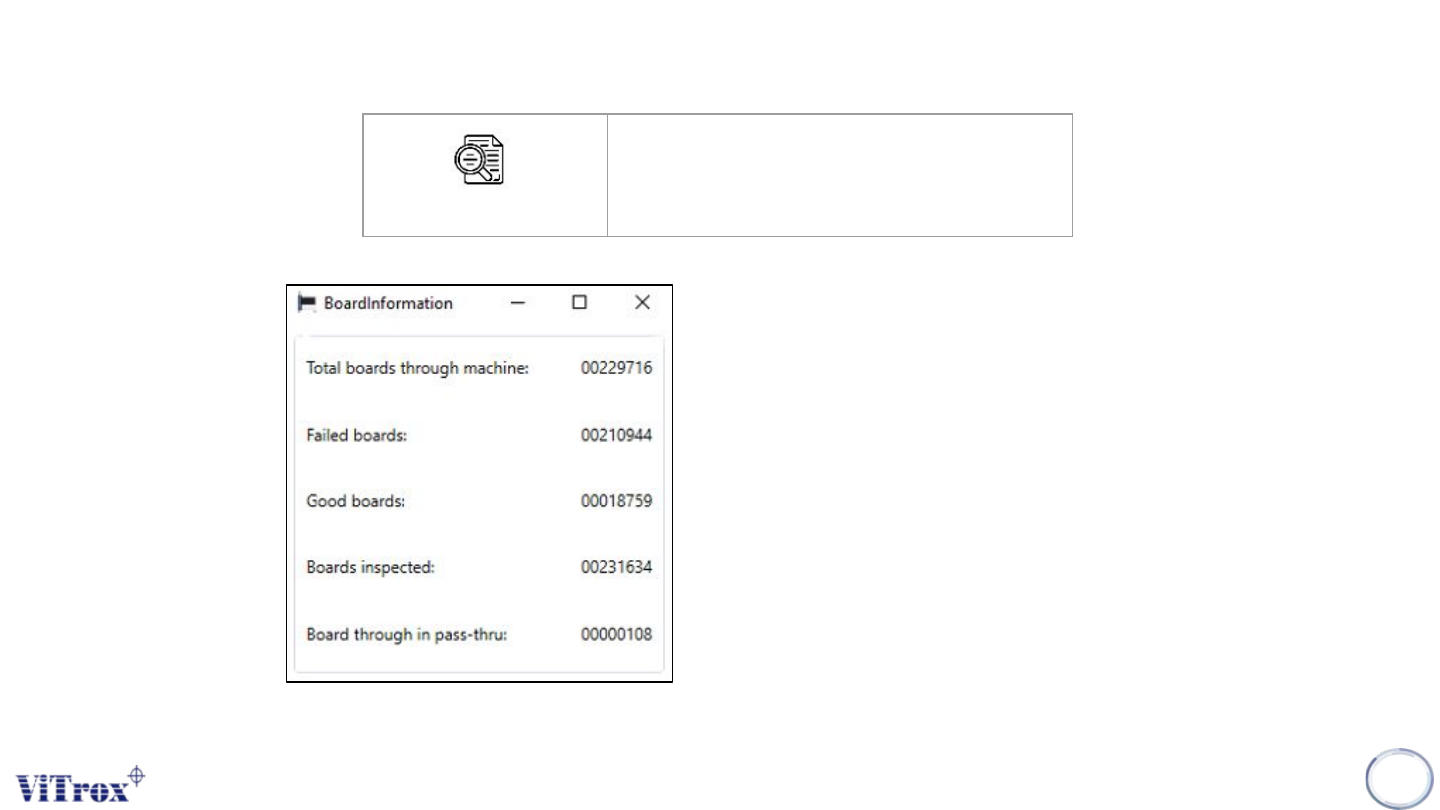
Copyright © ViT rox All Rights Reserved . General Setting Machine board count is used to display information related to the number of boards passing through the machine. This information is as follows: ● T otal boards th…
Copyright © ViTrox All Rights Reserved.
General Setting
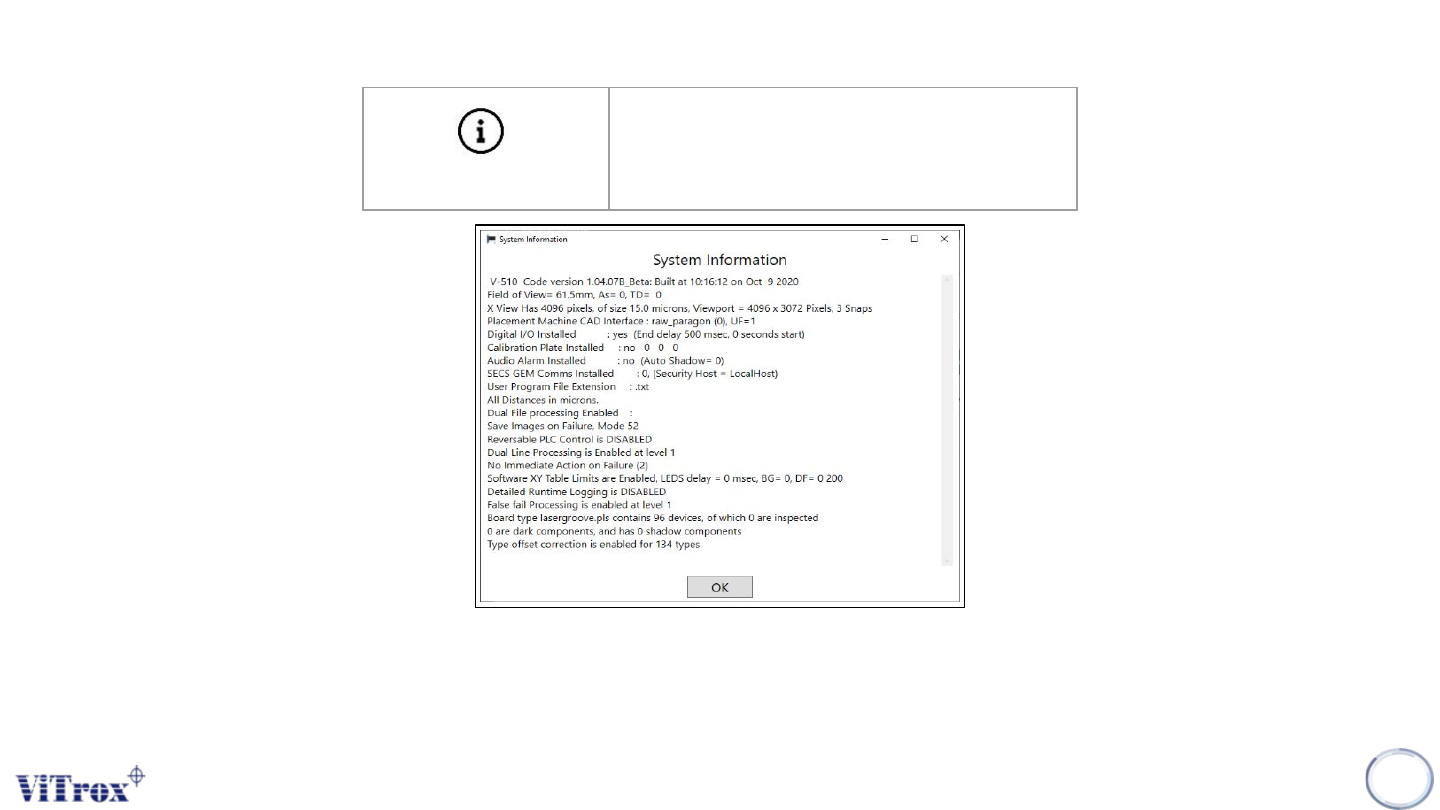
Pressing System Information brings up the dialogue box shown in the figure below. It also writes the C:\cpi\log\about_gsi.txt file. This
may be required for troubleshooting. This includes information such as the camera's pixel size.
Note: X view of size (15.0 microns) represent a 15 μm lens and the viewport (4096 x 3072 pixels) represents a 12M camera.
22
System Info
Show System Information
Figure 12: Show System Information
Copyright © ViTrox All Rights Reserved.
General Setting
Machine board count is used to display
information related to the number of
boards passing through the machine.
This information is as follows:
● Total boards through machine
● Failed boards
● Good boards
● Boards inspected
● Boards through in pass-thru
23
Machine Board Count
Show Machine Board Count
Figure 13: Board Information
Copyright © ViTrox All Rights Reserved.
General Setting
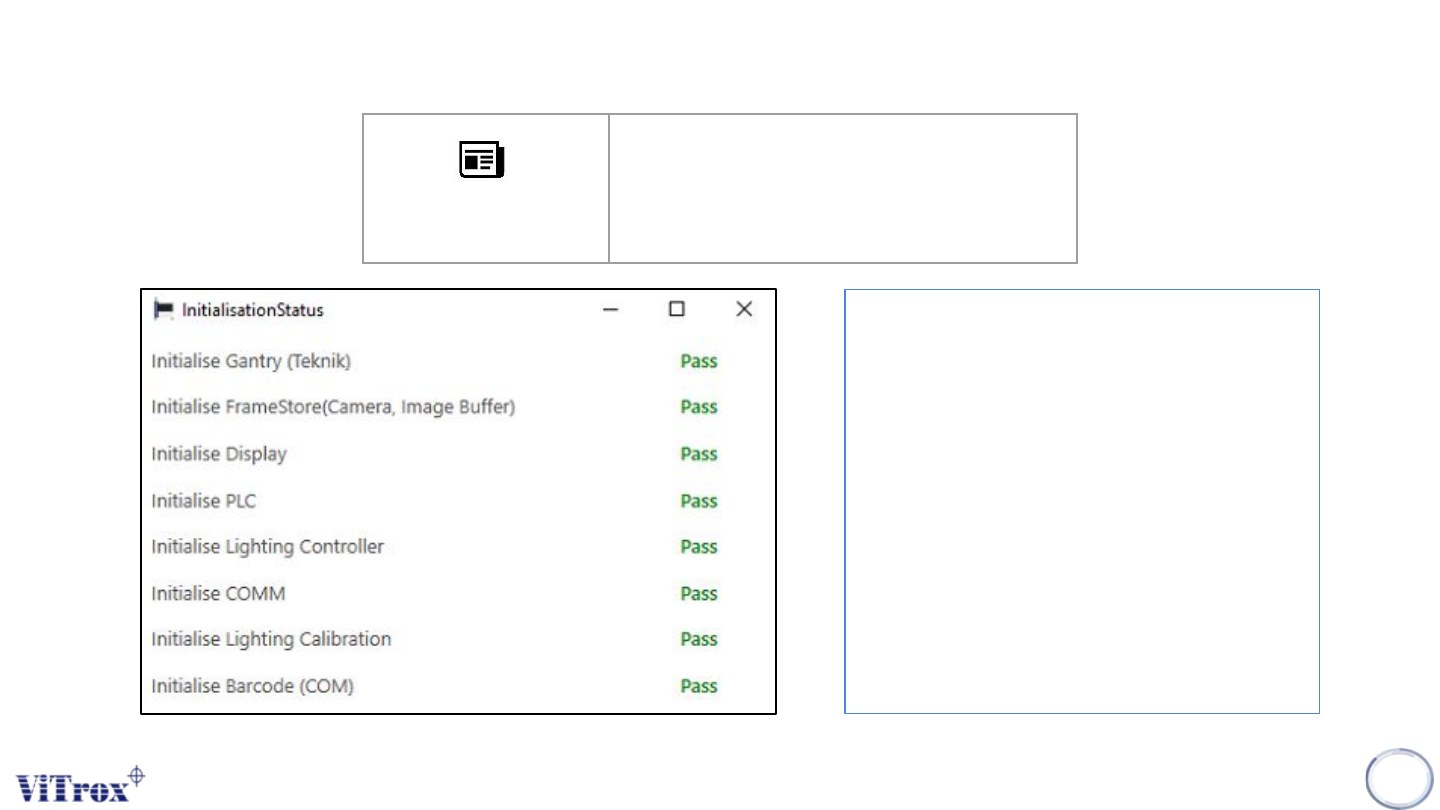
Initialization status report is used to display
the initialize status upon entering the SmartG
software. The information follow as:
● Initialize gantry (teknik)
● Initialize framestore (camera, image
buffer)
● Initialize display
● Initialize PLC
● Initialize lighting controller
● Initialize cOM
● Initialize lighting calibration
● Initialize barcode (COM)
24
Initialization Status
Report
Show initialization status report
Figure 14: Initialization Status