Smart Graphical User Interface (SmartG) Overview_rev1.pdf - 第159页
Copyright © ViT rox All Rights Reserved . Compile Note: T o save the current changes, If there any changes especially doing fine tuning, make sure please compile before run the inspection. 159 Figure 147: Compile Feature
Copyright © ViTrox All Rights Reserved.
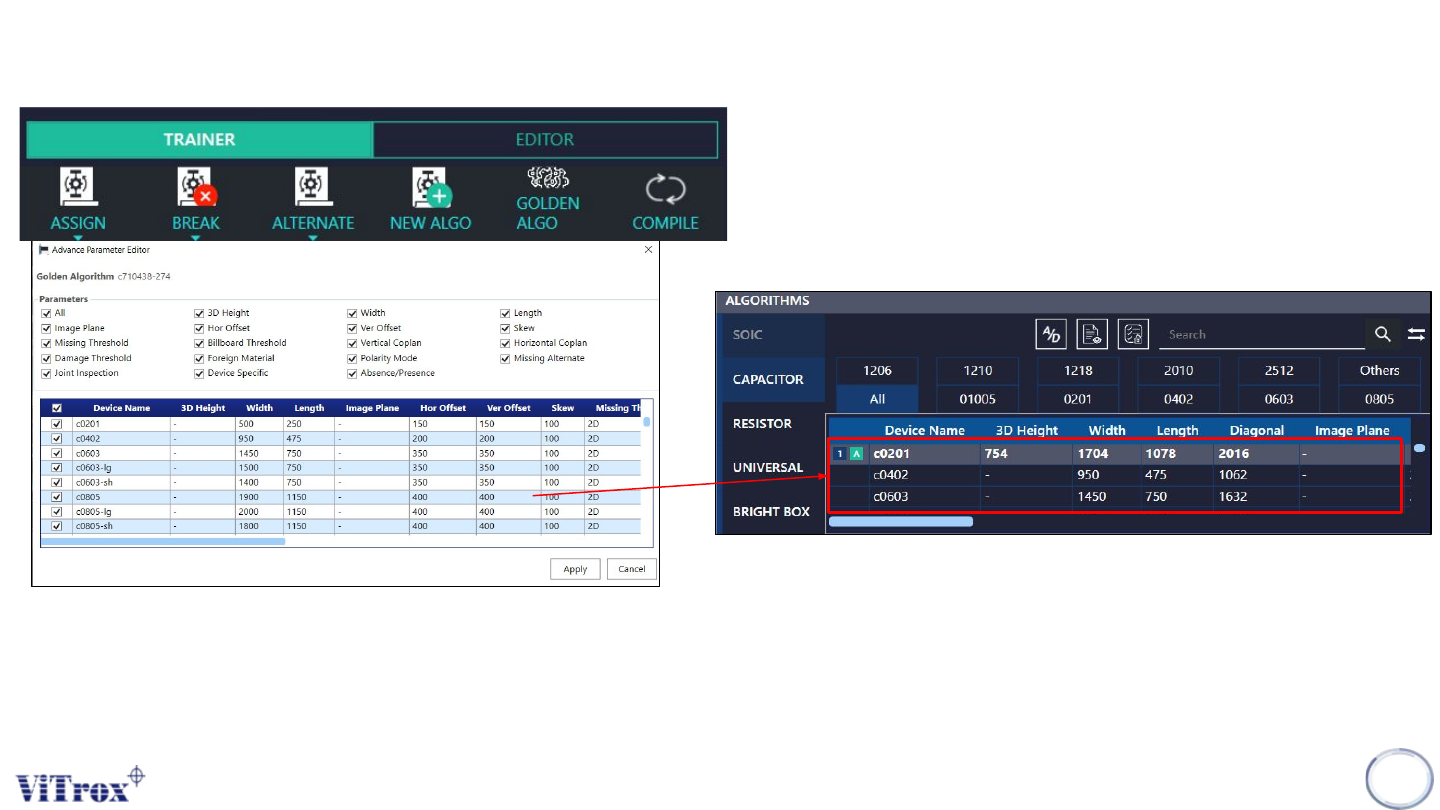
Enter Golden Algorithm Editor
158
Figure 145: Golden Algorithm Editor
Note: User can select multiple parameter to inspect for Golden Algorithm to exist in Algorithm List. If user want eliminate some of
the device name in the list of Algorithm, user can select multiple device name to eliminate.
Figure 146: List of Algorithm
Copyright © ViTrox All Rights Reserved.
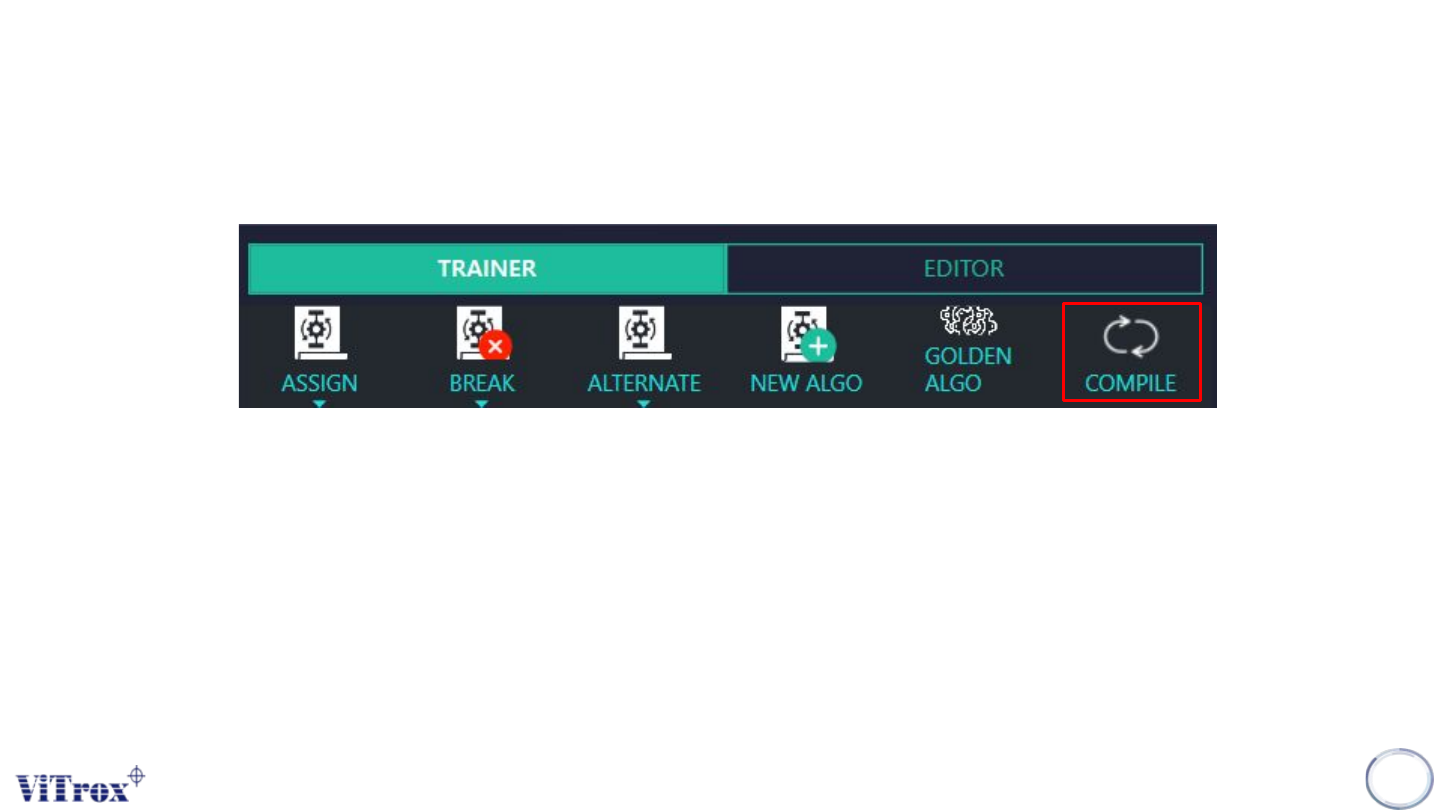
Compile
Note: To save the current changes, If there any changes especially doing fine tuning, make sure please compile before run the
inspection.
159
Figure 147: Compile Feature
Copyright © ViTrox All Rights Reserved.
Note of Smart train
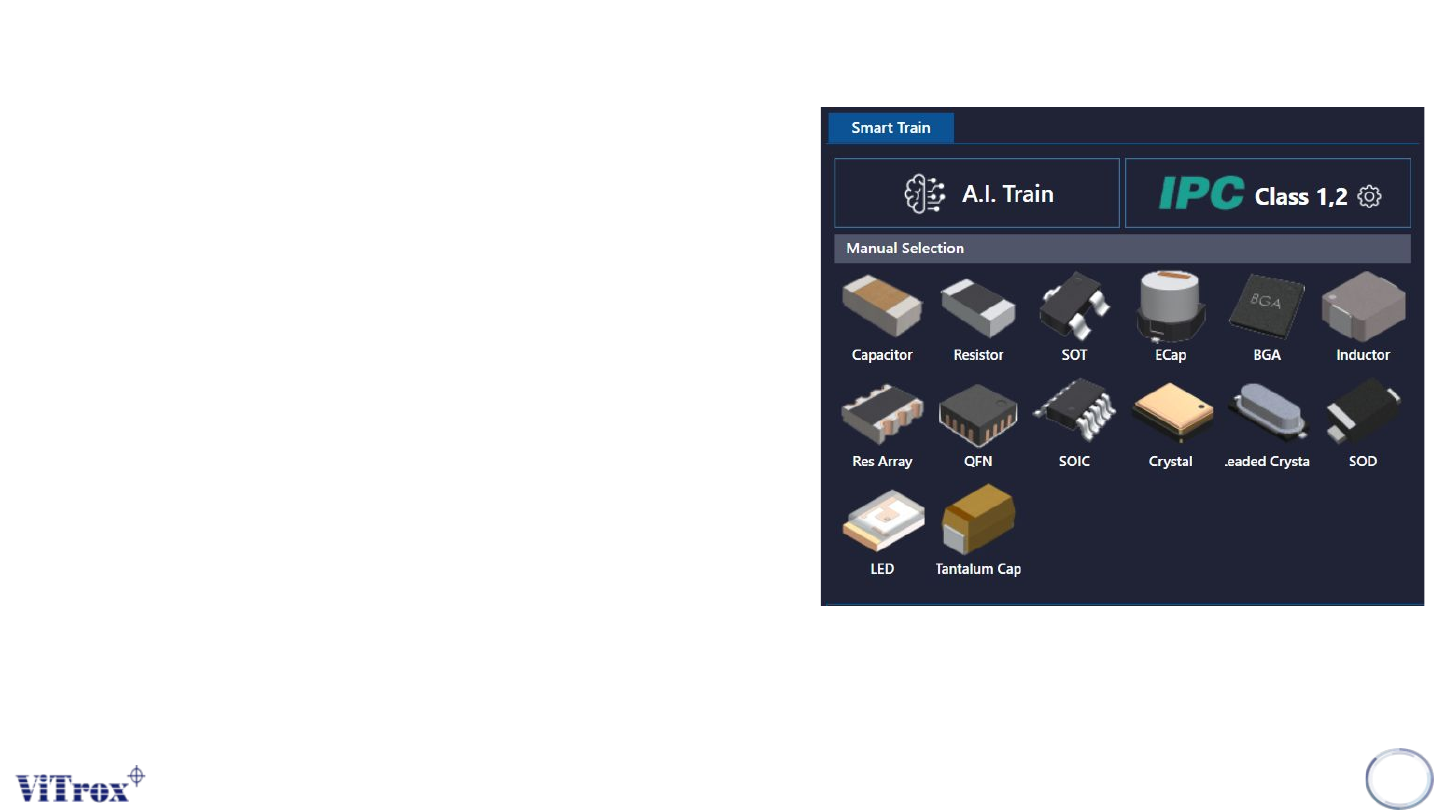
Smart train is a feature that applied Artificial Intelligence
(A.I) technology. This feature is specifically used to train
components in a manual way in one click by using A.I
technology. The following figure shows Smart Train
interface in algorithm trainer. There are three parts
under Smart Train which are:
● A.I Train
● A.I Train by manual package selection
● IPC Class
Note: Smart train option is shown when the A.I smart
programming license is detected by the ViTrox license
server and with the existence of .plx, .eplx and .epad
files in the c:/cpi/cad folder. Contact the ViTrox AOI
Service and Support team to learn about the A.I smart
programming license.
160
Figure 148: Smart train interface